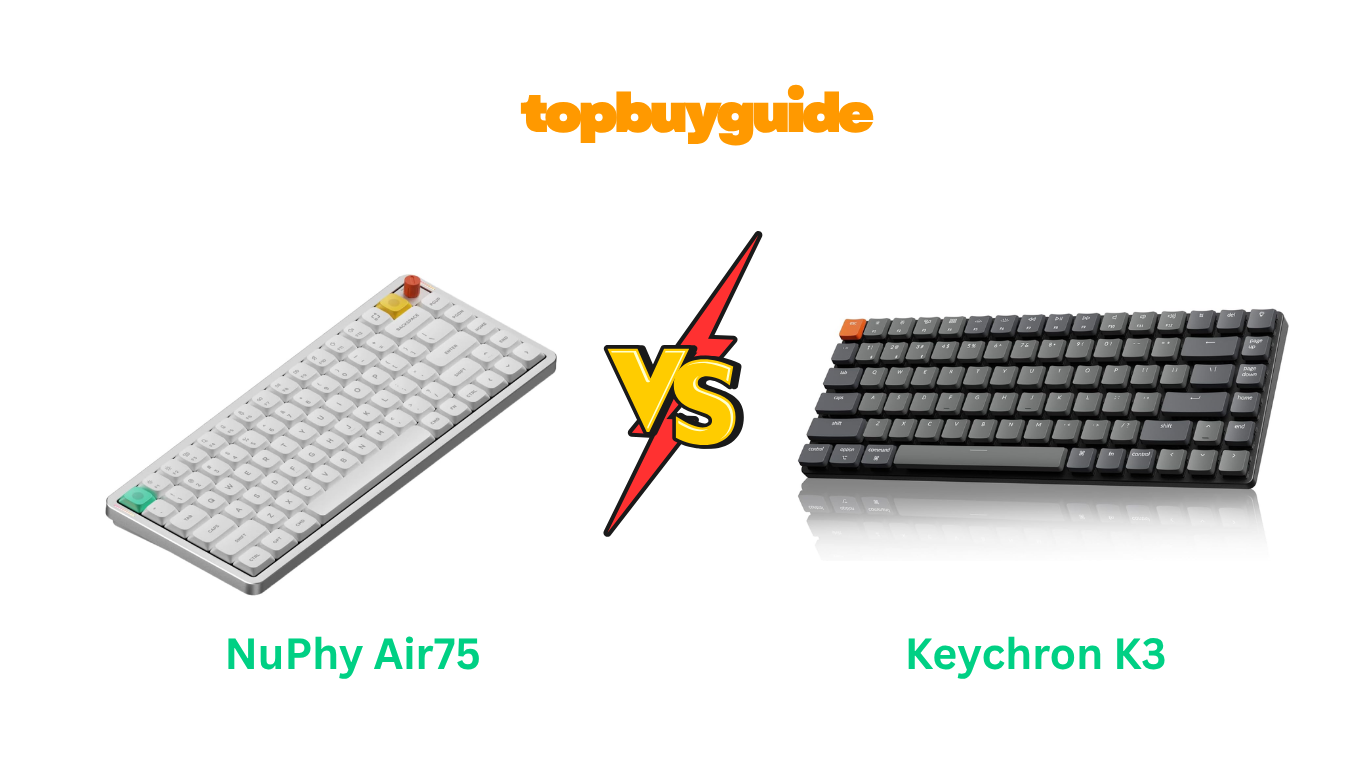
Choosing between NuPhy Air75 and Keychron K3 can dramatically improve your typing experience. After extensive testing and research, I recommend the NuPhy Air75 V3 for users who value premium build quality and exceptional battery life. The aluminum construction feels significantly more premium, while the massive 4,000mAh battery delivers 1,200 hours of use compared to K3’s 78 hours. Though it costs more, the Air75’s superior typing experience and build quality justify the investment for serious typists and professionals.
Why Do I Recommend The NuPhy Air75?
The NuPhy Air75 delivers exceptional value through premium features that create a superior typing experience. Here’s why it outperforms the Keychron K3:
- Massive Battery Capacity Advantage: The NuPhy Air75 features a powerful 4,000mAh battery providing up to 1,200 hours with lighting disabled. In contrast, the Keychron K3 Max only offers 78 hours with its smaller 1,550mAh battery, requiring frequent charging interruptions.
- Premium Aluminum Construction: The Air75 utilizes CNC-machined aluminum for both the top case and frame, creating a solid, premium feel. The Keychron K3 uses ABS plastic with an aluminum frame, resulting in a less substantial and more hollow feeling.
- Superior Gasket Mount Design: The Air75 V3 employs gasket mounting for improved acoustics and typing feel with better sound dampening. The Keychron K3 uses tray mounting, which creates a harder, more pingy typing experience without flexibility.
- Longer Key Travel Distance: With 3.5mm travel on Gateron LP 3.0 switches, the Air75 provides a more satisfying typing experience approaching standard keyboards. The K3’s switches offer only 3.2mm travel, feeling shallower and less tactile during extended typing sessions.
- Advanced Customization Software: NuPhy IO 2.0 provides browser-based customization with firmware updates without external flashers. While Keychron offers QMK/VIA support, the Air75’s software is more Mac-friendly and doesn’t trigger security warnings like Keychron’s desktop applications.
- Premium PBT Keycap Quality: The Air75 comes standard with double-shot PBT keycaps that resist shine and provide excellent texture. The standard K3 uses ABS keycaps that develop unwanted shine quickly, requiring upgrades for premium feel.
- Better Multi-Device Management: The Air75 supports up to four Bluetooth device pairings with seamless switching capabilities. The K3 only connects to three devices, limiting flexibility for users juggling multiple workstations or tablets.
- Modular Knob Customization: The Air75 V3 includes swappable high-profile and low-profile knob modules for volume control customization. The Keychron K3 lacks any knob functionality, relying solely on function key combinations for media control.
Side By Side Comparison Chart: NuPhy Air75 vs Keychron K3
| Feature | NuPhy Air75 V3 | Keychron K3 |
| Battery Capacity | 4,000mAh | 1,550mAh |
| Battery Life (RGB Off) | Up to 1,200 hours | Up to 78 hours |
| Battery Life (RGB On) | 60-100 hours | 40-42 hours |
| Weight | 724 grams (1.6 lbs) | 483-540 grams (1.06-1.19 lbs) |
| Height (Front) | 13.2mm | 17mm |
| Construction | Aluminum top case + ABS bottom | ABS + Aluminum frame |
| Mount Type | Gasket mount | Tray mount |
| Switch Travel | 3.5mm (Gateron LP 3.0) | 3.2mm (Gateron Low Profile 2.0) |
| Keycap Material | Double-shot PBT (standard) | ABS (standard), PBT (upgrade) |
| Software | NuPhy IO 2.0 (browser-based) | QMK/VIA via Keychron Launcher |
| Bluetooth Devices | 4 devices | 3 devices |
| 2.4GHz Wireless | Yes (1000Hz polling) | Yes on Max model only |
| Polling Rate (Wired) | 1000Hz | 1000Hz |
| Polling Rate (Bluetooth) | 125Hz | 90-125Hz |
| Knob Module | Yes (swappable) | No |
| RGB Lighting | 20 modes | 22 modes |
| Price Range | $139.95 | $74-104 (depends on version) |
What Common NuPhy Air75 vs Keychron K3 Can Do?
Both keyboards share fundamental features that define modern low-profile mechanical keyboards. Understanding these common capabilities helps you appreciate what either keyboard brings to your workspace.
75% Compact Layout Design
Both keyboards feature an efficient 75% layout with 84 keys that balances compactness with full functionality. This layout includes dedicated arrow keys, function row, and essential navigation keys without the numpad section. The compact design saves significant desk space while maintaining all keys most users need for productivity tasks.
Neither keyboard sacrifices important keys, making them suitable for both typing and occasional gaming scenarios. The layout is particularly ideal for users who want mechanical keyboard benefits without overwhelming desk footprint.
Low-Profile Mechanical Switches
Both the NuPhy Air75 and Keychron K3 utilize low-profile mechanical switches that reduce overall keyboard height significantly. These switches provide mechanical tactile feedback while maintaining slim profiles comparable to laptop keyboards. Low-profile switches allow for faster actuation due to reduced travel distance compared to standard switches.
Both keyboards offer multiple switch options including linear, tactile, and sometimes clicky variants for different preferences. The switches are hot-swappable on certain versions, allowing users to change switches without soldering expertise.
Triple Connectivity Options
Both keyboards support versatile connectivity through Bluetooth 5.0/5.1, 2.4GHz wireless (on applicable models), and USB-C wired connection. Bluetooth connectivity enables wireless operation across multiple devices including computers, tablets, and smartphones simultaneously.
The 2.4GHz connection provides lower latency wireless performance ideal for gaming and demanding typing tasks. USB-C wired mode offers unlimited battery life and consistent performance without charging concerns. Users can seamlessly switch between connection modes depending on their current workflow requirements.
Full N-Key Rollover Support
Both keyboards implement full N-key rollover (NKRO) functionality across all connection modes for professional-grade input recognition. This feature ensures every keypress registers accurately even when multiple keys are pressed simultaneously. NKRO proves essential for fast typists, programmers, and gamers who execute complex key combinations regularly.
The technology prevents ghosting and missed keystrokes during rapid typing or gaming sessions. Both keyboards maintain NKRO performance whether connected wirelessly via Bluetooth or through wired USB-C connections.
RGB Backlighting Customization
Both keyboards feature per-key RGB backlighting with multiple preset effects for aesthetic customization and low-light visibility. The RGB implementation includes adjustable brightness levels to balance visual appeal with battery conservation. Users can choose from 20-22 different lighting modes including static colors, breathing effects, and reactive patterns.
The north-facing LED design ensures optimal keycap illumination without light bleeding. Both keyboards allow RGB customization through their respective software for creating personalized lighting profiles.
Cross-Platform Compatibility
Both the Air75 and K3 work seamlessly across macOS, Windows, Linux, Android, and iOS operating systems. Each keyboard includes dedicated keycaps and layouts optimized for both Mac and Windows users. Mac-specific shortcuts like Spotlight, Mission Control, and Launchpad function correctly without software configuration.
Windows multimedia keys and system controls work identically well for PC users. The broad compatibility makes either keyboard suitable for multi-device users who switch between platforms.
Hot-Swappable Switch Design
Both keyboards offer hot-swappable switch sockets on certain versions, enabling tool-free switch replacement in seconds. This feature allows users to experiment with different switch types without purchasing multiple keyboards. Hot-swapping extends keyboard lifespan by allowing damaged switch replacement without soldering skills or manufacturer repairs.
Users can customize individual keys with different switch types for specific functions or preferences. The hot-swap implementation uses standard low-profile MX-style sockets compatible with various switch brands.
Compact and Portable Form Factor
Both keyboards emphasize portability with slim profiles measuring under 22mm height including keycaps. The lightweight aluminum and ABS construction makes them ideal travel companions for mobile workstations.
Neither keyboard requires bulky carrying cases due to their slim dimensions fitting easily in backpacks. The low-profile design allows comfortable typing directly on laptops using included feet systems. Both keyboards balance portability with durability through quality materials and reinforced construction methods.
Common Features of NuPhy Air75 vs Keychron K3
| Feature | NuPhy Air75 V3 | Keychron K3 |
| Layout | 75% (84 keys) | 75% (84 keys) |
| Switch Type | Low-profile mechanical | Low-profile mechanical |
| Hot-Swappable | Yes | Yes (on certain versions) |
| Connectivity | Bluetooth/2.4GHz/USB-C | Bluetooth/2.4GHz/USB-C |
| Bluetooth Version | 5.0 | 5.1-5.2 |
| N-Key Rollover | Yes (all modes) | Yes (all modes) |
| RGB Backlighting | Per-key north-facing | Per-key north-facing |
| Wired Polling Rate | 1000Hz | 1000Hz |
| macOS Support | Yes (dedicated keys) | Yes (dedicated keys) |
| Windows Support | Yes | Yes |
| Linux Support | Yes | Yes |
| Charging Port | USB-C | USB-C |
| Multimedia Keys | 12 | 12 |
| Dimensions | 318.9 x 128.9mm | 306 x 116mm |
| Adjustable Feet | Yes (3 angles) | Yes |
| Travel-Friendly | Yes | Yes |
A Detailed Comparison Of the NuPhy Air75 vs Keychron K3
Build Quality and Construction Materials
The NuPhy Air75 V3 utilizes CNC-machined aluminum for its top case, providing exceptional rigidity and premium feel. This construction method creates a solid, dense keyboard that feels substantial in hand without excessive weight. The aluminum extends to decorative side panels with integrated RGB light bars for battery indicators. The thicker aluminum compared to previous versions reduces hollowness and flex during aggressive typing sessions.
The Keychron K3 employs an ABS plastic body with an aluminum frame insert for structural support. While this reduces overall weight, it creates a more hollow acoustic profile and less premium tactile experience. The plastic construction feels adequate for the price but lacks the refined density of the Air75. The K3’s lighter build makes it more portable but sacrifices the planted, stable feel during typing.
Battery Life and Power Management
The NuPhy Air75 boasts an impressive 4,000mAh battery delivering up to 1,200 hours of continuous use with backlighting disabled. This enormous capacity translates to weeks or even months between charges for typical usage patterns. With RGB lighting enabled at full brightness, the Air75 still manages 60-100 hours of operation. The generous battery capacity eliminates charging anxiety during travel or busy work weeks entirely.
The Keychron K3 Max contains a modest 1,550mAh battery providing only 78 hours without backlighting under laboratory conditions. Real-world usage typically yields 40-50 hours with lights off, requiring charging every few days for regular users. With RGB enabled, battery life drops to approximately 40 hours, necessitating nearly daily charging routines. The smaller battery represents a significant compromise for users who prioritize wireless freedom over frequent charging.
Typing Experience and Switch Performance
The NuPhy Air75 V3 features Gateron Low-Profile 3.0 switches with extended 3.5mm travel distance approaching standard mechanical keyboards. This additional travel provides more satisfying tactile feedback and reduces accidental key presses during resting fingers. The gasket-mounted construction adds flexibility that dampens vibrations and creates a softer, more muted acoustic profile. Combined with pre-lubed stabilizers, the Air75 delivers a refined typing experience with minimal rattle.
The Keychron K3 utilizes Gateron Low-Profile 2.0 switches with 3.2mm travel feeling noticeably shallower during extended use. The tray-mount design creates a firmer, more direct typing feel with sharper acoustic feedback. While some users prefer this crisp responsiveness, others find it fatiguing during long typing sessions. The K3’s typing experience is perfectly adequate but lacks the premium refinement of gasket-mounted competitors.
Software and Customization Capabilities
The NuPhy Air75 employs NuPhy IO 2.0, a browser-based configuration tool accessible without software installation. This web application provides key remapping, macro programming, lighting customization, and firmware updates seamlessly. The browser-based approach works natively on macOS without triggering security warnings common with desktop applications. However, NuPhy IO lacks the extensive customization depth of QMK/VIA frameworks for advanced users.
The Keychron K3 Pro and Max versions support QMK/VIA firmware through Keychron Launcher, providing virtually unlimited customization possibilities. Advanced users can create complex macros, layer systems, and per-key behaviors impossible with proprietary software. However, Keychron Launcher requires desktop application installation that triggers macOS security warnings without Apple notarization. The added complexity may overwhelm casual users who simply want basic remapping functionality.
Weight and Portability Considerations
The NuPhy Air75 weighs 724 grams (1.6 pounds), making it noticeably heavier than its competitor. This additional weight comes from the aluminum construction and larger battery capacity. While heavier, the Air75 remains highly portable and fits easily in laptop bags. The extra mass provides stability during typing, preventing keyboard movement on smooth desk surfaces. The weight represents a worthwhile tradeoff for users valuing premium feel over minimal weight.
The Keychron K3 weighs between 483-540 grams (1.06-1.19 pounds) depending on version and switch selection. This lighter construction enhances portability for frequent travelers and mobile workers. The reduced weight makes it easier to pack alongside laptops without adding excessive burden. However, the lighter construction can feel less substantial and may slide more easily during vigorous typing sessions.
Keycap Quality and Longevity
The NuPhy Air75 V3 includes high-quality double-shot PBT keycaps as standard equipment across all configurations. These keycaps feature legends molded through the entire cap thickness, preventing fade regardless of usage intensity. The PBT material resists developing shine that plagues ABS keycaps over time. The textured surface provides excellent grip while maintaining consistent feel throughout keyboard lifespan. NuPhy’s commitment to PBT keycaps demonstrates focus on long-term user satisfaction.
The standard Keychron K3 ships with ABS keycaps that develop unwanted shine within months of regular use. The smooth surface becomes slippery over time, degrading typing experience and aesthetic appeal. While Keychron offers PBT keycap upgrades on Pro/Max versions, this increases total cost substantially. The ABS keycaps represent a cost-cutting measure appropriate for budget-focused users but disappointing for premium keyboard expectations.
Acoustic Profile and Sound Dampening
The NuPhy Air75 V3 implements comprehensive sound dampening through IXPE acoustic foam, EPDM case foam, and latex switch foam. This multi-layer approach creates a deep, muted “thock” sound signature preferred by keyboard enthusiasts. The gasket mounting further isolates vibrations, preventing high-pitched resonance. The result is a refined acoustic experience suitable for shared workspaces and quiet environments without disturbing others.
The Keychron K3 produces a sharper, more clacky sound profile characteristic of tray-mounted designs. While the K3 Max includes minimal case foam, it lacks comprehensive dampening of premium keyboards. The higher-pitched sound may appeal to users who enjoy audible typing feedback. However, the acoustic profile can become tiresome during extended typing sessions and proves disruptive in shared office environments.
Price and Value Proposition
The NuPhy Air75 V3 retails for $139.95, positioning it as a premium low-profile keyboard option. This price reflects the aluminum construction, massive battery capacity, PBT keycaps, and gasket-mounted design. The investment provides a keyboard that competes with $200+ options from boutique manufacturers. For users who type extensively and value quality, the Air75 represents excellent value despite higher entry cost.
The Keychron K3 ranges from $74-104 depending on version, switch selection, and backlighting options. This accessible pricing makes mechanical keyboard benefits available to budget-conscious users. The lower cost accepts compromises in materials, battery capacity, and refinement. The K3 represents outstanding value for casual users or those exploring low-profile mechanical keyboards without significant financial commitment.
Conclusion
After comprehensive analysis, the NuPhy Air75 V3 emerges as the superior keyboard for professionals and enthusiasts who value premium experiences. The massive 4,000mAh battery delivers up to 1,200 hours between charges, eliminating constant charging frustration. The aluminum construction and gasket mount create refined typing feel that reduces fatigue during marathon sessions.
Extended 3.5mm switch travel and double-shot PBT keycaps ensure long-term satisfaction. While $139.95 seems steep, the exceptional build quality and battery life justify the investment. Click now to transform your typing experience with the Air75’s unmatched combination of portability and premium performance.
Frequently Asked Questions
Q: Can I use the NuPhy Air75 with my iPad?
Yes, the NuPhy Air75 V3 works seamlessly with iPads running iPadOS 13.4 or later through Bluetooth 5.0 connectivity. The keyboard supports multiple device pairing, allowing quick switching between your iPad, iPhone, and Mac computers. The Mac-specific key layout includes iPad-friendly shortcuts for multitasking and system controls perfectly.
Q: Does the Keychron K3 work while charging?
Yes, the Keychron K3 functions perfectly as a wired keyboard while connected to the USB-C charging cable. The keyboard draws power from the cable, allowing uninterrupted use during battery replenishment. Charging takes approximately 2-3 hours for full battery capacity depending on usage during charging sessions.
Q: Are the switches compatible between NuPhy and Keychron keyboards?
Both keyboards use MX-style low-profile switch sockets, making switches technically interchangeable between brands on hot-swappable versions. However, switch stem dimensions and mounting vary slightly between manufacturers. Gateron LP 3.0 switches from NuPhy generally work in Keychron boards, though performance may vary slightly due to different stabilizer designs.
Q: Which keyboard is better for gaming?
The NuPhy Air75 V3 edges ahead for gaming due to its 2.4GHz wireless connection with 1000Hz polling rate providing faster response times. The gasket mount reduces fatigue during extended gaming sessions through improved acoustics. However, the Keychron K3 Max’s QMK/VIA support enables more complex macro programming for MMO and MOBA games requiring numerous keybinds.
Q: Can I replace the battery in either keyboard when it degrades?
Both keyboards feature sealed designs with non-user-replaceable batteries requiring manufacturer service or advanced DIY skills. The NuPhy Air75’s larger 4,000mAh battery will maintain useful capacity longer before degradation becomes noticeable. After 3-5 years of regular use, battery replacement typically requires professional service or warranty claims through manufacturers.
Q: Do both keyboards work with Linux?
Yes, both the NuPhy Air75 and Keychron K3 provide full Linux compatibility through standard HID protocols. All keys function correctly without additional driver installation. The Keychron K3’s QMK/VIA support offers superior Linux customization through open-source tools. Both keyboards connect via Bluetooth, 2.4GHz, or wired modes on Linux systems.
Q: Which keyboard has better Mac integration?
The NuPhy Air75 V3 offers slightly better Mac integration with dedicated Mac multimedia key layout and macOS-specific shortcuts. The browser-based NuPhy IO 2.0 software works without security warnings on macOS. However, the Keychron K3 also provides excellent Mac support with included Mac keycaps and function key compatibility across all macOS features.
Q: Can I use these keyboards on airplanes?
Yes, both keyboards work perfectly on airplanes in wired mode or Bluetooth mode once electronics are permitted. The NuPhy Air75’s incredible battery life ensures weeks of travel without charging concerns. Both keyboards comply with airline electronics regulations. Consider bringing a USB-C cable for wired operation if Bluetooth restrictions apply during specific flight phases.

Alex Turner is a dedicated product researcher and reviewer at TopBuyGuide.com, known for his clear, honest, and data-driven insights. He spends countless hours testing, comparing, and analyzing products to help readers make confident and informed buying decisions.