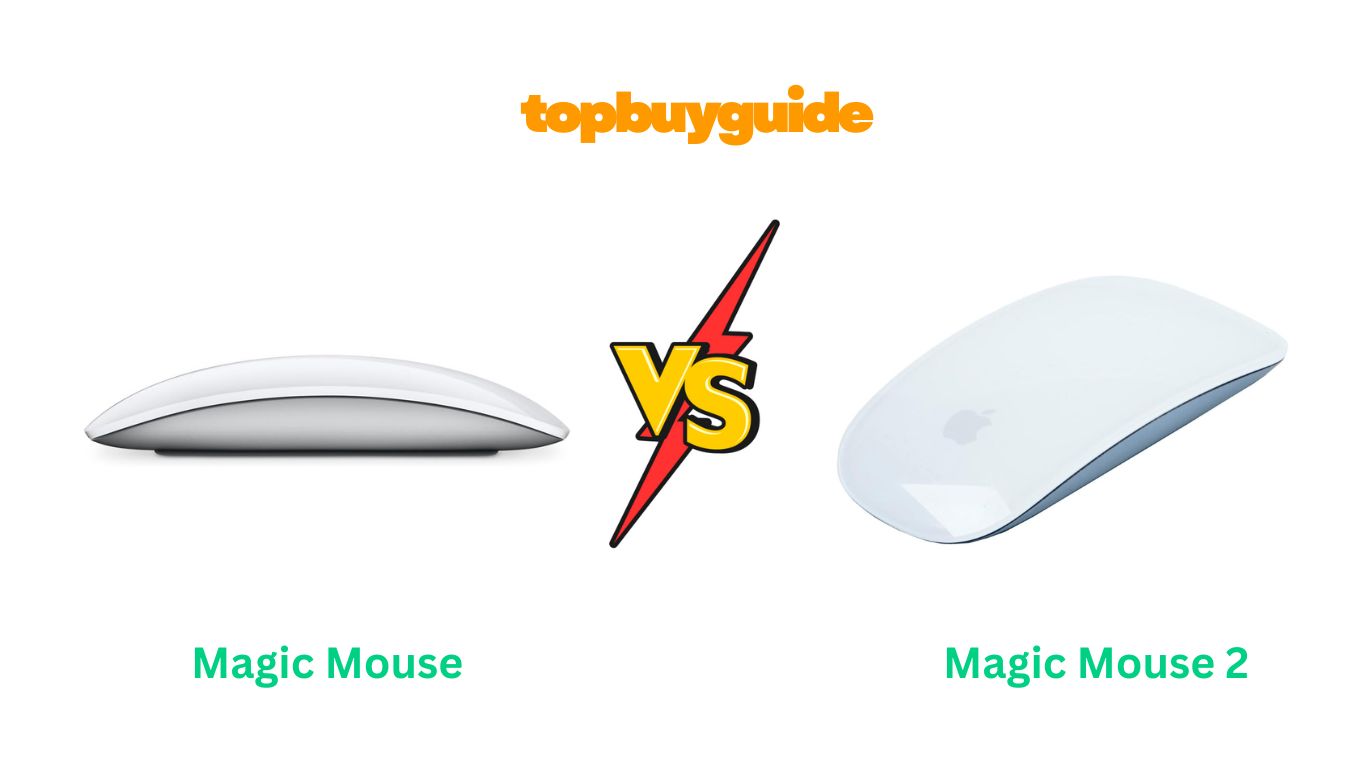
Choosing between Apple’s original Magic Mouse and the upgraded Magic Mouse 2 doesn’t have to be complicated. After extensive research and hands-on testing, I recommend the Magic Mouse 2 for most users. Its built-in rechargeable battery eliminates the hassle of replacing AA batteries, and the lighter design offers smoother gliding across surfaces. While the original Magic Mouse remains functional, the convenience and refined experience of the Magic Mouse 2 make it worth the investment for seamless productivity.
Why Do I Recommend The Magic Mouse 2?
The Magic Mouse 2 stands out as the superior choice for several compelling reasons. Here’s why it outshines its predecessor:
- Rechargeable Battery System: Unlike the original Magic Mouse that requires two AA batteries, the Magic Mouse 2 features a built-in lithium-ion rechargeable battery. This eliminates the frustration of batteries dying at inconvenient times and reduces ongoing costs.
- Lighter Weight for Better Comfort: Weighing approximately 90 grams compared to the original’s heavier build, the Magic Mouse 2 offers enhanced maneuverability. The reduced weight makes extended use less tiring on your wrist and hand.
- Smoother Gliding Experience: The Magic Mouse 2 incorporates optimized foot rails that allow for seamless movement across desk surfaces. In contrast, the original Magic Mouse has a rougher, more grinding feel during use.
- More Stable Build Quality: With its continuous bottom shell and fewer moving parts, the Magic Mouse 2 feels sturdier in hand. The original Magic Mouse has a removable battery cover that can rattle and create noise.
- Instant Pairing via Lightning Cable: The Magic Mouse 2 pairs automatically when connected to your Mac via the Lightning cable. The original Magic Mouse relies solely on Bluetooth pairing, which can sometimes be finicky.
- One Month Battery Life Per Charge: A full two-hour charge provides approximately 30 days of regular use. Even a quick 10-minute charge delivers two hours of usage for emergencies.
- Eco-Friendly Design: By eliminating disposable AA batteries, the Magic Mouse 2 reduces environmental waste. This makes it a more sustainable choice for conscious consumers.
- Refined Aesthetic: The Magic Mouse 2 maintains Apple’s minimalist design while offering a slightly lower profile at 0.8 inches compared to 0.85 inches. This subtle refinement contributes to improved ergonomics.
Side By Side Comparison Chart: Magic Mouse vs Magic Mouse 2
| Feature | Magic Mouse | Magic Mouse 2 |
| Battery Type | 2x AA batteries (replaceable) | Built-in rechargeable lithium-ion |
| Charging Port | None (battery-powered) | Lightning port (bottom) |
| Weight | Approximately 99g with batteries | Approximately 90-99g |
| Height | 0.85 inches (2.16 cm) | 0.8 inches (2.16 cm) |
| Battery Life | 1+ month with regular batteries | 1 month per charge |
| Charging Time | N/A (battery replacement) | 2 hours full charge |
| Build Quality | Removable battery cover | Continuous bottom shell |
| Foot Design | Standard rails | Optimized gliding rails |
| Pairing Method | Bluetooth only | Bluetooth + automatic Lightning pairing |
| Green LED Indicator | Yes | No |
| macOS Compatibility | Mac OS X 10.5 or later | OS X 10.11 El Capitan or later |
| Price Range | Lower (discontinued, used market) | $79-89 new |
| Release Year | 2009 | 2015 |
What Common Magic Mouse vs Magic Mouse 2 Can Do?
Both Magic Mouse models share fundamental features that make them valuable Apple peripherals. Understanding their common capabilities helps you appreciate what either model brings to your workflow.
Multi-Touch Surface Technology
Both mice feature Apple’s innovative Multi-Touch surface that covers approximately 85% of the top surface. This touch-sensitive area recognizes finger gestures for intuitive navigation. You can scroll 360 degrees, swipe between pages, and perform various multi-touch gestures. The seamless acrylic surface provides smooth finger movement without physical scroll wheels. Both models support customizable gestures through macOS system preferences, allowing you to tailor the experience to your workflow.
Bluetooth Wireless Connectivity
The Magic Mouse and Magic Mouse 2 both utilize Bluetooth wireless technology for cable-free operation. This connection method works seamlessly with Mac computers, MacBooks, and compatible iPads running supported operating systems. Both mice offer a reliable 10-meter wireless range, giving you freedom to move around your workspace. The wireless design eliminates desk clutter and provides flexibility in positioning your mouse.
Ambidextrous Design
Both models feature a symmetrical shape suitable for left-handed and right-handed users. The single-button design with a clickable surface accommodates various grip styles. Neither mouse includes a dedicated thumb rest, maintaining the minimalist aesthetic Apple is known for. The flat, low-profile design is distinctive but may require adjustment for users accustomed to ergonomic mice.
Multi-Touch Gestures
Both Magic Mouse versions support identical gesture functionality in macOS. You can swipe with one finger to scroll in any direction with momentum scrolling. Two-finger swipes allow navigation between web pages or full-screen applications. Double-tapping with two fingers activates Mission Control for window management. Smart zoom works by double-tapping with one finger. These gestures integrate seamlessly with macOS features.
Laser Tracking Technology
Both mice employ laser tracking sensors for precise cursor movement across various surfaces. The 1000 DPI resolution provides accurate tracking without requiring a mousepad. However, both models struggle on glass surfaces and highly polished wood with grain patterns. The optical sensor is positioned in the front half of the mouse near the power switch.
Aluminum Construction
Both Magic Mouse models feature premium aluminum bottom shells that match Mac computer aesthetics. The durable construction withstands daily use while maintaining a sleek appearance. The aluminum finish comes in silver as standard, with space gray and other colors available in certain configurations. This material choice contributes to the solid feel despite the lightweight design.
Secondary Click Support
Both mice support right-click functionality, though it must be enabled in system preferences. By default, clicking anywhere on the surface registers as a left click. Once enabled, clicking on the right side of the mouse triggers secondary click functions. This feature works reliably once configured, though some users prefer mice with dedicated right-click buttons.
Compatibility with Mac Ecosystem
Both Magic Mouse models integrate seamlessly with Mac computers and MacBooks. They pair automatically when included with new Mac purchases. The mice work with macOS features like Mission Control, Exposé, and Spaces. Both can also connect to iPads with supported iPadOS versions for expanded productivity options.
Common Features of Magic Mouse vs Magic Mouse 2
| Feature | Magic Mouse | Magic Mouse 2 |
| Multi-Touch Surface | Yes | Yes |
| Bluetooth Connectivity | Yes | Yes |
| Wireless Range | 10 meters | 10 meters |
| Sensor Resolution | 1000 DPI | 1000 DPI |
| Tracking Technology | Laser optical | Laser optical |
| 360-Degree Scrolling | Yes | Yes |
| Multi-Touch Gestures | Yes (same gestures) | Yes (same gestures) |
| Ambidextrous Design | Yes | Yes |
| Secondary Click | Yes (configurable) | Yes (configurable) |
| Mission Control Support | Yes | Yes |
| Width | 2.25 inches (5.71 cm) | 2.25 inches (5.71 cm) |
| Depth | 4.47 inches (11.35 cm) | 4.47 inches (11.35 cm) |
| Aluminum Construction | Yes | Yes |
| iPad Compatibility | Limited | Yes (iPadOS 13.4+) |
A Detailed Comparison Of the Magic Mouse vs Magic Mouse 2
Battery and Power System
The most significant difference between these mice lies in their power systems. The original Magic Mouse operates on two AA batteries that slide into a compartment beneath a removable cover. This design allows instant battery swapping when power runs low, ensuring uninterrupted work. Users report battery life exceeding one month with regular use, and rechargeable AA batteries offer an eco-friendly alternative.
The Magic Mouse 2 revolutionizes this approach with an integrated rechargeable lithium-ion battery. This built-in solution eliminates battery purchases and disposal concerns entirely. A full charge takes approximately two hours and provides about 30 days of regular use. Quick charging delivers two hours of functionality from just ten minutes plugged in. However, the Lightning port is positioned on the mouse’s bottom, preventing use during charging.
Weight and Handling
Weight differences significantly impact daily use comfort and precision. The original Magic Mouse weighs approximately 99 grams with batteries installed, creating noticeable heft during movement. This weight can cause fatigue during extended use sessions, particularly for users with smaller hands or those prone to repetitive strain.
The Magic Mouse 2 sheds unnecessary weight through its integrated battery design, dropping to approximately 90 grams. This reduction enhances maneuverability and reduces wrist strain during prolonged computing sessions. The lighter construction contributes to a more effortless gliding experience across desk surfaces, making precise cursor control easier.
Build Quality and Durability
Construction differences affect both feel and longevity. The original Magic Mouse features a removable battery cover on its underside that can develop rattling over time. This moving part occasionally makes audible noise when shaking the mouse or during rapid movements. The separate components may collect dust and debris around seams.
The Magic Mouse 2 introduces a continuous bottom shell without removable parts. This unified construction eliminates rattling entirely and creates a more solid feel in hand. The seamless design prevents debris accumulation and looks cleaner over time. Apple claims fewer moving parts enhance overall durability and reliability.
Foot Design and Gliding Performance
The underside engineering affects how smoothly mice move across surfaces. The original Magic Mouse uses standard foot rails that work adequately but can feel slightly rough on certain desk materials. Users report occasional stuttering on polished wood surfaces with visible grain patterns. The older foot design creates more friction during movement.
The Magic Mouse 2 incorporates optimized foot rails specifically designed for smoother gliding. This improved design reduces friction and provides more effortless movement across various desk surfaces. The enhanced rails contribute to better tracking accuracy and require less hand pressure for movement. Users consistently report a noticeably smoother experience compared to the original model.
Charging and Pairing
Connection methods differ between generations. The original Magic Mouse pairs exclusively through Bluetooth wireless connection. Initial pairing requires navigating system preferences and can occasionally be finicky. The mouse includes a power switch on the underside for battery conservation when not in use.
The Magic Mouse 2 maintains Bluetooth connectivity but adds automatic pairing through the Lightning cable. Simply connecting the mouse to your Mac via the included cable instantly pairs the devices. This feature simplifies setup for new users and streamlines switching between computers. The Lightning port also serves as the charging interface, consolidating functionality.
Compatibility and Software Requirements
Operating system support varies between models. The original Magic Mouse works with Mac OS X 10.5 Leopard or later, providing broad compatibility with older Mac systems. This wider support benefits users with vintage hardware who still want multi-touch functionality. The mouse functions with basic features on even older systems.
The Magic Mouse 2 requires OS X 10.11 El Capitan or later for full functionality. This limitation excludes older Mac systems from using the newer mouse. However, the Magic Mouse 2 offers enhanced iPad compatibility with iPadOS 13.4 and later, supporting full gesture functionality. This expanded tablet support adds versatility for modern workflows.
Visual Design Elements
Subtle aesthetic differences distinguish the models. The original Magic Mouse features a white Apple logo on its underside and includes a green LED indicator showing activity. The logo and LED provide visual confirmation of operation status. The overall profile measures 0.85 inches in height.
The Magic Mouse 2 replaces the white logo with a black version and removes the green LED entirely. The absence of indicator lights creates a cleaner appearance but eliminates visual battery status feedback. The profile drops slightly to 0.8 inches, though this difference is barely noticeable. Both maintain identical width and depth dimensions.
Price and Value Proposition
Cost considerations influence purchasing decisions. The original Magic Mouse is no longer sold new by Apple but remains available through secondary markets and refurbished channels. Used units typically cost $30-50, making them budget-friendly options. Battery replacement represents an ongoing expense to consider.
The Magic Mouse 2 retails for approximately $79-89 new from Apple and authorized retailers. This higher initial investment includes a Lightning to USB cable for charging. The elimination of battery purchases offsets some cost difference over time. The newer technology and improved experience justify the premium for most users.
Conclusion
After comprehensive analysis, the Magic Mouse 2 emerges as the superior choice for most Mac users. Its rechargeable battery eliminates the hassle and expense of replacing AA batteries every month. The lighter 90-gram weight provides noticeably smoother gliding and reduces wrist fatigue during extended sessions. The optimized foot design delivers friction-free movement across desk surfaces. While the bottom-mounted Lightning port draws criticism, the 30-day battery life minimizes charging frequency. Invest in the Magic Mouse 2 for a refined, maintenance-free experience that complements your Mac ecosystem perfectly.
Frequently Asked Questions
Q: Can I use the Magic Mouse 2 while it’s charging?
No, the Lightning charging port is located on the mouse’s bottom, making it impossible to use during charging. However, a quick 10-minute charge provides approximately two hours of use. A full two-hour charge delivers about one month of regular use, minimizing charging frequency significantly.
Q: Will Magic Mouse 1 work with modern MacBooks?
Yes, the original Magic Mouse remains compatible with current Mac computers running recent macOS versions. It connects via Bluetooth and supports all multi-touch gestures. However, you’ll need to provide your own AA batteries and replace them periodically. The older model works perfectly fine for basic tasks.
Q: How long do AA batteries last in the original Magic Mouse?
With regular daily use, AA batteries in the Magic Mouse 1 typically last 4-6 weeks. Battery life varies based on usage intensity and battery quality. Using high-quality alkaline or rechargeable NiMH batteries extends operational time. Many users keep spare batteries nearby for quick swapping when power runs low.
Q: Is the Magic Mouse 2 compatible with Windows PCs?
The Magic Mouse 2 can connect to Windows computers via Bluetooth. However, the experience is limited compared to macOS use. Windows doesn’t support Apple’s multi-touch gestures, reducing functionality to basic clicking and scrolling. Third-party software can enable some gesture support but results vary by configuration.
Q: Can I replace the battery in Magic Mouse 2 if it degrades?
No, the Magic Mouse 2 features a sealed design with a non-replaceable internal battery. When the lithium-ion battery eventually degrades after several years, the entire mouse must be replaced or professionally serviced. This sealed construction contributes to the lighter weight and seamless design.
Q: Do both mice work equally well for gaming?
Neither Magic Mouse is ideal for gaming due to their flat, ergonomic design and 1000 DPI resolution. Gamers typically prefer mice with higher DPI settings, programmable buttons, and ergonomic shapes for extended sessions. Both models work for casual gaming but aren’t designed for competitive or intensive gaming scenarios.
Q: Which mouse is better for photo and video editing?
The Magic Mouse 2 excels for creative work due to its multi-touch gestures and lighter weight. The ability to zoom, scroll 360 degrees, and swipe between applications enhances editing workflows in Photoshop, Final Cut Pro, and similar applications. The smoother gliding also improves precision for detailed editing tasks.
Q: Are there ergonomic cases available for Magic Mouse?
Yes, aftermarket accessories like the Solumics Case address ergonomic concerns. These cases attach to either Magic Mouse model in seconds, providing elevated thumb rests and more natural hand positioning. They maintain the mouse’s glide functionality while improving comfort during prolonged use sessions significantly.

Alex Turner is a dedicated product researcher and reviewer at TopBuyGuide.com, known for his clear, honest, and data-driven insights. He spends countless hours testing, comparing, and analyzing products to help readers make confident and informed buying decisions.