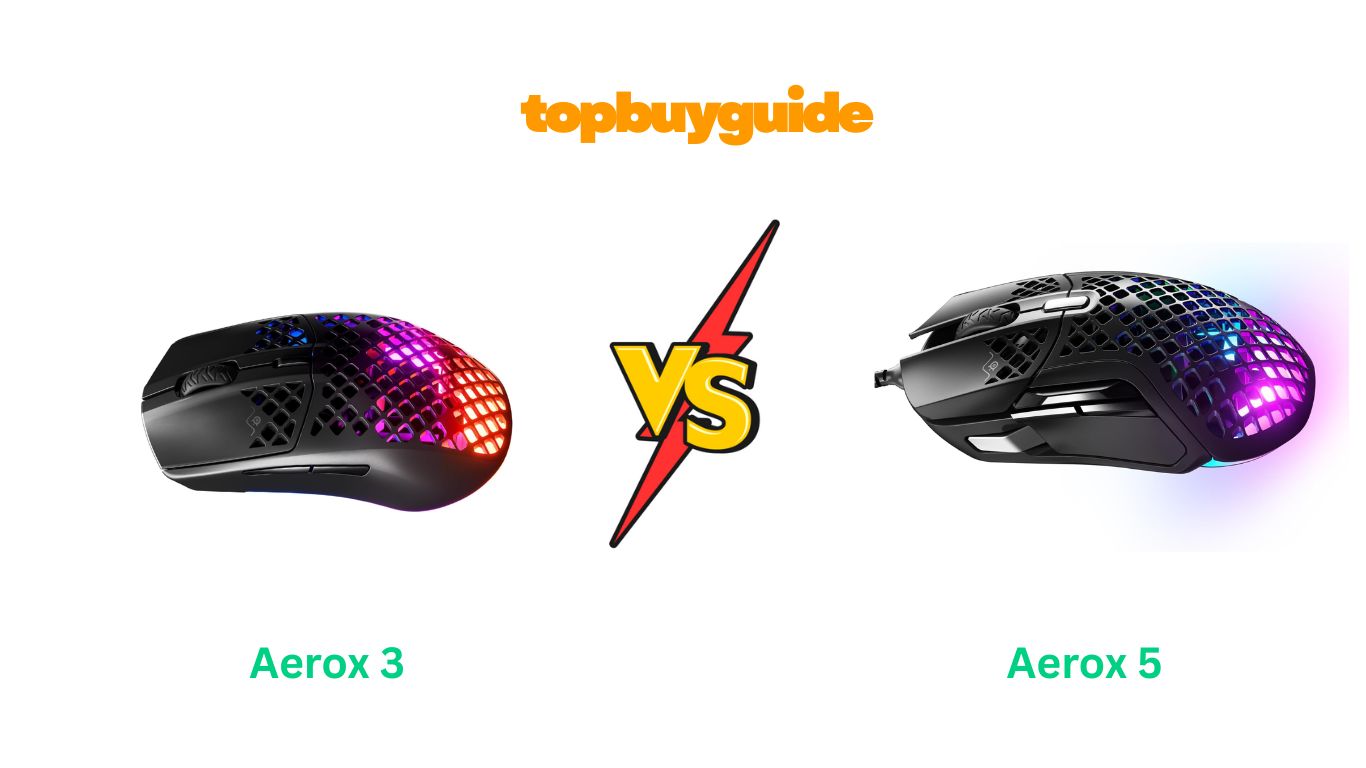
Looking for the perfect ultra-lightweight gaming mouse? The SteelSeries Aerox line is a top contender. While both the Aerox 3 and Aerox 5 are excellent choices, I recommend the Aerox 5. It offers more programmable buttons and an ergonomic shape that suits more grip styles, making it a more versatile and powerful option for a wider range of gamers. This review will explore why it stands out.
Why Do I Recommend The Aerox 5?
While both the Aerox 3 and Aerox 5 are top-tier gaming mice, the Aerox 5 has several distinct advantages that make it my top recommendation. It’s designed for gamers who need more versatility and control without sacrificing the lightweight feel that the Aerox series is known for. Here are the key reasons why the Aerox 5 is the superior choice for most users.
- More Programmable Buttons: The Aerox 5 comes equipped with 9 programmable buttons. This is a significant step up from the 6 buttons on the Aerox 3. For gamers who play MMOs, MOBAs, or other titles requiring multiple keybinds, these extra buttons are a game-changer. You can map complex macros and commands, giving you a competitive edge. In contrast, the Aerox 3’s simpler 6-button layout is better suited for FPS games where fewer inputs are needed.
- Ergonomic Shape: The Aerox 5 features a more contoured, ergonomic design that is comfortable for a wider variety of hand sizes and grip styles, particularly palm and claw grips. Its battle-tested shape provides better support during long gaming sessions. The Aerox 3, on the other hand, has a smaller, more symmetrical shape that is ideal for fingertip and claw grip users, but can feel less substantial for those with larger hands.
- Specialized Side Button Panel: A standout feature of the Aerox 5 is its 5-button side panel. This includes a unique up/down flick switch, which is incredibly intuitive for quick actions like changing weapons or executing macros. This layout is far more versatile than the standard two-button side panel found on the Aerox 3. This makes the Aerox 5 a powerhouse for productivity and complex in-game commands, whereas the Aerox 3 sticks to a more traditional, minimalist design.
- Enhanced Versatility: Due to its button layout and ergonomic shape, the Aerox 5 is a more versatile mouse. It excels in a variety of game genres, from fast-paced shooters to complex strategy games. The Aerox 3 is more specialized, focusing almost exclusively on providing the lightest possible experience for FPS gamers. If you play a mix of games, the Aerox 5 is the more adaptable and practical option.
- Slightly Heavier for Better Control: While still incredibly light at 66g, the Aerox 5 is slightly heavier than the 59g wired Aerox 3. This minor weight difference can provide a bit more stability and control during precise movements, which some gamers prefer. While the Aerox 3 is engineered for maximum speed, the Aerox 5 strikes a perfect balance between speed and control, making it a more balanced choice for many players.
Side By Side Comparison Chart: Aerox 3 vs 5
| Feature | Aerox 3 | Aerox 5 |
| Weight | 68g (Wireless) | 66g (Wired) |
| Programmable Buttons | 6 | 9 |
| Side Buttons | 2 standard side buttons | 5-button panel with up/down flick switch |
| Shape | Symmetrical, smaller | Ergonomic, larger |
| Best For | FPS, Fingertip/Claw Grip | MMO, MOBA, FPS, Palm/Claw Grip |
| Connectivity | 2.4GHz Wireless, USB, Bluetooth | USB |
| Battery Life | Up to 200 hours | N/A (Wired) |
What Common Features Can Aerox 3 vs 5 Do?
Both the Aerox 3 and Aerox 5 share a foundation of high-performance features that make them part of the elite SteelSeries family. These commonalities ensure that no matter which model you choose, you’re getting a premium gaming mouse built for speed, durability, and stunning aesthetics. They are engineered with the same core technology to deliver a competitive edge.
One of the most praised features in both mice is the AquaBarrier™ technology. This gives both the Aerox 3 and Aerox 5 an IP54 rating, shielding the internal circuitry from water splashes, dust, dirt, and oil. This means you don’t have to worry about accidental spills or the buildup of grime affecting performance. The holey shell design, which is crucial for their lightweight nature, is protected from the inside out, ensuring long-term durability.
Both models also feature brilliant 3-zone PrismSync RGB lighting. This allows for 16.8 million configurable colors that shine through the translucent casing and holey shell. You can customize the lighting to match your setup or sync it with other SteelSeries Prism-enabled gear. The RGB effects create a visually stunning centerpiece for your gaming station, adding a layer of personalization that makes the mouse truly your own.
The TrueMove Air optical gaming sensor is another shared high-performance component. Co-developed with PixArt, this sensor offers true 1-to-1 tracking, ensuring that every movement of your hand is translated to the screen with pixel-perfect accuracy. This precision is vital for competitive gaming where every millisecond counts. Whether you’re making quick flicks in an FPS or executing precise movements in a strategy game, the TrueMove Air sensor provides the reliability and accuracy you need to perform at your best.
Durability is further enhanced by the Next-Gen Golden Micro IP54 switches. These switches are rated for over 80 million crispy clicks and provide added dust and water resistance. This ensures that your primary mouse buttons will remain responsive and reliable for years to come, even with heavy use. The tactile feedback from these switches is satisfying, giving you confidence in every click.
Finally, both the Aerox 3 and Aerox 5 are equipped with 100% pure PTFE glide skates. These skates provide the smoothest possible glide and enhanced control for super-light mouse movements. They are designed to minimize friction on your mousepad, allowing for effortless swipes and quick reactions. This feature is essential for a mouse designed for speed, as it ensures your movements are as fluid and unimpeded as possible.
Common Features of Aerox 3 vs 5
| Feature | Aerox 3 | Aerox 5 |
| AquaBarrier™ Protection | IP54 Rated | IP54 Rated |
| RGB Lighting | 3-Zone PrismSync | 3-Zone PrismSync |
| Sensor | TrueMove Air Optical Sensor | TrueMove Air Optical Sensor |
| Switches | Golden Micro IP54 Switches | Golden Micro IP54 Switches |
| Glide Skates | 100% Pure PTFE | 100% Pure PTFE |
| Software | SteelSeries GG | SteelSeries GG |
| Outer Shell | Holey design | Holey design |
A Detailed Comparison Of the Aerox 3 vs 5
Let’s dive deeper into what sets the Aerox 3 and Aerox 5 apart. While they share core technologies, their design philosophies cater to different types of gamers. Your choice will depend on your preferred game genres, grip style, and how much customization you need.
Weight and Design
The Aerox 3 Wireless has an ultra-lightweight design, weighing just 68 grams. Its design is focused on providing the fastest possible swipes, making it a favorite for FPS players who need to react in an instant. The symmetrical shape makes it very comfortable for fingertip and claw grip users. Its smaller frame is nimble and easy to maneuver across a mousepad with minimal effort.
In contrast, the wired Aerox 5 weighs in at 66 grams. While also incredibly light, its larger, ergonomic shape is built for comfort during long gaming sessions. This design is better suited for palm and claw grip users who want more hand support. The slight difference in weight and shape makes the Aerox 5 feel more substantial and controlled, which can be an advantage in games that require both speed and steady precision.
Programmable Buttons
The Aerox 3 features a standard 6-button layout. This includes the left and right main buttons, a clickable scroll wheel, a DPI button, and two side buttons. This minimalist setup is perfect for players who prioritize simplicity and don’t require extensive macros or keybinds. The layout is straightforward and ensures you won’t accidentally press a button in the heat of the moment, which is critical in fast-paced FPS games.
The Aerox 5, however, is a macro user’s dream with 9 programmable buttons. The standout feature is its 5-button side panel, which includes a unique up/down flick switch. This provides quick access to multiple commands without having to move your thumb excessively. This makes the Aerox 5 exceptionally versatile for MMOs, MOBAs, and even productivity tasks where having multiple shortcuts at your fingertips can significantly improve efficiency.
Connectivity and Battery Life
As a wireless mouse, the Aerox 3 offers dual connectivity. You can use either the lag-free Quantum 2.0 Wireless via a 2.4GHz USB-C dongle or Bluetooth 5.0 for more general use. The battery life is impressive, offering up to 200 hours on a single charge (with lighting effects likely affecting this). This flexibility allows you to easily switch between a high-performance gaming setup and a more portable, cable-free option for on-the-go use.
The Aerox 5 in this comparison is a wired model. This means you never have to worry about battery life or connection drops. It connects via a detachable USB-C Super Mesh cable. This cable is soft and flexible, designed to reduce drag and feel almost non-existent during use. For gamers who prefer the absolute reliability of a wired connection and don’t want to manage batteries, the Aerox 5 is a dependable choice.
Conclusion
So, which mouse should you choose? If you primarily play fast-paced FPS games and use a fingertip or claw grip, the Aerox 3 Wireless is an outstanding choice. Its incredibly low weight of 68g and simple button layout are engineered for pure speed. However, for most gamers, the Aerox 5 is the better all-around option. Its 66g weight, ergonomic shape, and versatile 9-button layout make it a powerful tool for any game genre. The additional buttons, especially the side panel, provide a clear competitive advantage.
FAQs
- Is the holey design on the Aerox 3 and 5 uncomfortable?
No, the holey shell is engineered to be smooth and comfortable. Most users don’t notice the holes during gameplay. The design is crucial for keeping the weight down while maintaining structural integrity. - Can I use the Aerox 5 for FPS games?
Absolutely. The Aerox 5 is extremely lightweight at 66g and features the same precise TrueMove Air sensor as the Aerox 3. While it has more buttons, they can be disabled if you prefer a simpler layout for FPS gaming, making it a very versatile choice. - How durable are the Aerox mice with the open shell?
Both mice are very durable. They feature AquaBarrier™ technology with an IP54 rating, which protects the internal components from dust, dirt, and water splashes. You don’t need to worry about the holey design compromising the mouse’s longevity. - What is the benefit of the up/down flick switch on the Aerox 5?
The flick switch on the Aerox 5’s side panel provides two additional, easily accessible inputs. It’s perfect for actions that require quick, repeated use, such as changing weapons, scrolling through abilities, or executing rapid-fire macros without moving your thumb. - Is the wireless performance of the Aerox 3 reliable for competitive gaming?
Yes, the Aerox 3 uses Quantum 2.0 Wireless technology with a 2.4GHz connection, which provides a lag-free experience that is indistinguishable from a wired connection. Many professional gamers use this technology for its reliability and performance. - Does the RGB lighting drain the battery on the Aerox 3 Wireless?
Yes, like any wireless device, using the RGB lighting will reduce the battery life. The Aerox 3 can last up to 200 hours, but this is typically with the lighting turned off or on a power-saving mode. You can customize the lighting settings in the SteelSeries GG software to balance aesthetics and battery performance. - Which mouse is better for small hands?
The Aerox 3 generally suits smaller hands better due to its smaller, symmetrical shape. The Aerox 5 has a larger, more ergonomic design that might feel too bulky for some users with very small hands, though it often comes down to personal grip style and preference. - Can I customize the button functions on both mice?
Yes, both the Aerox 3 and Aerox 5 use the SteelSeries GG software, which allows for full customization of all programmable buttons. You can remap buttons, create macros, adjust DPI settings, and control the RGB lighting profiles for both mice.

Alex Turner is a dedicated product researcher and reviewer at TopBuyGuide.com, known for his clear, honest, and data-driven insights. He spends countless hours testing, comparing, and analyzing products to help readers make confident and informed buying decisions.