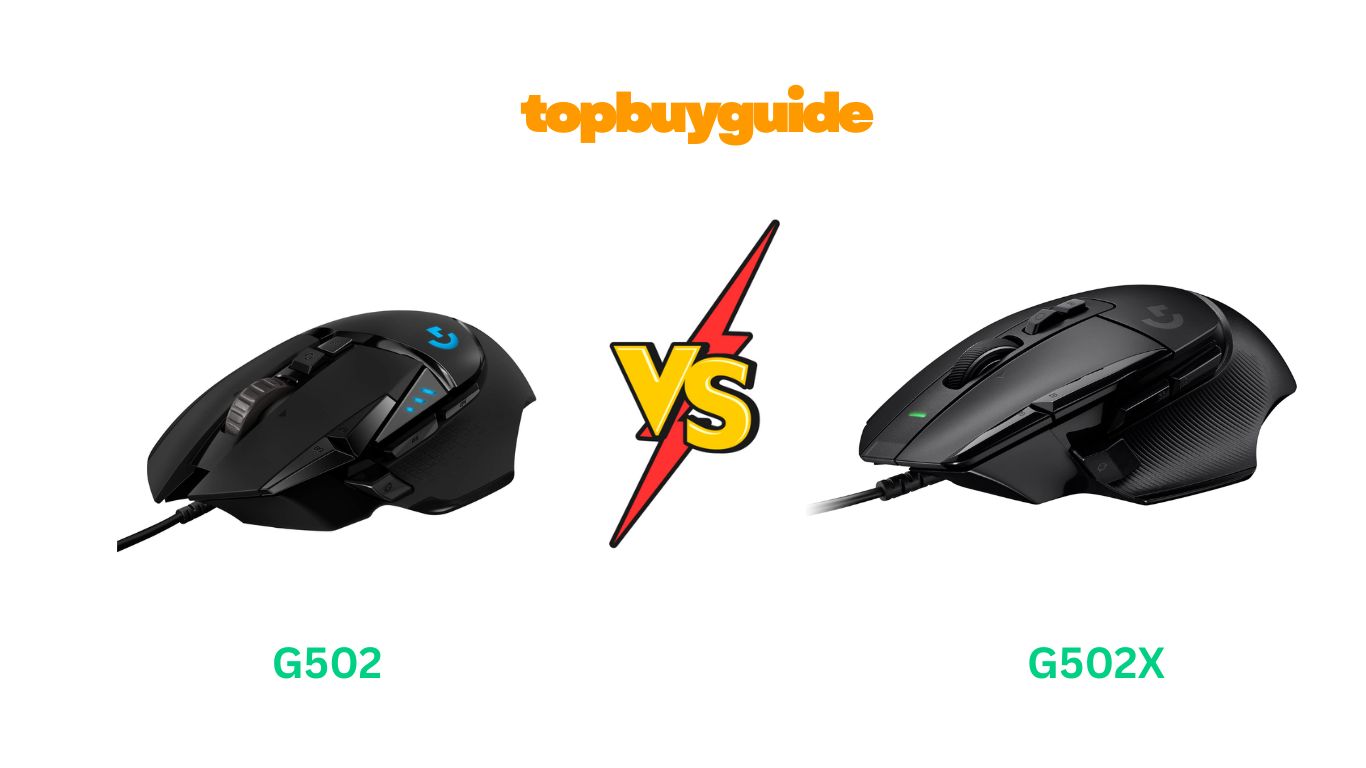
Choosing the right gaming mouse can feel overwhelming. You’re looking for that perfect blend of comfort, speed, and customization. In the battle of G502 vs G502X, the newer G502X comes out on top. It offers a significantly lighter design and innovative optical-mechanical switches for superior speed and durability. But is it the right choice for every gamer? Let’s dive into the details to find out.
Why Do I Recommend The G502X?
While both mice share the iconic G502 shape, the G502X introduces key upgrades that give it a modern edge. Here’s why I recommend it over the classic G502 HERO.
- Lighter Weight: The G502X weighs only 89 grams. This is a significant reduction from the G502 HERO’s 121 grams. The lighter build allows for faster movements and less fatigue during long gaming sessions, a crucial factor in competitive play.
- LIGHTFORCE Hybrid Switches: The G502X features all-new hybrid optical-mechanical switches. These combine the speed and reliability of optical switches with the crisp, tactile feel of mechanical ones. This technology is designed to prevent the double-clicking issues that sometimes affect older mechanical switches like those in the G502 HERO.
- Redesigned DPI-Shift Button: The DPI-shift button on the G502X is now reversible and removable. This offers greater customization to fit your grip. You can position it for easy access or remove it completely to prevent accidental clicks, a level of personalization not available on the G502 HERO.
- Improved Scroll Wheel: While both have hyper-fast scroll wheels, the G502X’s wheel is lightened. It provides a more stable and less “rattly” experience compared to the G502 HERO’s metal wheel, offering confident scrolling in both ratcheted and free-spin modes.
- Modern Aesthetics: The G502X comes in both black and white colorways. This gives you more options to match your setup’s aesthetic. The design is a sleek and modern take on the classic G502 shape.
- Enhanced Durability: The optical component of the LIGHTFORCE switches means less physical contact and wear over time. This leads to greater durability and a longer lifespan compared to the purely mechanical switches of the G502 HERO.
Side By Side Comparison Chart: g502 vs g502x
| Feature | G502 HERO | G502X |
| Weight | 121g (without weights) | 89g |
| Switches | Mechanical Switches | LIGHTFORCE Hybrid Optical-Mechanical |
| Adjustable Weights | Yes (5 x 3.6g weights) | No |
| DPI-Shift Button | Fixed | Reversible and Removable |
| RGB Lighting | Yes (LIGHTSYNC RGB) | No (Available on G502X PLUS model) |
| Price | ~$38 | ~$60 |
| Color Options | Black | Black and White |
| Feet Material | Standard | PTFE (Teflon) |
What Common g502 vs g502x Can Do?
Despite their differences, the G502 HERO and G502X share a foundation of high-performance features that have made the G502 line a favorite among gamers.
HERO 25K Sensor
Both the G502 and G502X are equipped with Logitech’s top-tier HERO 25K sensor. This sensor is renowned for its incredible precision and consistency. It delivers 1:1 tracking, which means your mouse movements are translated to the screen with pinpoint accuracy. It boasts a wide DPI range from 100 to 25,600 and has zero smoothing, filtering, or acceleration. This ensures raw, unfiltered performance, which is vital for competitive gaming where every micro-adjustment counts. Whether you’re making a small flick shot or a sweeping turn, the HERO 25K sensor tracks it flawlessly.
Programmable Buttons and Onboard Memory
Customization is a cornerstone of the G502 experience. Both the G502 HERO and G502X offer a generous number of programmable controls. Using Logitech’s G HUB software, you can assign custom commands, macros, and functions to the buttons. This allows you to tailor the mouse to your specific gameplay needs for any game. Furthermore, both mice feature onboard memory, allowing you to save up to five profiles directly onto the mouse. This means your settings are ready to go, even when you plug the mouse into a different computer, without needing to reinstall software.
Dual-Mode Hyper-Fast Scroll Wheel
A standout feature for both mice is the dual-mode hyper-fast scroll wheel. With the press of a button, you can switch between a precise, click-by-click ratcheting mode and a near-frictionless, free-spinning mode. The ratcheting mode is perfect for weapon selection or precise actions. The hyper-fast mode is ideal for quickly scrolling through long web pages, documents, or inventories. Both mice also feature left and right tilt on the scroll wheel, which can be programmed for additional commands, adding another layer of control.
Ergonomic Design
The iconic shape of the G502 is beloved for a reason. Both the G502 HERO and G502X maintain this popular ergonomic design, which is crafted for right-handed users. The shape provides excellent support for various grip styles, particularly palm and claw grips. It features a comfortable thumb rest and textured grips on the sides, ensuring a secure and pleasant feel even during extended gaming sessions. This design has been tested and refined over years, making it one of the most comfortable and user-friendly shapes on the market.
Common Features of g502 vs g502x
| Feature | G502 HERO | G502X |
| Sensor | HERO 25K | HERO 25K |
| Max DPI | 25,600 | 25,600 |
| Programmable Controls | 11 | 13 |
| Onboard Memory | Yes (up to 5 profiles) | Yes (up to 5 profiles) |
| Scroll Wheel | Dual-mode hyper-fast scroll wheel | Redesigned dual-mode hyper-fast scroll wheel |
| Connectivity | Wired (USB) | Wired (USB) |
| Ergonomic Shape | Yes (Right-handed) | Yes (Right-handed) |
A Detailed Comparison Of the g502 vs g502x
Weight and Customization
The most noticeable difference is weight. The Logitech G502 HERO comes in at a hefty 121g, not including the five 3.6g weights you can add for custom tuning. For gamers who prefer a substantial, planted feel, this is a major advantage. It allows you to dial in the perfect balance and resistance for your playstyle. This makes it feel robust and stable on the mousepad.
In contrast, the Logitech G502X sheds a significant amount of mass, weighing only 89g. This was achieved through a thin-wall exoskeleton design and a lightened scroll wheel. It does not have an adjustable weight system. For players focused on fast-paced FPS or battle royale games, this lighter weight is a huge benefit. It makes quick flicks and tracking fast-moving targets feel more effortless and reduces hand fatigue.
Switches and Clicks
The switches are another key differentiator. The Logitech G502 HERO uses traditional mechanical switches. These switches have been a staple in gaming mice for years and provide a reliable, tactile click. However, they are known to be susceptible to wear over time, which can lead to the “double-clicking” issue where a single press registers as two.
The Logitech G502X introduces the new LIGHTFORCE hybrid optical-mechanical switches. This innovative design combines the instant actuation of an optical switch with the satisfying, crisp feel of a mechanical one. By using a beam of light to register clicks, it eliminates the physical degradation that causes double-clicking. This results in faster response times, greater precision, and a much longer lifespan for the primary buttons.
Buttons and Ergonomics
Both mice share the classic, ergonomic right-handed shape with 11 programmable buttons. However, the Logitech G502X offers a small but significant improvement with its redesigned DPI-shift button. This “sniper” button is now reversible and removable. This allows you to place it in a more comfortable position or remove it entirely if you don’t use it, which prevents accidental presses.
The Logitech G502 HERO has a fixed DPI-shift button. While its placement is comfortable for many, it lacks the customizability of the G502X. The overall button layout on both mice is well-regarded, providing easy access to multiple commands without feeling cluttered, thanks to the established G502 design.
Scroll Wheel
The scroll wheel is a beloved feature on both models. The Logitech G502 HERO has a metal, hyper-fast scroll wheel. It feels premium and weighty, but some users report that it can feel a bit loose or “rattly” in free-spin mode. It provides the core functionality of switching between precise ratcheting and smooth, fast scrolling.
The Logitech G502X features a redesigned, lighter scroll wheel with rubberized grips. This update makes the wheel feel more stable and controlled in both modes. The reduced weight contributes to the mouse’s overall lower mass, and the rubberized surface offers better tactile feedback compared to the smooth metal of the G502 HERO, giving you more confident control during quick scrolls.
Conclusion
So, which mouse should you buy? The answer depends on your priorities and budget. With over 68,000 ratings and an average of 4.6 stars, the G502 HERO is a proven and beloved classic. If you prefer a heavier mouse, want the option of customizable weights, and are on a tighter budget, the G502 HERO is an incredible value.
However, for most gamers, especially those playing competitive titles, the G502X is the superior choice. Its lightweight design, durable and fast LIGHTFORCE switches, and improved customization make it a significant upgrade. Based on over 5,300 ratings giving it 4.4 stars, it’s clear the modern improvements are well-received. Investing in the G502X means you’re getting the latest technology in a mouse built for modern gaming performance.
FAQs
Is the G502X better than the G502?
For most gamers, yes. The G502X is significantly lighter, has more durable optical-mechanical switches, and offers better customization with its reversible DPI-shift button. These features make it better for fast-paced, competitive gaming.
Does the G502X have RGB?
The standard G502X model does not have RGB lighting. If you want RGB, you need to choose the Logitech G502X PLUS, which includes LIGHTSYNC RGB but is heavier and more expensive than the standard G502X.
Is the G502 HERO still good for gaming?
Absolutely. The G502 HERO is still a fantastic gaming mouse, especially for those who prefer a heavier feel or want to customize the weight. Its HERO 25K sensor is top-tier, and it remains a very popular choice for its comfort and performance.
What is the main advantage of LIGHTFORCE switches in the G502X?
The main advantages are speed and durability. LIGHTFORCE switches use optical actuation, making them faster and more reliable than purely mechanical switches. They also prevent the double-clicking issues that can develop in mechanical switches over time.
Can I add weights to the G502X?
No, the Logitech G502X does not have an adjustable weight system. It was designed to be lightweight from the start, weighing 89 grams. If you want adjustable weights, the G502 HERO is the model to choose.
Which mouse is more comfortable?
Both mice share the same acclaimed ergonomic shape, so comfort should be very similar. The choice will likely come down to your preference for a lighter mouse (G502X) versus a heavier one (G502 HERO).
Is the G502X worth the extra cost?
If you are a competitive gamer or simply want the latest technology, the G502X is worth the extra cost for its lighter weight and more durable switches. For casual gamers or those on a budget, the G502 HERO offers excellent performance for its price.
Do both mice use the same software?
Yes, both the G502 HERO and G502X use Logitech G HUB software. You can use it to customize button programming, DPI settings, and (on the G502 HERO and G502X PLUS) RGB lighting, as well as save profiles to the onboard memory.

Alex Turner is a dedicated product researcher and reviewer at TopBuyGuide.com, known for his clear, honest, and data-driven insights. He spends countless hours testing, comparing, and analyzing products to help readers make confident and informed buying decisions.