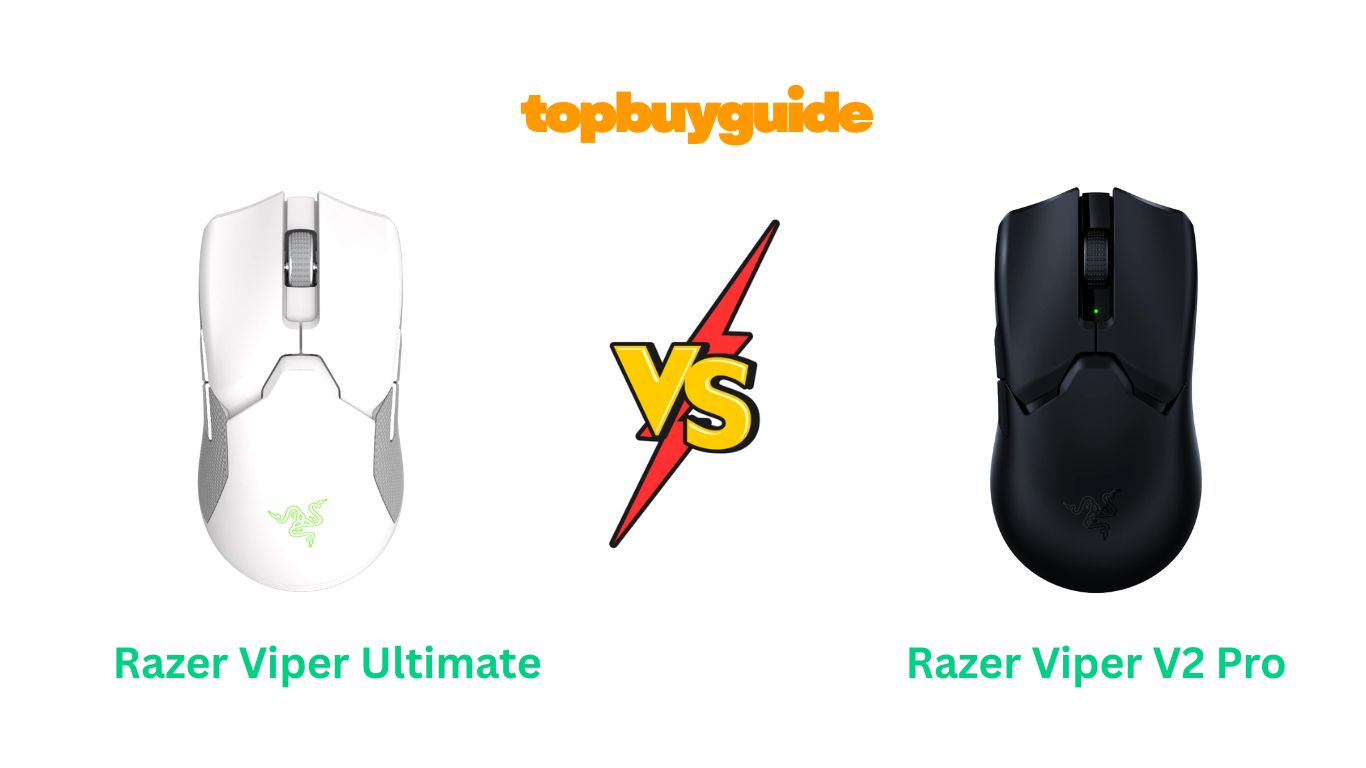
Choosing the right gaming mouse can be tough. The Razer Viper Ultimate and V2 Pro are top contenders, but which one is truly the best? For competitive gamers seeking every advantage, I recommend the Razer Viper V2 Pro. Its lighter weight and superior sensor provide a noticeable edge in performance. This review will break down exactly why it comes out on top and help you decide which is the right fit for you.
Why Do I Recommend The Razer Viper V2 Pro?
While both mice are excellent, the Razer Viper V2 Pro is engineered for peak competitive performance. Here’s a breakdown of why it stands out.
- Ultra-Lightweight Design: The Razer Viper V2 Pro weighs in at just 58 grams. This is a significant reduction from the Viper Ultimate’s 74 grams. This lighter build allows for faster, more effortless movements and reduces wrist fatigue during long gaming sessions, giving you a crucial speed advantage.
- Advanced Optical Sensor: The V2 Pro is equipped with the Focus Pro 30K Optical Sensor. In contrast, the Viper Ultimate uses the older Focus+ 20K sensor. The V2 Pro’s sensor offers higher precision and flawless tracking, even on glass surfaces, ensuring every slight movement is translated perfectly on screen.
- Superior Optical Switches: Featuring Gen-3 Optical Mouse Switches, the Razer Viper V2 Pro offers a longer lifespan of up to 90 million clicks. The Viper Ultimate uses Gen-2 switches. The V2 Pro’s switches provide a more tactile feel and eliminate any risk of double-clicking issues, offering greater reliability.
- Longer Battery Life: The V2 Pro boasts an impressive 90 hours of battery life, a substantial increase compared to the Viper Ultimate’s 70 hours. This means more gaming and less time tethered to a charging cable, ensuring you’re always ready for action.
- On-Mouse DPI Control: With the V2 Pro, you can switch between five DPI stages directly on the mouse without needing to open any software. The Viper Ultimate lacks this convenient on-the-fly adjustment, making the V2 Pro a more practical choice for gamers who need to adapt quickly.
- Simplified, Pro-Focused Design: The V2 Pro removes the right-side buttons and RGB lighting found on the Ultimate. While some may miss these features, this change was made based on feedback from esports pros to reduce weight and avoid accidental clicks, focusing purely on what matters for competitive play.
Side By Side Comparison Chart (Razer Viper Ultimate vs V2 Pro)
| Feature | Razer Viper Ultimate | Razer Viper V2 Pro |
| Weight | 74g | 58g (Black) / 59g (White) |
| Sensor | Focus+ 20K DPI Optical | Focus Pro 30K DPI Optical |
| Switches | Gen-2 Optical (70M Clicks) | Gen-3 Optical (90M Clicks) |
| Battery Life | Up to 70 hours | Up to 90 hours |
| Programmable Buttons | 8 | 5 |
| Charging | RGB Charging Dock (Included) | USB-C Cable |
| On-Mouse DPI Control | No | Yes |
| RGB Lighting | Yes (Mouse & Dock) | No |
| Side Grips | Integrated Rubber Grips | Optional Grip Tape Included |
| Side Buttons | Both Sides (Ambidextrous) | Left Side Only (Right-Handed) |
What Common Features Can the Razer Viper Ultimate vs V2 Pro Do?
Despite their differences, the Razer Viper Ultimate and V2 Pro share a core DNA that makes them exceptional gaming mice. They both deliver the high-end performance Razer is known for.
Both mice utilize Razer’s HyperSpeed Wireless technology. This ensures an ultra-fast, stable, and low-latency connection that feels as responsive as a wired mouse. You won’t experience lag or dropouts, which is critical in competitive gaming scenarios.
They also share a celebrated ambidextrous shape. This symmetrical design is comfortable for a wide range of hand sizes and grip styles, from palm to claw to fingertip. This ergonomic form factor has been praised by gamers worldwide for its comfort during extended play sessions.
Finally, both are supported by Razer Synapse software. This powerful tool allows you to customize button assignments, create macros, and save your profiles. Although the V2 Pro offers on-mouse DPI control, both mice can be fine-tuned through Synapse to match your exact preferences.
Common Features of Razer Viper Ultimate vs V2 Pro
| Feature | Razer Viper Ultimate | Razer Viper V2 Pro |
| Connectivity | HyperSpeed Wireless | HyperSpeed Wireless |
| Form Factor | Symmetrical Ambidextrous | Symmetrical Ambidextrous |
| Software | Razer Synapse | Razer Synapse |
| Movement Detection | Optical | Optical |
| Primary Connection | Wireless + Wired | Wireless + Wired |
A Detailed Comparison Of the Razer Viper Ultimate vs V2 Pro
Weight and Design
The most significant difference is the weight. The Razer Viper Ultimate weighs 74g, which was considered lightweight at its release. It features a true ambidextrous design with programmable buttons on both sides and integrated rubber side grips for enhanced control. The included RGB charging dock adds a touch of style and convenience to your desk setup.
The Razer Viper V2 Pro, however, takes lightweight performance to another level at just 58g. This 20%+ weight reduction is immediately noticeable and allows for quicker reactions. To achieve this, Razer removed the right-side buttons, making it optimized for right-handed users, and replaced integrated grips with optional grip tape. The absence of RGB lighting and the charging dock further emphasizes its focus on pure, unadulterated performance.
Sensor and Switches
The Razer Viper Ultimate comes with the highly respected Focus+ 20K DPI optical sensor. It offers excellent tracking and precision that satisfies most gamers. It also features Razer’s Gen-2 optical switches, rated for 70 million clicks, providing fast and reliable actuation.
In contrast, the Razer Viper V2 Pro is equipped with the newer, more advanced Focus Pro 30K DPI optical sensor. This sensor provides flawless tracking on a wider variety of surfaces, including glass, and boasts 99.8% resolution accuracy. The V2 Pro also upgrades to Gen-3 optical switches, which are more durable with a 90-million click lifecycle and offer a more tactile, satisfying click.
Battery Life and Charging
The Razer Viper Ultimate offers up to 70 hours of battery life on a single charge. It comes with a convenient and stylish RGB charging dock. Simply place the mouse on the magnetic dock between sessions, and it will always be ready to go.
The Razer Viper V2 Pro extends the battery life further to an impressive 90 hours. It ditches the charging dock in favor of a modern USB-C charging port. This change not only helps reduce weight but also aligns with the current standard for electronic devices, allowing you to charge it with the same cable you use for many other gadgets.
Conclusion
For competitive gamers where every gram and millisecond counts, the Razer Viper V2 Pro is the clear winner. Its ultra-lightweight design (58g), superior Focus Pro 30K sensor, and longer 90-hour battery life provide a tangible advantage in fast-paced games. The V2 Pro is a streamlined machine built for victory. If you value pure performance above all else, this is the mouse to get.
If you are a more casual gamer who appreciates extra features, the Razer Viper Ultimate is still a fantastic choice. It offers a true ambidextrous design with buttons on both sides, stylish RGB lighting, and the convenience of a charging dock, all while delivering top-tier performance that remains excellent for most gaming needs.
FAQs
Is the Razer Viper V2 Pro worth the upgrade from the Ultimate?
If you are a competitive FPS player, the upgrade is absolutely worth it. The lighter weight, improved sensor, and better switches provide a noticeable performance boost that can give you an edge. For casual gamers, the improvements may be less critical.
Does the Viper V2 Pro have RGB lighting?
No, the Razer Viper V2 Pro does not have any RGB lighting. This was a deliberate design choice to reduce weight and maximize battery life, focusing purely on performance for esports professionals.
Can left-handed gamers use the Viper V2 Pro?
While the Viper V2 Pro has a symmetrical shape that is comfortable for left-handed users, it only has side buttons on the left side, making them accessible only to the thumb of a right-handed user. The Viper Ultimate, with buttons on both sides, is a better choice for left-handed gamers.
What comes in the box with the Razer Viper V2 Pro?
The box includes the Razer Viper V2 Pro mouse, a wireless USB dongle with an adapter, a USB-A to USB-C Speedflex cable for charging and wired use, and pre-cut Razer Mouse Grip Tape for optional application.
How does the Viper V2 Pro’s sensor compare to the Ultimate’s?
The Viper V2 Pro’s Focus Pro 30K sensor is a significant upgrade. It offers a higher maximum DPI (30,000 vs 20,000), better tracking accuracy (99.8%), and can even track flawlessly on glass, which the Viper Ultimate’s sensor cannot do.
Is the charging dock for the Viper Ultimate compatible with the V2 Pro?
No, the Razer Viper V2 Pro is not compatible with the charging dock. It charges via a standard USB-C cable, which is included in the box. This change helps reduce the mouse’s overall weight.
Are the mouse feet different on the V2 Pro?
Yes, the V2 Pro features 100% PTFE mouse feet that are larger and provide a smoother glide compared to the feet on the Viper Ultimate. This contributes to the feeling of effortless movement during gameplay.
Does the lack of side grips on the V2 Pro make it slippery?
The V2 Pro has a new textured finish that offers a good grip. However, for those who prefer the feel of rubber grips, Razer includes optional pre-cut anti-slip grip tape in the box that you can apply yourself.

Alex Turner is a dedicated product researcher and reviewer at TopBuyGuide.com, known for his clear, honest, and data-driven insights. He spends countless hours testing, comparing, and analyzing products to help readers make confident and informed buying decisions.