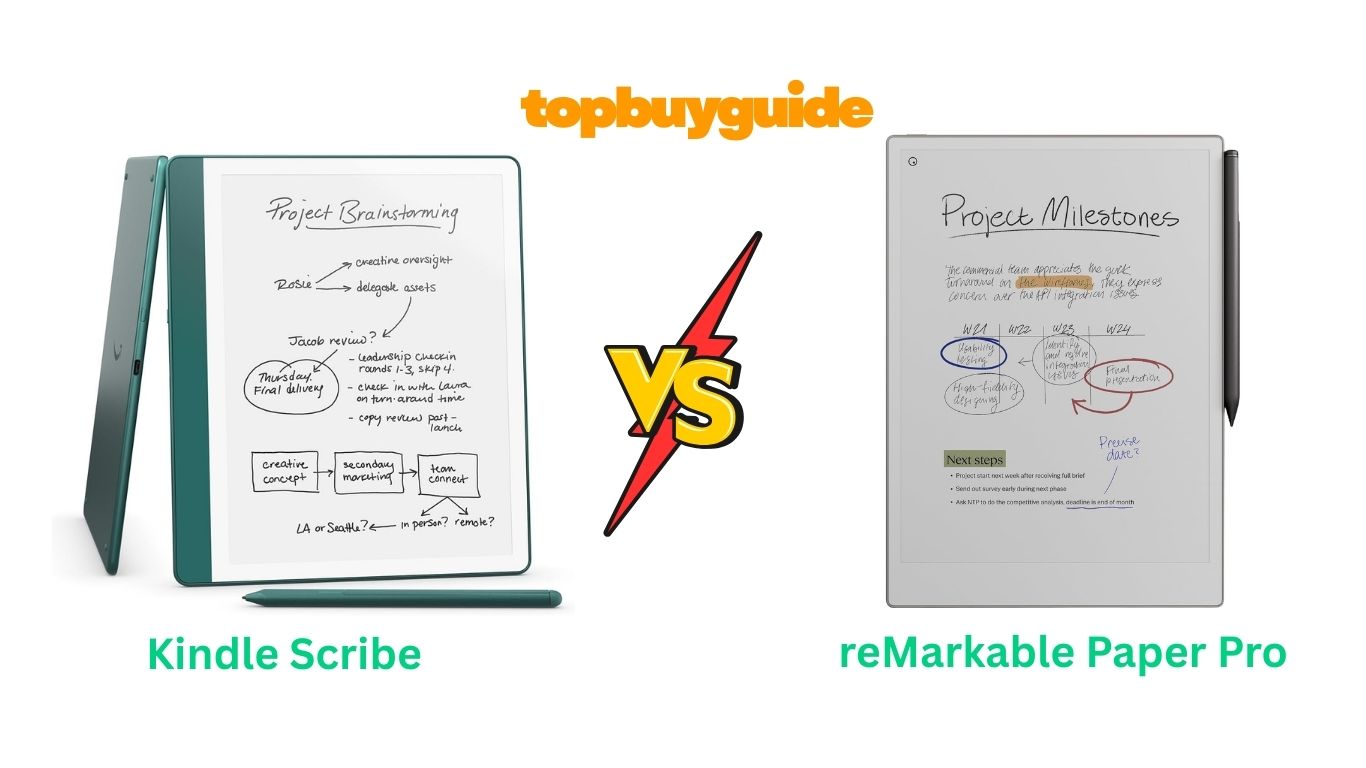
Digital note-taking has evolved beyond simple tablets. The Kindle Scribe and reMarkable Paper Pro represent two premium approaches to paper-like writing experiences. After testing both devices extensively, I recommend the Kindle Scribe for most users. It delivers exceptional value with its dual functionality as both an e-reader and note-taking device, making it ideal for readers who want writing capabilities without sacrificing access to their book library.
Why Do I Recommend The Kindle Scribe?
The Kindle Scribe stands out as the more versatile choice for several compelling reasons:
- Dual Functionality: Unlike the reMarkable, the Kindle Scribe seamlessly combines a premium e-reader with note-taking capabilities, giving you access to millions of books from the Kindle Store alongside your notebooks.
- Superior Value: At $449.99 for 64GB, the Kindle Scribe costs significantly less than the reMarkable Paper Pro’s $679 base price while offering comparable writing quality and more storage options.
- AI-Powered Features: The built-in AI notebook tools let you summarize notes, convert handwriting to text with refined formatting, and organize your thoughts more efficiently than manual methods.
- Active Canvas Technology: Write directly in your books with Active Canvas, which dynamically adjusts text to accommodate your notes—a feature the reMarkable cannot match.
- Better Ecosystem Integration: Seamless integration with Amazon services, Send to Kindle functionality, and automatic cloud backup make the Scribe more practical for everyday use.
- Larger Display at Lower Cost: The 10.2″ glare-free display provides ample writing space while remaining more affordable than the reMarkable’s 11.8″ screen.
- No Subscription Required: All core features work without additional fees, whereas reMarkable’s Connect subscription ($2.99/month) is needed for cloud sync and additional storage.
- Premium Pen Included: The Premium Pen comes standard with the Scribe, featuring an eraser and customizable shortcut button, with no setup or charging required.
Side By Side Comparison Chart
| Feature | Kindle Scribe (64GB) | reMarkable Paper Pro |
| Price | $449.99 | $679.00 |
| Display Size | 10.2 inches | 11.8 inches |
| Resolution | 300 ppi | 300 ppi (B&W), 150 ppi (color) |
| Storage | 16GB, 32GB, or 64GB | 16GB |
| Battery Life (Reading) | Up to 12 weeks | Up to 2 weeks |
| Battery Life (Writing) | Up to 3 weeks | Up to 2 weeks |
| Color Display | No | Yes |
| E-Reader Functionality | Yes (Kindle Store access) | No |
| AI Features | Note summarization, handwriting refinement | No |
| Subscription Required | No | Optional ($2.99/month for cloud features) |
| Pen Included | Premium Pen with eraser | Marker Plus with eraser |
| Front Light | Yes (adjustable) | Yes (adjustable with warm light) |
| Weight | 15.3 oz (433g) | Approximately 570g |
| Waterproof | No | No |
| Active Canvas | Yes | No |
| Cloud Storage | Unlimited (Amazon) | 50GB (with subscription) |
| Document Import | Send to Kindle, USB | Email, USB, cloud sync |
| Templates | Multiple notebook templates | Extensive template library |
What Can Both Devices Do?
Despite their differences, the Kindle Scribe and reMarkable Paper Pro share several core capabilities:
Paper-Like Writing Experience
Both devices deliver remarkably natural writing sensations. The textured screens create realistic friction that mimics pen on paper, making extended writing sessions comfortable. The included pens require no charging and respond instantly to your strokes with minimal latency.
PDF Annotation
Import and mark up PDF documents on either device. Both support highlighting, underlining, and handwritten notes directly on imported files, making them valuable tools for reviewing documents, editing manuscripts, or studying.
Note Organization
Create multiple notebooks and organize them into folders and subfolders. Both systems let you tag notes, search by title, and maintain structured filing systems that keep your work accessible and organized.
Handwriting to Text Conversion
Convert your handwritten notes to typed text on both platforms. While the Kindle Scribe’s AI-powered conversion tends to be more accurate and offers formatting options, both devices handle legible handwriting well.
Long Battery Life
E-ink technology delivers exceptional battery performance on both devices. You can write and read for weeks between charges, making them reliable companions for extended trips or daily use without constant charging anxiety.
Distraction-Free Environment
Neither device includes email, social media, or notification distractions. This focused environment helps you concentrate on writing and reading without the interruptions common to standard tablets or smartphones.
Common Features Comparison Chart
| Feature | Kindle Scribe | reMarkable Paper Pro |
| Paper-like writing | ✓ | ✓ |
| PDF annotation | ✓ | ✓ |
| Handwriting to text | ✓ | ✓ |
| Folder organization | ✓ | ✓ |
| No distractions | ✓ | ✓ |
| Cloud backup | ✓ | ✓ (with subscription) |
| Template variety | ✓ | ✓ |
| Long battery life | ✓ | ✓ |
| USB-C charging | ✓ | ✓ |
| Adjustable front light | ✓ | ✓ |
A Detailed Comparison
Display Quality and Size
The reMarkable Paper Pro offers a larger 11.8″ display with color capabilities, while the Kindle Scribe features a 10.2″ black-and-white screen. The reMarkable’s color e-ink uses Gallery 3 technology, displaying muted but functional colors at 150 ppi resolution. However, the Kindle Scribe’s 300 ppi monochrome display delivers sharper text and graphics, making it superior for reading books and detailed documents.
The Scribe’s slightly smaller screen proves ideal for most use cases. It provides ample space for writing while maintaining a more portable form factor. Unless you specifically need color for sketching or visual note-taking, the Scribe’s display offers better clarity and readability.
Reading and Library Access
This represents the Kindle Scribe’s most significant advantage. Full integration with the Kindle Store gives you access to millions of books, magazines, and newspapers. Kindle Unlimited subscribers can read from over 4 million titles, and Prime members access a rotating selection of free books.
The reMarkable Paper Pro functions solely as a writing and annotation device. While you can transfer e-books via USB or email, it lacks a built-in bookstore or library management system. For anyone who reads regularly, the Scribe’s dual functionality eliminates the need to carry separate devices.
Writing Experience and Pen Performance
Both devices deliver excellent writing experiences, though with subtle differences. The Kindle Scribe’s Premium Pen features a softer tip that some users find more natural, while the reMarkable’s Marker Plus offers slightly more tactile feedback. The writing latency is negligible on both devices, with responses feeling nearly instantaneous.
The Scribe’s AI-powered features give it an edge for productivity. The notebook summarization tool extracts key points from your notes, while the handwriting refinement converts messy notes into polished script. The reMarkable lacks these AI enhancements, relying instead on straightforward handwriting-to-text conversion.
Note-Taking and Organization
The reMarkable Paper Pro excels in template variety, offering extensive options for different note-taking styles, including weekly planners, monthly calendars, and specialized forms. The Kindle Scribe provides solid template selection but with fewer specialized options.
However, the Scribe’s Active Canvas technology transforms how you interact with books. Start writing anywhere on a page, and the text automatically adjusts to create space for your notes. You can expand margins for longer annotations or collapse them to view the original layout. This feature makes the Scribe invaluable for students, researchers, and professionals who annotate extensively.
Battery Life and Charging
The Kindle Scribe dominates in battery performance. With up to 12 weeks of reading time or 3 weeks of intensive writing, it outlasts the reMarkable Paper Pro significantly. The reMarkable offers approximately 2 weeks of mixed use, requiring more frequent charging.
Both devices charge via USB-C. The Scribe fully charges in about 2.5 hours with a 9W adapter, while the reMarkable takes similar time. The Scribe’s superior battery life means less time tethered to chargers and more reliable performance during travel.
Storage and Cloud Integration
The Kindle Scribe offers multiple storage tiers (16GB, 32GB, 64GB), accommodating vast libraries of books and notebooks. The reMarkable Paper Pro comes with 16GB only. For users with extensive reading collections or large PDF files, the Scribe’s additional storage proves valuable.
Cloud integration differs significantly. The Kindle Scribe syncs automatically with Amazon’s cloud at no extra cost, providing unlimited storage for your content. The reMarkable requires a Connect subscription ($2.99/month) for cloud sync beyond 50GB, adding to the total cost of ownership.
Value and Pricing
At $449.99 for 64GB, the Kindle Scribe costs $230 less than the reMarkable Paper Pro while offering more storage and built-in e-reader functionality. When you factor in the reMarkable’s recommended subscription fee ($36 annually), the price gap widens further over time.
The reMarkable justifies its higher price with color capabilities and a larger screen, but most users will find better value in the Scribe’s combination of features and lower cost. The money saved could purchase several years of Kindle Unlimited subscriptions or premium accessories.
Ecosystem and Compatibility
The Kindle Scribe integrates seamlessly with the Amazon ecosystem. Send documents via email, import from cloud services, and access your entire Kindle library across devices. The familiar interface requires minimal learning for existing Kindle users.
The reMarkable operates more independently, requiring manual file transfers or cloud sync through its app. While this appeals to users who prefer platform agnosticism, it creates additional friction for everyday tasks. The Scribe’s ecosystem integration makes routine document management significantly smoother.
Software Updates and Support
Amazon regularly updates the Kindle Scribe with new features and improvements. Recent updates added AI notebook tools and enhanced handwriting recognition. The company’s established track record with Kindle devices suggests reliable long-term support.
reMarkable also provides regular updates, focusing on refining the writing experience and adding templates. However, the company’s smaller scale raises questions about long-term support compared to Amazon’s established infrastructure.
Conclusion
The Kindle Scribe emerges as the superior choice for most users seeking an e-ink writing tablet. Its dual functionality as both premium e-reader and capable note-taking device delivers exceptional value at $449.99. The AI-powered features, Active Canvas technology, and seamless Amazon ecosystem integration create a more versatile tool than the reMarkable Paper Pro.
Choose the Kindle Scribe if you want a device that excels at reading and writing without requiring compromises or subscriptions. The combination of unlimited cloud storage, superior battery life, and access to millions of books makes it ideal for students, professionals, and avid readers who appreciate digital note-taking.
The reMarkable Paper Pro remains compelling for specific use cases—particularly for artists and designers who benefit from color capabilities, or for users who prefer a larger canvas and don’t need e-reader functionality. However, its higher price and ongoing subscription costs make it a harder recommendation for general users.
FAQs
Can I read Kindle books on the reMarkable Paper Pro?
No, the reMarkable Paper Pro doesn’t support Kindle books directly. You would need to convert Kindle books to PDF format (removing DRM) to read them on the reMarkable, which violates Amazon’s terms of service.
Does the Kindle Scribe support color notes?
No, the Kindle Scribe features a black-and-white display only. All handwritten notes appear in grayscale, though you can choose different pen styles and thicknesses.
Which device is better for students?
The Kindle Scribe offers better value for students. Its ability to import textbooks, annotate PDFs with Active Canvas, and access academic materials from the Kindle Store makes it more versatile for academic work.
Can I use third-party pens with either device?
The Kindle Scribe requires Amazon’s official pens. The reMarkable Paper Pro works with EMR (Electromagnetic Resonance) styluses from various manufacturers, offering more third-party options.
How do I transfer documents to each device?
The Kindle Scribe uses Send to Kindle via email or web browser, plus USB connection. The reMarkable Paper Pro uses email, USB, or its cloud sync app (requiring subscription for full functionality).
Which device has better handwriting recognition?
The Kindle Scribe’s AI-powered handwriting conversion generally produces more accurate results and offers formatting options. The reMarkable provides straightforward conversion but with less refinement.
Is the reMarkable Paper Pro’s color screen worth the extra cost?
Only if you regularly sketch or need color differentiation in notes. For text-based note-taking and reading, the color functionality doesn’t justify the $230 price difference.
Can I annotate imported documents on both devices?
Yes, both devices support PDF annotation. The Kindle Scribe offers slightly simpler import process through Send to Kindle, while the reMarkable requires email or app-based transfer.

Alex Turner is a dedicated product researcher and reviewer at TopBuyGuide.com, known for his clear, honest, and data-driven insights. He spends countless hours testing, comparing, and analyzing products to help readers make confident and informed buying decisions.