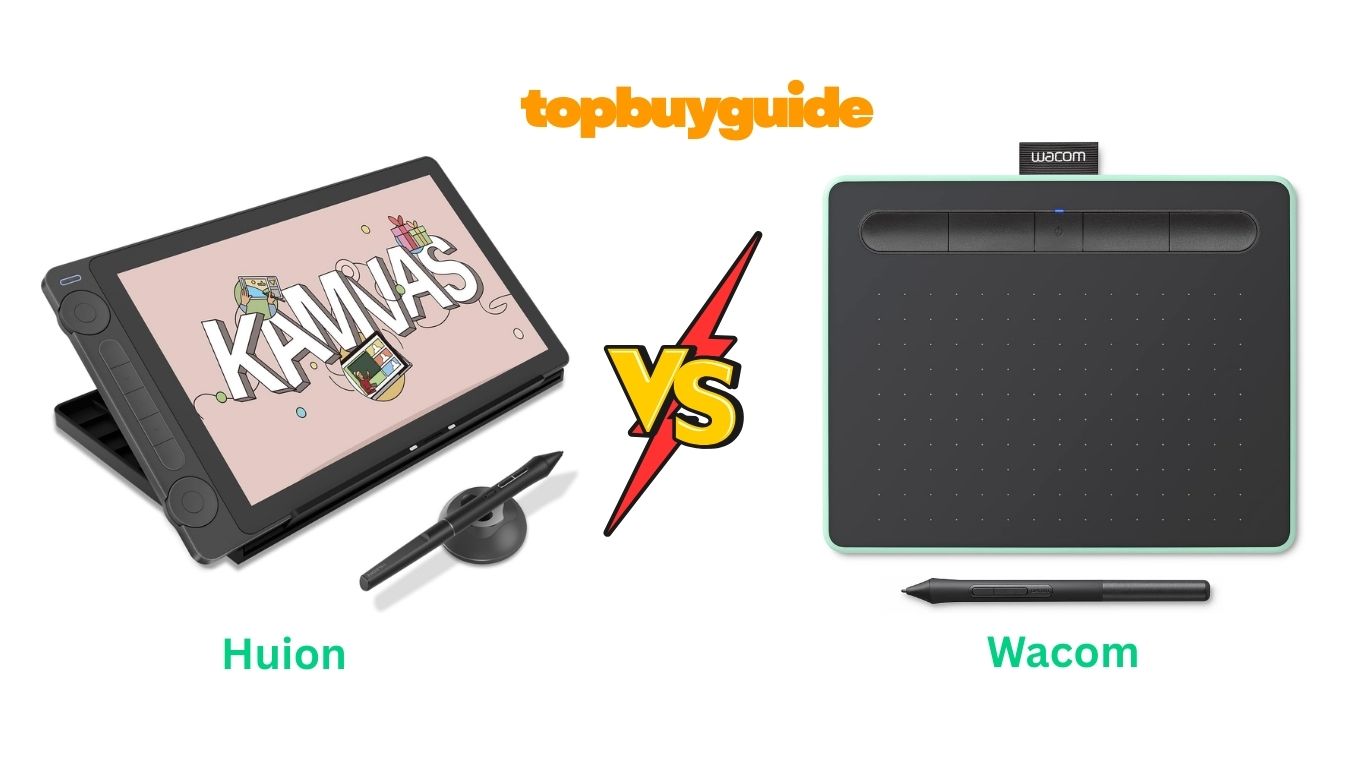
When shopping for a drawing tablet, two names dominate the conversation: Huion and Wacom. While Wacom has long been considered the industry standard, Huion has emerged as a serious competitor offering professional-grade features at significantly lower prices. After extensive research and comparing their latest models, I recommend the Huion Kamvas 13 (Gen 3) for most artists. It delivers exceptional value with advanced features like PenTech 4.0 technology, full lamination, and superior color accuracy—all at nearly half the price of comparable Wacom models.
Why Do I Recommend The Huion Kamvas 13 (Gen 3)?
Superior Display Technology
The Huion Kamvas 13 (Gen 3) features a fully laminated 13.3-inch screen with anti-sparkle Canvas Glass 2.0, eliminating the air gap between the glass and display for enhanced accuracy. In contrast, the Wacom Intuos Small lacks a built-in screen entirely, requiring you to look at your computer monitor while drawing—a less intuitive experience that takes time to adapt to.
Advanced Pressure Sensitivity
Huion’s PenTech 4.0 technology offers 16,384 levels of pressure sensitivity with an initial activation force of just 2g, making it incredibly responsive to the lightest touch. The Wacom Intuos Small provides only 4,096 pressure levels—four times less sensitive—which can impact the subtlety and control of your brushstrokes.
Enhanced Color Accuracy
With 99% sRGB coverage, Rec.709 color gamuts, and enhanced color accuracy to Avg. ΔE<1.5, the Huion delivers stunning, true-to-life visuals. Each unit includes a factory calibration report for optimal performance. The Wacom Intuos, being a pen tablet without a display, offers no color accuracy specifications.
Programmable Controls
The Huion features 5 programmable shortcut keys and dual dial buttons for streamlined workflow, allowing quick access to zoom, rotate, brush size, and other functions. Comparatively, the Wacom Intuos Small includes 4 customizable ExpressKeys but no dial controls, limiting your workflow efficiency.
Wireless Flexibility
Both tablets offer wireless connectivity, but Huion’s USB-C single cable connection (when wired) provides a cleaner setup compared to Wacom’s USB-A connection, which may require adapters for newer devices.
Professional-Grade Build Quality
The Huion comes with an adjustable ST300 stand included, allowing comfortable work at various angles. The Wacom Intuos doesn’t include a stand, and you’d need to purchase one separately.
Exceptional Value
Perhaps most compellingly, the Huion Kamvas 13 (Gen 3) costs approximately $229 compared to the Wacom Intuos Small at $60. While the Wacom is more affordable upfront, it lacks the screen display that makes the Huion worth the investment for serious digital artists.
Software Support
Both tablets support all major creative software including Adobe Photoshop, Illustrator, Clip Studio Paint, and Blender. However, only Wacom includes bundled creative software and training with registration.
Side By Side Comparison Chart: Huion vs Wacom Drawing Tablets
| Feature | Huion Kamvas 13 (Gen 3) | Wacom Intuos Small |
| Screen Size | 13.3 inch display | No display |
| Display Type | Full-laminated with Canvas Glass 2.0 | N/A |
| Pressure Levels | 16,384 levels | 4,096 levels |
| Initial Activation Force | 2g | Not specified |
| Color Accuracy | 99% sRGB, Avg. ΔE<1.5 | N/A |
| Resolution | 1920 x 1080 (Full HD) | N/A |
| Programmable Keys | 5 keys + 2 dials | 4 ExpressKeys |
| Connectivity | USB-C, Bluetooth | USB-A, Bluetooth |
| Active Area | 13.3 inch screen | 6 x 3.7 inches |
| Pen Technology | PenTech 4.0 (battery-free) | EMR (battery-free) |
| Included Stand | Yes (ST300) | No |
| Bundled Software | None | Yes (with registration) |
| Compatibility | Windows, Mac, Android, Linux | Windows, Mac, Android, Chromebook |
| Price | $229 | $60 |
| Weight | 1.91 pounds | Approximately 0.5 pounds |
| Warranty | Standard manufacturer warranty | Standard manufacturer warranty |
What Common Features Do Both Tablets Share?
Battery-Free Pen Technology
Both Huion and Wacom utilize electromagnetic resonance (EMR) technology, meaning neither stylus requires charging or batteries. This provides uninterrupted drawing sessions and reduces the pen’s weight for more natural handling. The pens feel remarkably similar to traditional drawing tools, with ergonomic grips and customizable side buttons for quick access to common functions.
Wireless Connectivity
Both tablets offer Bluetooth wireless connectivity, allowing you to work freely without cable restrictions. This is particularly valuable for artists who prefer working on the couch, teaching in classrooms, or creating in various environments. When wireless isn’t ideal, both also support wired connections for stable, lag-free performance.
Cross-Platform Compatibility
Whether you’re a Windows user, Mac enthusiast, or prefer mobile creation on Android devices, both tablets work seamlessly across platforms. They’re compatible with all major creative software including Adobe Creative Suite, Clip Studio Paint, Corel Painter, Krita, and more. Installation is straightforward on both devices, with driver software readily available for download.
Customizable Shortcuts
Both manufacturers understand the importance of workflow efficiency. Each tablet includes programmable buttons that can be customized to your most-used functions. Whether you’re zooming in and out, undoing strokes, switching between brushes, or rotating your canvas, these shortcuts eliminate repetitive menu navigation and keep you focused on creating.
Professional-Grade Construction
Both Huion and Wacom build their tablets with durability in mind. The materials are high-quality, designed to withstand daily use by professionals. Both pens feature replaceable nibs, ensuring longevity. Each brand has established customer support systems and active online communities where users share tips and troubleshoot issues.
Common Features of Huion vs Wacom Tablets
| Feature | Huion Kamvas 13 (Gen 3) | Wacom Intuos Small |
| Battery-Free Pen | ✓ | ✓ |
| Wireless Connectivity | ✓ | ✓ |
| Wired Connection Option | ✓ | ✓ |
| Windows Compatible | ✓ | ✓ |
| Mac Compatible | ✓ | ✓ |
| Android Compatible | ✓ | ✓ |
| Customizable Buttons | ✓ | ✓ |
| Replaceable Pen Nibs | ✓ | ✓ |
| Multi-Software Support | ✓ | ✓ |
| Professional Build Quality | ✓ | ✓ |
| Online Support Community | ✓ | ✓ |
A Detailed Comparison Of the Huion vs Wacom Drawing Tablets
Display Experience
The Huion Kamvas 13 (Gen 3) features a stunning 13.3-inch fully laminated display with 1920×1080 resolution, allowing you to draw directly on the screen. The anti-sparkle Canvas Glass 2.0 reduces glare while maintaining a natural pen-on-paper feel. This direct drawing experience feels intuitive and natural, especially for beginners transitioning from traditional art.
The Wacom Intuos Small operates as a pen tablet without a display. You draw on the tablet surface while watching your computer screen. While this requires hand-eye coordination adjustment, many professional artists prefer this setup as it promotes better posture and reduces neck strain from looking down at a screen.
Pressure Sensitivity and Pen Performance
Huion’s PenTech 4.0 technology delivers 16,384 pressure levels with tilt recognition up to ±60 degrees. The 2g initial activation force means even your lightest strokes register accurately. The three customizable side buttons on the PW600L pen provide quick access to frequently used tools without interrupting your creative flow.
Wacom’s EMR technology in the Intuos Small provides 4,096 pressure levels, which remains sufficient for most artistic tasks. While it has fewer pressure levels than Huion, Wacom’s decades of refinement mean the pressure curve feels smooth and predictable. However, the lower sensitivity may limit subtle shading techniques that benefit from more gradations.
Color Accuracy and Visual Quality
The Huion excels in color reproduction with 99% sRGB coverage, 90% Adobe RGB, and 99% Rec.709 color gamuts. With an average Delta E value under 1.5, colors appear remarkably accurate out of the box. Each unit includes a factory calibration report, giving you confidence that what you see on screen matches your intended output—crucial for professional work.
The Wacom Intuos Small, lacking a built-in display, relies entirely on your computer monitor’s color accuracy. This means your color experience varies based on your external display quality. For color-critical work, you’d need to invest in a calibrated monitor separately.
Portability and Size
At 1.91 pounds, the Huion Kamvas 13 (Gen 3) is portable yet substantial enough to feel stable during use. The 13.3-inch display provides generous working space without being cumbersome. It’s ideal for students, traveling artists, or anyone who needs professional capabilities in a compact form factor.
The Wacom Intuos Small weighs approximately 0.5 pounds with a 6 x 3.7-inch active area, making it extremely portable. You can slip it into almost any bag. However, the smaller workspace may feel restrictive for detailed work, requiring more zooming and panning. It’s better suited for sketching, note-taking, or photo editing than complex illustrations.
Setup and Learning Curve
The Huion requires installing drivers and connecting via either the included 3-in-1 cable or USB-C connection. Initial setup takes about 10-15 minutes. The direct screen drawing feels immediately natural, especially for artists transitioning from traditional media. Customer reviews consistently praise the intuitive experience.
The Wacom Intuos also requires driver installation and connects via USB-A or Bluetooth. The learning curve is steeper since you’re not drawing directly on a screen. It typically takes a few hours of practice to develop the hand-eye coordination needed. However, Wacom’s included software tutorials help ease the transition.
Build Quality and Durability
Huion constructs the Kamvas 13 (Gen 3) with a robust aluminum back and durable screen protector. The Canvas Glass 2.0 resists scratches while providing a paper-like texture. The included ST300 stand is solid and adjustable. With proper care, this tablet should last years of daily professional use.
Wacom has built its reputation on durability over 40 years in the industry. The Intuos Small features a plastic construction that feels light but sturdy. The textured drawing surface resists wear, and replacement texture sheets are available. Wacom products are known for lasting a decade or more with regular use.
Software and Compatibility
The Huion works with Windows 10+, macOS 10.12+, Android devices supporting USB 3.1 Gen1 and DP1.2, and Linux (Ubuntu 20.04 LTS). It’s compatible with all major creative applications including Photoshop, Illustrator, Blender, Clip Studio Paint, and more. However, no software is included—you’ll need to purchase or use free alternatives like Krita.
The Wacom Intuos Small supports Windows, Mac, Android, and Chromebook—making it one of the few tablets with native Chromebook support. Wacom includes access to creative software upon registration, typically offering options like Clip Studio Paint, Corel Painter Essentials, or other applications depending on current promotions. This adds significant value, especially for beginners.
Customer Support and Warranty
Huion has significantly improved its customer service in recent years. They offer responsive email support and an active online community. Their website includes comprehensive driver downloads, troubleshooting guides, and tutorial videos. The standard manufacturer warranty covers defects, though specific terms vary by region.
Wacom provides industry-leading customer support with extensive documentation, video tutorials, and responsive service teams. With over 40 years in the business, their support infrastructure is mature and reliable. The standard warranty is similar to Huion’s, but Wacom’s longer track record provides additional peace of mind.
Conclusion
After comparing these tablets across all key dimensions, the Huion Kamvas 13 (Gen 3) emerges as the superior choice for most digital artists. Its combination of a fully laminated display, advanced pressure sensitivity, exceptional color accuracy, and professional-grade features at $229 represents outstanding value. The included adjustable stand and intuitive pen-on-screen experience make it ideal for beginners and professionals alike.
The Wacom Intuos Small at $60 serves a different purpose—it’s an affordable entry point for those exploring digital art or needing a portable sketching tool. However, the lack of a display significantly limits its appeal for serious artistic work.
If you’re ready to invest in your digital art journey and want a tablet that won’t hold you back as your skills develop, the Huion Kamvas 13 (Gen 3) delivers exceptional value that rivals tablets costing twice as much. For those on an extremely tight budget or specifically needing Chromebook compatibility, the Wacom Intuos Small remains a solid option—just be prepared for the learning curve of drawing without a screen.
FAQs
Q: Which tablet is better for beginners?
The Huion Kamvas 13 (Gen 3) is more beginner-friendly because you draw directly on the screen, making the transition from traditional art seamless. The Wacom Intuos requires developing hand-eye coordination since you watch the computer screen while drawing on the tablet.
Q: Do I need to charge the pens?
No, both tablets use battery-free pen technology. Neither stylus requires charging or battery replacement, providing uninterrupted creative sessions and reducing the pen weight for more natural handling.
Q: Can I use these tablets with my iPad?
Neither tablet is designed for iPad use. However, the Huion Kamvas 13 (Gen 3) works with Android devices that support USB 3.1 Gen1 and DP1.2, while the Wacom Intuos Small offers Android and Chromebook compatibility.
Q: Which tablet is better for professional work?
The Huion Kamvas 13 (Gen 3) is better suited for professional work due to its display, superior color accuracy (99% sRGB with ΔE<1.5), higher pressure sensitivity (16,384 levels), and included calibration report ensuring color-critical accuracy.
Q: How long do these tablets typically last?
With proper care, both tablets can last many years. Wacom has a reputation for tablets lasting a decade or more, while Huion tablets typically last 5-7 years with regular use. Both offer replaceable pen nibs to extend longevity.
Q: Is the Wacom brand name worth the premium?
Wacom’s premium is justified for their high-end professional models like the Cintiq Pro series, which offer superior color accuracy and build quality. However, for entry and mid-level tablets, Huion now offers comparable features at significantly lower prices.
Q: Can I connect these tablets wirelessly?
Yes, both tablets support Bluetooth wireless connectivity. However, both also include wired connection options for zero-latency performance when needed, which many artists prefer for detailed work.
Q: What software comes included with each tablet?
Huion doesn’t include software, requiring you to purchase or use free options like Krita. Wacom includes access to creative software upon registration—typically Clip Studio Paint or Corel Painter Essentials—adding significant value, especially for beginners.

Alex Turner is a dedicated product researcher and reviewer at TopBuyGuide.com, known for his clear, honest, and data-driven insights. He spends countless hours testing, comparing, and analyzing products to help readers make confident and informed buying decisions.