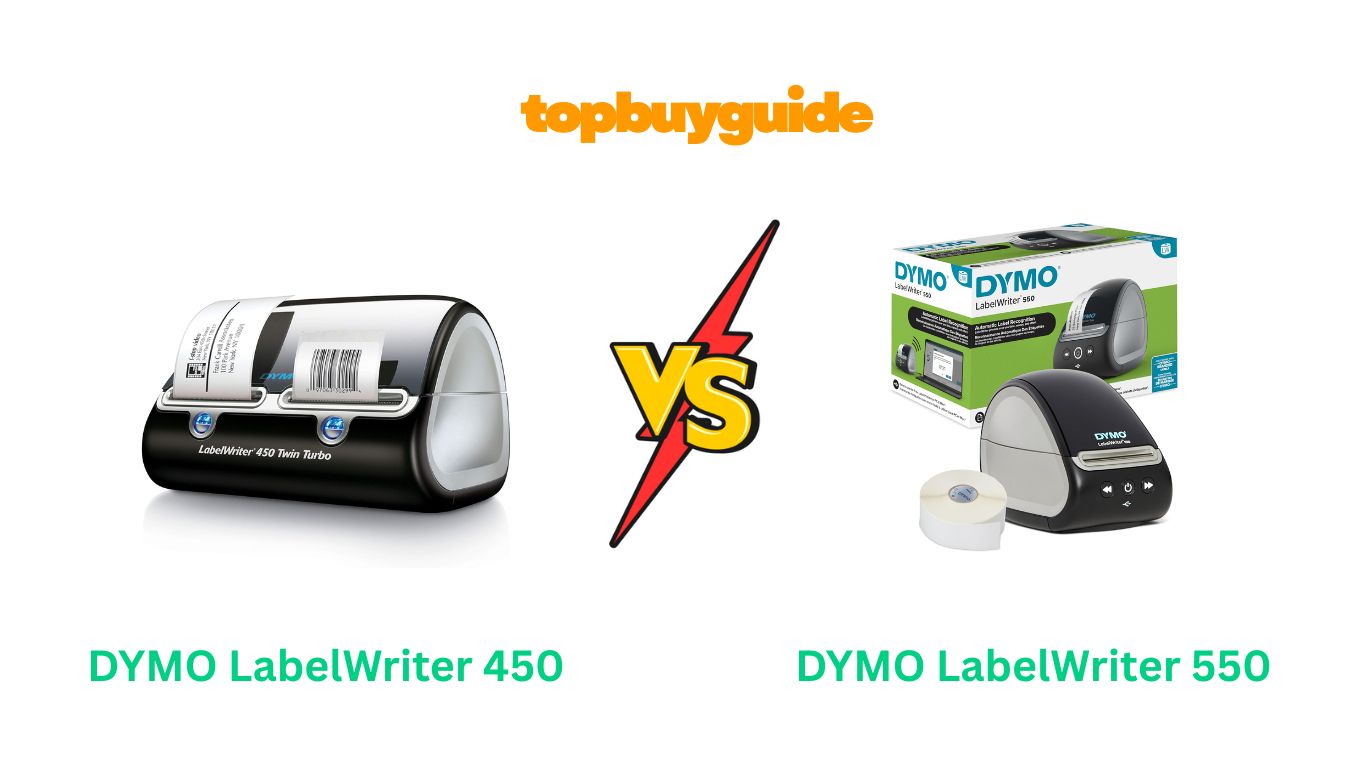
Choosing a label printer can be tough. You need something fast, reliable, and cost-effective. While both the DYMO LabelWriter 450 and 550 are popular choices, the newer LabelWriter 550 is my top recommendation. Its automatic label recognition technology saves time and reduces waste, making it a smarter investment for most users. But is it the right choice for you? This guide breaks down the crucial differences to help you decide.
Why Do I Recommend The DYMO LabelWriter 550?
The DYMO LabelWriter 550 introduces modern features that streamline the label-making process, setting it apart from its predecessor. Here are the key reasons I recommend it over the 450 model.
- Automatic Label Recognition: The LabelWriter 550 is equipped with RFID technology that automatically detects the size, type, and color of the DYMO labels you’ve loaded. It even shows you how many labels are left on the roll. In contrast, the LabelWriter 450 requires you to manually select the label type in the software, which can lead to errors and wasted labels.
- Faster Printing Speed: The standard 550 model prints up to 62 labels per minute, an improvement of over 20% compared to the 450’s 51 labels per minute. The 550 Turbo model boosts this even further to 90 labels per minute. This increased speed is a significant advantage for businesses with high-volume printing needs.
- Modern Software: The 550 series uses the new DYMO Connect software. It offers a more modern interface and is designed for current operating systems like Windows 11 and the latest macOS versions. On the other hand, the LabelWriter 450 uses the older DYMO Label software, which some users have reported as buggy and less intuitive on newer systems.
- Reduced Label Waste: Thanks to its automatic recognition feature, the LabelWriter 550 virtually eliminates misprints caused by selecting the wrong label size. This thoughtful design means you waste fewer labels, saving money and reducing frustration over time, whereas the 450 has no such safeguard.
- LAN Network Connectivity: The LabelWriter 550 Turbo and 5XL models include LAN connectivity. This allows multiple users on the same network to print to a single device without it being tethered to one computer. The LabelWriter 450 series, by comparison, is limited to a direct USB connection, making it less flexible for a shared office environment.
- Eco-Friendly Packaging: DYMO has made an effort to be more sustainable with the 550 series. Its packaging is made from at least 80% recycled materials and is plastic-free. This is a small but important detail that the older 450 model does not feature.
Side By Side Comparison Chart: DYMO LabelWriter 450 vs 550
| Feature | DYMO LabelWriter 450 | DYMO LabelWriter 550 |
| Label Compatibility | Works with DYMO and third-party labels | Only works with authentic DYMO LW labels |
| Label Recognition | Manual selection in software | Automatic (via RFID) |
| Print Speed (Standard) | Up to 51 labels per minute | Up to 62 labels per minute |
| Software | DYMO Label Software (v.8) | DYMO Connect for Desktop |
| Connectivity | USB only | USB (LAN on Turbo/5XL models) |
| Label Counter | No | Yes |
| Initial Cost | Varies (often higher as it’s discontinued) | Generally lower |
| Operating Cost | Lower (can use cheaper third-party labels) | Higher (requires pricier DYMO labels) |
What Common Features Can DYMO LabelWriter 450 vs 550 Do?
Despite their differences, the LabelWriter 450 and 550 share a core set of features that make them excellent thermal printers for office and home use. They both excel at producing sharp, professional-looking labels without the need for ink or toner.
Direct Thermal Printing Technology
Both the DYMO LabelWriter 450 and 550 utilize direct thermal printing. This technology uses a heated printhead to activate a special chemical coating on the labels, creating the image. The biggest benefit is that you never have to buy expensive ink or toner cartridges, which significantly lowers the long-term operating costs. It also means no smudging, smearing, or fading, resulting in consistently crisp and clear text, barcodes, and graphics. This makes both printers ideal for shipping labels, barcodes, and address labels where readability is essential.
High-Quality Print Resolution
Clear, scannable barcodes and legible text are non-negotiable for professional labeling. Both the LabelWriter 450 and 550 offer a high-quality print resolution of 300 dpi (dots per inch). This resolution is the industry standard for creating sharp, high-quality graphics and text, as well as precise barcodes that can be easily scanned. Whether you’re printing postage, product SKUs, or simple folder labels, you can trust that both printers will deliver a professional and reliable result every time.
PC and Mac Compatibility
Flexibility across different computer systems is crucial. Both DYMO printers are designed to work seamlessly with both PC and Mac operating systems. The LabelWriter 450 is compatible with Windows 7 or later and Mac OS X v10.8 or later. The newer LabelWriter 550 requires Windows 8.1 or later and Mac 10.14 or later. Each printer comes with its dedicated software (DYMO Label for the 450 and DYMO Connect for the 550) that integrates with popular programs like Microsoft Office and Google Contacts, allowing you to create labels directly from the documents you use every day.
Common Features of DYMO LabelWriter 450 vs 550
| Feature | DYMO LabelWriter 450 | DYMO LabelWriter 550 |
| Printing Technology | Direct Thermal | Direct Thermal |
| Ink/Toner Required | No | No |
| Print Resolution | 300 dpi | 300 dpi |
| PC Compatibility | Yes (Windows 7 and later) | Yes (Windows 8.1 and later) |
| Mac Compatibility | Yes (OS X 10.8 and later) | Yes (macOS 10.14 and later) |
| Printer Output | Monochrome | Monochrome |
A Detailed Comparison Of the DYMO LabelWriter 450 vs 550
Let’s dive deeper into the features that distinguish these two models. Understanding these differences is key to choosing the right printer for your specific needs.
Label Compatibility and Cost
The most significant difference lies in label compatibility. The DYMO LabelWriter 450 is famous for its versatility, as it works with both official DYMO labels and a wide variety of less expensive third-party labels. This flexibility can lead to substantial long-term savings, especially for businesses that print a large volume of labels. Many users prefer the 450 for this reason alone, as it keeps operating costs low.
In contrast, the DYMO LabelWriter 550 is designed with an RFID chip system that only recognizes authentic DYMO labels. While this ensures perfect alignment and print quality, it locks you into purchasing DYMO’s more expensive branded labels. This is a crucial factor to consider. If your priority is minimizing the cost per label, the older 450 model has a clear advantage. However, if you value convenience and are willing to pay a premium for guaranteed performance, the 550 is the better option.
Print Speed and Efficiency
When it comes to speed, the DYMO LabelWriter 550 has a definite edge. The standard 550 model prints up to 62 standard address labels per minute, which is over 20% faster than the LabelWriter 450’s rate of 51 labels per minute. For users needing even more speed, the LabelWriter 550 Turbo model ramps this up to an impressive 90 labels per minute. This increased efficiency can be a game-changer for businesses that handle large mailings or frequent shipments.
The DYMO LabelWriter 450, while still respectably fast, falls short in comparison. Its 51 LPM speed (or 71 LPM for the Turbo model) is adequate for many small businesses and home offices, but the 550 series is undeniably the superior choice for high-volume environments where every second counts. The time saved can quickly add up, making the 550 a more productive tool in the long run.
Software and Ease of Use
The user experience is heavily influenced by software, and here the two models diverge. The DYMO LabelWriter 550 uses the newer DYMO Connect software, designed with a modern user interface that feels more intuitive on current operating systems. Its standout feature is the Automatic Label Recognition, which detects the label size, type, and quantity remaining. This eliminates the guesswork and manual selection required by older models, drastically reducing the chance of printing on the wrong label type and wasting supplies.
The DYMO LabelWriter 450 runs on the older DYMO Label v.8 software. While functional, some users have found it to be less stable on newer operating systems like Windows 11. It requires you to manually select your label from a dropdown menu every time you print. This small step can become tedious and introduces a risk of human error, leading to misprinted labels and frustration, a problem that the 550’s smart technology elegantly solves.
Connectivity Options
Connectivity is another area where the newer model shines. All versions of the DYMO LabelWriter 450 connect to a computer via a standard USB cable. This is perfectly suitable for a single user but is restrictive in a shared office setting, as the printer can only be used by the computer it is physically connected to.
The DYMO LabelWriter 550 series offers more flexibility. While the base model is also USB-connected, the LabelWriter 550 Turbo and 5XL versions come equipped with LAN (Local Area Network) connectivity. This feature allows the printer to be shared across a network, enabling multiple users to print from their respective computers without needing to be directly connected. This makes the 550 Turbo and 5XL models far more suitable for collaborative team environments and modern, flexible workspaces.
Conclusion
So, which printer should you buy? If you prioritize low operating costs and want the freedom to use third-party labels, the DYMO LabelWriter 450 is a solid choice, provided you can find one and are comfortable with its older software. However, for most users, I strongly recommend the DYMO LabelWriter 550. Its automatic label recognition technology, faster print speeds, and modern software create a much smoother and more efficient user experience that justifies the use of proprietary labels. It’s a smart, forward-thinking investment.
FAQs
- Can I use third-party labels with the DYMO LabelWriter 550?
No. The DYMO LabelWriter 550 series contains RFID technology that requires you to use authentic DYMO labels. The printer will not recognize or print on third-party labels. - Is the DYMO LabelWriter 450 still a good printer to buy?
Yes, the LabelWriter 450 is a reliable printer, and its ability to use third-party labels makes it very cost-effective. However, it has been discontinued, so finding a new one can be difficult, and its software is less optimized for modern operating systems. - What is the main advantage of the LabelWriter 550’s Automatic Label Recognition?
This feature automatically detects the size, type, and number of labels remaining on the roll. It prevents misprints, reduces label waste, and saves you the time of manually selecting the label type in the software. - Which printer is faster, the 450 or the 550?
The LabelWriter 550 is faster. The standard 550 model prints up to 62 labels per minute, compared to the 450’s 51 labels per minute. The Turbo models are even faster, with the 550 Turbo reaching up to 90 LPM. - Does the DYMO LabelWriter 550 work with Windows 11?
Yes, the DYMO LabelWriter 550 and its DYMO Connect software are designed to be compatible with modern operating systems, including Windows 11 and recent versions of macOS. - Can I share the DYMO 550 printer on my office network?
Yes, but only specific models. The DYMO LabelWriter 550 Turbo and 5XL models feature LAN connectivity, which allows them to be shared across a network. The base 550 model is USB only. - Is the DYMO software free?
Yes, both the DYMO Label v.8 software (for the 450) and the DYMO Connect for Desktop software (for the 550) are free to download and use with your printer. - Do these printers require ink or toner?
No, both the DYMO LabelWriter 450 and 550 are direct thermal printers. They use heat to print on special thermal labels, so you never need to purchase or replace ink or toner cartridges.

Alex Turner is a dedicated product researcher and reviewer at TopBuyGuide.com, known for his clear, honest, and data-driven insights. He spends countless hours testing, comparing, and analyzing products to help readers make confident and informed buying decisions.