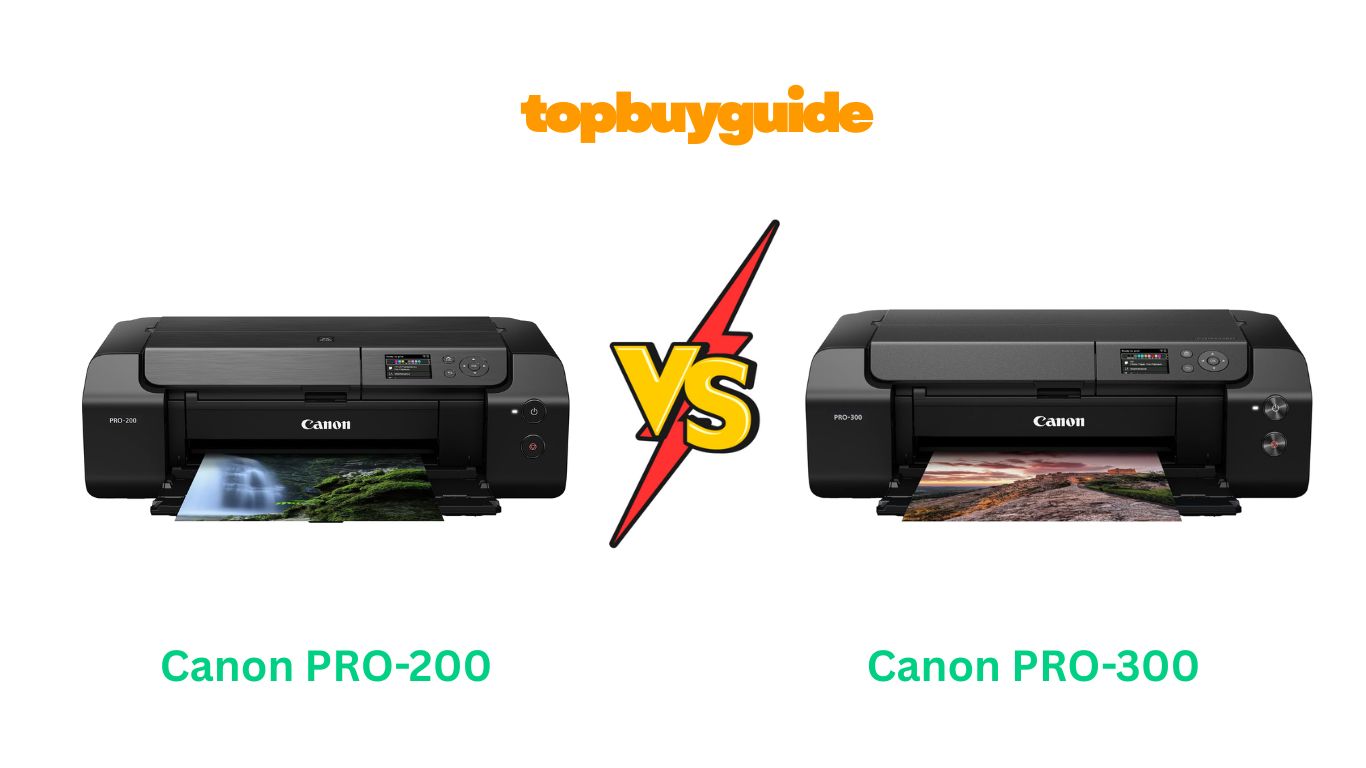
Choosing the right photo printer is a big decision. Are you torn between the Canon PRO-200 and the PRO-300? While both are excellent, I recommend the Canon imagePROGRAF PRO-300 for serious photographers. Its pigment-based inks deliver superior print longevity and stunning black-and-white results. This makes it a worthwhile investment for gallery-quality work. Let’s dive into the details to see which is best for you.
Why Do I Recommend The Canon imagePROGRAF PRO-300?
The Canon imagePROGRAF PRO-300 stands out as the superior choice for professionals and serious enthusiasts who demand the best in print quality and permanence. Its features are geared towards achieving archival-grade prints with exceptional detail and color fidelity.
- Pigment-Based Inks for Longevity: The PRO-300 uses Canon’s 9-color LUCIA PRO pigment inks. These inks are designed for archival quality. They resist fading for decades, ensuring your prints last a lifetime. In contrast, the PRO-200 uses dye-based inks. While vibrant, they are more susceptible to fading over time, especially when exposed to light.
- Superior Black-and-White Printing: The PRO-300 includes dedicated Matte Black, Photo Black, and Gray inks. This combination produces breathtakingly deep blacks and smooth tonal gradations in monochrome prints. It completely eliminates unwanted color casts. The PRO-200 has gray and light gray inks but lacks a dedicated matte black, which can affect the depth on fine art papers.
- Chroma Optimizer for Uniform Gloss: A key feature of the PRO-300 is the Chroma Optimizer (CO) cartridge. It applies a clear coat over the print. This smooths the surface on glossy and semi-gloss papers. It reduces bronzing and ensures uniform light reflection. The PRO-200, however, does not include a Chroma Optimizer, which can lead to less uniform glossiness on certain papers.
- No Black Ink Swapping: The PRO-300 has separate nozzles for both Matte Black and Photo Black inks. This means you can switch between matte and glossy papers without wasting time or ink. On the other hand, many other pigment printers, and even some in this class, require a purge cycle to switch black inks, which is both time-consuming and costly.
- Advanced Nozzle Recovery System: The PRO-300 is equipped with a nozzle recovery system. If a nozzle clogs during a print, the printer compensates by using other nozzles. This feature saves your print, paper, and ink. It is a safeguard that provides peace of mind during large or critical print jobs. The PRO-200 has a simpler maintenance system.
- Better Media Handling for Fine Art: While both printers handle various media, the PRO-300 is engineered for fine art papers. Its dedicated Matte Black ink and pigment-based system ensure that texture and detail are rendered beautifully on matte and textured surfaces, making it the clear winner for artists selling their work.
Side By Side Comparison Chart: canon pro 200 vs pro 300
| Feature | canon pro 200 | canon pro 300 |
| Ink Type | Dye-Based (ChromaLife 100+) | Pigment-Based (LUCIA PRO) |
| Number of Inks | 8 | 9 + Chroma Optimizer |
| Black Inks | Black, Gray, Light Gray | Matte Black, Photo Black, Gray |
| Chroma Optimizer | No | Yes |
| Black Ink Switching | Not required (all dye-based) | Not required (dedicated nozzles) |
| Nozzle Technology | Standard | Nozzle Recovery System |
| Weight | 40.5 lbs (18.4 kg) | 31.5 lbs (14.3 kg) |
| Price | Typically lower | Typically higher |
What Common Features Can Canon PRO-200 vs PRO-300 Do?
Despite their differences, the Canon PRO-200 and PRO-300 share a strong foundation of features. These commonalities ensure a professional user experience regardless of which model you choose. They are built for quality, ease of use, and seamless integration into a creative workflow.
Compact and Professional Design
Both the PRO-200 and PRO-300 are designed to fit into a home office or studio without occupying excessive space. They share the same physical dimensions (25.2″ x 15″ x 7.9″ when closed). This makes them surprisingly compact for 13-inch wide-format printers. Their sleek, black, professional appearance looks great in any creative workspace. They are solid and well-built, reflecting their status as pro-level machines.
3-inch Color LCD Screen
Navigating printer functions is simple on both models. They each feature a bright, 3-inch color LCD screen. This screen is not a touchscreen. It is operated by physical buttons next to it. You can use it to check ink levels at a glance. You can also monitor print job progress. Performing maintenance tasks like nozzle checks and print head alignments is straightforward directly from the printer.
Versatile Media Handling
Both printers offer excellent media versatility. They feature a top feed and a rear manual feed tray. This allows for a straight paper path for thicker media. You can print on a wide range of paper types. This includes glossy, luster, matte, and fine art papers. Both models support borderless printing up to 13″ x 19″. They also support custom panorama prints up to 39 inches long.
Canon Professional Print & Layout (PPL) Software
A significant advantage for both printers is the included Canon Professional Print & Layout (PPL) software. This powerful tool simplifies the printing process. It can be used as a standalone application. It also works as a plug-in for Adobe Photoshop and Lightroom. PPL gives you precise control over print settings, layout, and color management. It helps you achieve predictable, high-quality results without the usual guesswork.
Wireless and Wired Connectivity
Connectivity is robust on both the PRO-200 and PRO-300. You can connect via Wi-Fi for a cable-free setup. This allows printing from anywhere on your network. They also support a traditional wired Ethernet connection for maximum stability. A USB port is available for direct connection to a computer. This flexibility ensures the printer can easily fit into any existing workflow.
Common Features of Canon PRO-200 vs PRO-300
| Feature | canon pro 200 | canon pro 300 |
| Max Print Size | 13″ x 19″ (Borderless) | 13″ x 19″ (Borderless) |
| Max Print Length | 39 inches | 39 inches |
| Display | 3-inch Color LCD (non-touch) | 3-inch Color LCD (non-touch) |
| Connectivity | Wi-Fi, Ethernet, USB | Wi-Fi, Ethernet, USB |
| Software | Canon Professional Print & Layout | Canon Professional Print & Layout |
| Paper Feeding | Top Feed & Manual Rear Tray | Top Feed & Manual Rear Tray |
| Dimensions (Closed) | 25.2″ x 15″ x 7.9″ | 25.2″ x 15″ x 7.9″ |
| Skew Correction | Yes | Yes |
A Detailed Comparison Of the Canon PRO-200 vs PRO-300
Ink System and Print Longevity
The most significant difference is the ink technology. The Canon PRO-200 uses an 8-color dye-based ink system. Dye inks are known for producing exceptionally vibrant and saturated colors, especially on glossy paper. They are fantastic for colorful photos that “pop.” However, dye inks are less resistant to fading from UV light and environmental factors. This makes them less ideal for prints that will be displayed for long periods.
The Canon PRO-300 uses a 9-color LUCIA PRO pigment ink system. Pigment inks consist of tiny, encapsulated particles that sit on the surface of the paper. This makes them incredibly durable and resistant to fading, with an archival rating that can exceed 100 years. While dye inks may appear slightly more vibrant initially, the PRO-300’s pigments deliver outstanding color accuracy and longevity, which is crucial for selling prints or creating family heirlooms.
Black-and-White Print Quality
For black-and-white photography, the Canon PRO-300 has a clear advantage. It includes three dedicated monochrome inks: Matte Black, Photo Black, and Gray. This setup allows for deep, rich blacks and incredibly smooth tonal transitions without any distracting color casts. The newly formulated Matte Black ink, in particular, provides exceptional black density on fine art papers, giving prints a profound sense of depth.
The Canon PRO-200 is certainly capable of producing good black-and-white prints with its gray and light gray inks. It does a great job of controlling color casts. However, it lacks the dedicated Matte Black ink and the sheer density of the pigment-based system. As a result, its monochrome prints may not achieve the same level of depth and neutrality as those from the PRO-300, particularly on matte surfaces.
Glossy Print Performance and Bronzing
When printing on glossy or semi-gloss papers, the Canon PRO-300’s Chroma Optimizer cartridge is a game-changer. This cartridge applies a clear, uniform coating over the entire print. It smooths out the microscopic bumps of the pigment ink, ensuring even light reflection. This minimizes bronzing—an effect where blacks and dark tones take on a metallic sheen at certain angles. The result is a smooth, professional finish with deep blacks.
The Canon PRO-200, using dye-based inks, does not require a Chroma Optimizer. Dye inks are absorbed into the paper’s coating, creating a naturally smooth and glossy finish. This is a traditional strength of dye-based printers. Prints from the PRO-200 on glossy paper look fantastic right out of the printer. However, they lack the archival durability of the PRO-300’s pigment prints.
Cost of Ownership
The initial purchase price is a major consideration. The Canon PRO-200 is generally more affordable than the PRO-300. This makes it an attractive entry point into professional photo printing. The cost of its CLI-65 ink cartridges is also typically a bit lower. For hobbyists or those printing for personal enjoyment, the PRO-200 offers excellent value.
The Canon PRO-300 has a higher upfront cost, and its PFI-300 ink cartridges are more expensive. However, its value comes from its professional-grade output and archival quality. For photographers and artists who sell their prints, the superior longevity and quality justify the higher investment. The ability to produce gallery-quality work that commands a higher price can offset the initial and running costs over time.
Conclusion
For photographers and artists who prioritize archival permanence and top-tier black-and-white quality, the Canon imagePROGRAF PRO-300 is the undeniable winner. Its LUCIA PRO pigment inks, Chroma Optimizer, and dedicated monochrome system deliver prints that are truly gallery-worthy. The higher initial investment is justified by the professional, long-lasting results. This printer is built for those who sell their work or demand the absolute best.
If you are a hobbyist who loves printing vibrant, colorful photos for albums and personal display, the Canon PIXMA PRO-200 is an outstanding and more affordable choice.
FAQs
- Which printer is better for black-and-white photos?
The Canon PRO-300 is significantly better for black-and-white photos. Its three monochrome pigment inks (Matte Black, Photo Black, and Gray) produce deeper blacks and smoother tonal transitions without any color cast, which is essential for professional monochrome work. - Do these printers come with ink?
Yes, both the Canon PRO-200 and the PRO-300 come with a full set of starter ink cartridges. This allows you to set up the printer and start printing immediately. However, it is a good idea to purchase a backup set of inks, as the starter cartridges may not last as long as full retail ones. - Can I use third-party paper with these printers?
Absolutely. Both printers work well with a wide variety of third-party papers. You can download and install ICC profiles from paper manufacturers like Hahnemühle or Red River Paper. Canon’s Media Configuration Tool also lets you create custom media settings for optimal results. - What is the main difference between dye and pigment ink?
Dye-based ink (used in the PRO-200) consists of colorants dissolved in a liquid. It soaks into the paper, producing vibrant colors, especially on glossy media. Pigment-based ink (used in the PRO-300) consists of microscopic solid particles suspended in a liquid. It sits on the paper’s surface, offering superior longevity and fade resistance. - Is the Canon PRO-300 worth the extra money?
If you plan to sell your prints, exhibit your work, or need archival-quality prints that will last for generations, the PRO-300 is absolutely worth the extra money. For hobbyists who print for personal use and prioritize vibrancy over longevity, the PRO-200 offers better value. - How do the printers handle thick fine art paper?
Both printers are equipped with a manual rear feed tray designed for a straight paper path. This allows them to handle thick fine art papers and other specialty media without bending or jamming, making them great choices for artists and creative photographers. - Is a 13-inch printer big? What are the dimensions?
Yes, 13-inch printers are considerably larger than standard office printers. Both the PRO-200 and PRO-300 have the same footprint when closed: 25.2 inches wide, 15 inches deep, and 7.9 inches high. Make sure you have adequate desk space to accommodate the printer, especially with the trays extended. - What is the purpose of the Chroma Optimizer on the PRO-300?
The Chroma Optimizer is a clear ink that is applied over the color inks on glossy and semi-gloss papers. It levels the ink droplets on the surface, creating a smooth, uniform finish. This reduces bronzing and ensures that dark areas look deep and rich from any viewing angle.

Alex Turner is a dedicated product researcher and reviewer at TopBuyGuide.com, known for his clear, honest, and data-driven insights. He spends countless hours testing, comparing, and analyzing products to help readers make confident and informed buying decisions.