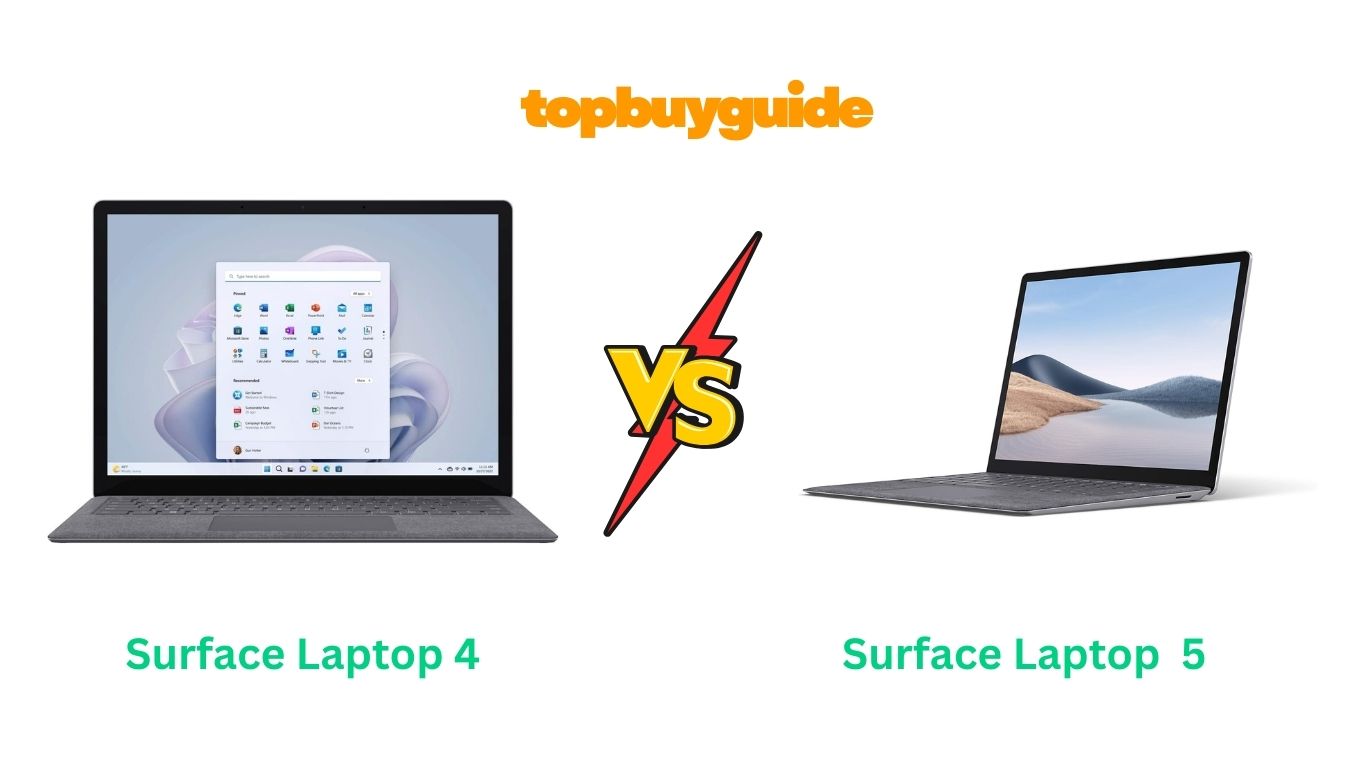
Deciding between two generations of a great laptop can be difficult. Both the Microsoft Surface Laptop 4 and 5 offer a premium experience, but they cater to slightly different needs and budgets. If you want a significant performance boost with the latest processor and faster memory, I recommend the Surface Laptop 5. Its 12th Gen Intel Core processor makes it a powerhouse for multitasking. But if you’re on a tighter budget and still need a reliable, stylish machine, the Surface Laptop 4 remains a fantastic option.
Why Do I Recommend The Surface Laptop 5?
The Surface Laptop 5 is the clear winner for users who demand the latest technology, better performance, and future-proof connectivity. It builds upon the solid foundation of its predecessor and delivers a more refined experience.
- Superior Processing Power: The Surface Laptop 5 is equipped with a 12th Gen Intel Core i5-1235U processor built on the Intel Evo platform. This provides a significant leap in multitasking performance and efficiency compared to the 11th Gen Intel Core i5 found in the Surface Laptop 4.
- Faster, More Efficient Memory: It utilizes faster LPDDR5X RAM, which offers higher speeds and better power efficiency than the LPDDR4 RAM in the Surface Laptop 4. This results in snappier performance and can contribute to better battery management.
- Next-Generation Connectivity: The Surface Laptop 5 includes a Thunderbolt 4 port. This is a massive upgrade over the USB-C port on the Surface Laptop 4, offering much faster data transfer speeds (up to 40Gbps), support for dual 4K monitors, and faster charging.
- Enhanced Security and OS: The Surface Laptop 5 comes with Windows 11 Pro, offering more advanced security and management features out of the box. In contrast, the Surface Laptop 4 ships with Windows 10 Home, though it is upgradable.
- A Refined, Modern Experience: With the Intel Evo platform certification, the Surface Laptop 5 guarantees a premium experience with instant wake, long battery life, and fast charging, setting a higher bar for responsiveness than the already excellent Surface Laptop 4.
- Slightly Lighter Design: While the difference is minor, the Surface Laptop 5 is marginally lighter at 2.8 pounds compared to the 2.89 pounds of the Surface Laptop 4, making it ever so slightly more portable.
- Better Future-Proofing: With a newer processor, faster RAM, and Thunderbolt 4, the Surface Laptop 5 is better equipped to handle future software updates and more demanding applications for years to come.
Side By Side Comparison Chart: Microsoft Surface Laptop 4 vs 5
| Feature | Surface Laptop 4 | Surface Laptop 5 |
| Processor | 11th Gen Intel Core i5 | 12th Gen Intel Core i5 (Evo Platform) |
| RAM | 8 GB LPDDR4 | 8 GB LPDDR5X |
| Storage | 512 GB SSD | 256 GB SSD |
| Ports | 1 x USB-C, 1 x USB-A | 1 x Thunderbolt 4 (USB-C), 1 x USB-A |
| Operating System | Windows 10 Home | Windows 11 Pro |
| Weight | 2.89 pounds | 2.8 pounds |
| Graphics | Intel Iris Xe Graphics | Intel Iris Xe Graphics |
| Wireless | 802.11ax (Wi-Fi 6) | 802.11ax (Wi-Fi 6) |
What Common Features Can Microsoft Surface Laptop 4 vs 5 Do?
Despite their generational differences, both the Surface Laptop 4 and Surface Laptop 5 share a core DNA of quality and premium design that has made the Surface line a favorite among Windows users. They are both engineered for productivity, style, and a great user experience.
Both laptops feature the stunning 13.5-inch PixelSense touchscreen display. With a resolution of 2256 x 1504, the screen is incredibly sharp, vibrant, and perfect for everything from editing documents to streaming movies. The 3:2 aspect ratio is a signature of the Surface line, providing more vertical screen real estate, which is excellent for productivity tasks like web browsing and writing, as it requires less scrolling. The touchscreen capability on both models adds a layer of intuitive control, allowing you to navigate Windows and applications with a simple tap or swipe.
A premium typing experience is another hallmark shared by both models. They feature a comfortable, responsive keyboard with excellent key travel, making long typing sessions a breeze. Coupled with a large, precise trackpad, navigating the interface is smooth and effortless. Both also feature a front-facing 720p HD camera and dual far-field Studio Mics, ensuring you look and sound your best during video calls on platforms like Microsoft Teams or Zoom. This focus on communication quality makes both laptops excellent choices for remote work or online classes.
Finally, both laptops maintain the iconic Surface design: a sleek, elegant, and minimalist aesthetic. They are built with premium materials, giving them a solid, high-quality feel. This commitment to design and build quality means that whether you choose the Surface Laptop 4 or the 5, you’re getting a device that not only performs well but also looks and feels like a top-tier laptop.
Common Features of Microsoft Surface Laptop 4 vs 5
| Feature | Surface Laptop 4 | Surface Laptop 5 |
| Screen Size | 13.5 Inches | 13.5 Inches |
| Screen Resolution | 2256 x 1504 | 2256 x 1504 |
| Touchscreen | Yes | Yes |
| Front Camera | 720p HD Camera | 720p HD Camera |
| Audio | Omnisonic Speakers with Dolby Atmos | Omnisonic Speakers with Dolby Audio |
| Microphones | Dual far-field Studio Mics | Dual far-field Studio Mics |
| Wireless | Wi-Fi 6 (802.11ax) | Wi-Fi 6 (802.11ax) |
A Detailed Comparison Of the Microsoft Surface Laptop 4 vs 5
Processor & Performance
The Microsoft Surface Laptop 4 is powered by an 11th Gen Intel Core i5 processor. This is a capable chip that delivers smooth performance for everyday tasks like web browsing, streaming, and using Microsoft 365 applications. For its time, it provided a significant speed boost and allowed for efficient multitasking, making it a reliable workhorse for students and professionals.
The Microsoft Surface Laptop 5, however, makes a significant leap forward with its 12th Gen Intel Core i5 processor, built on the Intel Evo platform. This newer architecture provides a noticeable improvement in both power and efficiency. It handles demanding applications and heavy multitasking more smoothly, making it a better choice for users who need consistent, high-speed performance.
Memory and Storage
The Surface Laptop 4 in this comparison comes with 8GB of LPDDR4 RAM and a generous 512GB SSD. The LPDDR4 memory is quick and efficient for its generation, and the large SSD provides ample space for documents, applications, and media, which is a huge plus for users who need to store large files locally.
The Surface Laptop 5 features 8GB of the newer, faster LPDDR5X RAM but a smaller 256GB SSD. The LPDDR5X memory offers better performance and energy efficiency, contributing to the laptop’s overall snappiness. The trade-off is less storage, so users who need more space might have to rely on cloud storage or opt for a higher-spec configuration.
Connectivity and Ports
Both laptops are quite minimalist in their port selection, featuring one USB-A port, a 3.5mm headphone jack, and the proprietary Surface Connect port for charging. The key difference lies in the USB-C port. The Surface Laptop 4 has a standard USB-C port, which is versatile but limited in speed and capability.
The Surface Laptop 5 upgrades this to a full-fledged Thunderbolt 4 port. This is a game-changer for power users, offering data transfer speeds of up to 40Gbps, the ability to connect to two 4K monitors, and faster charging. This single port greatly expands the laptop’s capabilities and makes it much more versatile for modern workstation setups.
Design and Portability
In terms of design, the two laptops are nearly identical. Both sport the same sleek, premium aluminum chassis that the Surface line is known for. They are both ultra-thin and lightweight, making them excellent choices for users on the go.
The Surface Laptop 5 is marginally lighter at 2.80 pounds, compared to the Surface Laptop 4’s 2.89 pounds. While this difference is barely perceptible, it continues Microsoft’s trend of refining its designs for maximum portability without sacrificing the premium feel. Both models are effortlessly portable and stylish.
Conclusion
After this detailed comparison, the Microsoft Surface Laptop 5 emerges as the superior choice, especially for those who prioritize performance and future-proofing. The 12th Gen Intel processor and, most importantly, the Thunderbolt 4 port, provide a significant upgrade that power users will appreciate. For seamless multitasking and connecting to a modern workstation, the Surface Laptop 5 is well worth the investment. It delivers a fast, refined, and effortlessly productive experience.
FAQs
- Is the Surface Laptop 5 a big upgrade from the Surface Laptop 4?
Yes, for performance. The move to a 12th Gen Intel Evo processor and the inclusion of a Thunderbolt 4 port make the Surface Laptop 5 significantly faster and more versatile for multitasking and connecting peripherals. - Which laptop is better for battery life?
The Surface Laptop 4 is rated for up to 11.5 hours of average battery life. While official ratings for the Surface Laptop 5 aren’t specified in this listing, its more power-efficient LPDDR5X RAM and 12th Gen processor are designed to optimize battery usage, likely resulting in comparable or better real-world performance. - Can I game on the Surface Laptop 4 or 5?
Neither laptop is designed for serious gaming, as they both use integrated Intel Iris Xe Graphics. They can handle casual games and older titles, but for modern, graphically intensive games, you would need a laptop with a dedicated graphics card. - Is the Thunderbolt 4 port on the Surface Laptop 5 a big deal?
Absolutely. It offers much faster data transfer speeds than the standard USB-C port on the Surface Laptop 4, supports dual 4K displays, and provides fast charging. It makes the Surface Laptop 5 much more adaptable to a professional workflow. - Does the Surface Laptop 4 still have a place in today’s market?
Yes. With a larger 512GB SSD and a processor that is still very capable for everyday tasks, the Surface Laptop 4 offers excellent value for users with more modest needs or a tighter budget who still want a premium, well-built laptop. - Which is better for a student?
If budget is a primary concern, the Surface Laptop 4 is a fantastic choice for a student, offering plenty of storage and solid performance. However, if the student is in a field that requires more processing power, the Surface Laptop 5 would be a more future-proof investment. - Can I upgrade the RAM on either laptop?
No, the RAM on both the Surface Laptop 4 and Surface Laptop 5 is soldered to the motherboard and is not user-upgradable. It is important to choose the configuration with the amount of RAM you will need for the life of the device. - Do both laptops support Windows Hello facial recognition?
Yes, both the Surface Laptop 4 and Surface Laptop 5 feature a front-facing camera compatible with Windows Hello, allowing you to log in securely with just a glance.

Alex Turner is a dedicated product researcher and reviewer at TopBuyGuide.com, known for his clear, honest, and data-driven insights. He spends countless hours testing, comparing, and analyzing products to help readers make confident and informed buying decisions.