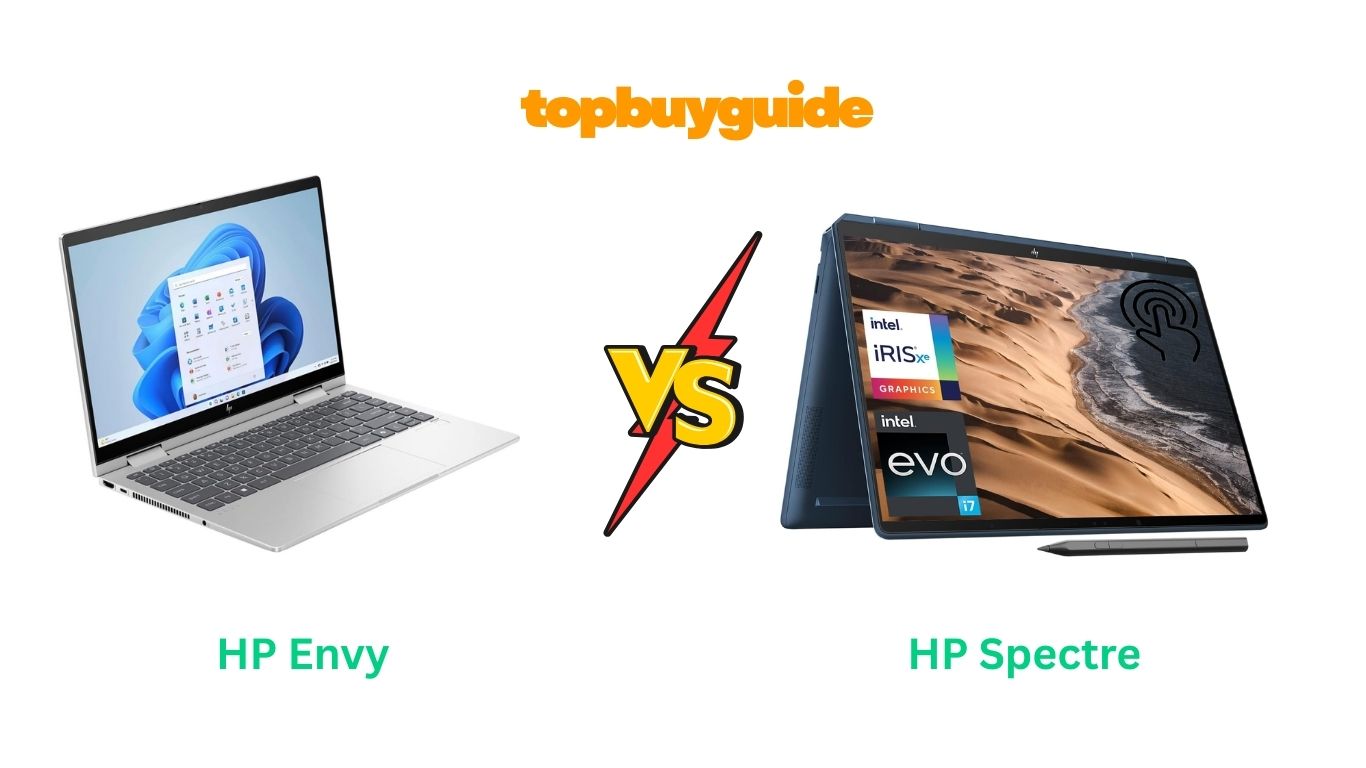
Deciding between the HP Envy and Spectre lineups can be tough. While both are premium 2-in-1 laptops, the Spectre x360 generally offers more power and higher-end features for demanding users. However, for everyday use and those on a budget, the HP Envy 2-in-1 is an excellent, more affordable choice. This review will break down the key differences to help you choose the best fit for your needs and wallet.
Why Do I Recommend The HP Spectre x360?
For those who need top-tier performance for creative work, heavy multitasking, or professional use, I recommend the HP Spectre x360. It’s built to handle more demanding tasks with ease. Here’s why it stands out against the Envy:
- Superior Processing Power: The Spectre x360 is equipped with the Intel Core i7-12700H processor, featuring 14 cores (6 Performance-cores, 8 Efficient-cores) and 20 threads. This is a significant step up from the Envy’s Intel Core 7-150U, which has 10 cores (2 Performance-cores, 8 Efficient-cores) and 12 threads. For intensive applications like video editing, 3D rendering, or running complex software, the Spectre’s processor delivers noticeably faster and smoother performance.
- Stunning High-Resolution Display: The Spectre boasts a 16-inch 3K+ (3072 x 1920) display, offering sharper details and more screen real estate. In contrast, the Envy has a smaller 14-inch FHD (1920 x 1080) display. The higher resolution of the Spectre makes it ideal for creative professionals who need pixel-perfect accuracy and a more immersive viewing experience.
- Premium Build and Design: The Spectre x360 features a sleek, Nocturne Blue aluminum chassis that gives it a more luxurious feel. While the Envy’s Natural Silver finish is clean and professional, the Spectre’s design and materials feel more premium, reflecting its higher price point.
- Advanced Connectivity: The Spectre x360 comes with 2 x Thunderbolt 4 ports, which offer faster data transfer speeds (up to 40Gbps), support for dual 4K displays, and charging capabilities. The Envy, on the other hand, has a single USB-C port with no mention of Thunderbolt support, making the Spectre a better choice for users with high-performance peripherals.
- Included Active Pen: The Spectre x360 includes an HP Rechargeable MPP 2.0 Tilt Pen, which is perfect for digital artists, note-takers, and anyone who prefers pen input. The Envy does not come with a stylus, so you would need to purchase one separately, adding to the overall cost.
- Better Audio Experience: The Spectre features Audio by Bang & Olufsen with quad speakers, providing a richer and more immersive sound profile compared to the Envy’s Poly Studio audio with dual speakers. This makes the Spectre better for media consumption and video conferencing.
- Longer Battery Life: HP claims the Spectre x360 can last up to 17 hours on a single charge. While real-world usage will vary, this is a significant advantage for users who are often on the go and need a laptop that can keep up all day without needing to be plugged in. The Envy’s battery life isn’t specified, but it’s unlikely to match the Spectre’s longevity.
Side-By-Side Comparison Chart (Envy vs Spectre)
| Feature | HP Envy 2-in-1 (14-es) | HP Spectre x360 (16) |
| Processor | Intel Core 7-150U (10 cores, 12 threads) | Intel Core i7-12700H (14 cores, 20 threads) |
| Screen Size | 14 inches | 16 inches |
| Screen Resolution | FHD (1920 x 1080) | 3K+ (3072 x 1920) |
| Color | Natural Silver | Nocturne Blue |
| Weight | 3.35 lbs | 4.45 lbs |
| Thunderbolt 4 | No | Yes (2 ports) |
| Audio | Poly Studio Audio, Dual Speakers | Audio by Bang & Olufsen, Quad Speakers |
| Included Pen | No | Yes (HP Rechargeable MPP 2.0 Tilt Pen) |
| Operating System | Windows 11 Pro | Windows 11 Home |
| Max Battery Life | Not Specified | Up to 17 hours |
What Common Features Can HP Envy vs Spectre Do?
Despite their differences, the HP Envy and Spectre share several high-quality features that make them excellent 2-in-1 laptops. Both are designed to provide a versatile and secure user experience, whether you’re working, creating, or relaxing.
A key shared feature is the 2-in-1 convertible design. Both the Envy and Spectre can be used in traditional laptop mode, tent mode for presentations, stand mode for watching videos, or tablet mode for drawing and browsing. This flexibility makes them adaptable to a wide range of tasks and environments.
Both laptops come equipped with a backlit keyboard, allowing you to work comfortably in low-light conditions. This is a must-have feature for students pulling late-night study sessions or professionals working on red-eye flights.
For security, both models include a fingerprint reader. This provides a quick, secure, and convenient way to log in to your device without needing to type a password. It’s a small but significant feature that adds an extra layer of protection to your personal data.
Finally, both the Envy and Spectre come with 16GB of RAM and a 512GB SSD. This configuration ensures smooth multitasking and fast boot times and application loading. You’ll have plenty of memory to run multiple apps at once and ample storage for your files, photos, and projects.
Common Features of HP Envy vs Spectre
| Feature | HP Envy 2-in-1 (14-es) | HP Spectre x360 (16) |
| 2-in-1 Design | Yes | Yes |
| Touchscreen | Yes | Yes |
| RAM | 16 GB | 16 GB |
| Storage | 512 GB SSD | 512 GB SSD |
| Backlit Keyboard | Yes | Yes |
| Fingerprint Reader | Yes | Yes |
| Webcam | 5MP IR Camera | HP True Vision 5MP IR camera |
| Wi-Fi | Wi-Fi 6E | Wi-Fi 6E |
A Detailed Comparison Of the HP Envy vs Spectre
Let’s dive deeper into the specific features that set these two laptops apart to help you make an informed decision.
Processor Performance
The HP Spectre x360 is powered by the Intel Core i7-12700H, a high-performance processor with 14 cores and 20 threads. This makes it exceptionally well-suited for demanding tasks like video editing, programming, and running multiple virtual machines. If your work involves CPU-intensive applications, the Spectre will provide the power you need without lagging.
In contrast, the HP Envy 2-in-1 uses the Intel Core 7-150U processor, which has 10 cores and 12 threads. While still a very capable chip for everyday tasks like web browsing, streaming, and using office software, it doesn’t match the raw power of the Spectre’s H-series processor. For general use, the Envy is more than sufficient and offers great performance for its price.
Display and Visuals
The display is one of the most significant differences. The HP Spectre x360 features a larger 16-inch 3K+ (3072 x 1920) IPS display. This high-resolution screen provides incredibly sharp text and vibrant, accurate colors, making it a joy for photo editing, graphic design, or simply watching 4K movies. The extra screen space also enhances productivity by allowing you to see more of your work at once.
The HP Envy 2-in-1 is equipped with a 14-inch FHD (1920 x 1080) display. While this is a standard and perfectly good resolution for a laptop of this size, it can’t compete with the crispness and detail of the Spectre’s 3K+ screen. For everyday use, the FHD display is fine, but creative professionals or media enthusiasts will appreciate the superior quality of the Spectre.
Portability and Design
When it comes to portability, the HP Envy 2-in-1 has the edge. Weighing just 3.35 pounds, it’s significantly lighter than the Spectre x360, which comes in at 4.45 pounds. The Envy’s smaller 14-inch form factor also makes it more compact and easier to carry around, making it an ideal choice for students and frequent travelers.
The HP Spectre x360, while heavier, justifies its weight with a premium, all-metal chassis in a striking Nocturne Blue. It feels robust and luxurious. The Envy’s Natural Silver finish is sleek and modern, but the Spectre’s build quality feels a step above, providing a more premium user experience from the moment you pick it up.
Connectivity
For users who rely on high-speed peripherals, the HP Spectre x360 is the clear winner. It includes two Thunderbolt 4 ports, which support up to 40Gbps data transfer, external GPU enclosures, and connecting multiple high-resolution monitors with a single cable. This makes it a future-proof choice for power users.
The HP Envy 2-in-1 is more limited in this regard. It has a single USB-C port, which is still versatile for charging and connecting modern accessories, but it lacks the speed and advanced capabilities of Thunderbolt 4. For most users, this won’t be a dealbreaker, but it’s a key consideration for those with a high-performance workflow.
Conclusion
Both the HP Envy 2-in-1 and the Spectre x360 are fantastic laptops, but they cater to different users.
The HP Spectre x360 is the best choice if you’re a creative professional, a power user, or someone who simply wants the best performance and features available. Its powerful processor, stunning 3K+ display, and premium build make it worth the higher price. It’s an investment in a machine that can handle anything you throw at it.
On the other hand, the HP Envy 2-in-1 is an excellent option for students, everyday users, and budget-conscious buyers who still want a premium 2-in-1 experience. It offers great performance for daily tasks, is more portable, and provides fantastic value for money.
Ready to make a choice? Check the latest prices and grab your new laptop today!
FAQs
Which is better for gaming, the Envy or the Spectre?
Neither laptop is designed as a dedicated gaming machine, as they both use integrated graphics. However, the HP Spectre x360’s more powerful i7-12700H processor and Intel Iris Xe graphics will offer better performance for casual gaming and less demanding titles compared to the HP Envy.
Does the HP Envy come with a stylus?
No, the HP Envy 2-in-1 (14-es model) does not include a stylus in the box. You would need to purchase an HP-compatible active pen separately if you want to use it for drawing or note-taking. The Spectre x360, however, comes with the HP Rechargeable MPP 2.0 Tilt Pen included.
Is the HP Spectre x360 worth the extra money?
If your work involves processor-intensive tasks like video editing, 3D modeling, or programming, the extra cost for the Spectre x360 is absolutely worth it for the performance gains. The superior 3K+ display and premium build quality also add significant value for those who appreciate a high-end device.
How does the battery life compare between the Envy and Spectre?
The HP Spectre x360 is advertised with a battery life of up to 17 hours, which is excellent for a high-performance laptop. While the exact battery life for the HP Envy 2-in-1 isn’t specified, it’s generally expected to be shorter given its price point and different hardware configuration.
Can I upgrade the RAM in these laptops?
The HP Spectre x360 comes with DDR4 SDRAM, which is typically soldered onto the motherboard in thin and light laptops, meaning it cannot be upgraded. The HP Envy 2-in-1 uses SODIMM memory, which suggests it might be user-upgradable, but you should always check the specific model’s manual or consult HP support before attempting an upgrade.
Which laptop is better for students?
For most students, the HP Envy 2-in-1 is the more practical and affordable choice. It’s lighter, more portable, and powerful enough for research, writing papers, and streaming media. The Spectre x360 would be a better fit for students in specialized fields like engineering or graphic design who need the extra processing power.

Alex Turner is a dedicated product researcher and reviewer at TopBuyGuide.com, known for his clear, honest, and data-driven insights. He spends countless hours testing, comparing, and analyzing products to help readers make confident and informed buying decisions.