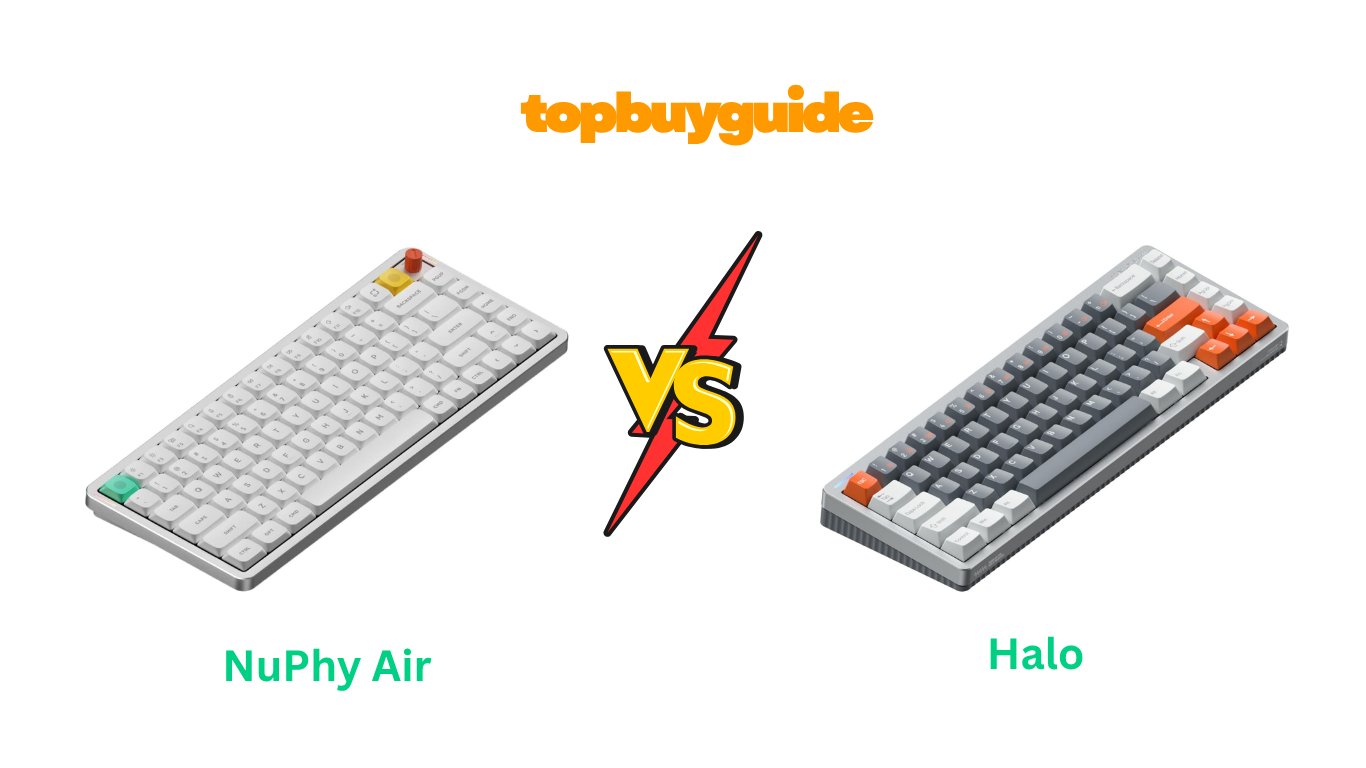
Choosing between NuPhy’s Air75 and Halo65 defines your entire typing experience for years. After extensive testing and analysis, I recommend the NuPhy Air75 V3 for users prioritizing portability and modern workspace aesthetics. The ultra-slim 13.2mm front height slides effortlessly into laptop bags, while the lighter 724-gram weight prevents travel fatigue.
The incredible 4,000mAh battery delivers up to 1,200 hours of use, eliminating charging anxiety. Though both keyboards excel, the Air75’s low-profile design fits today’s mobile work lifestyle perfectly.
Why Do I Recommend The NuPhy Air75?
The NuPhy Air75 delivers exceptional advantages through its innovative low-profile design philosophy. Here’s why it outshines the Halo65:
- Ultra-Portable Low-Profile Design: The Air75 measures just 13.2mm at the front, making it incredibly slim for travel and desk minimalism. Conversely, the Halo65’s standard 17mm front height creates a bulkier profile that takes more bag space and desk real estate.
- Significantly Lighter Weight: Weighing 724 grams, the Air75 reduces bag weight substantially for mobile professionals carrying gear daily. The Halo65 weighs approximately 1,000 grams (2.2 pounds), making it noticeably heavier and less ideal for frequent transportation between locations.
- Extended 3.5mm Switch Travel: The Air75 V3’s Gateron LP 3.0 switches provide 3.5mm travel distance approaching standard keyboards despite low-profile construction. Standard Halo65 switches offer 4mm travel, but the Air75’s achievement in low-profile format demonstrates superior engineering innovation.
- Gasket Mount Sound Dampening: The Air75 V3 employs gasket mounting with IXPE foam, EPDM foam, and latex switch foam for refined acoustics. The Halo65 uses tray mounting with silicone layers, creating a firmer typing feel with less vibration isolation.
- Superior Travel Compatibility: The Air75’s slim profile fits perfectly in laptop sleeves and messenger bags without requiring dedicated keyboard cases. The Halo65’s substantial height and weight demand more protective carrying solutions, adding bulk to your travel kit unnecessarily.
- Modern Minimalist Aesthetic: The Air75’s sleek low-profile design complements ultrabooks, tablets, and modern workspace minimalism trends. The Halo65’s traditional high-profile design feels bulkier and occupies more visual space on clean, organized desks.
- Faster Typing Adaptation: The Air75’s low-profile switches require less finger movement between keystrokes, potentially increasing typing speed over time. The Halo65’s standard travel distance demands more hand motion, which can increase fatigue during marathon typing sessions.
- Better Laptop Companion: The Air75’s design philosophy matches modern laptop keyboards, creating seamless transition when switching between devices. The Halo65’s high-profile design creates jarring adjustment periods when alternating between laptop and external keyboard throughout workdays.
Side By Side Comparison Chart: NuPhy Air vs Halo
| Feature | NuPhy Air75 V3 | NuPhy Halo65 |
| Profile Type | Low-profile | Standard high-profile |
| Height (Front) | 13.2mm | 17mm |
| Layout | 75% (84 keys) | 65% (67 keys) |
| Weight | 724 grams (1.6 lbs) | 1,000 grams (2.2 lbs) |
| Switch Travel | 3.5mm (Gateron LP 3.0) | 4mm (standard switches) |
| Mount Type | Gasket mount | Tray mount |
| Battery Capacity | 4,000mAh | 4,000mAh |
| Battery Life (RGB Off) | 1,200 hours | 240-320 hours |
| Battery Life (RGB On) | 60-100 hours | 48-80 hours |
| Top Case Material | Aluminum | Unibody aluminum frame |
| Bottom Case Material | ABS | ABS (Ionic column design) |
| Keycap Profile | Low-profile PBT | mSA/KOP PBT (high-profile) |
| RGB Lighting Zones | 20 modes | 17 modes + Halolight ring |
| Software | NuPhy IO 2.0 | NuPhy Console (VIA on v2) |
| Price Range | $139.95 | $119.95-$139.99 |
| Wrist Rest Included | No | No (optional Twotone) |
| Portable Use Case | Excellent | Fair |
What Common NuPhy Air vs Halo Can Do?
Both keyboards share fundamental NuPhy DNA that defines premium mechanical keyboard experiences. Understanding these common capabilities helps you appreciate what either keyboard brings to your productivity workflow.
Triple Connectivity Options
Both keyboards support versatile connectivity through Bluetooth 5.0/5.1, 2.4GHz wireless with USB receiver, and USB-C wired connection. This tri-mode connectivity enables seamless device switching between computers, tablets, and smartphones throughout your workday. The 2.4GHz wireless provides lower latency performance ideal for gaming and responsive typing experiences.
USB-C wired mode delivers unlimited operation without battery concerns during intensive work sessions. Both keyboards maintain stable connections across all modes without dropout or interference issues.
Massive 4,000mAh Battery Capacity
Both the Air75 V3 and Halo65 feature identical 4,000mAh rechargeable batteries providing exceptional wireless endurance. This substantial capacity eliminates constant charging routines that plague smaller keyboards with insufficient batteries. The intelligent power management optimizes battery consumption based on connection mode and lighting settings automatically.
Both keyboards support charging while operating, essentially functioning as wired keyboards when plugged in. The USB-C charging port ensures fast replenishment compatible with modern power adapters and power banks.
Four-Device Bluetooth Pairing
Both keyboards support simultaneous pairing with up to four Bluetooth devices with instant switching capabilities. This feature proves invaluable for users managing multiple workstations, tablets, or smartphones throughout their workflow. Simple key combinations enable switching between paired devices within seconds without re-pairing processes.
The keyboards remember connection preferences and automatically reconnect to last-used devices when powered on. This multi-device management enhances productivity for users working across personal and professional devices simultaneously.
Premium PBT Double-Shot Keycaps
Both keyboards ship with high-quality double-shot PBT keycaps that resist shine and wear over years of use. The legends are molded through the entire keycap thickness, preventing fade regardless of typing intensity. PBT material provides superior texture and grip compared to ABS alternatives that become slippery over time.
Both keyboards include Mac and Windows keycap sets for dual-OS compatibility without purchasing additional accessories. The keycap quality demonstrates NuPhy’s commitment to long-term user satisfaction and premium experiences.
Hot-Swappable Switch Sockets
Both keyboards feature hot-swappable switch sockets enabling tool-free switch replacement in seconds without soldering expertise. This flexibility allows users to experiment with different switch types for personalized typing experiences. Damaged switches can be replaced individually without sending keyboards for manufacturer repairs or replacements.
The hot-swap implementation extends keyboard lifespan by allowing customization as preferences evolve over time. Both keyboards work with various switch brands, though the Air75 requires low-profile switches specifically.
Comprehensive RGB Backlighting
Both keyboards implement per-key RGB backlighting with millions of color combinations and multiple preset effects. The RGB systems support adjustable brightness levels balancing aesthetic appeal with battery conservation strategies. Users can create custom lighting profiles for different applications or times of day through software.
Both keyboards feature north-facing LEDs ensuring optimal keycap illumination without light bleeding. The lighting integrates with NuPhy’s ecosystem for synchronized effects across multiple peripherals.
Dual-OS Mac and Windows Support
Both the Air75 and Halo65 provide native support for macOS and Windows operating systems without compatibility compromises. Each keyboard includes dedicated keycaps for both platforms, eliminating the need for separate purchases. Mac-specific shortcuts like Mission Control, Spotlight, and Launchpad function correctly without software configuration.
Windows multimedia keys and system controls work identically for PC users across all functionality. The seamless cross-platform compatibility makes either keyboard suitable for users who switch between operating systems.
Advanced Customization Software
Both keyboards access customization through NuPhy’s proprietary software enabling key remapping, macro programming, and lighting configuration. The software platforms provide profile storage for different applications or workflows with automatic switching capabilities. Users can adjust key actuation points, debounce settings, and polling rates based on specific requirements.
Both keyboards support firmware updates delivered through software, adding new features and improvements over time. The customization depth rivals QMK/VIA frameworks while maintaining user-friendly interfaces for casual users.
Common Features of NuPhy Air vs Halo
| Feature | NuPhy Air75 V3 | NuPhy Halo65 |
| Connectivity | Bluetooth/2.4GHz/USB-C | Bluetooth/2.4GHz/USB-C |
| Battery Capacity | 4,000mAh | 4,000mAh |
| Bluetooth Version | 5.0 | 5.0 |
| Device Pairing | 4 devices | 4 devices |
| Polling Rate (Wired) | 1000Hz | 1000Hz |
| Hot-Swappable | Yes (low-profile switches) | Yes (standard switches) |
| Keycap Material | Double-shot PBT | Double-shot PBT |
| RGB Backlighting | Per-key north-facing | Per-key north-facing |
| macOS Support | Native (with Mac keycaps) | Native (with Mac keycaps) |
| Windows Support | Native (with Win keycaps) | Native (with Win keycaps) |
| Charging Port | USB-C | USB-C |
| Software | NuPhy proprietary | NuPhy proprietary |
| N-Key Rollover | Yes (all modes) | Yes (all modes) |
| Adjustable Feet | Yes (3 angles) | Yes |
| Aluminum Construction | Top case | Unibody frame |
| Color Options | Black, White, others | Black, White |
A Detailed Comparison Of the NuPhy Air vs Halo
Profile Height and Desk Ergonomics
The NuPhy Air75 V3 achieves an ultra-slim 13.2mm front height through innovative low-profile switch and keycap engineering. This minimal height reduces wrist angle strain during extended typing sessions without requiring dedicated wrist rests. The low profile creates a sleek, modern aesthetic that complements minimalist desk setups and ultrabook designs. Users transitioning from laptop keyboards find the Air75’s height familiar and comfortable immediately upon first use.
The NuPhy Halo65 employs traditional high-profile design measuring 17mm at the front with standard mechanical switches. This increased height provides deeper key travel and more pronounced tactile feedback preferred by mechanical keyboard enthusiasts. However, the taller profile often necessitates wrist rest purchases for comfortable extended typing sessions. The substantial height creates a more commanding presence on desks but may feel bulky for users accustomed to low-profile keyboards.
Weight and Portability Characteristics
The NuPhy Air75 weighs a manageable 724 grams (1.6 pounds), making it genuinely portable for daily commutes and travel. This weight allows easy single-handed carrying without strain when moving between meeting rooms or workspaces. The keyboard fits comfortably in most laptop bags without requiring dedicated carrying cases or protective sleeves. The lighter construction enables users to pack additional gear without exceeding comfortable carrying capacity limits.
The NuPhy Halo65 weighs approximately 1,000 grams (2.2 pounds), providing substantial heft that prevents movement during aggressive typing. This weight contributes to the premium, planted feel that many users prefer for stationary desk setups. However, the additional 276 grams makes daily transportation less appealing for mobile professionals. The Halo65 excels as a permanent desk fixture rather than a portable companion for work-from-anywhere lifestyles.
Typing Experience and Switch Performance
The NuPhy Air75 V3 features Gateron Low-Profile 3.0 switches delivering 3.5mm travel distance—impressive for low-profile construction. These switches provide satisfying tactile feedback while maintaining the slim form factor that defines the Air lineup. The gasket-mounted plate adds flexibility that dampens vibrations and creates softer, more refined acoustic profiles. Pre-lubed stabilizers minimize rattle on larger keys, contributing to the premium typing experience throughout extended sessions.
The NuPhy Halo65 utilizes standard mechanical switches offering full 4mm travel distance with pronounced tactile feedback. Options include Gateron G Pro 2.0 series and NuPhy’s proprietary Baby Kangaroo (tactile) and Baby Raccoon (linear) switches. The tray-mount construction creates firmer, more direct typing feel with immediate key response. Multiple silicone foam layers reduce hollow sounds, though the acoustic profile remains livelier than gasket-mounted alternatives.
Battery Life and Power Efficiency
The NuPhy Air75 delivers astounding 1,200 hours of continuous use with RGB lighting disabled—nearly seven weeks without charging. This exceptional efficiency results from optimized power management specifically designed for the low-profile architecture. With RGB enabled at full brightness, the Air75 still provides 60-100 hours of operation. The extended battery life makes it ideal for users who forget to charge peripherals regularly.
The NuPhy Halo65 achieves 240-320 hours of battery life with lighting disabled, translating to approximately two weeks of regular use. While respectable, this represents significantly shorter endurance compared to the Air75’s remarkable efficiency. With RGB lighting enabled, battery life decreases to 48-80 hours depending on brightness settings. The Halo65’s standard switches and additional RGB zones consume more power than the Air75’s optimized low-profile design.
Layout Size and Key Count
The NuPhy Air75 employs a 75% layout with 84 keys including dedicated function row, arrow keys, and essential navigation cluster. This layout strikes an excellent balance between compactness and functionality for productivity workflows. The inclusion of function keys proves valuable for keyboard shortcuts in professional applications. The 75% format saves desk space while maintaining all keys most users require daily without reaching for function layers.
The NuPhy Halo65 uses a compact 65% layout with 67 keys, eliminating the dedicated function row for maximum space efficiency. Users access function keys through secondary layer combinations using the Fn key modifier. This ultra-compact approach appeals to minimalists who prioritize desk space savings above dedicated key access. The 65% layout requires some adaptation for users accustomed to function rows but becomes intuitive after brief adjustment periods.
Acoustic Profile and Sound Design
The NuPhy Air75 V3 implements comprehensive sound dampening through IXPE acoustic foam, EPDM case foam, and latex switch foam layers. This multi-layer approach combined with gasket mounting creates a deep, muted “thock” sound signature. The low-profile switches naturally produce quieter acoustics compared to standard switches due to reduced travel distance. The refined sound profile suits shared workspaces, libraries, and quiet environments without disturbing colleagues or family members.
The NuPhy Halo65 produces a livelier, more resonant acoustic profile characteristic of tray-mounted high-profile keyboards. Multiple silicone layers including the innovative GhostBar spacebar dampening reduce hollow sounds considerably. The standard switches create more pronounced click sounds satisfying to enthusiasts who enjoy audible typing feedback. The Halo65’s acoustics work well in private offices or home setups where sound isn’t a primary concern.
Build Quality and Construction Methods
The NuPhy Air75 V3 utilizes CNC-machined aluminum for the top case with thin-wall exoskeleton construction optimizing strength-to-weight ratio. The gasket mounting system employs silicone gaskets between plate and case for improved typing feel. The build feels remarkably solid despite the lightweight construction, with minimal flex during aggressive typing. The aluminum extends to decorative side panels featuring integrated RGB light bars for battery status indicators.
The NuPhy Halo65 showcases a revolutionary unibody aluminum frame—the first implementation in a fully assembled keyboard. This seamless frame construction eliminates traditional case seams and provides exceptional rigidity without flex. The laser-polished ABS base features Ionic column-inspired grooves creating visual interest and enhancing grip. The substantial build quality contributes to the premium feel but increases weight considerably compared to the Air75’s optimized construction.
Price and Value Proposition
The NuPhy Air75 V3 retails for $139.95, positioning it as a premium low-profile mechanical keyboard. This pricing reflects the advanced gasket mounting, extended battery life, and refined acoustic engineering. The investment provides a keyboard equally comfortable for office work, creative applications, and casual gaming. For mobile professionals who value portability without compromising typing quality, the Air75 represents exceptional value.
The NuPhy Halo65 ranges from $119.95 to $139.99 depending on switch selection and retailer. This slightly lower entry price makes it accessible to users exploring premium mechanical keyboards. The unibody aluminum construction and innovative Halolight RGB system justify the cost for enthusiasts. The Halo65 offers excellent value for stationary desk setups prioritizing aesthetics and traditional mechanical keyboard experiences.
Conclusion
After thorough evaluation, the NuPhy Air75 V3 stands as the superior choice for modern professionals prioritizing portability and versatility. The ultra-slim 13.2mm profile slides effortlessly into laptop bags, while the 724-gram weight prevents travel fatigue during commutes. The astounding 1,200-hour battery life eliminates charging anxiety for weeks of continuous use.
The gasket-mounted Gateron LP 3.0 switches deliver refined typing feel approaching standard keyboards in a portable package. Though $139.95 represents premium pricing, the Air75’s exceptional engineering justifies the investment. Click now to revolutionize your mobile productivity with the Air75’s perfect balance of portability and performance.
Frequently Asked Questions
Q: Can I use standard mechanical switches in the NuPhy Air75?
No, the Air75 exclusively accepts low-profile mechanical switches due to its slim chassis design. Standard mechanical switches have taller housings that won’t fit within the Air75’s reduced height constraints. However, the Air75 supports various low-profile switch brands including Gateron, Kailh Choc, and others with compatible mounting.
Q: Does the Halo65’s extra weight improve typing stability?
Yes, the Halo65’s 1,000-gram weight provides superior stability during aggressive typing, preventing keyboard movement on smooth desk surfaces. The additional mass creates a planted, premium feel preferred by users who type forcefully. However, this benefit comes at the cost of reduced portability for mobile professionals.
Q: Which keyboard is quieter for office environments?
The NuPhy Air75 produces noticeably quieter acoustics due to its low-profile switches, comprehensive foam dampening, and gasket mounting system. The reduced switch travel inherently creates less sound. The Halo65’s standard switches and tray mounting generate livelier, more audible typing sounds that may disturb nearby colleagues.
Q: Can I customize RGB lighting independently on both keyboards?
Yes, both keyboards offer per-key RGB customization through NuPhy’s proprietary software. You can create custom lighting profiles with individual key colors, effects, and brightness levels. The Air75 features 20 preset modes, while the Halo65 includes 17 modes plus the distinctive Halolight ring illumination around the perimeter.
Q: Which keyboard works better for gaming?
The NuPhy Air75’s low-profile switches provide faster actuation due to reduced travel distance, benefiting competitive gaming scenarios. However, the Halo65’s standard switches offer more pronounced tactile feedback preferred by some gamers. Both keyboards support 1000Hz polling rates and low latency, making either suitable for gaming applications.
Q: Is the battery life difference significant in real-world use?
Yes, the Air75’s 1,200-hour battery life (RGB off) means charging every 6-8 weeks with typical use. The Halo65’s 240-320 hours requires charging every 2-3 weeks. For users who frequently forget to charge devices, the Air75’s extended endurance proves substantially more convenient in daily usage.
Q: Can I replace the batteries when they degrade?
Both keyboards feature sealed designs with non-user-replaceable batteries requiring manufacturer service or advanced DIY skills. The 4,000mAh capacity in both models should maintain useful capacity for 3-5 years before significant degradation occurs. After this period, battery replacement typically requires professional service or warranty claims.
Q: Which keyboard is better for writers and programmers?
The NuPhy Air75’s 75% layout with dedicated function row benefits programmers who rely on function keys for IDE shortcuts and debugging. The gasket mounting reduces typing fatigue during marathon coding sessions. Writers may prefer either keyboard depending on portability needs—the Air75 for coffee shop writing, the Halo65 for dedicated home offices.

Alex Turner is a dedicated product researcher and reviewer at TopBuyGuide.com, known for his clear, honest, and data-driven insights. He spends countless hours testing, comparing, and analyzing products to help readers make confident and informed buying decisions.