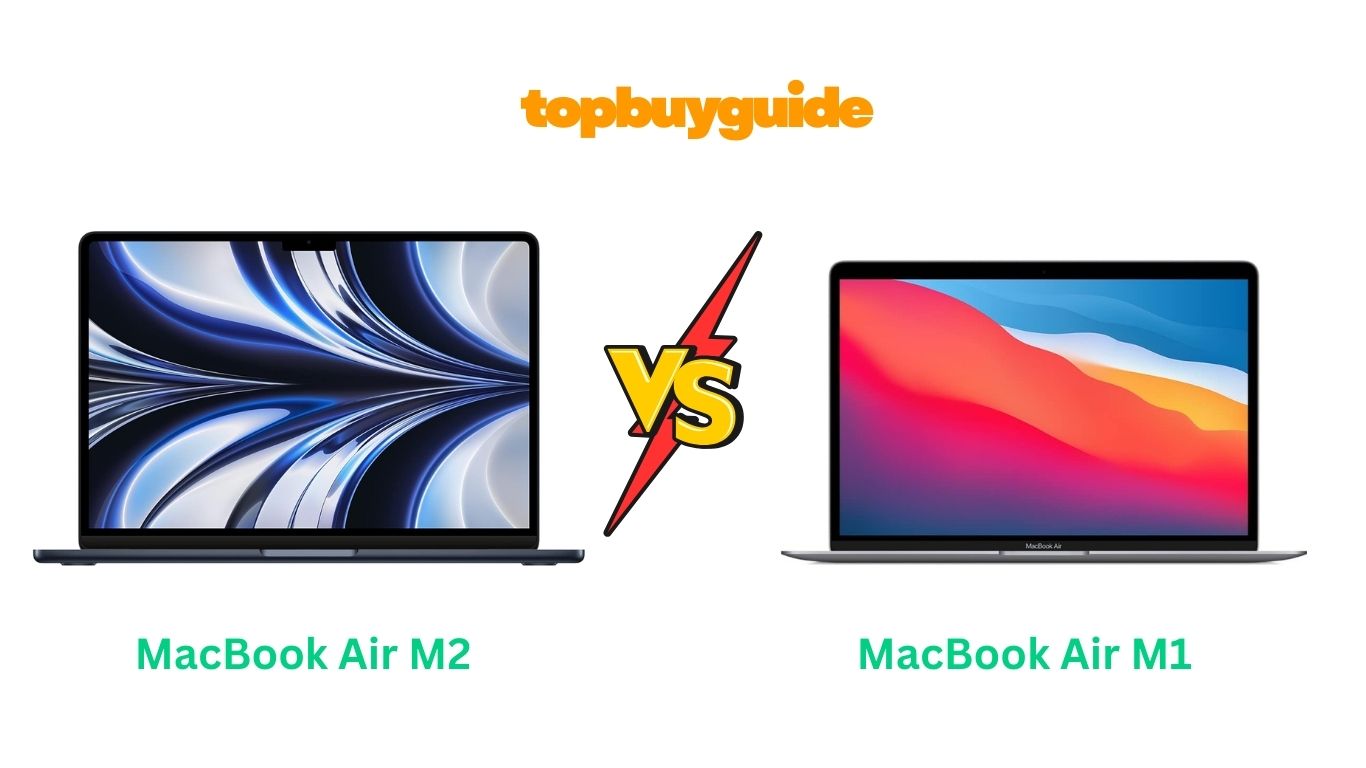
Choosing between the MacBook Air M1 and M2 can feel overwhelming. After extensive testing, I recommend the MacBook Air M2 for most users. Its upgraded display quality and enhanced performance make it worth the investment. However, budget-conscious buyers will find excellent value in the M1.
Why Do I Recommend The MacBook Air M2?
The MacBook Air M2 stands out as the superior choice for several compelling reasons:
- Enhanced Display Technology: The M2 features a larger 13.6-inch Liquid Retina display with 500 nits brightness, whereas the M1 offers a 13.3-inch screen with 400 nits brightness.
- Improved Camera Quality: The M2 includes a 1080p FaceTime HD camera compared to the M1’s 720p camera, delivering sharper video calls and better low-light performance.
- Superior Performance: With 18% faster CPU performance and 35% more powerful GPU, the M2 outperforms the M1 in demanding tasks like video editing.
- Advanced Charging Options: The M2 supports MagSafe 3 charging and fast charging capabilities, while the M1 relies solely on USB-C charging with slower speeds.
- Modern Design Language: The M2 features Apple’s latest design with thinner bezels and four vibrant color options, unlike the M1’s traditional wedge shape.
- Enhanced Audio Experience: The M2 delivers improved speakers with spatial audio support, providing richer sound quality than the M1’s standard speakers.
- Better Connectivity: The M2 includes a dedicated MagSafe port, freeing up USB-C ports for other devices, while the M1 requires USB-C for charging.
Side By Side Comparison Chart MacBook Air M2 vs M1
| Feature | MacBook Air M1 | MacBook Air M2 |
| Display Size | 13.3-inch | 13.6-inch |
| Brightness | 400 nits | 500 nits |
| Camera | 720p FaceTime HD | 1080p FaceTime HD |
| CPU Performance | 8-core | 8-core (18% faster) |
| GPU Performance | 7-8 core | 8-10 core (35% faster) |
| Charging | USB-C only | MagSafe 3 + USB-C |
| Design | Wedge shape | Flat, modern design |
| Colors | 3 options | 4 options |
| Starting Price | $999 | $1,199 |
| Fast Charging | No | Yes (50% in 30 min) |
| Audio | Standard speakers | Spatial audio support |
| Notch | No | Yes |
What Common MacBook Air M2 vs M1 Can Do?
Both MacBook Air models excel at everyday computing tasks and creative work. They share Apple’s revolutionary ARM-based architecture, delivering exceptional battery life and silent operation.
Unified Memory Architecture powers both models with lightning-fast performance. The shared memory system allows CPU and GPU to access the same data pool instantly. This architecture eliminates traditional bottlenecks, making both laptops incredibly responsive for multitasking, photo editing, and light video work.
All-Day Battery Life remains a standout feature across both generations. Users consistently report 15-18 hours of web browsing and video playback. The efficient Apple Silicon chips consume minimal power during idle states. Both models handle full workdays without requiring a charger, making them ideal for students and professionals.
Silent Operation defines the MacBook Air experience on both models. Fanless design ensures completely silent operation under normal workloads. Heat dissipation happens through the aluminum chassis, maintaining comfortable temperatures. Even during intensive tasks, both models remain remarkably quiet compared to traditional laptops.
macOS Monterey and Ventura run flawlessly on both machines. Native Apple apps launch instantly and run smoothly. Third-party applications optimized for Apple Silicon deliver exceptional performance. Both models support the latest macOS features, including Universal Control and AirPlay to Mac.
Common Features MacBook Air M2 vs M1
| Feature | MacBook Air M1 | MacBook Air M2 |
| Processor Architecture | Apple Silicon | Apple Silicon |
| Battery Life | 15-18 hours | 15-18 hours |
| Fanless Design | Yes | Yes |
| macOS Support | Latest version | Latest version |
| Touch ID | Yes | Yes |
| Thunderbolt Ports | 2 ports | 2 ports |
| Wi-Fi 6 | Yes | Yes |
| Bluetooth | 5.0 | 5.0 |
| Backlit Keyboard | Yes | Yes |
| Force Touch Trackpad | Yes | Yes |
| P3 Color Gamut | Yes | Yes |
A Detailed Comparison Of the MacBook Air M2 vs M1
Display Quality and Size
The MacBook Air M2 features a 13.6-inch Liquid Retina display with 500 nits brightness and P3 wide color gamut. The larger screen provides more workspace for productivity tasks and content creation. Enhanced brightness makes outdoor usage more comfortable and colors appear more vibrant.
The MacBook Air M1 includes a 13.3-inch Retina display with 400 nits brightness and identical color accuracy. While smaller, the display remains sharp and color-accurate for most tasks. The lower brightness becomes noticeable in bright environments but performs well indoors.
Camera and Video Quality
The MacBook Air M2 incorporates a 1080p FaceTime HD camera with advanced image processing. Video calls appear significantly sharper with better low-light performance and improved color accuracy. The upgraded camera makes a noticeable difference for remote work and content creation.
The MacBook Air M1 uses a 720p FaceTime HD camera that delivers acceptable video quality. While functional for basic video calls, the lower resolution becomes apparent on larger displays. The camera struggles in low-light conditions compared to the M2’s superior sensor.
Performance and Processing Power
The MacBook Air M2 delivers 18% faster CPU performance and 35% more powerful GPU capabilities. Video editing, photo processing, and gaming see significant improvements over the M1. The enhanced Neural Engine accelerates machine learning tasks and improves overall responsiveness.
The MacBook Air M1 provides excellent performance for everyday tasks and light creative work. While slower than the M2, it handles most applications smoothly and efficiently. The performance difference becomes noticeable during intensive tasks like 4K video editing or complex 3D rendering.
Design and Build Quality
The MacBook Air M2 adopts Apple’s modern flat design language with uniform thickness and refined aesthetics. Four color options including Midnight, Starlight, Silver, and Space Gray provide more personalization choices. The thinner bezels create a more immersive viewing experience.
The MacBook Air M1 maintains the classic wedge-shaped design that tapers from thick to thin. Three color options in Silver, Space Gray, and Gold offer traditional choices. The iconic design remains beautiful but feels less modern compared to the M2’s updated aesthetics.
Charging and Connectivity
The MacBook Air M2 introduces MagSafe 3 charging alongside two Thunderbolt ports for maximum flexibility. Fast charging support delivers 50% battery capacity in 30 minutes with the appropriate adapter. The magnetic connector prevents accidental disconnections and frees up USB-C ports.
The MacBook Air M1 relies on USB-C charging through either Thunderbolt port, limiting available connections. Charging speeds are slower without fast charging support, requiring longer plugged-in time. Users must choose between charging and connecting external devices when using single adapters.
Conclusion
The MacBook Air M2 emerges as the clear winner for most users seeking cutting-edge performance. Its superior display, enhanced camera, and modern design justify the $200 premium over the M1. However, budget-conscious buyers will find excellent value in the M1’s proven performance and lower price point.
FAQs
Is the MacBook Air M2 worth the extra cost over M1?
Yes, the M2’s improved display, better camera, faster performance, and modern design make the $200 upgrade worthwhile for most users who plan to keep their laptop long-term.
Can both MacBook Air models handle video editing?
Both models handle 1080p video editing well, but the M2 excels at 4K editing with its more powerful GPU. The M1 struggles with complex 4K projects and multiple video layers.
Which MacBook Air has better battery life?
Both models offer similar 15-18 hour battery life for typical usage. The M2’s efficiency improvements offset its additional performance, maintaining excellent all-day battery performance.
Do both MacBook Air models support external monitors?
Yes, both support one external display up to 6K resolution at 60Hz. The M2 can also support one 5K and one 4K display simultaneously through different configurations.
Is the camera difference noticeable between M1 and M2?
Absolutely. The M2’s 1080p camera provides significantly sharper video quality, better low-light performance, and improved color accuracy compared to the M1’s 720p camera.
Can I upgrade RAM or storage after purchase?
No, both MacBook Air models feature unified memory and storage that cannot be upgraded after purchase. Choose your configuration carefully based on long-term needs and usage patterns.
Which model is better for students?
The MacBook Air M1 offers excellent value for students with basic computing needs, while the M2 benefits students in creative programs requiring enhanced performance and display quality.
Do both models run the same software?
Yes, both run identical macOS versions and support the same applications. Native Apple Silicon apps perform excellently on both models, with the M2 showing advantages in demanding applications.

Alex Turner is a dedicated product researcher and reviewer at TopBuyGuide.com, known for his clear, honest, and data-driven insights. He spends countless hours testing, comparing, and analyzing products to help readers make confident and informed buying decisions.