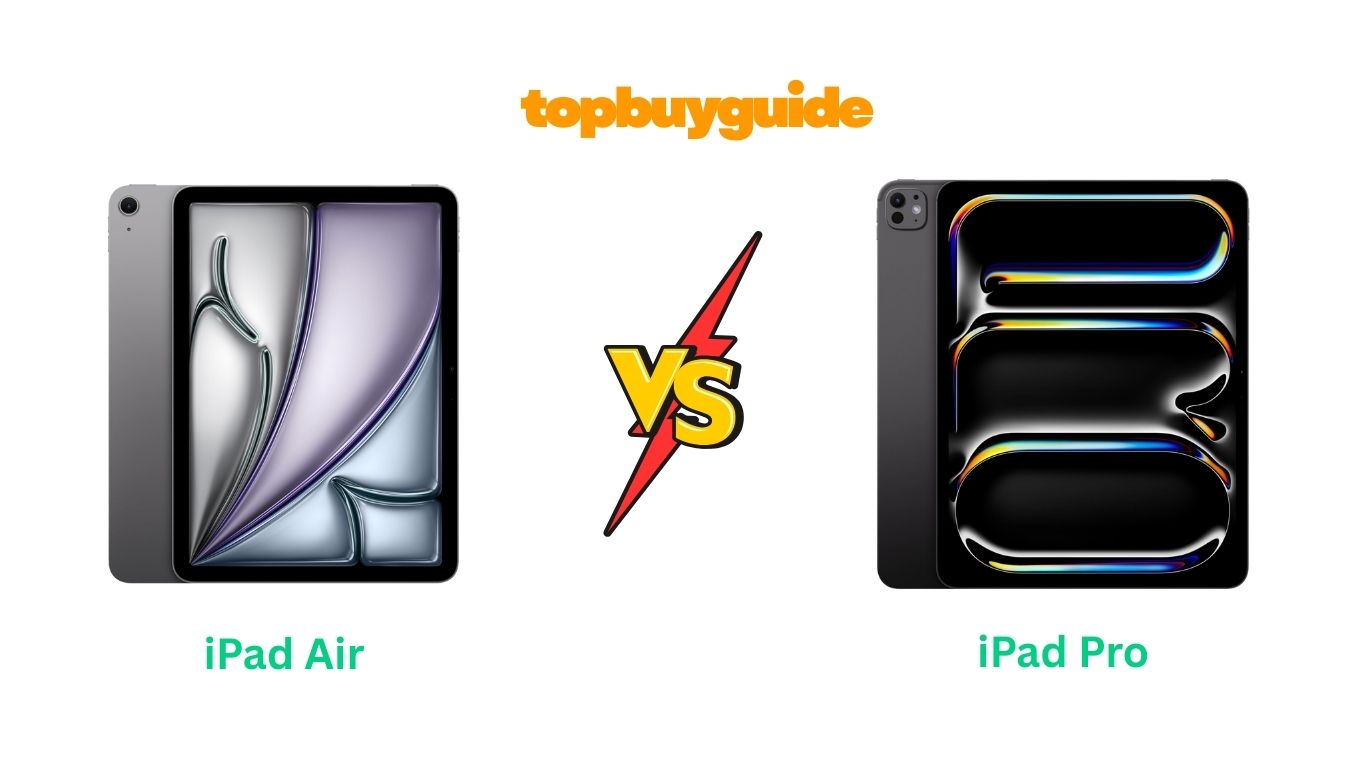
Deciding between the iPad Air and the iPad Pro can be challenging when both look so similar. However, I recommend the iPad Air for most users thanks to its excellent performance and value. Stay with me as I walk through how both tablets differ and why the Air may be the smarter buy.
Why Do I Recommend The iPad Air?
The iPad Air offers a great balance of power, portability, and price—while the iPad Pro pushes the limits for professionals only. Below are key reasons I pick the Air over the Pro, with comparisons to show how the Pro differs.
-
The iPad Air features a powerful chip (such as the M2) that handles demanding apps with ease. Meanwhile, the iPad Pro may use the newer M4 (or equivalent) chip, but most users won’t notice that extra head-room in everyday tasks.
-
It offers support for the Apple Pencil and Magic Keyboard, making it versatile. The Pro offers those too, but adds extras that only specialists will benefit from.
-
The iPad Air has excellent display quality and build, and though the iPad Pro offers a higher-end display (such as OLED or ProMotion 120Hz), the Air’s screen is more than sufficient for most work and play.
-
For the price, the iPad Air delivers most of what a typical user needs. The iPad Pro costs significantly more for marginal gains unless you truly leverage pro features.
-
The iPad Air is lighter and easier to carry. While the Pro might have more robust specs, its weight or size can be a trade-off.
-
The iPad Air handles multitasking, editing, drawing and productivity very well. The Pro adds advanced features like Thunderbolt/USB4, LiDAR, higher refresh. If you don’t need those, Air is more efficient.
-
Because the Air already includes many features that previously were “Pro only”, the gap has narrowed. The extra investment in the Pro only makes sense if you use those pro-level extras.
In short: if you want a great tablet for most tasks and want value, go with the iPad Air. If you are doing heavy pro work (film editing, 3D rendering, external displays) then consider the Pro.
Buy iPad Air on Amazon Buy iPad Pro on Amazon
Side-By-Side Comparison Chart (iPad Air vs Pro)
| Feature | iPad Air | iPad Pro |
|---|---|---|
| Processor | High-end (e.g., M2) | Even higher-end (e.g., M4) |
| Refresh Rate / Display Tech | Standard refresh (~60Hz) in many models | ProMotion 120Hz, OLED/tandem OLED, higher brightness |
| Connectivity / Ports | USB-C, solid speeds | Thunderbolt/USB4, higher transfer speeds |
| Storage Options | Up to ~1TB in many models | Up to ~2TB in top models |
| Speakers / Audio | Good audio, dual speakers | Premium audio, quad-speakers, studio quality |
| Camera / Extras | Good cameras for most use | More advanced (LiDAR, Portrait mode, etc) |
| Weight / Portability | Lighter, more portable | Slightly heavier, more “pro” build |
| Price | Lower starting price | Higher price point |
| Value for Most Users | Excellent | Premium for specific use-cases |
Buy iPad Air on Amazon Buy iPad Pro on Amazon
What Common iPad Air vs Pro Can Do?
Both the iPad Air and iPad Pro share many capabilities. For many users, the overlap means the choice depends less on performance and more on extras.
1. High Performance Processing
Both tablets use Apple’s advanced silicon, giving excellent responsiveness, multitasking ability, and app support. Whether you load large files, edit video, draw, or run multiple apps, both handle it smoothly.
2. Apple Pencil & Magic Keyboard Support
Whether Air or Pro, you can pair with Apple Pencil (both generations depending on model) and Magic Keyboard. This turns the tablet into a creative, productivity-friendly device.
3. Excellent Build & Display Quality
Both models share design cues: slim bodies, premium materials, high-quality displays with wide color (P3), True Tone, and great brightness for general use.
4. Long Software Support
Apple supports its iPads for many years. Buying either model means you’ll get iPadOS updates and longevity. Many users note that the Air will serve most for 5-7 years.
5. Universal iPadOS Features
Split-view multitasking, external display support, Sidecar with Macs, drag-and-drop, Apple ecosystem integration—both share these features.
6. Accessory Compatibility
Keyboards, cases, stylus, etc. both tablets support these, making them flexible for work, school, creative tasks.
7. Wi-Fi & Cellular Options
Both offer Wi-Fi models and cellular versions, enabling mobility and on-the-go connectivity.
8. Excellent for General Use
Whether reading, streaming videos, playing games, or casual creative work—both tablets deliver strong performance and experience.
Buy iPad Air on Amazon Buy iPad Pro on Amazon
Common Features of iPad Air vs Pro
| Feature | iPad Air | iPad Pro |
|---|---|---|
| App performance / chip capability | Yes | Yes |
| Apple Pencil support | Yes | Yes |
| Magic Keyboard support | Yes | Yes |
| iPadOS features (multitasking, Sidecar) | Yes | Yes |
| Long-term software support | Yes | Yes |
| WiFi & optional cellular models | Yes | Yes |
| Great display and color accuracy | Yes | Yes |
A Detailed Comparison Of the iPad Air vs Pro
Display & Refresh Rate
The iPad Air uses a high-quality Liquid Retina or comparable display with excellent color, brightness and clarity for everyday use. While the refresh rate may be standard (~60Hz) in many Air models, it still delivers smooth experience. The iPad Pro, on the other hand, uses ProMotion technology (up to 120Hz) and may feature OLED/tandem OLED with higher brightness and contrast. This gives the Pro a smoother feel and superior visuals—especially for drawing, scrolling and HDR content. However, unless you are pushing heavy animation work or need peak refresh, the Air’s display is more than adequate.
Processor & Performance
The iPad Air is equipped with a very capable chip (such as the M2) that handles demanding productivity, creative apps and multitasking with ease. The iPad Pro steps this up with a newer generation chip (such as M4 or equivalent) and higher memory bandwidth, making it suited for pro workflows—4K/8K editing, 3D rendering, external displays and heavy multitasking. For typical users, the Air’s performance already covers nearly everything.
Connectivity, Ports & Storage
In the iPad Air you’ll find USB-C and high-speed connection, solid memory and storage options that service most users. The iPad Pro includes Thunderbolt/USB4, higher transfer speeds, more storage (up to 2TB) and extra connectivity (such as external displays, faster accessories). If you connect to external monitors, high-resolution storage workflows or multiple peripherals, the Pro has the edge. Otherwise, Air gives great value.
Audio, Speakers & Cameras
The iPad Air offers strong speakers and camera capabilities fit for video calls, content creation and everyday media. The Pro builds on that with quad-speaker stereo, superior audio staging, advanced cameras, LiDAR sensors and extra features. If you’re heavily into video production or AR/VR workflows, the Pro is superior. For most users, the Air suffices.
Price & Value
The iPad Air starts at a significantly lower price than the iPad Pro, while giving much of the necessary performance. The Pro commands a premium for niche features. Many reviews suggest the Air is “better value” for the majority of users.
Portability & Usability
The iPad Air tends to be lighter and slightly more compact, making it great for travel, reading, drawing and handheld use. The Pro, while still portable, may have a larger size/weight trade-off for its extra features. Unless you need those extras, Air might win for everyday comfort.
Buy iPad Air on Amazon Buy iPad Pro on Amazon
Conclusion
For most users seeking a powerful, versatile tablet that balances performance and value, I strongly recommend the iPad Air. It delivers excellent speed, great display, and accessory support at a more accessible price. Unless you specifically need the advanced features of the iPad Pro (such as 120Hz ProMotion, Thunderbolt, LiDAR or 2TB storage), the Air is the smarter choice. Click the link below to explore the iPad Air on Amazon and make your decision today.
FAQs
1. Can the iPad Air handle professional creative apps like video editing or drawing?
Yes. The iPad Air’s chip and support for Apple Pencil and Magic Keyboard make it capable of many creative tasks. While it may not match the absolute top-end features of the iPad Pro, it covers most users’ needs very well.
2. Is the iPad Pro worth the extra money over the iPad Air?
Only if you truly benefit from the Pro’s advanced features like 120Hz refresh, Thunderbolt/USB4, higher storage, LiDAR sensors, or external display workflows. For general use, the Air offers better value.
3. Will the iPad Air be supported as long as the iPad Pro?
Yes. Apple supports iPads for many years. Although the Pro may get an extra firmware-year due to higher specs, the iPad Air is still very well supported and likely to last most users many years.
4. Can I use Apple Pencil and Magic Keyboard with both?
Yes, both the iPad Air and iPad Pro support Apple Pencil (depending on model generation) and Magic Keyboard, making either suitable for drawing, note-taking or productivity.
5. Which tablet has a better display for watching movies or streaming?
The iPad Pro offers a higher-end display with higher refresh, OLED/tandem OLED and better contrast, which is great for movies and HDR content. The iPad Air still offers excellent display quality, and for most users it’s more than sufficient.
6. Are the connectivity ports different between the two?
Yes. The iPad Pro includes Thunderbolt/USB4, offering higher data transfer speeds and external display support. The iPad Air uses USB-C with strong performance but slightly lower specs.
7. Which is more portable and lightweight?
Typically the iPad Air is lighter and easier to carry for longer durations or casual use. The iPad Pro adds more advanced features, sometimes at the cost of slight extra size/weight.
8. Should I buy the older generation iPad Air or upgrade to the iPad Pro?
If budget is a key factor and your tasks are moderate (web, apps, light creative work), the older or current iPad Air is a smart choice. If you’re doing heavier workloads or want future-proofing for professional use, then going for the iPad Pro could be justified.

Alex Turner is a dedicated product researcher and reviewer at TopBuyGuide.com, known for his clear, honest, and data-driven insights. He spends countless hours testing, comparing, and analyzing products to help readers make confident and informed buying decisions.