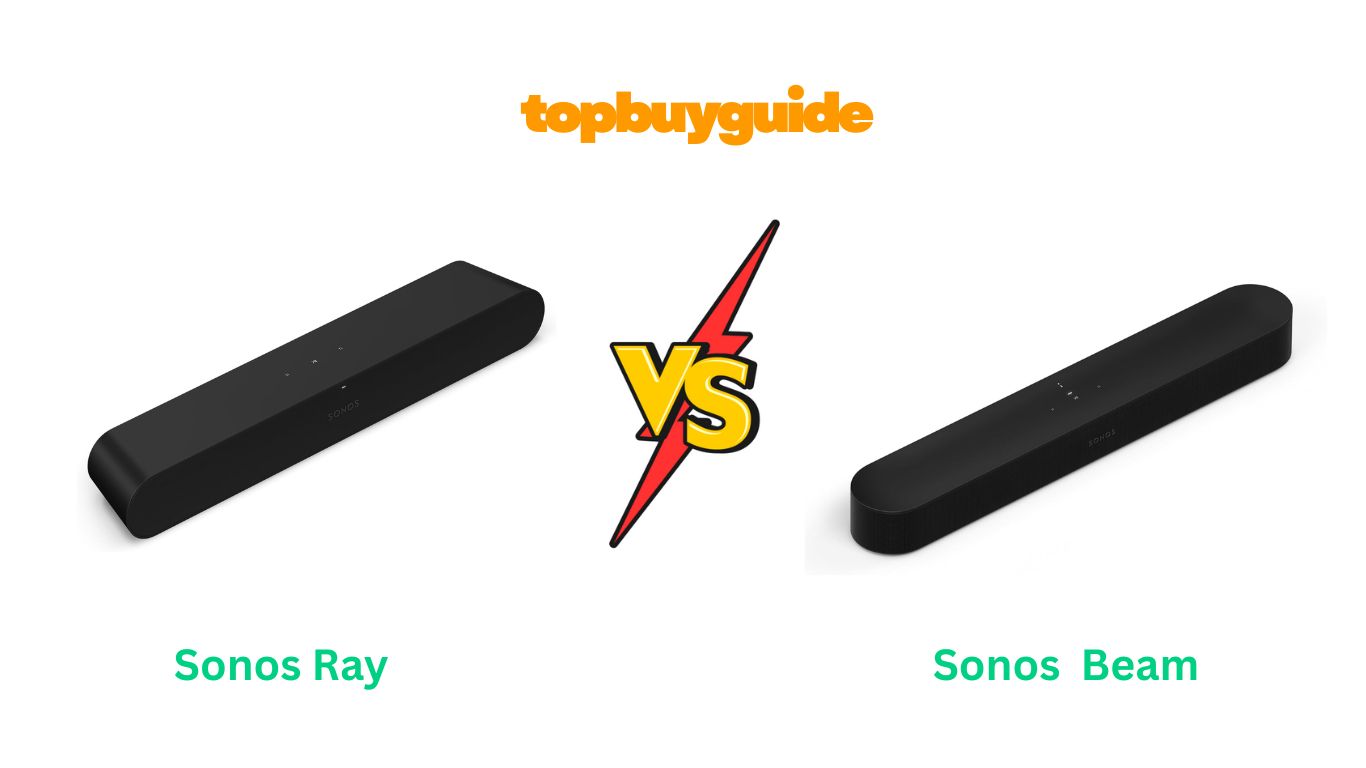
Trying to find the best one between the Sonos Ray and Beam? I recommend the Sonos Beam Gen 2 if you’re serious about your home theater experience. Here’s why: it delivers Dolby Atmos support that creates genuinely immersive three-dimensional sound, plus built-in Alexa and Google Assistant for hands-free control. Yes, it costs $170 more than the Ray, but that investment gets you HDMI eARC connectivity, voice assistants, and dramatically better audio format support that future-proofs your setup.
Why Do I Recommend The Sonos Beam Gen 2?
The Beam Gen 2 isn’t just incrementally better—it’s a completely different league of soundbar. Here’s what separates it from the Ray:
- Dolby Atmos Support – The Beam Gen 2 uses psychoacoustic technology and a faster processor to create virtual height channels, making movie soundtracks feel three-dimensional and immersive. In contrast, the Ray is limited to stereo PCM, Dolby Digital 5.1, and DTS Digital Surround—no Atmos at all, which means you’re missing out on the spatial audio that modern movies are mixed for.
- HDMI eARC Connectivity – The Beam features HDMI eARC that supports high-resolution audio formats including Dolby TrueHD and multichannel PCM, future-proofing your setup as streaming services expand their audio offerings. On the other hand, the Ray only offers optical audio connection, which severely limits the audio formats it can handle and means you’re stuck with compressed audio.
- Built-In Voice Assistants – With Amazon Alexa and Google Assistant built directly into the Beam, you can control playback, adjust volume, ask questions, and manage your smart home devices hands-free using the five microphone array. Conversely, the Ray has zero microphones and no voice assistant support whatsoever—you’ll need a separate device for any voice control.
- Five-Speaker Array vs Four – The Beam Gen 2 packs five drivers (four elliptical mid-woofers plus an improved center tweeter) powered by five Class-D amplifiers, creating a more sophisticated soundstage with better channel separation. Meanwhile, the Ray uses four drivers (two mid-woofers and two tweeters) with four amplifiers, resulting in a more basic stereo presentation without the spatial complexity.
- 40% Faster Processor – The upgraded CPU in the Beam Gen 2 enables real-time processing for Dolby Atmos decoding and creates additional audio paths for virtual surround effects. By comparison, the Ray’s standard processor handles basic audio duties but can’t create the psychoacoustic effects that make the Beam’s soundstage feel larger than its physical size.
- Superior Audio Format Support – Beyond Atmos, the Beam handles Dolby Digital Plus, Dolby TrueHD, multichannel PCM, and Dolby Multichannel PCM—essentially every modern home theater format. However, the Ray’s optical-only connection restricts you to older compressed formats, which means you can’t take advantage of lossless audio from Blu-rays or high-quality streaming.
- Better Vocal Clarity and Center Channel – The Beam Gen 2’s improved center tweeter and additional processing deliver phenomenal dialogue clarity that cuts through even the most complex soundtracks, thanks to fine-tuning by Oscar-winning sound engineers. While the Ray also benefits from Hollywood engineer tuning, its four-driver setup can’t match the dedicated center channel performance of the Beam’s five-driver array.
- More Expandable System – The Beam works with any generation of Sonos Sub and supports a wider range of rear speaker options for true 5.1 surround sound. Although the Ray can also be expanded, its lack of Atmos means you’ll never get the full immersive experience even after adding surrounds and a subwoofer.
Side By Side Comparison Chart: Sonos Ray vs Beam
| Feature | Sonos Ray | Sonos Beam Gen 2 |
| Price (MSRP) | $279 | $449 |
| Dolby Atmos | No | Yes (virtual height) |
| Audio Connection | Optical only | HDMI eARC + Optical adapter |
| Voice Assistants | None | Alexa & Google Assistant |
| Microphones | None | 5-microphone array |
| Number of Drivers | 4 (2 woofers, 2 tweeters) | 5 (4 woofers, 1 tweeter) |
| Amplifiers | 4 Class-D | 5 Class-D |
| Passive Radiators | 1 | 3 |
| Processor Speed | Standard | 40% faster than original Beam |
| Audio Format Support | Stereo PCM, Dolby Digital 5.1, DTS Digital Surround | Stereo PCM, Dolby Atmos, Dolby Digital, Dolby Digital Plus, Dolby TrueHD, Multichannel PCM |
| Dimensions (W x H x D) | 22.0 x 2.6 x 3.9 in | 25.6 x 2.3 x 3.9 in |
| Weight | 4.2 lbs | 6.2 lbs |
| Best For | Small rooms, budget buyers, optical-only TVs | Medium rooms, Atmos content, smart home users |
| Upward-Firing Drivers | No | No (uses virtual height) |
What Common Features Do Both Sonos Ray vs Beam Soundbars Offer?
Despite their differences in price and capability, these soundbars share Sonos’ core DNA and several impressive features.
Seamless Sonos Ecosystem Integration
Both the Ray and Beam integrate flawlessly into the Sonos ecosystem, which is one of the brand’s biggest selling points. Each soundbar connects via Wi-Fi (supporting 802.11b/g/n networks) or wired Ethernet for rock-solid connectivity. Through the Sonos S2 app, you can group multiple Sonos speakers throughout your home for synchronized multi-room audio, stream music even when the TV is off, and control everything from one intuitive interface.
TruePlay Room Calibration
Sonos’ proprietary TruePlay tuning technology comes standard on both soundbars, automatically optimizing audio output based on your room’s unique acoustics. The software sends out test tones across the frequency spectrum while analyzing how sound reflects off walls, furniture, and other surfaces. After this calibration process (which requires an iOS device like an iPhone or iPad), the soundbar adjusts its EQ to compensate for your room’s acoustic quirks, ensuring optimal sound quality regardless of placement.
Speech Enhancement and Night Sound Modes
Both soundbars include Speech Enhancement and Night Sound features accessible through the Sonos app. Speech Enhancement boosts vocal frequencies, making dialogue crystal clear even during action sequences when music and sound effects threaten to overwhelm conversations. This proves invaluable for movies with whispered dialogue or heavy accents. Night Sound (also called Night Mode) compresses the dynamic range by reducing the intensity of loud explosions and sound effects while maintaining dialogue clarity, perfect for late-night viewing when you don’t want to disturb sleeping family members or neighbors.
TV Remote Integration and Touch Controls
Setup is refreshingly simple with both soundbars thanks to TV remote integration. Once connected, your existing TV remote automatically controls the soundbar’s volume without any programming required. No more juggling multiple remotes or struggling with universal remote codes. Both soundbars also feature capacitive touch controls on their top panels for manual operation.
Expandability with Sonos Surrounds and Subwoofers
Neither soundbar needs to remain a standalone unit. Both the Ray and Beam can be expanded into full 5.1 surround sound systems by adding compatible rear speakers and a Sonos subwoofer. For rear surrounds, you can pair a matching set of Sonos One, One SL, Five, or even IKEA Symfonisk speakers. All generations of the Sonos Sub work with both soundbars, though many Ray owners might opt for the more budget-friendly Sub Mini or IKEA alternatives to keep costs proportional.
Compact Form Factors
Both soundbars embrace compact designs that fit beneath most TVs without blocking sensors or overwhelming smaller entertainment centers. The Ray measures 22 inches wide, making it ideal for TVs from 32 to 50 inches, while the Beam’s 25.6-inch width suits displays from 43 to 65 inches. Neither soundbar exceeds 4 inches in depth or height, allowing them to tuck neatly into most media consoles. Both are available in black or white finishes with elegant, minimalist designs featuring subtle curves and premium materials.
Music Streaming Beyond TV
When the TV is off, both soundbars transform into premium music speakers. Stream directly from over 100 music services through the Sonos app, use Spotify Connect to cast music directly, or leverage AirPlay 2 for seamless Apple device integration. Both soundbars deliver surprisingly rich stereo separation and detail for music listening—not just TV audio. You can listen to podcasts, audiobooks, and internet radio stations, accessing Sonos’ own curated radio service with guest-hosted stations.
Adjustable EQ Settings
Both soundbars offer manual EQ adjustment through the Sonos app, letting you tweak bass and treble levels to personal preference. Whether you want more thump during action movies, crisper highs for classical music, or a balanced profile for dialogue-heavy dramas, you’ve got full control. The loudness feature automatically adjusts frequency balance at different volume levels, ensuring consistent tonal quality whether you’re listening quietly or cranking it up.
Forward-Facing Acoustic Design
Unlike many soundbars that rely on upward and side-firing drivers requiring specific placement, both the Ray and Beam feature entirely forward-facing acoustic architectures. This design philosophy means you can place either soundbar inside a TV cabinet or against a wall without compromising sound quality. All drivers and ports face forward, projecting sound directly into the room rather than bouncing it off ceilings and walls (except for TruePlay’s room-specific optimization).
Premium Build Quality
Both soundbars exhibit Sonos’ commitment to premium materials and construction. The polycarbonate grilles are durable, easy to clean, and resist the fabric wear that plagues cheaper soundbars. Internal components are high-quality, designed for continuous operation and long-term reliability. There are no cheap plastics or flimsy construction—these soundbars feel substantial and well-engineered.
Easy Two-Cable Setup
Both soundbars prioritize simple installation with just two cables required: power and audio (optical for the Ray, HDMI for the Beam, though the Beam includes an optical adapter). There’s no complicated AV receiver configuration, speaker wire running, or subwoofer placement optimization needed out of the box. The Sonos app guides you through setup with clear instructions, and most users are up and running in under 10 minutes.
Common Features of Sonos Ray vs Beam
| Feature | Sonos Ray | Sonos Beam Gen 2 |
| Sonos Ecosystem | Yes | Yes |
| Wi-Fi Connectivity | Yes (802.11b/g/n) | Yes (802.11b/g/n/ac) |
| Ethernet Port | Yes | Yes |
| AirPlay 2 | Yes | Yes |
| TruePlay Calibration | Yes (requires iOS) | Yes (requires iOS) |
| Speech Enhancement | Yes | Yes |
| Night Sound | Yes | Yes |
| TV Remote Control | Yes (IR) | Yes (IR & HDMI-CEC) |
| Touch Controls | Yes | Yes |
| Adjustable EQ | Yes | Yes |
| Music Streaming | Yes | Yes |
| Spotify Connect | Yes | Yes |
| Sonos App Control | Yes (S2) | Yes (S2) |
| Expandable with Sub | Yes | Yes |
| Rear Surround Compatible | Yes | Yes |
| Color Options | Black, White | Black, White |
| Forward-Facing Design | Yes | Yes |
| Premium Build Quality | Yes | Yes |
| Wall Mountable | Yes (mount sold separately) | Yes (mount sold separately) |
A Detailed Comparison Of the Sonos Ray vs Beam
Dolby Atmos and Audio Format Support
The Sonos Beam Gen 2’s headline feature is undoubtedly Dolby Atmos support, which fundamentally changes how movies and TV shows sound. Using a 40% faster processor than the original Beam and sophisticated psychoacoustic HRTF (Head-Related Transfer Function) technology, the Beam creates virtual height channels that give the impression of overhead sound. When watching Atmos-encoded content, helicopters seem to fly above you, rain appears to fall from the ceiling, and music score wraps around the room rather than coming from a single direction.
The Sonos Ray takes a different approach by focusing on excellent stereo reproduction rather than attempting surround sound formats. It supports stereo PCM for uncompressed stereo audio, plus Dolby Digital 5.1 and DTS Digital Surround for basic surround sound (though it downmixes these to stereo since it’s a 2.0 system). The Ray cannot decode Dolby Atmos, Dolby TrueHD, or any high-resolution formats—the optical connection physically can’t carry those signals.
Connectivity Options
The Sonos Beam Gen 2 features HDMI eARC (enhanced Audio Return Channel) as its primary connection, representing the current standard for soundbar connectivity. This single HDMI cable carries high-bandwidth audio from your TV, supports HDMI-CEC for seamless remote control integration, and future-proofs your setup as new audio formats emerge. eARC handles uncompressed multichannel audio, lossless Dolby TrueHD and DTS-HD Master Audio, and maintains full audio quality from streaming apps, game consoles, and Blu-ray players.
The Sonos Ray relies exclusively on optical audio (TOSLINK), which represents older but still common connection technology. Optical connections are purely digital but bandwidth-limited, restricting audio to compressed formats like Dolby Digital and DTS. The Ray includes the optical cable in the box, plus an Ethernet port for network connectivity. While optical works reliably, it lacks the bi-directional communication of HDMI, meaning the Ray can’t use HDMI-CEC features (though it still responds to IR remote commands).
Voice Assistant Integration
The Sonos Beam Gen 2 packs a five-microphone array with far-field voice recognition, supporting both Amazon Alexa and Google Assistant. You choose which assistant to enable during setup, and the microphones listen for wake words even when music plays at moderate volumes. Ask the Beam to play music from compatible services, adjust volume, skip tracks, answer questions, provide weather and news updates, or control smart home devices like lights, thermostats, and locks.
The Sonos Ray contains zero microphones and offers no voice assistant support whatsoever. You control everything through the Sonos app, physical touch controls, or your TV remote. The Ray can’t listen for commands, respond to questions, or integrate with smart home systems directly. If you have separate smart speakers like an Echo Dot or Google Nest Mini, you can group them with the Ray through the respective ecosystems, but the soundbar itself remains voice-free.
Physical Size and Room Suitability
The Sonos Ray measures a compact 22.0 x 2.6 x 3.9 inches and weighs just 4.2 pounds, making it one of Sonos’ smallest soundbars ever. This petite footprint fits perfectly with TVs from 32 to 55 inches, tucking neatly between TV stand legs on smaller displays. The narrow width means it doesn’t overwhelm smaller entertainment centers or studio apartments where space comes at a premium. Despite its size, the Ray delivers surprisingly full sound thanks to custom-tuned drivers and a low-velocity port that minimizes distortion.
The Sonos Beam Gen 2 spans 25.6 x 2.3 x 3.9 inches and tips the scales at 6.2 pounds, positioning it in the compact-to-midsize category. While still smaller than flagship soundbars like the Sonos Arc, the Beam works best with TVs from 43 to 65 inches. The extra width accommodates the additional drivers and processing hardware while maintaining elegant proportions. The Beam doesn’t look oversized even under smaller 43-inch TVs, and it fits most media consoles without issue.
Price and Value Proposition
The Sonos Ray’s $279 MSRP positions it as Sonos’ most affordable soundbar and one of the best budget options from a premium brand. For users primarily watching cable TV, local news, or standard streaming content who don’t care about Atmos or voice control, the Ray delivers exceptional value. You’re getting Sonos build quality, ecosystem integration, and solid stereo sound for significantly less than the company’s other offerings.
The Sonos Beam Gen 2 commands $449, representing a $170 premium over the Ray. That jump buys you Dolby Atmos, HDMI eARC, dual voice assistants, an additional speaker driver, a faster processor, and significantly expanded audio format support. For home theater enthusiasts who watch modern streaming content or own 4K Blu-rays, that $170 investment pays dividends every viewing session.
Sound Quality and Audio Performance
The Sonos Beam Gen 2 delivers audio performance that consistently impresses reviewers and users alike. The five-driver configuration (four elliptical mid-woofers plus an improved center tweeter) powered by five discrete Class-D amplifiers creates remarkable soundstage width and depth for a compact soundbar.
The Sonos Ray focuses on delivering excellent stereo audio from a compact package. Its four drivers (two tweeters and two mid-woofers) are custom-tuned with anti-distortion technology, producing balanced sound across the frequency range. The proprietary low-velocity port design extends bass response while minimizing port noise, allowing the Ray to produce surprisingly solid low-end for its size.
Setup and User Experience
The Sonos Beam Gen 2 features an NFC chip that streamlines initial setup through the Sonos S2 app. Hold your phone near the soundbar, and it automatically detects and begins pairing. The app walks you through TV connection, Wi-Fi network setup, and voice assistant configuration with clear instructions and helpful illustrations. The TruePlay calibration process requires walking around your room with your phone held upside-down while the Beam plays test tones—it takes about a minute and genuinely improves sound quality.
The Sonos Ray follows similar setup procedures minus voice assistant configuration. Connect the optical cable from your TV’s optical output to the Ray, plug in power, and use the Sonos S2 app to connect the soundbar to your Wi-Fi network. The TruePlay calibration works identically to the Beam. Without voice control or HDMI-CEC, daily interaction relies more heavily on your TV remote and the Sonos app, which some users find slightly less convenient but others prefer for its simplicity.
Gaming Performance
The Sonos Beam Gen 2 performs admirably for gaming, though it lacks dedicated gaming features like low-latency modes found on specialized gaming soundbars. The HDMI eARC connection minimizes audio lag compared to optical, keeping lip-sync tight for most games.
The Sonos Ray also serves gamers well, particularly PC gamers or console users with older systems. Many gaming monitors and some TVs include optical outputs, making the Ray an easy connection. The low latency of optical ensures tight audio-video synchronization critical for competitive gaming. The Ray’s emphasis on clarity helps with hearing in-game dialogue, voice comms, and environmental cues.
Conclusion
After analyzing every aspect of these soundbars, the Sonos Beam Gen 2 is the clear winner for most home theater setups. That $449 price tag delivers extraordinary value when you consider what you’re getting: genuine Dolby Atmos processing that creates three-dimensional sound, HDMI eARC supporting every modern audio format, dual voice assistants with a sophisticated five-microphone array, an additional driver for better soundstage, and a 40% faster processor enabling advanced audio processing. These aren’t minor upgrades—they fundamentally transform your viewing experience.
FAQs
Can I use the Sonos Ray with a TV that has HDMI but no optical output?
Most modern TVs with HDMI also include optical outputs, but if yours doesn’t, you’ll need an HDMI audio extractor that splits HDMI into video and optical audio. These adapters cost $20-40 and work reliably, though adding another device isn’t ideal. Check your TV’s specs carefully—many TVs hide optical ports behind small rubber covers on the back panel.
Does the Beam Gen 2 require an iPhone for setup and features?
No, the Beam works with both iOS and Android devices through the Sonos S2 app. However, TruePlay room calibration requires an iOS device because it uses the iPhone’s calibrated microphones. All other features—setup, streaming, EQ adjustments, voice assistants—work identically on Android. You could borrow an iOS device just for TruePlay if needed.
Can I pair a Sonos Ray and Beam together as surrounds?
No, Sonos requires identical speakers for surround pairing. You can use two Rays or two Beams as surrounds with a different Sonos soundbar, but you can’t mix them. For rear surrounds, Sonos recommends pairing speakers like the One, One SL, or Five. The soundbar itself acts as the front channels.
How much of a difference does Dolby Atmos really make on the Beam?
The difference is substantial with properly encoded content. The Beam creates convincing height effects and spatial positioning that make soundtracks feel three-dimensional rather than flat. It’s not identical to a system with physical height speakers, but reviewers consistently note the Beam’s Atmos performance exceeds expectations for a soundbar without upward-firing drivers. Watch Planet Earth or a Marvel movie to appreciate it fully.
Will the Ray work for a large living room or should I choose the Beam?
For rooms larger than 200 square feet, the Beam’s additional drivers and power make a noticeable difference. The Ray can fill larger spaces but will sound thinner and lack the authority for big movie moments. Consider room size when deciding—the Ray excels in small-to-medium rooms, while the Beam handles medium-to-large spaces confidently.
Can I add the same subwoofer to either soundbar?
Yes, all generations of Sonos Sub work with both the Ray and Beam, and the newer Sub Mini is an excellent, more affordable option. However, many Ray owners find the Sub disproportionately expensive (the Sub costs more than double the Ray’s price).

Alex Turner is a dedicated product researcher and reviewer at TopBuyGuide.com, known for his clear, honest, and data-driven insights. He spends countless hours testing, comparing, and analyzing products to help readers make confident and informed buying decisions.