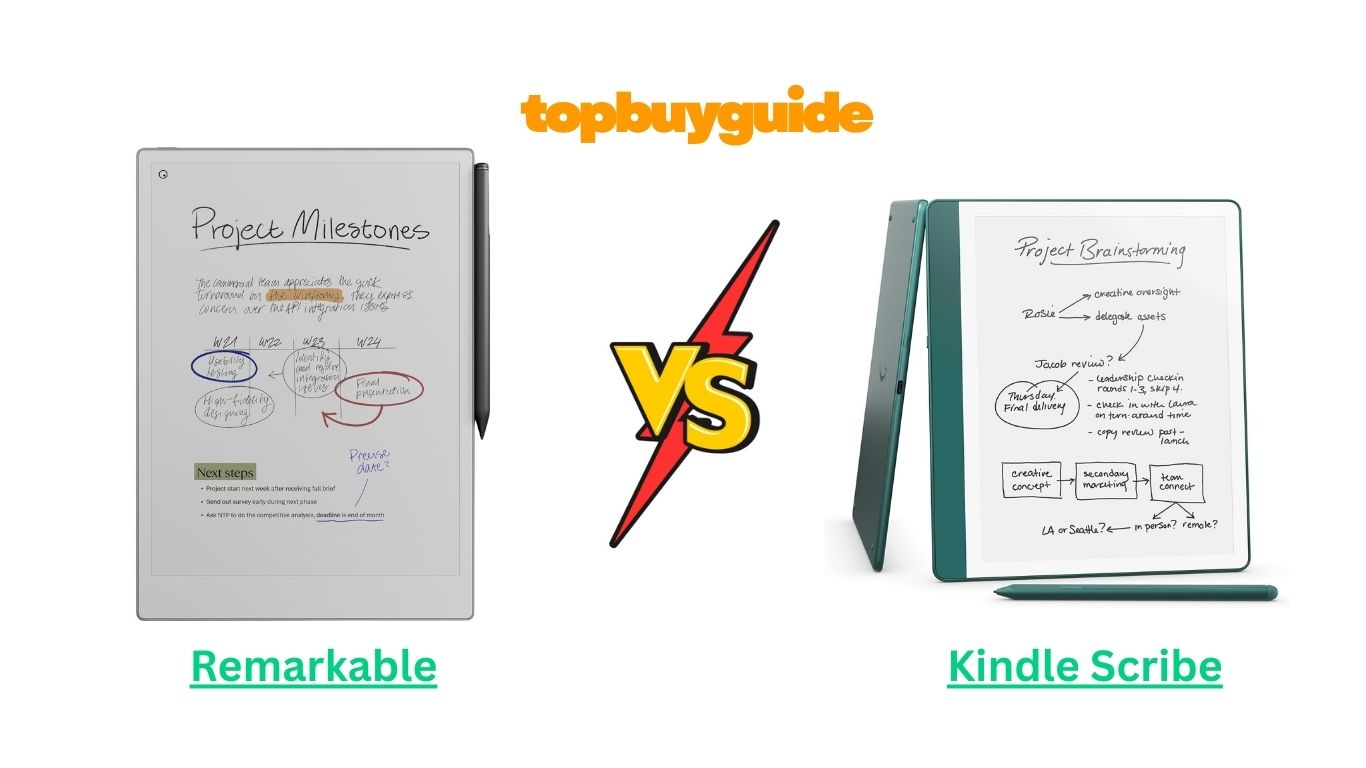
In today’s digital era, paperless note-taking and reading are becoming increasingly popular. If you’re torn between the Remarkable tabletand the Kindle Scribe, you’re not alone. Both devices offer unique features tailored to productivity, reading, and creative work. However, if you want a true digital notebook with natural writing feel and superior stylus experience, the Remarkable stands out as the better choice. Its precise pen-to-paper-like responsiveness makes it ideal for professionals, students, and creatives alike. Let’s dive deep to see why.
Why Do I Recommend the Remarkable?
The Remarkable tablet shines as a digital notebook designed to replace paper entirely. Here’s why it edges out the Kindle Scribe:
- Paper-Like Writing Experience: Remarkable uses a proprietary CANVAS display technology that mimics real paper, offering natural friction and fluid pen strokes. While Kindle Scribe supports stylus input, it does not replicate the pen-on-paper feel as authentically.
- Precision and Responsiveness: Remarkable supports tilt and pressure sensitivity for precise sketches and handwritten notes. Kindle Scribe, while functional, lags slightly behind in precision and responsiveness.
- Advanced PDF & Document Markup: Remarkable allows easy annotation of PDFs and other documents, providing a professional-grade workflow. Kindle Scribe supports notes on PDFs but lacks some advanced editing and organizational tools.
- Organizational Features: Remarkable offers notebooks, folders, and tags for keeping notes structured, making it easy to organize projects. Kindle Scribe has basic folder management but cannot match Remarkable’s extensive organizational system.
- Custom Templates & Paper Styles: With Remarkable, you can choose lined, grid, dotted, or blank templates, perfect for different use cases. Kindle Scribe has fewer options, limiting customization.
- Cloud Sync & Cross-Device Access: Remarkable supports seamless syncing with its cloud platform, allowing notes to be accessed and edited on multiple devices. Kindle Scribe syncs primarily with Amazon services, which is convenient for reading but less flexible for note-taking.
- Battery Life: Remarkable offers weeks of battery life depending on usage, ideal for heavy writers or travelers. Kindle Scribe lasts long too, but heavy note-taking drains it faster.
- Design and Ergonomics: Remarkable’s thin, minimalist design feels like holding a notebook, with stylus storage on the side. Kindle Scribe is slightly bulkier and heavier, making prolonged writing sessions less comfortable.
Overall, Remarkable provides a professional-grade note-taking and creative experience, making it the preferred choice for anyone serious about paperless productivity.
Side By Side Comparison Chart: Remarkable vs Kindle Scribe
| Feature | Remarkable | Kindle Scribe |
| Writing Feel | Paper-like, natural friction | Smooth but less realistic |
| Pen Sensitivity | Pressure & tilt sensitive | Pressure sensitive only |
| Display | CANVAS monochrome, anti-glare | E Ink, slightly glossy |
| PDF Annotation | Advanced tools, markup, comments | Basic annotations |
| Templates | Multiple templates (lined, grid, dotted, blank) | Limited templates |
| Note Organization | Notebooks, folders, tags | Basic folder support |
| Cloud Sync | Cross-device cloud access | Amazon Cloud sync |
| Design & Ergonomics | Slim, lightweight, stylus holder | Bulkier, stylus attaches magnetically |
| Battery Life | Weeks depending on usage | Weeks, slightly less for heavy writing |
| Professional Use | Excellent for business, creative work | Suitable for light note-taking |
Features of Remarkable
The Remarkable tablet excels with features specifically tailored for writing and creativity:
- CANVAS Display Technology: Offers a paper-like texture with low latency, making writing feel natural. Kindle Scribe’s E Ink display is smooth but does not replicate paper friction.
- Stylus Precision: The stylus is highly responsive, supporting tilt and pressure sensitivity, perfect for sketches and detailed notes. Kindle Scribe supports stylus input but lacks tilt support.
- Advanced PDF & Document Tools: Markup, highlight, and annotate PDFs seamlessly. This feature is more sophisticated than Kindle Scribe’s basic annotation tools.
- Organizational Tools: Create folders, tag notes, and organize notebooks. Kindle Scribe is limited to simpler folder organization.
- Templates & Paper Styles: Multiple paper types for different use cases, including sketching, lined notes, and grids. Kindle Scribe offers fewer templates.
- Cloud & Cross-Device Sync: Access notes anywhere with seamless cloud synchronization. Kindle Scribe’s cloud sync is primarily for reading documents from Amazon.
- Battery Life: Optimized for long usage with minimal charging. Kindle Scribe is long-lasting but drains faster with heavy note-taking.
- Minimalist Design: Lightweight, thin, and highly portable with a dedicated stylus holder. Kindle Scribe is heavier and slightly less ergonomic.
Features of Kindle Scribe
The Kindle Scribe is primarily an E Ink reading device with note-taking capabilities:
- E Ink Display: Excellent for reading, low eye strain, but less suitable for professional sketches.
- Stylus Support: Includes a stylus for note-taking, though without tilt sensitivity.
- PDF & Document Notes: Supports annotations but lacks advanced markups, layers, and document organization.
- Templates: Limited paper styles and writing formats compared to Remarkable.
- Cloud Sync: Syncs notes with Amazon Cloud, primarily useful for reading documents.
- Battery Life: Long battery life, generally a few weeks, but heavy note-taking can reduce longevity.
- Design: Slightly bulkier, more reading-oriented design rather than a writing-first tablet.
What Common Remarkable vs Kindle Scribe Can Do
Despite their differences, both the Remarkable tablet and Kindle Scribe share several features that make them attractive digital devices. They combine reading, note-taking, and portability into a single tool, providing a paperless solution for professionals, students, and casual users alike. Let’s examine the common features in detail:
Common Features of Remarkable vs Kindle Scribe
| Feature | Remarkable | Kindle Scribe |
| E-Ink Display | Yes, CANVAS tech, high contrast | Yes, E Ink, high contrast |
| Stylus Input | Included, rechargeable, precise | Included, battery-free, responsive |
| PDF Annotation | Yes, highlight, markup, notes | Yes, highlight, basic notes |
| Note Export | Cloud, PDF, PNG | Cloud, Amazon services |
| Long Battery Life | Up to several weeks | Up to several weeks |
| Lightweight & Portable | Yes, slim design | Yes, but slightly heavier |
| Eye-Friendly Display | Yes, low glare, minimal strain | Yes, low glare, minimal strain |
| Reading & Writing | Supports reading books and documents | Supports reading books and documents |
E-Ink Display
Both devices feature an E-Ink-based display, which reduces eye strain and allows extended usage without fatigue. The Remarkable uses its proprietary CANVAS display for a more paper-like texture, making handwriting feel natural. Kindle Scribe’s E Ink screen is optimized for reading and writing, but the surface is smoother and less textured, which might feel slightly less natural for intensive handwriting.
Stylus Input
Both devices include a stylus for writing and drawing. Remarkable offers pressure and tilt sensitivity, enabling users to create precise sketches or annotations with varying stroke thickness. Kindle Scribe’s stylus is responsive and battery-free but lacks tilt sensitivity, making it suitable for basic note-taking but not as versatile for artistic or professional uses.
PDF Annotation
Remarkable and Kindle Scribe allow PDF annotation, which is crucial for professionals and students. Users can highlight, make notes, and comment on documents. Remarkable excels with advanced tools for editing, layering, and marking up content, whereas Kindle Scribe provides more basic highlighting and note-taking capabilities.
Note Export and Cloud Integration
Both devices offer cloud syncing and note exporting. Remarkable’s cloud service allows easy cross-device access to your notes in multiple formats (PDF, PNG), making it ideal for professional workflows. Kindle Scribe syncs with Amazon Cloud, primarily for reading documents and simple note storage, but it is less versatile for professional use.
Long Battery Life
Remarkable and Kindle Scribe provide weeks of battery life, allowing extended use without frequent charging. The exact battery life varies depending on usage—heavy note-taking will consume more power—but both devices are optimized for long-term performance.
Lightweight & Portable
Remarkable is slim and lightweight, designed for long writing sessions. Kindle Scribe is portable too but slightly bulkier, making prolonged use a bit less comfortable for handwriting.
Eye-Friendly Display
Both devices prioritize eye comfort, with low-glare E Ink technology. This feature makes them ideal for long reading sessions and note-taking without causing strain, which is especially important for students and professionals.
Reading & Writing
Both devices double as digital notebooks and reading devices. Users can read eBooks, documents, and take notes in one device. Remarkable emphasizes writing and productivity, while Kindle Scribe emphasizes reading first, with note-taking as a secondary feature.
A Detailed Comparison Of the Remarkable vs Kindle Scribe
Let’s break down each feature and compare them side by side, highlighting which device is superior for specific use cases.
Writing Experience
The Remarkable tablet is designed to replicate the feeling of pen on paper. Its CANVAS display provides tactile feedback, minimal latency, and precise stylus control. Users can sketch, write, and annotate with near-zero lag.
In contrast, Kindle Scribe offers smooth stylus input but lacks the paper-like texture. Writing feels more like gliding on a glass surface, which may be less satisfying for those who prefer a natural writing sensation. For extensive writing tasks, Remarkable is the clear winner.
Stylus Precision
Remarkable’s stylus supports tilt and pressure sensitivity, enabling thicker or thinner strokes depending on hand angle and pressure applied. Artists, designers, and note-takers benefit from this feature for professional-grade results.
Kindle Scribe’s stylus, while responsive and battery-free, supports pressure only, limiting its precision for detailed sketches or nuanced annotations. Thus, Remarkable provides a more versatile experience for creative and professional users.
PDF & Document Handling
Remarkable offers advanced PDF annotation, including highlighting, commenting, and layers. Users can seamlessly mark up documents for academic or business purposes.
Kindle Scribe supports basic PDF highlighting and note-taking. While it works for simple tasks, it cannot match Remarkable’s professional tools, especially when dealing with multi-page documents or complex annotations.
Templates & Note Organization
Remarkable provides a variety of templates, including lined, dotted, grid, and blank pages, suitable for writing, sketching, and planning. Notes can be organized with folders, notebooks, and tags for quick retrieval.
Kindle Scribe has limited templates and simpler folder organization. For users who require structured, detailed organization, Remarkable is far superior.
Display & Reading
Both devices have eye-friendly E Ink displays. Remarkable’s CANVAS screen is optimized for writing, while Kindle Scribe’s E Ink is optimized for reading eBooks and digital documents. If your primary focus is note-taking, Remarkable provides a more natural and fatigue-free writing experience. Kindle Scribe excels in reading but compromises slightly on writing.
Battery Life
Both devices offer long battery life, typically lasting several weeks on moderate use. Remarkable’s efficient display and energy-saving software make it ideal for heavy note-taking sessions, while Kindle Scribe’s battery may drain faster during continuous annotation or document interaction.
Design & Portability
Remarkable features a slim, lightweight design, making it easy to carry around for meetings, lectures, or travel. Kindle Scribe is slightly bulkier, making prolonged one-handed use or writing sessions less comfortable.
Cloud Integration & Sync
Remarkable’s cloud system allows cross-device access, seamless backup, and exporting notes in multiple formats. Kindle Scribe syncs with Amazon Cloud, which is useful for reading but less flexible for professional or academic workflows.
Conclusion
After examining both devices in detail, the Remarkable tablet emerges as the superior choice for those seeking a professional-grade digital notebook. Its paper-like writing experience, precise stylus, advanced PDF tools, versatile templates, and organizational features make it perfect for students, professionals, and creatives.
Kindle Scribe is ideal for casual readers or users who want a device primarily for eBooks with occasional note-taking. While it offers long battery life and basic annotation tools, it falls short in precision, note organization, and professional-grade writing features.
If your goal is to replace paper entirely and take notes, draw, or manage documents digitally, the Remarkable is worth the investment.
FAQs
- Can I use the Remarkable for drawing professionally?
Yes. The Remarkable’s pressure-sensitive stylus and tilt support make it suitable for sketches, illustrations, and detailed drawings, providing a near-paper experience. - Is Kindle Scribe suitable for students?
Kindle Scribe is great for reading and basic note-taking. However, students needing advanced PDF annotation and structured note organization will benefit more from Remarkable. - How long does the battery last on both devices?
Both devices offer weeks of battery life under normal usage. Heavy writing or annotation may reduce Kindle Scribe’s battery faster than Remarkable. - Can I sync notes across devices?
Remarkable allows cross-device syncing with its cloud service. Kindle Scribe syncs primarily with Amazon Cloud for reading and note access. - Which device is better for PDF annotations?
Remarkable provides advanced tools for markup, highlighting, and document organization, while Kindle Scribe offers basic annotations suitable for casual use. - Can I customize templates on both devices?
Remarkable offers lined, dotted, grid, and blank templates. Kindle Scribe has fewer options, limiting customization. - Are these devices eye-friendly?
Yes. Both use E Ink displays that reduce glare and eye strain, ideal for long reading or writing sessions. - Which device is more portable?
Remarkable is slimmer and lighter, making it easier for extended writing or travel. Kindle Scribe is slightly bulkier and better suited for reading.

Alex Turner is a dedicated product researcher and reviewer at TopBuyGuide.com, known for his clear, honest, and data-driven insights. He spends countless hours testing, comparing, and analyzing products to help readers make confident and informed buying decisions.