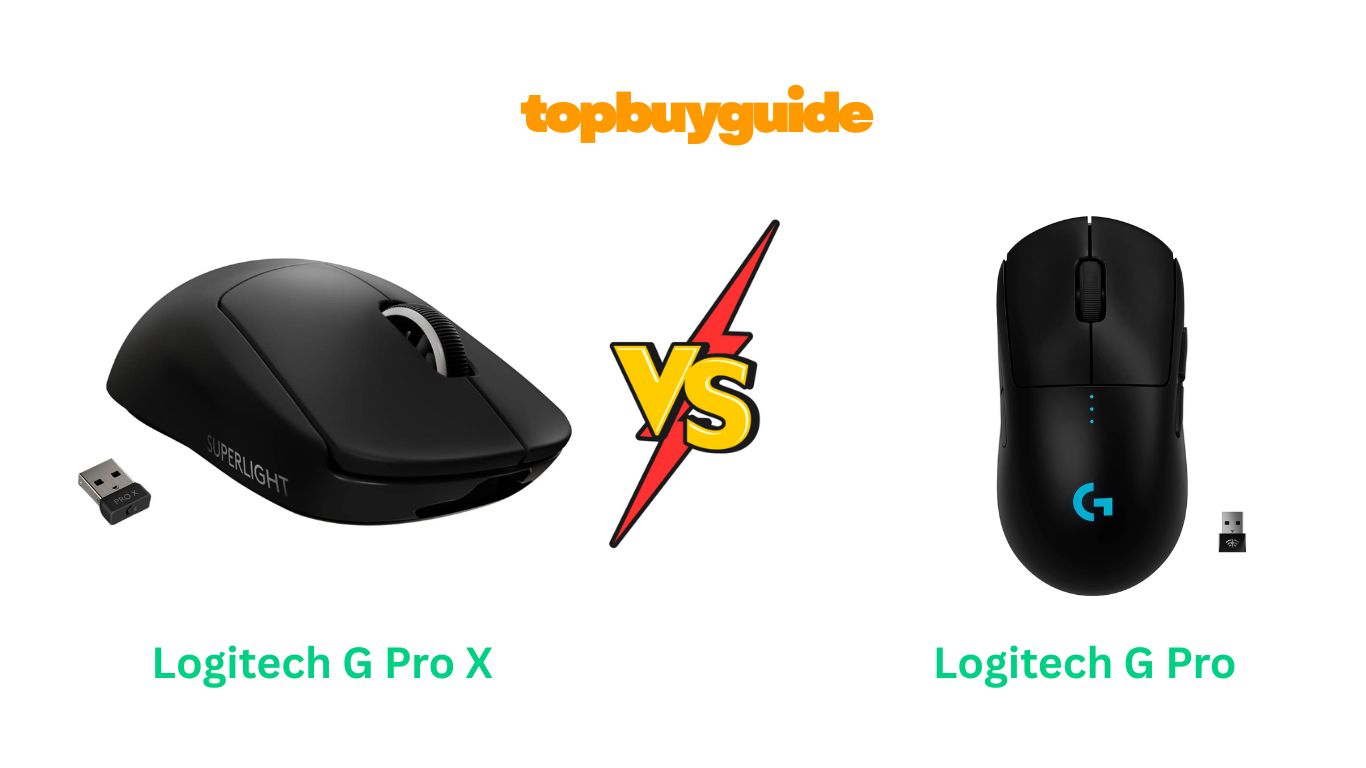
Choosing between the Logitech G Pro X Superlight and G Pro Wireless can be tough. Both are top-tier gaming mice. However, if you’re a competitive gamer seeking every possible advantage, the G Pro X Superlight is the clear winner. Its incredibly low weight and extended battery life set a new standard. This review will break down why the Superlight pulls ahead and help you decide which is right for you.
Why Do I Recommend The Logitech G Pro X Superlight?
The Logitech G Pro X Superlight is my top recommendation for serious gamers. It takes the celebrated design of the G Pro Wireless and refines it for peak performance. Here’s why it stands out:
- Ultra-Lightweight Design: The G Pro X Superlight weighs less than 63 grams. This is a significant reduction from the G Pro Wireless, which weighs 80 grams. This lighter design reduces fatigue and allows for faster, more effortless movements, giving you a real competitive edge in fast-paced games.
- Longer Battery Life: With up to 70 hours of continuous motion, the Superlight offers a substantial battery upgrade. In contrast, the G Pro Wireless provides around 48 hours of use. This means you can game longer and charge less frequently with the Superlight.
- Streamlined for Performance: The Superlight features a minimalist, right-hand-focused design with five programmable buttons. Conversely, the G Pro Wireless has an ambidextrous design with up to eight buttons, including removable ones on both sides. The Superlight’s focused approach removes unnecessary features like RGB lighting to minimize weight and distractions.
- Smoother Glide: The Superlight is equipped with large, zero-additive PTFE feet. These feet provide a smoother, more fluid glide across your mousepad compared to the standard feet on the G Pro Wireless. This results in purer, more consistent tracking.
- Refined Ergonomics: While both mice share a similar shape, the Superlight’s reduced weight makes it feel more balanced and nimble in hand. This subtle difference can have a big impact on comfort and control during extended gaming sessions.
- Pro-Gamer Collaboration: The Superlight was meticulously designed in collaboration with leading esports professionals. Every aspect, from its weight to its shape, was engineered with a single goal: to remove obstacles and help you win.
Side By Side Comparison Chart: Logitech G Pro X Superlight vs G Pro Wireless
| Feature | Logitech G Pro X Superlight | Logitech G Pro Wireless |
| Weight | < 63 grams | 80 grams |
| Battery Life | Up to 70 hours | Up to 48 hours |
| Programmable Buttons | 5 | 4-8 (removable side buttons) |
| Design | Right-handed focus | Ambidextrous |
| RGB Lighting | No | Yes (LIGHTSYNC RGB) |
| Mouse Feet | Large, zero-additive PTFE | Standard |
| Charging Port | Micro-USB | Micro-USB |
What Common Features Can Logitech G Pro X Superlight vs G Pro Wireless Do?
Despite their differences, the Logitech G Pro X Superlight and G Pro Wireless share a core set of elite gaming technologies. These features ensure that no matter which you choose, you are getting a high-performance device built for victory.
HERO 25K Sensor
Both mice are equipped with Logitech’s top-of-the-line HERO 25K sensor. This sensor is renowned for its incredible precision and accuracy. It offers a DPI range of 100 to 25,600 with zero smoothing, filtering, or acceleration. This means every subtle hand movement is translated on-screen with pixel-perfect accuracy, which is crucial for tracking targets and landing critical shots in competitive games. The sensor is also highly power-efficient, contributing to the impressive battery life of both models.
LIGHTSPEED Wireless Technology
Logitech’s LIGHTSPEED wireless technology is a game-changer. It provides a rock-solid, pro-grade wireless connection with a 1-millisecond report rate. This makes both the Superlight and the G Pro Wireless as responsive and reliable as their wired counterparts. You can play with the freedom of a wireless mouse without any fear of lag, latency, or connectivity issues, even in environments with heavy wireless traffic.
POWERPLAY Compatibility
Never worry about charging again. Both the G Pro X Superlight and the G Pro Wireless are compatible with the Logitech G POWERPLAY wireless charging system. This system, sold separately, consists of a mousepad that continuously charges the mouse while you play. It ensures your mouse is always powered up and ready for action, eliminating the need to plug it in for charging.
Onboard Memory
Both mice feature onboard memory, allowing you to save your settings directly to the device using the Logitech G HUB software. You can store multiple profiles with your preferred DPI, button assignments, and other configurations. This means you can take your mouse to a tournament or a friend’s house and have your settings ready to go without needing to install software on another computer.
Common Features of Logitech G Pro X Superlight vs G Pro Wireless
| Feature | Logitech G Pro X Superlight | Logitech G Pro Wireless |
| Sensor | HERO 25K | HERO 25K |
| Wireless Technology | LIGHTSPEED | LIGHTSPEED |
| DPI Range | 100 – 25,600 DPI | 100 – 25,600 DPI |
| Report Rate | 1 ms | 1 ms |
| POWERPLAY Compatible | Yes | Yes |
| Onboard Memory | Yes | Yes |
| Microprocessor | 32-bit ARM | 32-bit ARM |
A Detailed Comparison Of the Logitech G Pro X Superlight vs G Pro Wireless
Let’s dive deeper into the key features that set these two elite gaming mice apart.
Weight and Design
The most significant difference is the weight. The Logitech G Pro X Superlight weighs in at under 63 grams, making it one of the lightest wireless gaming mice on the market. This reduction was achieved through a hyper-minimal redesign, removing RGB lighting and the ambidextrous button system. This makes it feel incredibly nimble and reduces arm fatigue during long gaming sessions.
In comparison, the Logitech G Pro Wireless weighs 80 grams. While still very light for a wireless mouse, the 17-gram difference is noticeable. The G Pro Wireless features a true ambidextrous design with removable magnetic side buttons, allowing for left or right-handed use with up to four side buttons. The Superlight, however, is built for right-handed users and has fixed side buttons only on the left side.
Battery Life
The Logitech G Pro X Superlight boasts an impressive battery life of up to 70 hours of constant motion. This is a considerable improvement over the Logitech G Pro Wireless, which offers up to 48 hours with RGB lighting on (and around 60 hours with it off). The extended battery life of the Superlight means less frequent charging and more uninterrupted gameplay, a crucial factor for serious gamers.
Both mice utilize a rechargeable Lithium Polymer battery and are charged via a Micro-USB cable. While many users would prefer the modern convenience of USB-C, the long battery life on both models means you won’t be plugging them in very often, especially if you use the POWERPLAY charging system.
Buttons and Customization
The Logitech G Pro Wireless offers more customization with its modular button design. It comes with four removable side buttons (two for each side) and covers, allowing you to configure it with zero, two, or four side buttons. This makes it a truly ambidextrous mouse. Including the main clicks and scroll wheel, it can have up to 8 programmable buttons.
The Logitech G Pro X Superlight simplifies this with a fixed five-button layout: two main clicks, a scroll wheel, and two side buttons on the left. This design sheds weight but sacrifices the ambidextrous capability and extra programmable buttons. For most right-handed FPS gamers who prioritize weight over button count, this is a welcome trade-off.
Ergonomics and Feel
Both mice share the same comfortable, safe shape that has been praised by esports professionals. However, the experience of using them differs slightly due to the weight. The Logitech G Pro X Superlight feels more like an extension of your hand, allowing for incredibly fluid and effortless movements. Its large PTFE feet also provide a smoother glide.
The Logitech G Pro Wireless, while still feeling excellent, has a bit more presence in the hand due to its higher weight. The LIGHTSYNC RGB lighting on the “G” logo adds a touch of aesthetic flair that the Superlight lacks. The choice here comes down to personal preference: do you want the absolute lightest mouse possible, or do you prefer a little more heft and some RGB customization?
Conclusion
For competitive gamers, the Logitech G Pro X Superlight is the superior choice. Its sub-63-gram weight, 70-hour battery life, and smooth-gliding PTFE feet provide tangible performance benefits that can give you an edge. It is an investment, but with a 4.6-star rating from over 11,000 reviews, it’s a proven winner.
The Logitech G Pro Wireless remains an excellent gaming mouse, especially for those who need an ambidextrous design or value the extra customizable buttons and RGB lighting. At a slightly lower price point, it offers fantastic value and performance. If you’re a left-handed gamer or simply don’t need the absolute lightest mouse available, it is still a top-tier option with a 4.6-star rating from over 13,000 users.
Ultimately, if your goal is pure, unadulterated performance, the Pro X Superlight is the mouse for you.
FAQs
Is the Logitech G Pro X Superlight worth the extra cost?
For competitive gamers who prioritize ultra-lightweight design and longer battery life, the Superlight is absolutely worth it. The weight reduction of nearly 25% allows for faster reactions and less fatigue, which can make a real difference in performance.
Can I use the Logitech G Pro X Superlight if I am left-handed?
The Superlight is designed primarily for right-handed users, as it only has side buttons on the left. Left-handed gamers would be better served by the ambidextrous G Pro Wireless, which has removable magnetic buttons for both sides.
Do both mice use the same sensor?
Yes, both the G Pro X Superlight and the G Pro Wireless are equipped with the same high-performance HERO 25K sensor. This ensures you get exceptional tracking accuracy and responsiveness regardless of which model you choose.
What is the main advantage of the G Pro Wireless over the Superlight?
The main advantage of the G Pro Wireless is its ambidextrous design and button modularity. It accommodates both left and right-handed users with its removable side buttons. It also features LIGHTSYNC RGB lighting, which the Superlight lacks.
Is the double-clicking issue still a problem with these mice?
Logitech has made improvements to their switches over time to address the “double-click” issue reported in earlier models. While some users have still reported this problem, customer feedback suggests newer batches have improved reliability.
Which mouse has better battery life?
The Logitech G Pro X Superlight has significantly better battery life, offering up to 70 hours of continuous motion. The G Pro Wireless offers up to 48 hours with RGB lighting enabled, making the Superlight the winner in this category.
Do I need the Logitech G HUB software to use these mice?
Both mice are plug-and-play. However, to customize DPI settings, button assignments, and save profiles to the onboard memory, you will need to install the Logitech G HUB software. It’s highly recommended for unlocking the full potential of either mouse.

Alex Turner is a dedicated product researcher and reviewer at TopBuyGuide.com, known for his clear, honest, and data-driven insights. He spends countless hours testing, comparing, and analyzing products to help readers make confident and informed buying decisions.