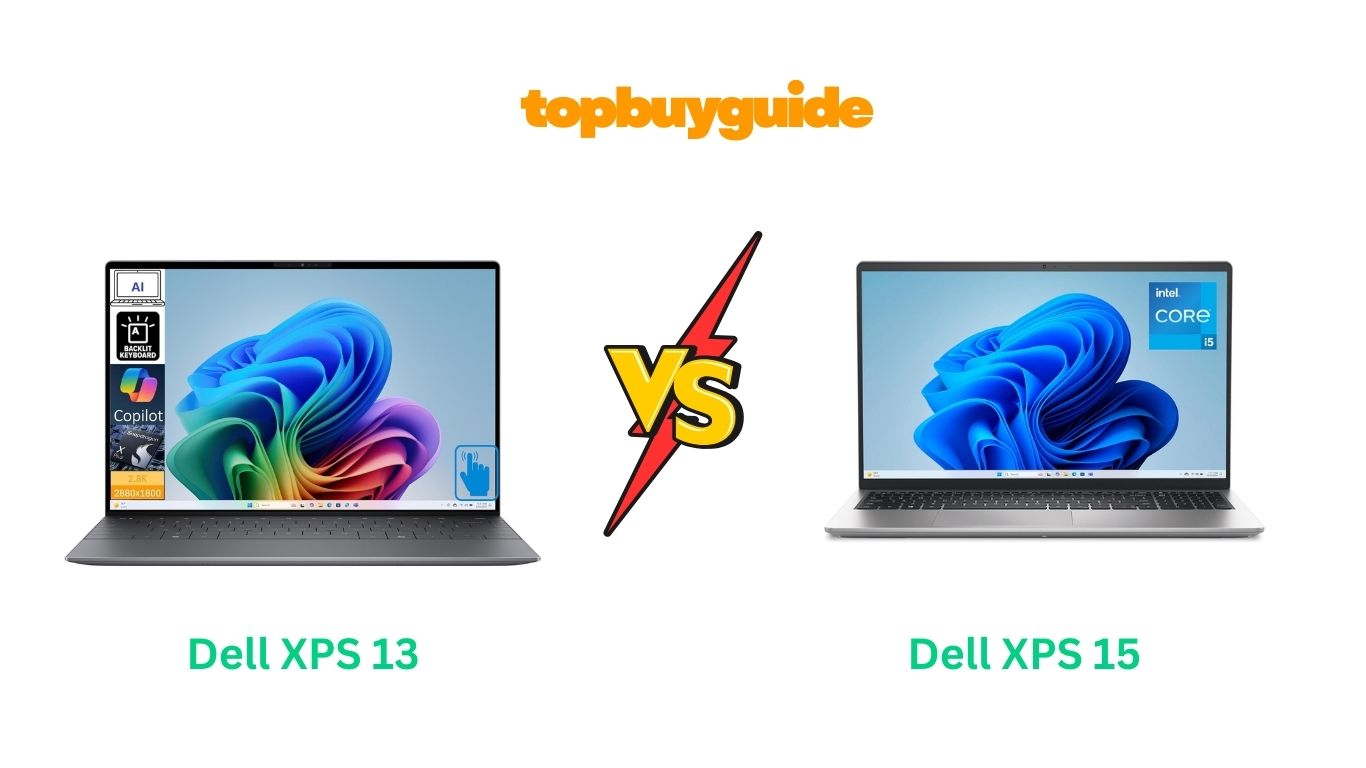
Choosing between the Dell XPS 13 and XPS 15 can be tough. Both are excellent laptops, but they serve different users. If you need a blend of portability and power for everyday tasks and development work, I recommend the Dell XPS 13. Its lightweight design and stunning 2.8K touchscreen make it a joy to use anywhere. But if raw power and a larger screen are your priorities, the XPS 15 is a formidable option.
Why Do I Recommend The Dell XPS 13?
The Dell XPS 13 stands out as the superior choice for users who prioritize mobility, display quality, and modern processing power without needing a dedicated graphics card.
- Superior Portability: The Dell XPS 13 is significantly lighter and more compact, weighing just 2.6 lbs. In contrast, the Dell XPS 15 weighs 3.64 lbs, making the XPS 13 much easier to carry for work, school, or travel.
- Exceptional Display Resolution: It boasts a stunning 13.4-inch 2.8K (2880×1800) touchscreen display. This offers a sharper and more vibrant viewing experience than the Dell XPS 15’s standard 15.6-inch FHD (1920×1080) display.
- Advanced Processor: The XPS 13 is equipped with the new Snapdragon X Elite processor. This AI-enhanced, 12-core CPU is designed for cutting-edge performance and efficiency, especially for modern applications. The Dell XPS 15, on the other hand, uses an Intel Core i5-1334U, which is a capable but more conventional processor.
- Next-Gen Connectivity: With support for Wi-Fi 7, the Dell XPS 13 is future-proofed for the next generation of wireless technology, offering faster speeds and lower latency. In comparison, the Dell XPS 15 comes with Wi-Fi 6 (802.11ax), which is still fast but a generation behind.
- Modern Memory: The XPS 13 utilizes LPDDR5X RAM, which is faster and more power-efficient than the DDR4 RAM found in the Dell XPS 15. This contributes to quicker multitasking and better battery life.
- Sleek and Premium Design: The thin and light form factor, combined with its Graphite Black color, gives the Dell XPS 13 a more modern and premium aesthetic compared to the more traditional design of the XPS 15.
- Enhanced Security: A built-in fingerprint reader on the XPS 13 offers a quick and secure way to log in, a feature not specified for the XPS 15.
Side By Side Comparison Chart: Dell XPS 13 vs 15
| Feature | Dell XPS 13 | Dell XPS 15 |
| Processor | Snapdragon X Elite X1E-80-100 (12-core) | Intel Core i5-1334U (10-core) |
| Graphics | Qualcomm Adreno Integrated Graphics | Intel UHD Graphics |
| RAM | 16GB LPDDR5X | 16GB DDR4 |
| Weight | 2.6 lbs | 3.64 lbs |
| Display Resolution | 2.8K (2880×1800) | FHD (1920×1080) |
| Touchscreen | Yes | No |
| Connectivity | Wi-Fi 7, Bluetooth 5.4 | Wi-Fi 6, Bluetooth |
| Ports | 2 x Thunderbolt (Type-C) | 1x USB 2.0, 2x USB 3.2, 1x USB-C, 1x HDMI, 1x SD Card Reader |
| Special Features | Fingerprint Reader | Numeric Keypad |
What Common Features Can Dell XPS 13 vs 15 Do?
While they have their differences, both the Dell XPS 13 and XPS 15 share a foundation of quality that makes them reliable choices for a wide range of users. They are both designed to handle demanding workloads, whether for business, school, or creative projects.
Both laptops come equipped with a substantial 512GB SSD. This solid-state drive ensures that both systems boot up quickly, applications load in a flash, and file transfers are speedy. You won’t be left waiting, whether you’re opening a large project file or just starting your day. This ample storage is perfect for holding all your essential documents, software, and media without relying on external drives.
The inclusion of 16GB of RAM in both models is another significant shared benefit. This amount of memory allows for smooth and efficient multitasking. You can have multiple browser tabs open for research, run productivity software like Microsoft Office, and even use more demanding applications like Adobe Photoshop or video editors without experiencing significant slowdowns. This makes both the XPS 13 and XPS 15 capable machines for professionals and students alike.
Both laptops run on a version of Windows 11, providing a modern, streamlined user interface with access to the latest features and security updates from Microsoft. This includes features like the integrated Microsoft Store, improved window management with Snap Layouts, and the AI-powered Copilot to assist with your tasks. The operating system is designed to be intuitive and efficient, enhancing your overall productivity on either device.
Common Features of Dell XPS 13 vs 15
| Feature | Dell XPS 13 | Dell XPS 15 |
| RAM | 16 GB | 16 GB |
| Storage | 512GB SSD | 512GB SSD |
| Operating System | Windows 11 Pro | Windows 11 Home |
| Brand | Dell | Dell |
| Keyboard | Backlit Keyboard | Backlit Keyboard |
A Detailed Comparison Of the Dell XPS 13 vs 15
Performance and Processor
The Dell XPS 13 is at the forefront of mobile computing with its Snapdragon X Elite processor. This 12-core, AI-powered chip is engineered for exceptional performance in a power-efficient package, making it ideal for running next-generation AI applications and handling intensive multitasking with ease. Its architecture is optimized for long battery life, allowing you to work or create for extended periods without being tethered to a power outlet.
In contrast, the Dell XPS 15 is powered by a 13th Generation Intel Core i5-1334U processor. This 10-core CPU is a strong performer for everyday computing and business tasks, offering reliable power for applications like spreadsheets, presentations, and web browsing. While it is a very capable processor, it represents a more traditional architecture compared to the forward-looking Snapdragon chip in the XPS 13.
Display and Visuals
The display is where the Dell XPS 13 truly shines. It features a 13.4-inch 2.8K (2880×1800) touchscreen that delivers incredibly sharp details and vibrant colors. This high-resolution panel makes everything from reading text to editing photos a more immersive and enjoyable experience. The touchscreen functionality adds a layer of intuitive interaction, perfect for navigating applications or sketching out ideas directly on the screen.
The Dell XPS 15, on the other hand, offers a larger 15.6-inch FHD (1920×1080) display. While bigger, the resolution is lower, meaning it won’t be as crisp as the XPS 13’s screen. It’s a non-touch display, which is standard for many laptops, but it lacks the interactive convenience of its smaller sibling. The 120Hz refresh rate is a plus, providing smoother motion, which can be noticeable in fast-paced videos or scrolling.
Portability and Design
If your work or lifestyle requires you to be constantly on the move, the Dell XPS 13 is the clear winner in portability. Weighing only 2.6 pounds and featuring a slim, compact profile, it’s designed to be carried anywhere with minimal effort. Its modern, minimalist design with Thunderbolt ports emphasizes its sleek, futuristic appeal.
The Dell XPS 15 is a larger and heavier machine at 3.64 pounds. While still portable, the extra weight and size make it better suited for users who need a larger screen and might not travel as frequently. It offers a wider array of ports, including USB-A, HDMI, and an SD card reader, which can be a major advantage for users who need to connect to various peripherals without needing dongles or a hub.
Memory and Connectivity
The Dell XPS 13 is built with future-proof technology, including 16GB of LPDDR5X RAM and Wi-Fi 7. The LPDDR5X memory is not only faster but also more power-efficient, contributing to the laptop’s snappy performance and extended battery life. Wi-Fi 7 provides the fastest and most reliable wireless connection available, ensuring you’re ready for the future of internet speeds.
Conversely, the Dell XPS 15 uses 16GB of DDR4 RAM. While still plenty for most multitasking needs, DDR4 is an older generation of memory that is not as fast or efficient as LPDDR5X. It also features Wi-Fi 6, which is the current standard and provides excellent performance, but it doesn’t have the forward-looking advantage of the Wi-Fi 7 found in the XPS 13.
Conclusion
After a detailed comparison, the Dell XPS 13 is the recommended choice for most users, especially professionals, developers, and students who need a portable powerhouse. Its Snapdragon X Elite processor, stunning 2.8K touchscreen, and modern LPDDR5X RAM make it an exceptionally fast and efficient machine for today’s tasks and tomorrow’s AI-driven world. For those who value portability and a superior display above all else, the XPS 13 is unmatched.
The Dell XPS 15 remains a solid option for those who absolutely need a larger 15.6-inch screen and a wider variety of legacy ports. However, with its heavier build and lower-resolution display, it feels a step behind the innovative and user-friendly experience offered by the XPS 13.
FAQs
- Which is better for travel, the Dell XPS 13 or 15?
The Dell XPS 13 is significantly better for travel. It is a full pound lighter and has a more compact design, making it much easier to carry in a backpack or bag without adding much weight or bulk. - Is the touchscreen on the XPS 13 worth it?
Yes, for many users, the touchscreen is a major advantage. It allows for more intuitive navigation, quick interactions, and is great for creative tasks like drawing or annotating documents directly on the screen. - Does the Dell XPS 15 have better performance for gaming?
Neither of these models is designed as a primary gaming laptop, as both use integrated graphics. The Dell XPS 15’s 120Hz screen might offer slightly smoother visuals, but for serious gaming, you would want a laptop with a dedicated graphics card. - How do the processors compare for everyday use?
For everyday tasks like web browsing, email, and using Microsoft Office, both processors are more than capable. The Snapdragon X Elite in the XPS 13, however, is specifically optimized for AI tasks and may offer better performance and efficiency in future applications. - What is the difference between Wi-Fi 6 and Wi-Fi 7?
Wi-Fi 7 is the next generation of wireless technology, offering potentially faster speeds, lower latency, and better performance in congested areas compared to Wi-Fi 6. The XPS 13’s inclusion of Wi-Fi 7 makes it more future-proof. - Will I need a dongle for the Dell XPS 13?
Yes, most likely. The Dell XPS 13 only has two Thunderbolt (USB-C) ports. If you need to connect devices that use USB-A, HDMI, or an SD card, you will need a USB-C hub or adapter. The XPS 15 has these ports built-in. - Which laptop has better battery life?
While official battery life figures vary based on usage, the Dell XPS 13’s power-efficient Snapdragon processor and LPDDR5X RAM are designed to provide longer battery life compared to the more traditional components in the XPS 15. - Can I upgrade the RAM in these laptops?
The RAM in the Dell XPS 13 (LPDDR5X) is soldered to the motherboard and is not user-upgradable. The Dell XPS 15 (DDR4) typically has user-accessible RAM slots, allowing for future upgrades if needed.

Alex Turner is a dedicated product researcher and reviewer at TopBuyGuide.com, known for his clear, honest, and data-driven insights. He spends countless hours testing, comparing, and analyzing products to help readers make confident and informed buying decisions.