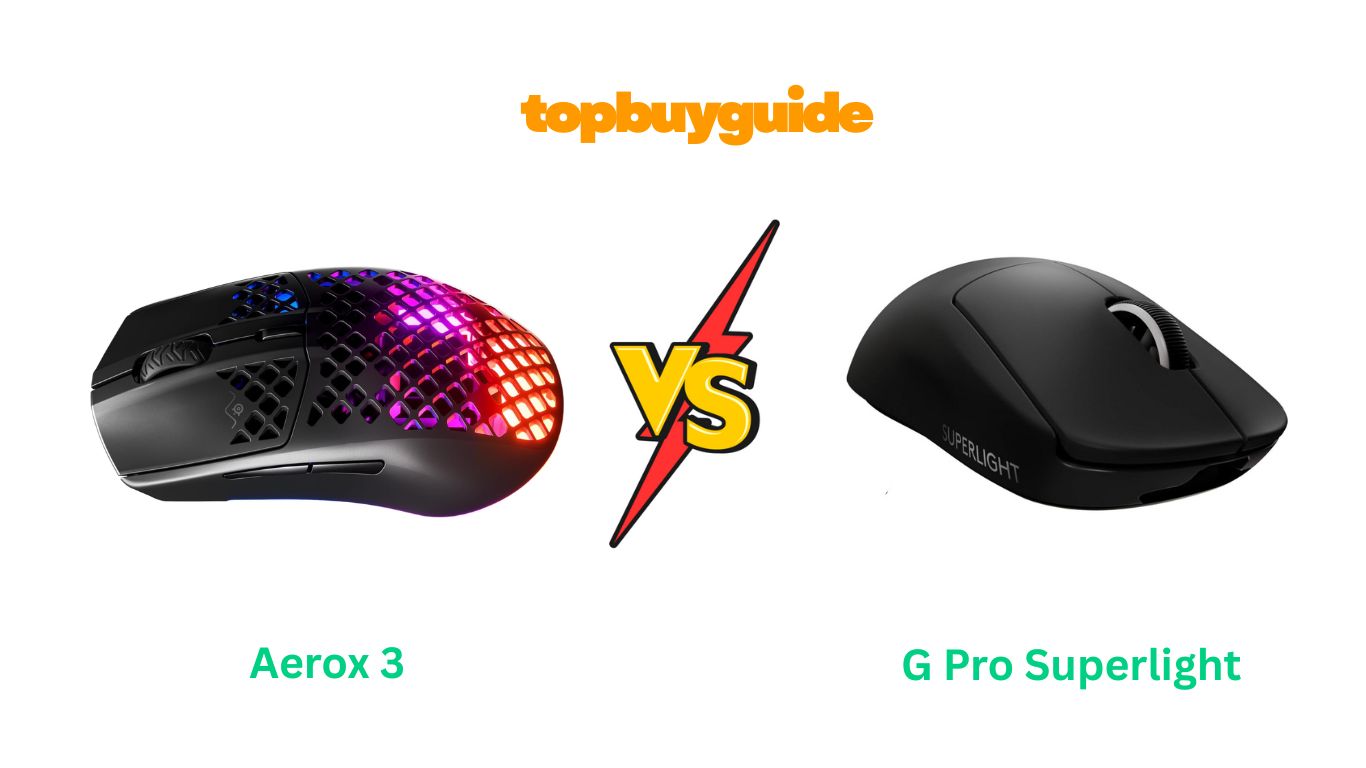
Picking the right gaming mouse can feel like a final boss battle. You have two popular contenders: the flashy SteelSeries Aerox 3 and the sleek Logitech G Pro X Superlight. If you’re looking for the best all-around performer, I recommend the G Pro X Superlight. Its superior battery life and solid, reliable build make it a champion for long gaming sessions. Ready to see how it stacks up against the competition? Let’s dive in.
Why Do I Recommend The G Pro X Superlight?
When comparing these two elite gaming mice, the Logitech G Pro X Superlight consistently comes out on top for several key reasons. It’s built for serious gamers who demand reliability and endurance without sacrificing performance.
- Weight and Build: The G Pro X Superlight weighs an astonishing 63 grams and achieves this with a solid shell design. This gives it a sturdy, premium feel in hand. In contrast, the Aerox 3 is slightly heavier at 68 grams and uses a perforated, holey shell to reduce weight, which may not appeal to gamers who dislike the feel or potential for dust and debris to get inside.
- Battery Life: This is where the Superlight truly shines. It boasts an impressive 70 hours of battery life with constant motion. The Aerox 3, while having a much longer advertised battery life of up to 200 hours, achieves this mainly through Bluetooth and power-saving modes. With its 2.4GHz gaming mode and RGB lighting enabled, its battery drains significantly faster, often requiring more frequent charging.
- Simplicity and Focus: Logitech designed the Superlight with a single goal: winning. It has a minimalist, no-frills design with 5 programmable buttons, focusing purely on what esports pros need. The Aerox 3, on the other hand, includes 3-zone RGB lighting, which, while visually appealing, can be a distraction and a battery drain for competitive players.
- Sensor Performance: The G Pro X Superlight is equipped with Logitech’s HERO 25K sensor, renowned for its flawless, pixel-perfect tracking and consistency. While the Aerox 3’s TrueMove Air sensor is also a high-performer co-developed with PixArt, the HERO sensor is widely regarded as the industry benchmark for raw precision and reliability in high-stakes gaming scenarios.
- Professional Endorsement: The Superlight was meticulously designed in collaboration with top esports professionals. This pedigree is evident in its ergonomic shape and performance-driven features, making it a trusted choice for competitive gamers worldwide. The Aerox 3 is a fantastic mouse, but the Superlight is built from the ground up for the highest level of competition.
Side-By-Side Comparison Chart: Aerox 3 vs G Pro Superlight
| Feature | Aerox 3 | G Pro Superlight |
| Weight | 68g | <63g |
| Design | Holey Shell | Solid Shell |
| Battery Life (Gaming) | Up to 80 hours (2.4GHz), 200 hours (Bluetooth) | Up to 70 hours |
| Sensor | TrueMove Air Optical Sensor | HERO 25K Sensor |
| Buttons | 6 | 5 |
| Switches | Golden Micro IP54 | Not Specified (Mechanical) |
| RGB Lighting | 3-Zone PrismSync RGB | None |
| Protection | AquaBarrier (IP54 Rated) | None specified |
| Charging Port | USB-C | Micro USB |
What Common Aerox 3 vs G Pro Superlight Can Do?
Despite their differences, both the Aerox 3 and the G Pro X Superlight share core features that make them top-tier wireless gaming mice. They are engineered for high-performance gaming, providing a lag-free experience that rivals wired counterparts.
Both mice utilize advanced optical sensors designed for precision and speed. The Aerox 3 uses the TrueMove Air sensor, while the Superlight features the HERO 25K sensor. These sensors deliver exceptional 1-to-1 tracking, ensuring that your movements are translated onscreen with pixel-perfect accuracy, which is crucial for competitive games where every millisecond counts.
Ultra-lightweight design is a cornerstone of both products. The Aerox 3 weighs 68g and the Superlight comes in at under 63g. This minimal weight reduces hand fatigue and allows for faster, more effortless swipes and flicks. This design philosophy helps gamers react quicker and maintain control during intense, extended gaming sessions.
Wireless connectivity is another shared strength. Both mice offer a pro-grade, lag-free 2.4GHz wireless connection via a USB dongle. This gives you the freedom of a wireless mouse without any compromise in responsiveness or reliability. Additionally, the Aerox 3 offers Bluetooth 5.0 for more versatile, on-the-go use, though this mode is not optimized for gaming.
Finally, both mice feature PTFE glide skates. These pure, virgin-grade feet ensure the smoothest possible glide across your mousepad. This reduces friction and allows for fluid, uninterrupted movement, further enhancing control and responsiveness.
Common Features of Aerox 3 vs G Pro Superlight
| Feature | Aerox 3 | G Pro Superlight |
| Wireless Technology | 2.4GHz Quantum 2.0 Wireless & Bluetooth 5.0 | 2.4GHz LIGHTSPEED Wireless |
| Optical Sensor | High-Performance, 1-to-1 Tracking | High-Performance, 1-to-1 Tracking |
| Lightweight Design | Yes | Yes |
| PTFE Feet | 100% Virgin Grade PTFE | Large, Zero-Additive PTFE |
| Programmable Buttons | Yes, via SteelSeries Engine | Yes, via Logitech G HUB |
| Target Audience | Competitive Gamers | Competitive Gamers |
A Detailed Comparison Of the Aerox 3 vs G Pro Superlight
Design and Weight
The SteelSeries Aerox 3 immediately catches the eye with its perforated honeycomb shell, a design choice that not only looks unique but also helps it achieve its 68g weight. This holey design is complemented by 3-zone RGB lighting, making it a visually striking addition to any setup. To protect the exposed internals, it features an IP54-rated AquaBarrier, offering resistance against dust and water splashes.
The Logitech G Pro X Superlight takes a different approach. It weighs even less, at under 63 grams, but features a completely solid, minimalist shell. This design prioritizes function over form, eliminating RGB lighting and focusing on a clean, ambidextrous shape. For gamers who prefer a solid, sturdy feel without the potential for internal dust buildup, the Superlight’s design is a clear winner.
Sensor and Performance
The Aerox 3 is equipped with the TrueMove Air optical sensor, co-developed with PixArt. It’s a high-quality sensor that provides the 1-to-1 tracking and accuracy needed for competitive gaming. It delivers reliable performance that will satisfy the vast majority of gamers, ensuring your aim is true and your movements are precise.
However, the G Pro X Superlight features Logitech’s flagship HERO 25K sensor. This sensor is widely regarded as one of the best on the market, offering incredible precision, speed, and consistency without any smoothing or acceleration. For professional players and those who demand the absolute pinnacle of sensor technology, the HERO 25K sensor gives the Superlight a slight edge in raw performance.
Battery Life and Charging
SteelSeries advertises an impressive 200-hour battery life for the Aerox 3. However, this is primarily achieved using the lower-power Bluetooth mode. When using the 2.4GHz wireless mode for gaming, especially with RGB lighting on, the battery life is closer to 80 hours, which is still respectable. It benefits from a modern USB-C charging port, which is a convenient touch.
The G Pro X Superlight offers a consistent 70 hours of battery life during constant motion, which is more than enough for several days of intense gaming. Its main drawback is the use of an outdated Micro USB port for charging. While its battery performance is stellar for gaming, the charging technology feels a step behind the Aerox 3.
Switches and Buttons
The Aerox 3 comes with Golden Micro IP54 switches, which are rated for 80 million clicks and offer added dust and water resistance. This makes them feel crisp and durable. The mouse has a total of 6 programmable buttons, providing a standard layout for most gaming needs.
The G Pro X Superlight has 5 programmable buttons, one less than the Aerox 3. Logitech doesn’t specify the exact switch model but they are known for their reliable mechanical switches. However, some users have reported issues with double-clicking over time, a known concern with some Logitech mice. The side buttons on the Superlight are also described by some as feeling a bit “mushy” compared to the main clicks.
Conclusion
After a thorough showdown, the Logitech G Pro X Superlight emerges as the superior choice for serious, competitive gamers. While the SteelSeries Aerox 3 offers stunning RGB and a modern USB-C port, the Superlight’s feather-light, solid-body design, industry-leading HERO 25K sensor, and rock-solid 70-hour gaming battery life make it the more reliable and higher-performing tool for winning. If you prioritize pure performance and an uncluttered design, the Superlight is worth every penny.
FAQs
- Is the holey design of the Aerox 3 a problem?
The Aerox 3’s holey design is protected by an IP54-rated AquaBarrier, making it resistant to dust and splashes. However, some users prefer a solid shell to avoid the feel of the holes and prevent any potential for debris to get inside. - Which mouse is better for small hands?
Both mice have a safe, ambidextrous shape, but the G Pro X Superlight is slightly more compact and has been praised for its comfort设计 for a wide range of hand sizes and grip styles, including smaller hands. - Does the G Pro X Superlight have RGB lighting?
No, the G Pro X Superlight does not have any RGB lighting. It was designed with a minimalist approach to maximize performance and reduce weight, stripping away non-essential features. - Can I use the Aerox 3 with Bluetooth?
Yes, the Aerox 3 offers dual connectivity. You can use प्रदर्शन-focused 2.4GHz wireless for gaming or switch to Bluetooth 5.0 for more general use with laptops and other devices, which also extends battery life. - Is the G Pro X Superlight worth the higher price?
For competitive gamers who prioritize the lightest weight, best sensor, and a proven, esports-approved design, the G Pro X Superlight is often considered worth the premium price for the competitive edge it provides. - Which mouse charges faster?
The Aerox 3 uses a USB-C port, which is generally more convenient and robust than the G Pro X Superlight’s older Micro USB port. Both mice support fast charging to get you back in the game quickly. - Do I need software for these mice?
To access full customization умирает, like button remapping and DPI settings, you will need to use SteelSeries GG software for the Aerox 3 and Logitech G HUB for the G Pro X Superlight. - Are the PTFE feet on these mice good?
Yes, both mice come with high-quality, 100% virgin-grade PTFE feet. This ensures a very smooth, low-friction glide across most mousepad surfaces, enhancing control and responsiveness.

Alex Turner is a dedicated product researcher and reviewer at TopBuyGuide.com, known for his clear, honest, and data-driven insights. He spends countless hours testing, comparing, and analyzing products to help readers make confident and informed buying decisions.