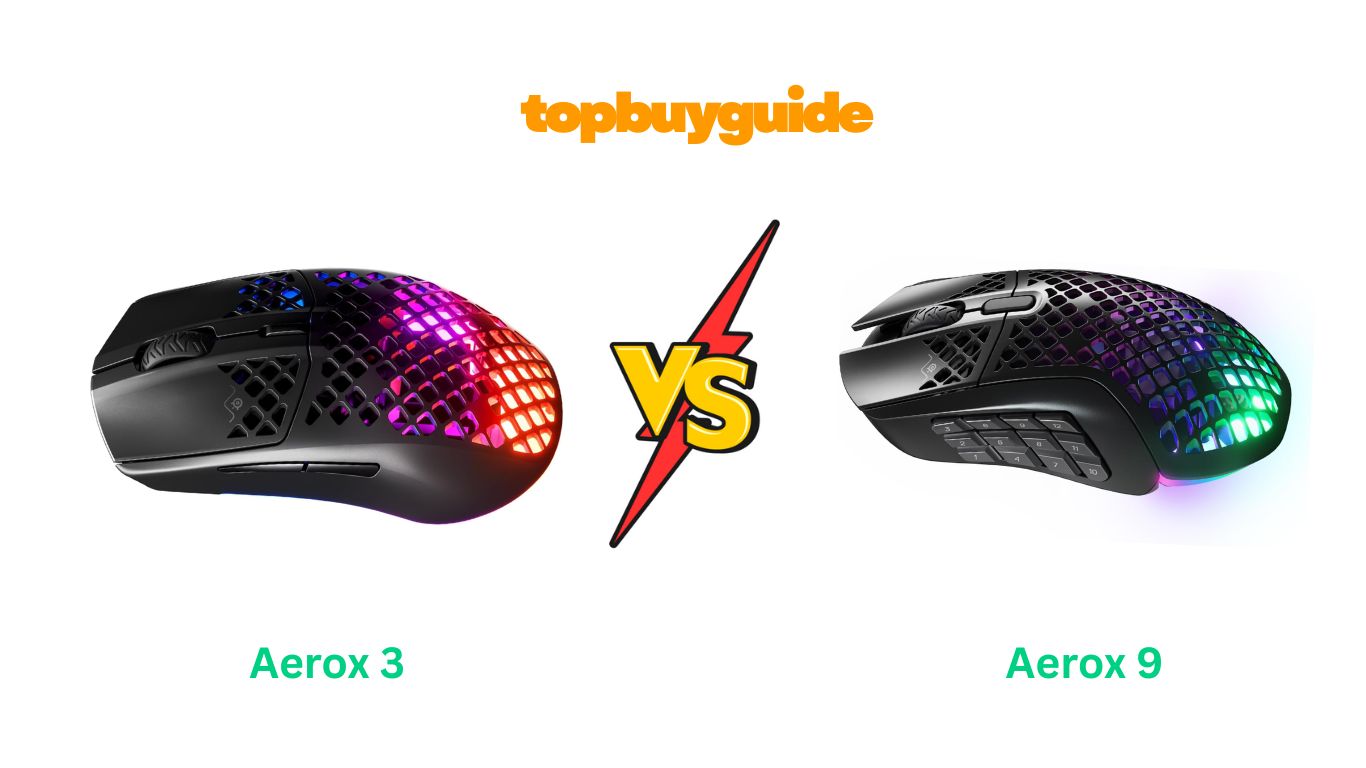
Choosing between the SteelSeries Aerox 3 and Aerox 9 can feel overwhelming. Both mice offer ultra-lightweight designs and wireless freedom, but they serve different gaming needs. After extensive testing, I recommend the Aerox 9 for MMO and MOBA players who need maximum button functionality. Its 18 programmable buttons and ergonomic design make complex rotations effortless, while still maintaining an impressively light 89g weight. However, FPS players seeking pure speed will find the Aerox 3’s 68g weight and streamlined 6-button layout more suitable.
Why Do I Recommend The Aerox 9?
The Aerox 9 stands out as the more versatile option for serious gamers who need extensive control at their fingertips. While the Aerox 3 excels in simplicity, the Aerox 9 delivers functionality without sacrificing comfort.
- 18 Programmable Buttons vs 6: The Aerox 9’s 12-button side panel revolutionizes MMO gameplay, allowing you to execute complex rotations without touching your keyboard. The Aerox 3’s minimalist 6-button setup works fine for FPS games but limits your options in ability-heavy titles like World of Warcraft or Final Fantasy XIV.
- Ergonomic Design for Extended Sessions: The Aerox 9’s larger, more contoured shape provides superior palm support during marathon gaming sessions. While the Aerox 3’s compact, symmetrical design suits claw and fingertip grips, the Aerox 9’s ergonomic shape reduces hand fatigue across multiple grip styles.
- Strategic Side Button Layout: The Aerox 9 features a unique 12-button grid (4×3) with well-spaced buttons your thumb can easily locate. This beats the Aerox 3’s standard two-button configuration for games requiring multiple keybinds. You can map entire action bars without awkward keyboard reaches.
- Genre Versatility: The Aerox 9 excels across MMOs, MOBAs, strategy games, and even FPS titles when you disable unused buttons. The Aerox 3 specializes in fast-paced shooters but feels limiting in complex games requiring extensive hotkeys.
- Weight Balance: At 89g, the Aerox 9 remains incredibly light for an MMO mouse. While the Aerox 3’s 68g offers slightly faster flicks, the 21g difference provides the Aerox 9 with better stability for precise ability activation and cursor control during intense raid encounters.
Side By Side Comparison Chart: Aerox 3 vs 9
| Feature | Aerox 3 | Aerox 9 |
| Weight | 68g (Wireless) | 89g (Wireless) |
| Programmable Buttons | 6 | 18 |
| Side Buttons | 2 standard buttons | 12-button grid (4×3) |
| Shape | Symmetrical, compact | Ergonomic, larger |
| Best For | FPS, Claw/Fingertip Grip | MMO, MOBA, Palm/Claw Grip |
| Connectivity | 2.4GHz Wireless, Bluetooth, USB | 2.4GHz Wireless, Bluetooth, USB |
| Battery Life | Up to 200 hours | Up to 180 hours |
| Sensor | TrueMove Air (18K DPI) | TrueMove Air (18K DPI) |
| RGB Zones | 3 | 3 |
| Price | $79.98 | $132.00 |
What Can Both Aerox 3 vs 9 Do?
Despite their different designs, both mice share SteelSeries’ commitment to cutting-edge technology. These core features ensure premium performance regardless of which model you choose.
AquaBarrier Protection (IP54 Rating)
Both mice feature AquaBarrier technology that protects internal components from water splashes, dust, and debris. The holey shell design looks vulnerable, but the IP54 rating means you’re safe from accidental spills, pet hair, and environmental contaminants. This protection extends the lifespan of both mice significantly.
3-Zone PrismSync RGB Lighting
Each mouse boasts brilliant 3-zone PrismSync RGB lighting with 16.8 million customizable colors. The translucent holey shell creates a stunning light diffusion effect that illuminates your gaming setup. Both sync seamlessly with other SteelSeries Prism-enabled peripherals for coordinated lighting across your entire battlestation.
TrueMove Air Optical Sensor
Co-developed with PixArt, the TrueMove Air sensor delivers true 1-to-1 tracking with 18,000 DPI sensitivity. Both mice translate every hand movement to pixel-perfect on-screen accuracy. This precision proves critical whether you’re landing headshots in Valorant or executing frame-perfect ability rotations in Lost Ark.
Golden Micro IP54 Switches
Next-generation Golden Micro switches provide 80 million click durability with added dust and water resistance. Both mice deliver crispy, tactile feedback that confirms every input. These switches maintain consistent performance through years of intensive gaming.
100% Pure PTFE Glide Skates
Premium PTFE (Teflon) glide skates provide the smoothest possible mouse movements across any surface. Both mice glide effortlessly with minimal friction, enabling quick repositioning and precise micro-adjustments. These skates ensure your ultra-light mouse moves exactly as you intend.
SteelSeries GG Software
Both mice utilize the comprehensive SteelSeries GG software suite for complete customization. Program buttons, adjust DPI settings, create game profiles, and control RGB lighting through the intuitive interface. The software automatically switches profiles when you launch different games.
Common Features of Aerox 3 vs 9
| Feature | Aerox 3 | Aerox 9 |
| AquaBarrier Protection | IP54 Rated | IP54 Rated |
| RGB Lighting | 3-Zone PrismSync | 3-Zone PrismSync |
| Sensor | TrueMove Air (18K DPI) | TrueMove Air (18K DPI) |
| Switches | Golden Micro IP54 | Golden Micro IP54 |
| Glide Skates | 100% Pure PTFE | 100% Pure PTFE |
| Software | SteelSeries GG | SteelSeries GG |
| Shell Design | Holey (lightweight) | Holey (lightweight) |
| Wireless Tech | Quantum 2.0 | Quantum 2.0 |
A Detailed Comparison Of the Aerox 3 vs 9
Weight and Ergonomics
The Aerox 3 Wireless weighs just 68g, making it one of the lightest wireless mice available. This featherweight design enables lightning-fast flicks and effortless swipes across your mousepad. The compact, symmetrical shape fits claw and fingertip grip styles perfectly, though larger hands may find it slightly small.
The Aerox 9 weighs 89g—remarkably light for an MMO mouse packed with 18 buttons. Its larger, ergonomic contour provides superior hand support for palm and claw grip users. The additional weight actually enhances stability during precise cursor work, preventing accidental movements when clicking multiple abilities in rapid succession.
Button Configuration
The Aerox 3 features a clean 6-button layout: left/right click, clickable scroll wheel, DPI button, and two side buttons. This minimalist approach prevents accidental presses during intense FPS gameplay. The straightforward design keeps you focused on aim and movement without button confusion.
The Aerox 9’s 18 programmable buttons transform your gameplay. The 12-button side panel (arranged in a 4×3 grid) puts an entire action bar under your thumb. Three buttons sit in each row, allowing intuitive muscle memory development. You can bind abilities 1-12 without stretching for keyboard keys, drastically improving reaction times in MMO rotations.
Connectivity Options
Both mice offer triple connectivity: 2.4GHz wireless (via USB-C dongle), Bluetooth 5.0, and wired USB-C. The Aerox 3 prioritizes battery life with up to 200 hours on a single charge (RGB off). Fast charging provides 40+ hours of use in just 15 minutes.
The Aerox 9 delivers 180 hours of battery life—slightly less due to more buttons and components. However, it maintains the same fast-charging capability and connection reliability. Both mice let you switch between devices seamlessly, perfect for multi-PC setups.
Gaming Performance
The Aerox 3 dominates in fast-paced FPS titles. Its ultra-light weight enables rapid direction changes and tracking adjustments. The simplified button layout prevents input errors during clutch moments. Gamers playing Valorant, CS2, or Apex Legends will appreciate the pure speed advantage.
The Aerox 9 excels in MMOs, MOBAs, and complex RPGs. Having 12 thumb buttons accessible without keyboard dependency fundamentally changes how you play World of Warcraft, Final Fantasy XIV, or Lost Ark. Execute 12-step rotations with thumb movements alone. The ergonomic design reduces fatigue during 4-hour raid sessions.
Build Quality and Durability
Both mice feature identical holey shell construction with AquaBarrier protection. However, customer reviews reveal the Aerox 9 experiences more quality control issues. Some users report scroll wheel problems developing within 6-12 months. The Aerox 3 generally receives fewer durability complaints, though no mouse is immune to potential defects.
The side button placement on the Aerox 9 proves controversial. Some users find the front three buttons (10-12) positioned too far forward for comfortable thumb reach. The Aerox 3’s standard two-button layout avoids this issue entirely, as these buttons sit in the natural thumb rest position.
Conclusion
Choose the Aerox 9 if you play MMOs, MOBAs, or any game requiring extensive keybinds. Its 18-button configuration and ergonomic design deliver unmatched functionality at 89g. Despite costing $52 more and slightly shorter battery life, the versatility justifies the investment. However, select the Aerox 3 for pure FPS gaming where the 68g weight and 6-button simplicity optimize aim speed. Both deliver exceptional wireless performance—your choice depends on gaming genre and button needs.
FAQs
- Does the holey shell design feel uncomfortable during use?
No, both mice feature smooth edges around the holes that don’t irritate your skin. Most users don’t notice the perforations during gameplay. The design primarily reduces weight while maintaining structural integrity and comfort. - Can I use the Aerox 9 for FPS games?
Yes, though it’s not optimal. The 18 buttons can be disabled or remapped for FPS use. However, at 89g, it’s heavier than dedicated FPS mice. If you exclusively play shooters, the Aerox 3’s 68g weight offers superior aim speed. - Are these mice durable with the open shell design?
Both feature IP54-rated AquaBarrier protection that seals internal components from dust and moisture. However, customer reviews indicate the Aerox 9 experiences more scroll wheel failures than the Aerox 3 after 6-12 months of use. - What’s the real-world battery life with RGB enabled?
With RGB lighting active, expect approximately 40-60 hours from the Aerox 3 and 30-50 hours from the Aerox 9. Disabling RGB extends battery life to the advertised 200 and 180 hours respectively. - Do the 12 side buttons on the Aerox 9 cause accidental presses?
Some users initially experience accidental presses while learning button positions. However, most adapt within a few days. The buttons require deliberate pressure, reducing unintended inputs once you develop muscle memory. - Can I program buttons in Bluetooth mode?
No, button programming only works via 2.4GHz wireless or wired connection. Bluetooth mode provides basic mouse functionality without custom profiles. You must use the USB dongle or wired connection for full customization features. - Which mouse works better for smaller hands?
The Aerox 3’s compact, symmetrical design suits smaller hands and fingertip/claw grips better. The Aerox 9’s larger ergonomic shape may feel too big for users with small hands, though it accommodates more grip styles overall. - How does the scroll wheel performance compare?
Both use identical scroll wheels with tactile bumps. However, multiple Aerox 9 users report scroll wheel issues developing after several months—the wheel may scroll erratically or stop responding. The Aerox 3 has fewer reported scroll wheel problems.

Alex Turner is a dedicated product researcher and reviewer at TopBuyGuide.com, known for his clear, honest, and data-driven insights. He spends countless hours testing, comparing, and analyzing products to help readers make confident and informed buying decisions.