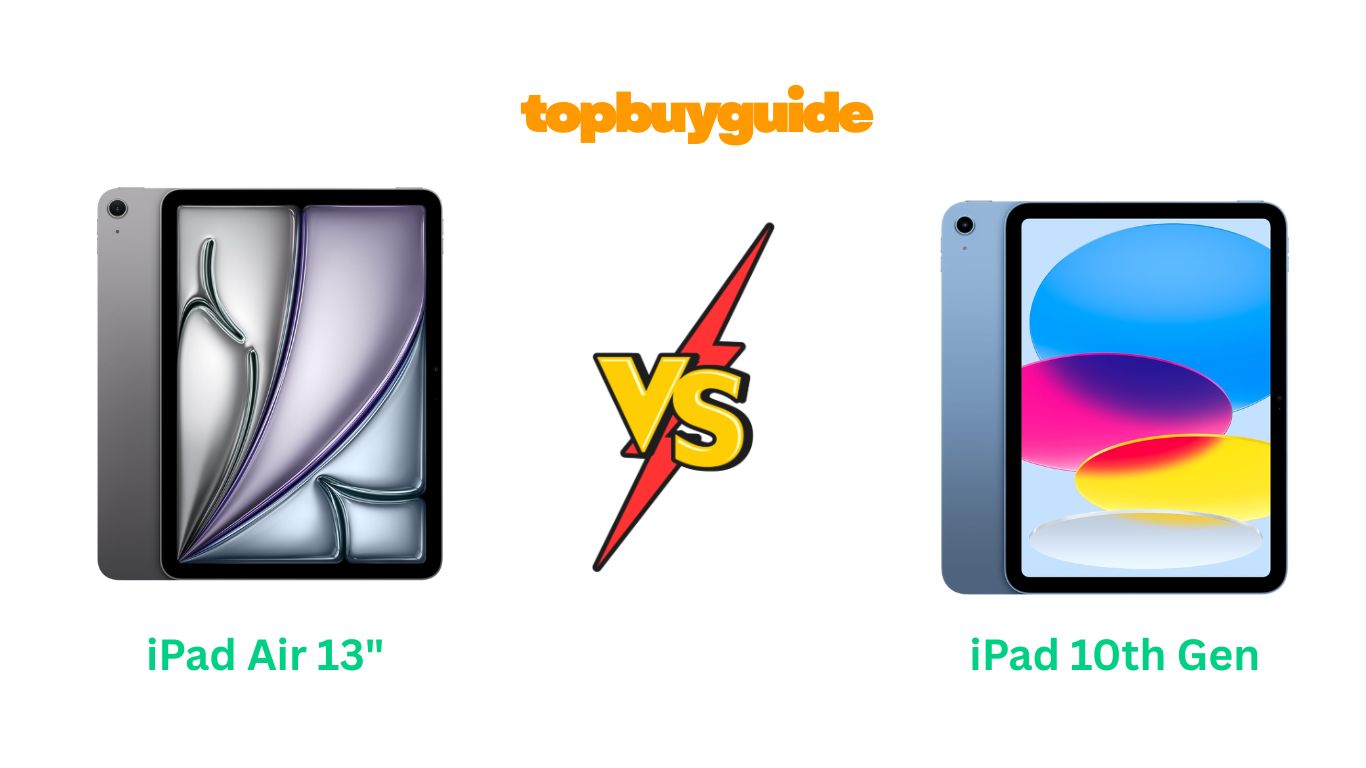
Choosing between the iPad Air 13-inch and the iPad 10th generation isn’t easy. Both tablets offer excellent performance, but they serve different needs. After testing both devices, I recommend the iPad Air 13-inch for power users who need advanced performance and Apple Intelligence. However, the iPad 10th generation remains an outstanding choice for everyday users seeking excellent value.
Why Do I Recommend The iPad Air 13-inch?
The iPad Air 13-inch delivers superior capabilities that justify its higher price point. Here’s why it stands out:
Powerful M3 Chip vs A16 Chip: The iPad Air features Apple’s M3 chip with an 8-core CPU and 9-core GPU, delivering significantly faster performance than the iPad 10th generation’s A16 chip. This translates to smoother multitasking, faster app launches, and better gaming performance. In contrast, the iPad 10th generation offers solid everyday performance but struggles with demanding creative tasks.
Larger, More Advanced Display: The 13-inch Liquid Retina display offers 2732-by-2048 resolution at 264 ppi, providing substantially more screen real estate than the 11-inch display on the iPad 10th generation (2360-by-1640 resolution). The iPad Air also includes P3 wide color and ultralow reflectivity, making it superior for photo editing and outdoor use. Meanwhile, the iPad 10th generation’s display, while good, lacks these advanced features.
Apple Intelligence Integration: The iPad Air 13-inch supports Apple Intelligence, Apple’s personal intelligence system that enhances writing, creative expression, and productivity with groundbreaking privacy protections. The iPad 10th generation doesn’t include this feature, limiting its future-proofing potential.
Advanced Camera System: Both the front and rear cameras on the iPad Air feature 12MP Ultra Wide sensors with adaptive True Tone flash. This setup delivers superior low-light performance and better video quality compared to the iPad 10th generation’s 12MP Wide cameras.
Apple Pencil Pro Compatibility: The iPad Air works with the Apple Pencil Pro and Apple Pencil (USB-C), offering advanced features like hover and squeeze gestures. The iPad 10th generation supports Apple Pencil (USB-C) and the 1st generation model but lacks these premium capabilities.
Enhanced Connectivity: With USB-C supporting up to 10Gb/s transfer speeds, the iPad Air handles large file transfers significantly faster than the iPad 10th generation’s USB 2.0 speeds (up to 480 Mb/s). Additionally, the iPad Air includes Wi-Fi 6E versus Wi-Fi 6, providing better performance in congested networks.
More Storage Options: The iPad Air offers configurations up to 1TB, while the iPad 10th generation maxes out at 512GB. This makes the iPad Air ideal for professionals storing large video projects or extensive photo libraries.
Premium Build Quality: The iPad Air weighs 1.36 pounds and measures 0.24 inches thin, offering a more premium feel than the iPad 10th generation (1.05 pounds, 0.28 inches). The ultralow reflectivity coating also enhances outdoor visibility.
Side By Side Comparison Chart
| Feature | iPad Air 13-inch (M3) | iPad 10th Generation (A16) |
| Display Size | 13 inches | 11 inches |
| Resolution | 2732-by-2048 (264 ppi) | 2360-by-1640 (264 ppi) |
| Chip | Apple M3 (8-core CPU, 9-core GPU) | Apple A16 (5-core CPU, 4-core GPU) |
| RAM | 8GB | Not specified |
| Storage Options | 128GB, 256GB, 512GB, 1TB | 128GB, 256GB, 512GB |
| Apple Intelligence | Yes | No |
| Front Camera | 12MP Ultra Wide (Center Stage) | 12MP Ultra Wide (Center Stage) |
| Rear Camera | 12MP Wide with True Tone flash | 12MP Wide |
| Apple Pencil Support | Pro and USB-C | USB-C and 1st generation |
| Connectivity | USB-C (10Gb/s), Wi-Fi 6E | USB-C (480Mb/s), Wi-Fi 6 |
| Weight | 1.36 lbs | 1.05 lbs |
| Thickness | 0.24 inches | 0.28 inches |
| Display Features | P3 wide color, ultralow reflectivity | True Tone |
| Price (128GB Wi-Fi) | $749 | $299 |
| Battery Life | All-day | All-day |
| Authentication | Touch ID | Touch ID |
| Colors | Space Gray, Blue, Purple, Starlight | Blue, Pink, Silver, Yellow |
What Common Features Can These iPads Deliver?
Both tablets share several core capabilities that make them excellent choices for everyday use.
iPadOS Experience
Both devices run iPadOS, providing access to the same intuitive interface and app ecosystem. You can run multiple apps simultaneously using Split View, use Scribble to write in any text field with Apple Pencil, and access over a million apps designed specifically for iPad on the App Store. Stage Manager enables resizable, overlapping windows for enhanced multitasking on both devices.
Center Stage Technology
Both iPads feature 12MP Center Stage front cameras that automatically keep you in frame during video calls. The camera pans and zooms to follow your movement, making FaceTime calls more dynamic and engaging. This feature works seamlessly across all video calling apps, enhancing remote work and virtual learning experiences.
Touch ID Security
Each tablet includes Touch ID built into the top button. You can unlock your device, authenticate app purchases, and use Apple Pay with your fingerprint. This provides quick, secure access without requiring Face ID hardware.
4K Video Recording
Both iPads can record stunning 4K video at up to 60 fps. They also support 1080p HD recording and slow-motion video at 120 fps or 240 fps. Time-lapse video with stabilization and extended dynamic range features ensure professional-looking results on both devices.
All-Day Battery Life
Apple engineered both tablets to deliver all-day battery life under typical usage conditions. Whether you’re browsing, streaming, or working, you can expect a full day of productivity without reaching for the charger. Both charge via USB-C, with included 20W power adapters in the box.
Liquid Retina Display Technology
Both devices feature LED-backlit Multi-Touch displays with IPS technology and True Tone. True Tone automatically adjusts the display’s color temperature to match your environment, reducing eye strain. The fingerprint-resistant oleophobic coating protects against smudges on both screens.
Common Features Chart
| Feature | iPad Air 13-inch (M3) | iPad 10th Generation (A16) |
| Operating System | iPadOS | iPadOS |
| Touch ID | Yes | Yes |
| Center Stage | Yes | Yes |
| 4K Video | Yes (24/25/30/60 fps) | Yes (24/25/30/60 fps) |
| True Tone Display | Yes | Yes |
| Apple Pencil Support | Yes | Yes |
| Magic Keyboard | Yes (Magic Keyboard) | Yes (Magic Keyboard Folio) |
| FaceTime | Yes | Yes |
| USB-C Port | Yes | Yes |
| Stereo Speakers | Yes (landscape) | Yes (landscape) |
| Dual Microphones | Yes | Yes |
| Bluetooth | 5.3 | 5.3 |
| Battery Life | All-day | All-day |
| Color Options | 4 | 4 |
A Detailed Comparison
Processor Performance
The iPad Air 13-inch features Apple’s M3 chip, a powerhouse designed for demanding workflows. With 8 CPU cores (4 performance, 4 efficiency) and 9 GPU cores, it handles pro-level tasks like 4K video editing in Final Cut Pro and complex 3D rendering with ease. The 16-core Neural Engine accelerates machine learning tasks, making photo processing and AI features incredibly fast.
The iPad 10th generation uses the A16 chip, which delivers solid performance for everyday tasks. Its 5-core CPU and 4-core GPU handle web browsing, streaming, and casual gaming smoothly. While perfectly capable for most users, the A16 shows limitations with intensive multitasking or professional creative apps that the M3 handles effortlessly.
Display Quality and Size
The iPad Air’s 13-inch screen provides a massive canvas for productivity and creativity. At 2732-by-2048 resolution, you get exceptional detail and clarity. The P3 wide color gamut reproduces vibrant, accurate colors essential for photo editing. Ultralow reflectivity makes outdoor use practical, while 600 nits brightness ensures visibility in various lighting conditions.
The iPad 10th generation offers an 11-inch display at 2360-by-1640 resolution. While smaller, it maintains excellent sharpness at 264 ppi. The 500 nits brightness and True Tone adjustment provide comfortable viewing. However, it lacks P3 wide color and ultralow reflectivity, making it less suitable for color-critical work or bright outdoor environments.
Storage and Memory
The iPad Air starts at 128GB and scales up to 1TB, accommodating professional workflows with large file libraries. The 8GB of RAM ensures smooth multitasking across multiple demanding apps. This combination makes it suitable for video editors, photographers, and designers who need substantial storage and memory.
The iPad 10th generation offers 128GB, 256GB, or 512GB options. While adequate for most users, professionals may find the maximum capacity limiting. The unspecified RAM amount (likely less than the iPad Air) handles everyday multitasking well but may show limitations with intensive workflows.
Camera Capabilities
The iPad Air’s 12MP Ultra Wide front camera and 12MP Wide rear camera both feature advanced autofocus and adaptive True Tone flash. Smart HDR 4 delivers excellent dynamic range in photos and videos. The rear camera’s five-element lens and Focus Pixels enable sharp, detailed captures even in challenging lighting conditions.
The iPad 10th generation includes similar 12MP cameras but lacks adaptive True Tone flash on the rear camera. While still capable of excellent photos and 4K video, the iPad Air’s advanced flash system provides better results in low-light scenarios and when scanning documents.
Apple Pencil Experience
The iPad Air supports both Apple Pencil Pro and Apple Pencil (USB-C). The Pro model introduces squeeze gestures for quick tool switching, barrel roll for precise brush control, and haptic feedback that enhances the drawing experience. Apple Pencil hover lets you preview your mark before touching the screen.
The iPad 10th generation works with Apple Pencil (USB-C) and the 1st generation model. While these provide excellent note-taking and drawing capabilities, they lack the advanced features of the Pro model. For casual note-taking, the difference is minimal, but artists and designers will appreciate the Pro’s enhanced functionality.
Connectivity and Transfer Speeds
The iPad Air’s USB-C port supports USB 3 speeds up to 10Gb/s, transferring a 4K video file in seconds rather than minutes. Wi-Fi 6E provides faster speeds and lower latency in compatible networks. These capabilities make the iPad Air ideal for professionals who regularly transfer large files or work in bandwidth-intensive environments.
The iPad 10th generation’s USB-C port operates at USB 2.0 speeds (480 Mb/s), which is adequate for everyday use but significantly slower for large file transfers. Wi-Fi 6 delivers fast connectivity for most tasks, though it doesn’t match Wi-Fi 6E’s performance in congested networks or demanding scenarios.
Build Quality and Portability
Despite its larger screen, the iPad Air maintains remarkable portability at 1.36 pounds and 0.24 inches thin. The all-screen design maximizes display area while minimizing bezels. Premium materials and precision engineering create a device that feels substantial yet elegant.
The iPad 10th generation weighs just 1.05 pounds and measures 0.28 inches thick. Its lighter weight makes it ideal for extended handheld use or carrying in a bag all day. While slightly thicker, the compact 11-inch form factor offers excellent portability for users who prioritize mobility.
Software and Future-Proofing
Apple Intelligence on the iPad Air represents a significant advantage for long-term value. This AI-powered system helps with writing, creative expression, and productivity tasks while maintaining strict privacy standards. As Apple continues developing these features, iPad Air owners will benefit from ongoing software enhancements.
The iPad 10th generation lacks Apple Intelligence support. While it runs current iPadOS features perfectly, it won’t receive these advanced AI capabilities. For users focused on current functionality, this isn’t a limitation, but those considering long-term ownership should weigh this difference carefully.
Conclusion
The iPad Air 13-inch is the clear winner for professionals, creatives, and power users who need maximum performance and future-proof features. Its M3 chip, larger display, Apple Intelligence support, and advanced connectivity justify the premium price. The expansive screen makes multitasking effortless, while the powerful processor handles demanding workflows with ease.
However, the iPad 10th generation offers exceptional value for students, casual users, and anyone seeking a reliable tablet for everyday tasks. At less than half the price, it delivers excellent performance, portability, and all the essential iPad features. If you primarily browse, stream, take notes, and use standard apps, the iPad 10th generation provides everything you need without unnecessary extras.
Choose the iPad Air 13-inch if you edit videos, create digital art, run multiple demanding apps simultaneously, or want the latest AI features. Choose the iPad 10th generation if you need an affordable, portable tablet for schoolwork, entertainment, web browsing, and light productivity tasks.
FAQs
Q: Can both iPads handle video editing?
A: Yes, but the iPad Air 13-inch handles professional 4K editing significantly better due to its M3 chip and 8GB RAM. The iPad 10th generation manages basic video editing but may struggle with complex timelines or multiple 4K layers.
Q: Which iPad is better for students?
A: The iPad 10th generation offers better value for most students. It handles note-taking, research, video streaming, and assignments perfectly at a much lower price. Students working with demanding creative software should consider the iPad Air.
Q: Does the screen size difference matter much?
A: Absolutely. The iPad Air’s 13-inch display provides significantly more workspace, making it ideal for multitasking, reading textbooks, and creative work. The 11-inch iPad 10th generation is more portable and still comfortable for most tasks.
Q: Will Apple Intelligence come to the iPad 10th generation?
A: No, Apple Intelligence requires the advanced processing power of the M-series chips. The A16 chip in the iPad 10th generation doesn’t support these AI features, and Apple has confirmed this limitation.
Q: Which iPad has better battery life?
A: Both offer all-day battery life under typical use. Real-world performance depends on your activities—intensive tasks drain the iPad Air faster, while the smaller iPad 10th generation display may consume slightly less power during light use.
Q: Can I use the same accessories with both iPads?
A: Not entirely. The iPad Air uses the Magic Keyboard, while the iPad 10th generation requires the Magic Keyboard Folio. They support different Apple Pencil models too—Pro and USB-C for iPad Air versus USB-C and 1st generation for iPad 10th generation.
Q: Is the iPad Air worth the extra $450?
A: For professionals who need the M3 chip’s power, larger display, and future-proof features, yes. For everyday users focused on browsing, streaming, and basic productivity, the iPad 10th generation delivers better value.
Q: Which iPad is better for drawing and note-taking?
A: The iPad Air 13-inch provides more screen space and supports Apple Pencil Pro with advanced features like squeeze gestures and haptic feedback. However, the iPad 10th generation handles note-taking and casual drawing excellently at a lower price point.

Alex Turner is a dedicated product researcher and reviewer at TopBuyGuide.com, known for his clear, honest, and data-driven insights. He spends countless hours testing, comparing, and analyzing products to help readers make confident and informed buying decisions.