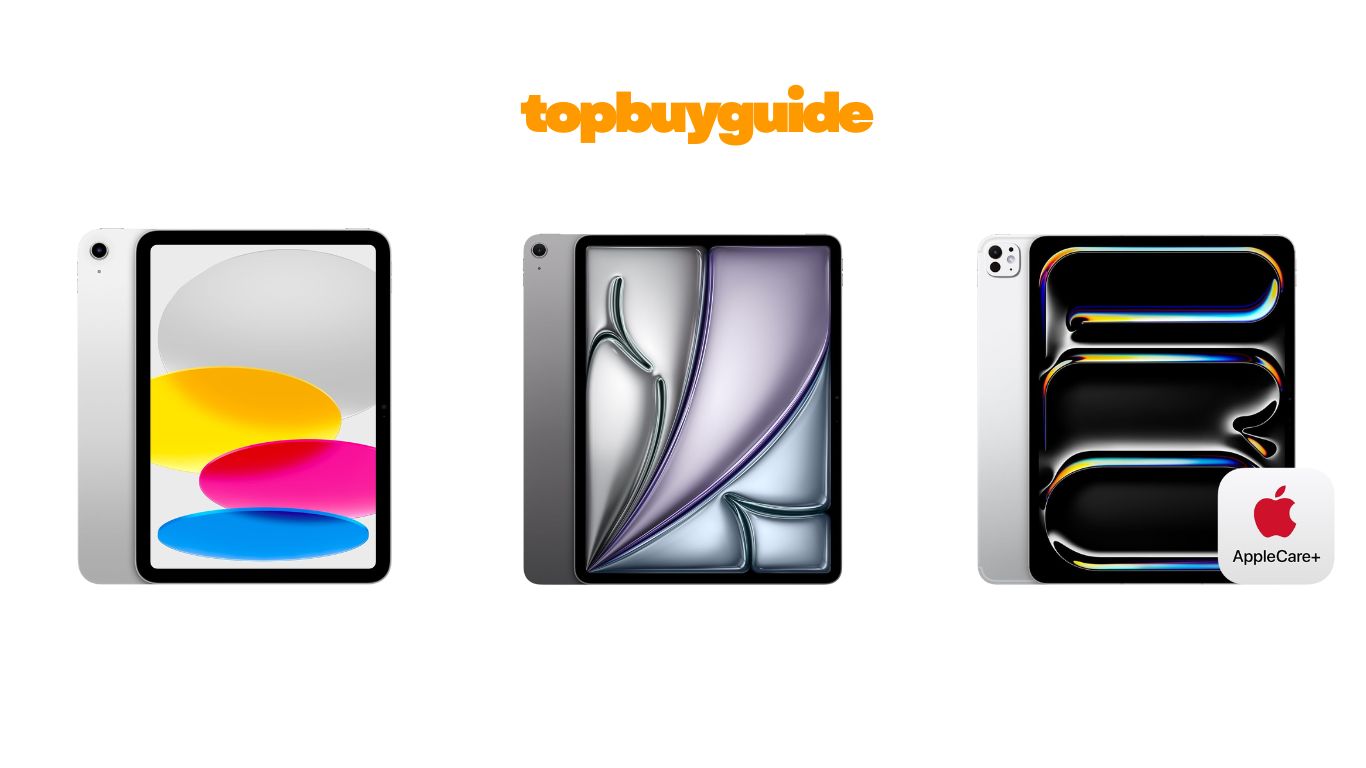
Choosing a new iPad can be confusing. Apple offers three main models. You have the iPad, the iPad Air, and the iPad Pro. For most people, the iPad Air is the best choice. It balances power and price perfectly. It offers pro features without the pro price tag. This review will help you understand which iPad fits you best.
Why Do I Recommend The iPad Air?
I recommend the iPad Air for most users. It provides an excellent mix of features and value. You get a powerful device without the highest price. Here is why the iPad Air stands out.
- Powerful M3 Chip: The iPad Air uses the impressive M3 chip. This chip handles demanding apps and games easily. In comparison, the standard iPad has the A16 chip. The A16 is fast, but the M3 is significantly more powerful. The iPad Pro’s M4 chip is the fastest. However, most users won’t need that much power. The M3 is more than enough for daily tasks and creative work.
- Apple Intelligence: The iPad Air is built for Apple Intelligence. This is Apple’s new personal intelligence system. It helps you write, organize, and get things done. In contrast, the standard iPad with the A16 chip does not support these advanced AI features. This makes the iPad Air a more future-proof option for users who want the latest software capabilities.
- Display Quality: The iPad Air features a Liquid Retina display. It has P3 wide color and an anti-reflective coating. This makes the screen look stunning in various lighting conditions. While the standard iPad also has a Liquid Retina display, it lacks these premium enhancements. The iPad Pro offers the best display with the Ultra Retina XDR. But the iPad Air’s display is a major step up from the base model and is brilliant for watching movies and editing photos.
- Accessory Compatibility: The iPad Air works with the Apple Pencil Pro. It also supports the Magic Keyboard. These accessories transform the iPad Air into a creative and productive powerhouse. On the other hand, the standard iPad only works with the first-generation Apple Pencil and the Magic Keyboard Folio. This gives the iPad Air an edge for users who want the best accessory experience.
- Storage Options: The iPad Air offers a wide range of storage options. It goes from 128GB up to 1TB. This flexibility allows you to choose the right amount of storage for your needs. The standard iPad starts at a lower 128GB and goes up to 512GB. The Pro offers up to 2TB. The Air’s range is a great middle ground for most people.
- Connectivity: The iPad Air features Wi-Fi 6E. This provides faster and more reliable wireless connections. The standard iPad uses Wi-Fi 6. This is still fast, but Wi-Fi 6E is the newer, better standard. The iPad Pro also has Wi-Fi 6E. The iPad Air gives you this premium connectivity without the Pro’s price.
- Design and Portability: The iPad Air comes in two sizes, 11-inch and 13-inch. It has a thin and light design. It is easy to carry around. The standard iPad is slightly thicker and heavier. The iPad Pro is impressively thin, but the iPad Air strikes a great balance between screen size and portability.
Side By Side Comparison Chart: iPad vs iPad Air vs iPad Pro
| Feature | iPad | iPad Air | iPad Pro |
| Processor Chip | A16 Bionic | M3 | M4 |
| Display Type | Liquid Retina | Liquid Retina | Ultra Retina XDR |
| Screen Sizes | 11-inch | 11-inch, 13-inch | 11-inch, 13-inch |
| Display Technology | True Tone | True Tone, P3 Wide Color, Anti-Reflective | ProMotion, True Tone, P3 Wide Color, Nano-texture option |
| Apple Intelligence | No | Yes | Yes |
| Authentication | Touch ID (Top Button) | Touch ID (Top Button) | Face ID |
| Rear Camera | 12MP Wide | 12MP Wide | 12MP Wide, ProRes video |
| Front Camera | 12MP Ultra Wide (Landscape) | 12MP Ultra Wide (Landscape) | 12MP Ultra Wide (Landscape) |
| Connector | USB-C | USB-C (USB 3, up to 10Gb/s) | USB-C (Thunderbolt / USB 4) |
| Apple Pencil Support | Apple Pencil (1st gen), Apple Pencil (USB-C) | Apple Pencil Pro, Apple Pencil (USB-C) | Apple Pencil Pro, Apple Pencil (USB-C) |
| Keyboard Support | Magic Keyboard Folio | Magic Keyboard | Magic Keyboard for iPad Pro (M4) |
| Storage Options | 128GB, 256GB, 512GB | 128GB, 256GB, 512GB, 1TB | 256GB, 512GB, 1TB, 2TB |
| Wi-Fi | Wi-Fi 6 | Wi-Fi 6E | Wi-Fi 6E |
| 5G Cellular | Optional | Optional | Optional |
| Audio | Landscape stereo speakers | Landscape stereo speakers | Four-speaker audio |
| Starting Price | $299 | $549 | $1,199 |
What Common Features Can The iPad, iPad Air, and iPad Pro Do?
All three iPads share a core set of features. This makes them powerful and versatile tablets. They all run on iPadOS. This operating system is designed for a large multi-touch screen. It allows for intuitive navigation and multitasking. You can run multiple apps at once. You can also use features like Split View and Slide Over. This enhances productivity across all models.
Every iPad comes with a suite of essential Apple apps. This includes Safari for browsing the web. It also includes Messages for staying in touch. Keynote is there for creating presentations. The App Store is available on all models. It offers over a million apps designed specifically for iPad. This vast library ensures you can find an app for almost any task. Whether for work, creativity, or entertainment, there is an app for it.
The camera systems on all iPads are excellent. They all feature a 12MP rear camera. It is perfect for scanning documents or taking high-quality photos. They also have a landscape 12MP Ultra Wide front camera. This front camera supports Center Stage. Center Stage automatically keeps you in frame during video calls. This makes for a more engaging experience on FaceTime or other video conferencing apps.
Security is also a top priority across the line. The iPad and iPad Air use Touch ID. It is integrated into the top button. This lets you unlock your device and make secure payments with your fingerprint. The iPad Pro uses Face ID for even more seamless authentication. All models support Apple Pay. This allows for secure and easy payments in apps and on the web.
Finally, all-day battery life is a standard feature. Apple designs each iPad to last for up to 10 hours of web surfing or video watching. This means you can work, play, and create all day. You won’t have to worry about finding a power outlet. This reliable battery performance makes every iPad a great companion for on-the-go use.
Common Features of the iPad, iPad Air, and iPad Pro
| Feature | iPad | iPad Air | iPad Pro |
| Operating System | iPadOS | iPadOS | iPadOS |
| App Store Access | Yes | Yes | Yes |
| Landscape Front Camera | 12MP Ultra Wide with Center Stage | 12MP Ultra Wide with Center Stage | 12MP Ultra Wide with Center Stage |
| Security | Touch ID | Touch ID | Face ID |
| All-Day Battery Life | Up to 10 hours | Up to 10 hours | Up to 10 hours |
| Apple Pay | Yes | Yes | Yes |
| USB-C Connector | Yes | Yes | Yes |
| Wi-Fi Connectivity | Yes | Yes | Yes |
| Cellular Option | Yes | Yes | Yes |
A Detailed Comparison Of the iPad, iPad Air, and iPad Pro
Choosing the right iPad depends on your specific needs. Let’s break down the key differences between the iPad, iPad Air, and iPad Pro in detail.
Processor and Performance
The standard iPad is equipped with the A16 Bionic chip. This processor is powerful enough for everyday tasks. It handles web browsing, streaming, and light gaming with ease. It’s a capable chip that provides a smooth user experience. However, it is the oldest chip in the current lineup.
The iPad Air steps things up with the M3 chip. This chip is a significant leap in performance. It’s designed for more demanding applications. This includes video editing and graphic-intensive gaming. The M3 also powers Apple Intelligence features. This makes the iPad Air a smarter, more capable device.
The iPad Pro features the top-of-the-line M4 chip. This is Apple’s most powerful processor for a tablet. It is built for professionals who need extreme performance. It can handle complex 3D rendering and professional video workflows. For most users, this level of power is overkill. But for professionals, it’s a game-changer.
Display Quality
All three models have beautiful displays. But there are important differences. The standard 11-inch iPad has a Liquid Retina display. It’s bright, colorful, and sharp. It’s great for watching videos and general use. True Tone technology adjusts the display to ambient lighting. This makes for a more comfortable viewing experience.
The iPad Air also features a Liquid Retina display. It is available in 11-inch and 13-inch sizes. It adds P3 wide color for more vibrant and accurate colors. It also has an anti-reflective coating. This reduces glare, making it easier to use outdoors. These enhancements provide a more premium viewing experience than the standard iPad.
The iPad Pro boasts the groundbreaking Ultra Retina XDR display. This is a tandem OLED display. It delivers extreme brightness and contrast. It has ProMotion technology, which adapts the refresh rate up to 120Hz. This results in incredibly smooth scrolling and responsiveness. For creative professionals, the color accuracy is unmatched. A nano-texture glass option is also available to minimize glare.
Design and Colors
The standard iPad comes in four fun colors: Blue, Pink, Yellow, and Silver. It offers a playful and vibrant look. It’s slightly thicker and heavier than the other models. But it remains a very portable and easy-to-handle device.
The iPad Air has a sleeker design. It’s available in Starlight, Space Gray, Blue, and Purple. These colors are more subdued and professional. The thin and light build makes it exceptionally portable. This is true for both the 11-inch and 13-inch models.
The iPad Pro has the most premium and thinnest design. It is impossibly thin and light. This makes it feel incredible to hold. It comes in two classic finishes: Silver and Space Black. The design screams professional and high-end.
Accessory Compatibility
Your choice of accessories can greatly impact your iPad experience. The standard iPad supports the Apple Pencil (1st generation) and the Apple Pencil (USB-C). It works with the Magic Keyboard Folio. This is a versatile two-piece keyboard and case.
The iPad Air offers broader and more advanced accessory support. It is compatible with the new Apple Pencil Pro. This pencil introduces new features like barrel roll and squeeze gestures. It also works with the Magic Keyboard. This keyboard provides a laptop-like typing experience with a trackpad.
The iPad Pro shares the same great accessory support as the iPad Air. It works with the Apple Pencil Pro and Apple Pencil (USB-C). It has its own specifically designed Magic Keyboard for iPad Pro (M4). This keyboard is thin, light, and features a function row.
Connectivity and Ports
All three iPads feature a USB-C port. However, the capabilities of this port vary. The standard iPad has a basic USB-C port. It supports charging and data transfer at USB 2.0 speeds. It can also connect to an external display.
The iPad Air’s USB-C port is faster. It supports USB 3 speeds up to 10Gb/s. This is great for transferring large files quickly. It provides more bandwidth for accessories and external drives.
The iPad Pro has the most advanced port. It’s a USB-C connector with support for Thunderbolt / USB 4. This offers speeds up to 40Gb/s. It’s ideal for professional workflows. You can connect high-resolution displays and high-speed storage. This makes the iPad Pro a true laptop replacement for many.
Conclusion
So, which iPad should you buy? The iPad Air is the best choice for most people. It offers a powerful M3 chip, a beautiful display, and support for the best accessories. It provides pro-level features at a more accessible price. It’s the perfect balance of performance and value.
If you need a basic tablet for media, browsing, and light tasks, the standard iPad is a great, affordable option. For professionals who demand the absolute best performance and display technology, the iPad Pro is the ultimate tool. Its M4 chip and Ultra Retina XDR display are unmatched.
FAQs
- Can the iPad replace my laptop?
For many users, yes. With a Magic Keyboard, the iPad Air and iPad Pro can handle most laptop tasks. This includes writing, spreadsheets, and photo editing. The iPad Pro is especially capable for professionals. - Which iPad is best for students?
The iPad Air is an excellent choice for students. It’s powerful enough for notes and research. It supports the Apple Pencil Pro for creative work. The standard iPad is also a great budget-friendly option for students. - Do I need the cellular model?
If you need internet access on the go, the cellular model is worth it. It lets you stay connected without relying on Wi-Fi. If you primarily use your iPad at home or work, the Wi-Fi-only model is fine. - How much storage do I need?
128GB is enough for casual users. If you plan to download lots of apps, movies, or take photos, consider 256GB or 512GB. Professionals working with large files should look at the 1TB or 2TB options on the Pro and Air. - Is the iPad Pro’s M4 chip really necessary?
For most people, no. The M3 chip in the iPad Air is incredibly fast. The M4 is for professionals who need maximum power for tasks like 4K video editing, 3D design, and intensive software development. - What is the main benefit of the iPad Pro’s display?
The iPad Pro has an Ultra Retina XDR display. It’s a tandem OLED screen. It offers much higher brightness and contrast than the other models. The ProMotion technology also makes it incredibly smooth and responsive. - Can I use the old Apple Pencil with the new iPads?
The standard iPad supports the 1st generation Apple Pencil. The iPad Air and iPad Pro do not. They work with the more advanced Apple Pencil Pro and the Apple Pencil (USB-C). Check compatibility before buying. - Is AppleCare+ worth it for an iPad?
Yes, it’s highly recommended. AppleCare+ provides peace of mind. It covers accidental damage, like drops and spills. Considering the cost of iPads, this protection can save you a lot of money on repairs.

Alex Turner is a dedicated product researcher and reviewer at TopBuyGuide.com, known for his clear, honest, and data-driven insights. He spends countless hours testing, comparing, and analyzing products to help readers make confident and informed buying decisions.