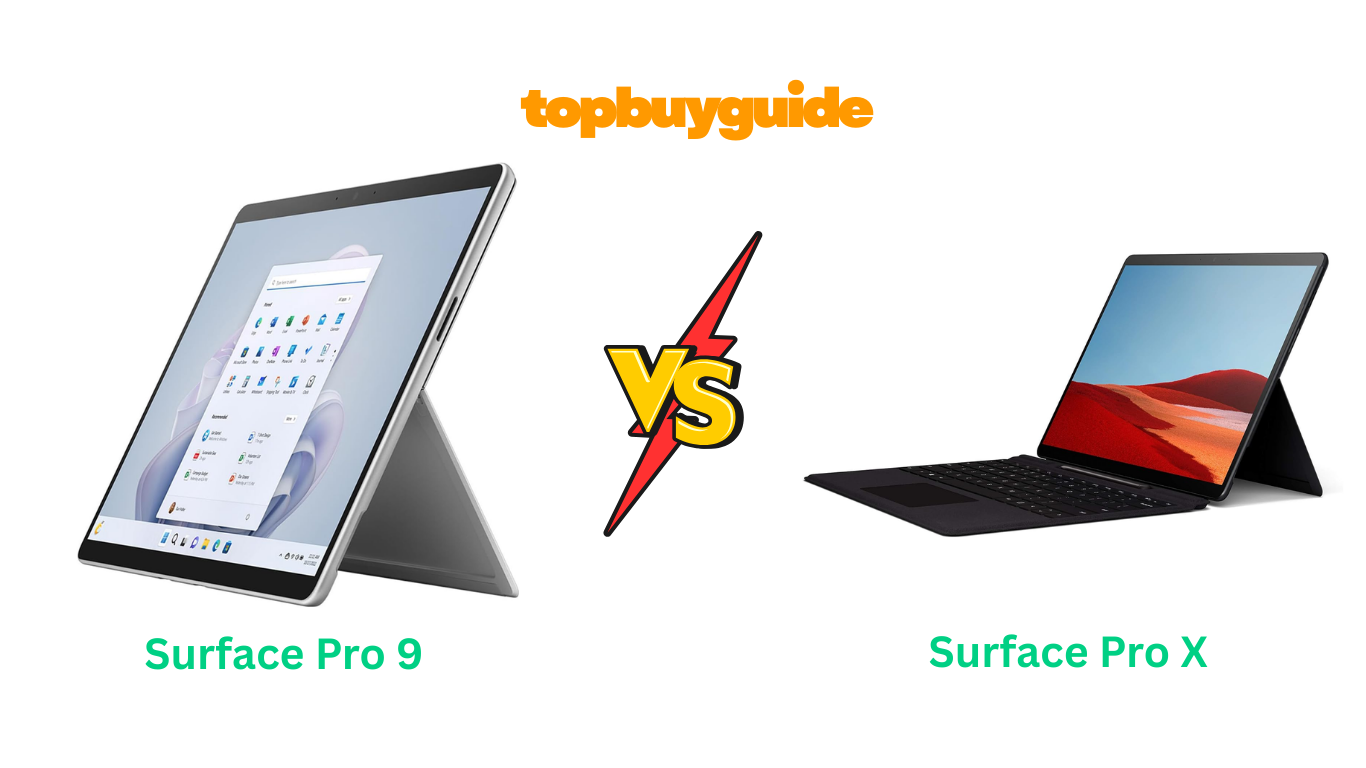
Choosing between the Surface Pro 9 and Surface Pro X can be tough. Both are excellent 2-in-1 devices. However, the Surface Pro 9 stands out as the superior choice. Its powerful Intel processor delivers unmatched performance and compatibility. This makes it ideal for demanding tasks and a wider range of applications. Ready to see why the Pro 9 takes the lead? Let’s dive into the details.
Why Do I Recommend The Surface Pro 9?
The Surface Pro 9 is my top recommendation for most users. It offers significant advantages over the Surface Pro X. The primary reason is its powerful processor options. These provide superior performance and broader software compatibility. Here are the key reasons why the Surface Pro 9 is the better choice.
- Superior Processor Performance: The Surface Pro 9 features a 12th Gen Intel Core i7 processor. This Deca-core (10 Core) chip offers incredible speed and efficiency. It handles demanding applications and heavy multitasking with ease. In contrast, the Surface Pro X uses a Microsoft SQ1 processor. While innovative, it doesn’t match the raw power and compatibility of the Intel chip.
- Enhanced RAM for Multitasking: With 16 GB of LPDDR5 RAM, the Surface Pro 9 ensures smooth multitasking. You can run multiple programs simultaneously without slowdowns. This is a noticeable upgrade from the Surface Pro X, which comes with 8 GB of older LPDDR4 RAM. More and faster RAM means a more fluid and responsive user experience.
- Advanced Operating System: The Surface Pro 9 comes with Windows 11 Pro. This provides advanced security and management features right out of the box. These are crucial for business and professional users. The Surface Pro X initially shipped with Windows 10 Home. While it’s upgradable, the Pro 9 offers a more robust OS for professional environments from the start.
- Thunderbolt 4 Connectivity: The Surface Pro 9 (Intel model) includes two USB-C ports with Thunderbolt 4 support. This allows for faster data transfer speeds. You can also connect to multiple 4K displays and use a wide range of accessories. The Surface Pro X lacks Thunderbolt 4, limiting its connectivity potential and data transfer speeds compared to the Pro 9.
- Longer Battery Life: The Surface Pro 9 boasts an impressive battery life of up to 15.5 hours. This allows you to work, stream, and create for longer without needing to recharge. The Surface Pro X offers up to 13 hours of battery life. While still good, the extra 2.5 hours on the Pro 9 can make a significant difference for users on the go.
- Higher Refresh Rate Display: The Surface Pro 9 features a dynamic refresh rate of up to 120Hz. This makes scrolling, inking, and gaming feel incredibly smooth and responsive. The Surface Pro X display is limited to a standard 60Hz refresh rate. The higher refresh rate on the Pro 9 provides a more premium and fluid visual experience.
- Greater Software Compatibility: Because the Surface Pro 9 uses an Intel processor, it runs all traditional x86-64 Windows applications without issue. The Surface Pro X, with its ARM-based SQ1 chip, relies on emulation for many legacy apps. This can lead to performance issues or incompatibility with some essential software. For guaranteed compatibility, the Pro 9 is the safer bet.
- Latest Wireless Technology: The Surface Pro 9 supports Wi-Fi 6 (802.11ax). This ensures faster and more reliable wireless connections, especially in crowded networks. The Surface Pro X uses the older Wi-Fi 5 (802.11ac) standard. The Pro 9’s newer technology provides a more stable and future-proof internet experience.
Side By Side Comparison Chart: Surface Pro 9 vs Surface Pro X
| Feature | Surface Pro 9 | Surface Pro X |
| Processor | 12th Gen Intel Core i7-1265U (10 Core) | Microsoft SQ1 (ARM-based) |
| RAM | 16 GB LPDDR5 | 8 GB LPDDR4 |
| Operating System | Windows 11 Pro | Windows 10 Home (Upgradable) |
| Battery Life | Up to 15.5 hours | Up to 13 hours |
| Ports | 2 x USB-C with Thunderbolt 4 | 2 x USB-C 3.2 |
| Wireless | Wi-Fi 6 (802.11ax) | Wi-Fi 5 (802.11ac) |
| Item Weight | 1.94 pounds | 1.7 pounds |
| App Compatibility | Full x86-64 compatibility | Relies on emulation for many apps |
What Common Features Can Surface Pro 9 vs Surface Pro X Do?
Despite their differences, the Surface Pro 9 and Surface Pro X share many great features. Both devices offer the premium design and versatility Microsoft is known for. They are built to be both powerful tablets and functional laptops. This makes them excellent choices for a wide range of users. Let’s explore the common features that make these devices stand out.
The most iconic feature is their 2-in-1 design. Both can function as a standalone tablet. They can also transform into a full laptop with the detachable Surface Keyboard. This versatility is perfect for professionals who need to switch between tasks. You can be typing a report one moment and drawing a sketch the next. The built-in kickstand on both models is highly adjustable. It allows you to set the perfect viewing angle for any situation.
Both the Surface Pro 9 and Pro X feature a stunning 13-inch PixelSense touchscreen. This high-resolution display is virtually edge-to-edge. It provides an immersive experience for work and entertainment. The 3:2 aspect ratio gives you more vertical screen space. This is ideal for productivity tasks like reading documents and browsing websites. Both screens are vibrant, sharp, and responsive to touch, providing a premium visual experience.
Pen support is another key common feature. Both devices are compatible with the Surface Slim Pen 2. This allows for a natural and intuitive writing and drawing experience. The pen offers exceptional pressure sensitivity and tilt support for shading. It feels just like using a real pen on paper. This makes both tablets excellent tools for artists, designers, and anyone who takes notes by hand. The pen can be securely stored and charged in the Surface Pro Signature Keyboard.
Finally, both tablets are designed for ultimate portability. They are incredibly thin and lightweight, making them easy to carry anywhere. The Surface Pro 9 weighs just 1.94 pounds, while the Pro X is even lighter at 1.7 pounds. This slim profile doesn’t compromise on durability. Both devices feature a premium build quality that feels solid and well-made. This combination of portability and robust design makes them perfect companions for professionals on the move.
Common Features of Surface Pro 9 vs Surface Pro X
| Feature | Surface Pro 9 | Surface Pro X |
| Display Size | 13 Inches | 13 Inches |
| Display Resolution | 2880 x 1920 | 2880 x 1920 |
| Touchscreen | Yes | Yes |
| Pen Support | Yes, Surface Slim Pen 2 | Yes, Surface Slim Pen 2 |
| Storage | 256 GB SSD | 256 GB SSD |
| Rear Camera | 10 MP | 10 MP |
| 2-in-1 Design | Yes | Yes |
| Kickstand | Yes, multi-position | Yes, multi-position |
A Detailed Comparison Of the Surface Pro 9 vs Surface Pro X
Processor and Performance
The Surface Pro 9 is a performance powerhouse. It is equipped with a 12th Gen Intel Core i7 Deca-core processor. This advanced CPU architecture allows it to handle intensive software with ease. Users will experience fast, responsive performance across all applications. This makes it an ideal choice for professionals who rely on resource-heavy programs for video editing, data analysis, or software development. The Pro 9 ensures a smooth, lag-free workflow.
In contrast, the Surface Pro X runs on a custom Microsoft SQ1 ARM-based processor. While this chip is optimized for mobility and efficiency, it can’t match the raw power of the Intel i7. The SQ1’s main drawback is its reliance on emulation to run many traditional Windows applications. This can sometimes result in slower performance or even incompatibility with certain software. For users needing guaranteed access to the full Windows ecosystem, this is a significant consideration.
RAM and Multitasking
The Surface Pro 9 comes with 16 GB of LPDDR5 RAM. This is the latest generation of mobile memory. It offers faster speeds and improved power efficiency. This generous amount of high-speed RAM allows for seamless multitasking. You can have numerous browser tabs, applications, and background processes running simultaneously. The device will not slow down. This makes it perfect for power users who need to juggle multiple tasks at once.
On the other hand, the Surface Pro X is configured with 8 GB of LPDDR4 RAM. While 8 GB is sufficient for everyday tasks like web browsing and document editing, it is half the amount found in the Pro 9. Furthermore, LPDDR4 is an older and slower standard compared to LPDDR5. This can become a bottleneck when running several applications at the same time. This limitation makes the Pro X less suitable for heavy multitasking or future-proofing your device.
Battery Life and Portability
Microsoft claims the Surface Pro 9 offers up to 15.5 hours of typical device usage. This all-day battery life is a huge advantage for students, professionals, and travelers. You can leave your charger at home and work confidently through your day. This extended battery performance is achieved through the efficiency of the 12th Gen Intel processor and optimizations in Windows 11. It’s a device designed for those who are constantly on the move.
The Surface Pro X provides a respectable battery life of up to 13 hours. While still impressive, it falls short of the Pro 9 by about 2.5 hours. This difference could be critical for users who have long days away from a power source. The Pro X is slightly lighter, weighing 1.7 pounds compared to the Pro 9’s 1.94 pounds. However, for most users, the substantial increase in battery life on the Pro 9 will be more valuable than the minor weight difference.
Connectivity and Ports
The Intel-based Surface Pro 9 features two USB-C ports with Thunderbolt 4 support. This is a game-changer for connectivity. Thunderbolt 4 provides up to 40Gbps of bandwidth. This allows you to connect to multiple 4K monitors, use high-speed external storage, and power a wide range of accessories. This level of versatility makes the Pro 9 a true desktop replacement. The inclusion of Wi-Fi 6 also ensures the fastest possible wireless speeds.
The Surface Pro X is more limited in its port selection. It has two standard USB-C 3.2 ports. These ports do not support Thunderbolt 4. This means slower data transfer speeds and less capability for connecting external devices. It also features Wi-Fi 5, an older standard than the Wi-Fi 6 found in the Pro 9. For users who need maximum connectivity and future-proof ports, the Surface Pro 9 is the clear winner in this category.
Conclusion
After a detailed comparison, the Surface Pro 9 is the clear winner. It simply offers more power, performance, and versatility. Its 12th Gen Intel Core i7 processor and 16 GB of RAM handle any task you throw at it. The superior battery life and Thunderbolt 4 ports add significant value. While the Surface Pro X is a sleek device, its ARM processor limits app compatibility. For a reliable, future-proof machine that won’t let you down, the Surface Pro 9 is the best investment.
Frequently Asked Questions (FAQs)
- Can the Surface Pro X run all Windows applications?
No, the Surface Pro X uses an ARM-based processor. It can run many applications through emulation, but some older or more demanding x86-64 software may not be compatible or may run with reduced performance. The Surface Pro 9 with an Intel chip offers full compatibility. - Is the Surface Pro 9 better for gaming?
Yes, the Surface Pro 9 with its Intel Core i7 processor and Intel Iris Xe Graphics provides significantly better gaming performance than the Surface Pro X. It can handle more demanding games at higher settings, though it is not a dedicated gaming laptop. - Do accessories for the Surface Pro X work with the Surface Pro 9?
Many accessories, like the Surface Pro Signature Keyboard and Surface Slim Pen 2, are compatible with both models. However, because the port types differ (Thunderbolt 4 on Pro 9), some specific docking stations or external devices may not be cross-compatible. - Which device is better for travel?
Both are excellent for travel due to their slim and light designs. The Surface Pro X is slightly lighter, but the Surface Pro 9 offers a longer battery life of up to 15.5 hours, which may be more crucial for travelers. - Does the Surface Pro 9 have 5G connectivity?
The Intel-based Surface Pro 9 model being compared here does not have 5G. However, Microsoft offers a separate Surface Pro 9 with 5G model that features the Microsoft SQ3 ARM processor, similar to the architecture of the Surface Pro X. - Is the screen on the Surface Pro 9 better than the Surface Pro X?
Both have the same size and resolution. However, the Surface Pro 9’s display supports a dynamic refresh rate of up to 120Hz. This provides a smoother experience for scrolling and inking compared to the 60Hz display on the Surface Pro X. - Which model offers more storage and RAM options?
The Surface Pro 9 generally offers a wider range of configurations. It can be configured with more RAM (up to 32GB) and larger SSD storage options compared to the Surface Pro X, providing more flexibility for power users. - Is it worth upgrading from a Surface Pro X to a Surface Pro 9?
If you need better performance, broader app compatibility, and faster connectivity with Thunderbolt 4, then upgrading to the Surface Pro 9 is a worthwhile investment. The performance leap from the ARM-based Pro X to the Intel-based Pro 9 is substantial for demanding workloads.

Alex Turner is a dedicated product researcher and reviewer at TopBuyGuide.com, known for his clear, honest, and data-driven insights. He spends countless hours testing, comparing, and analyzing products to help readers make confident and informed buying decisions.