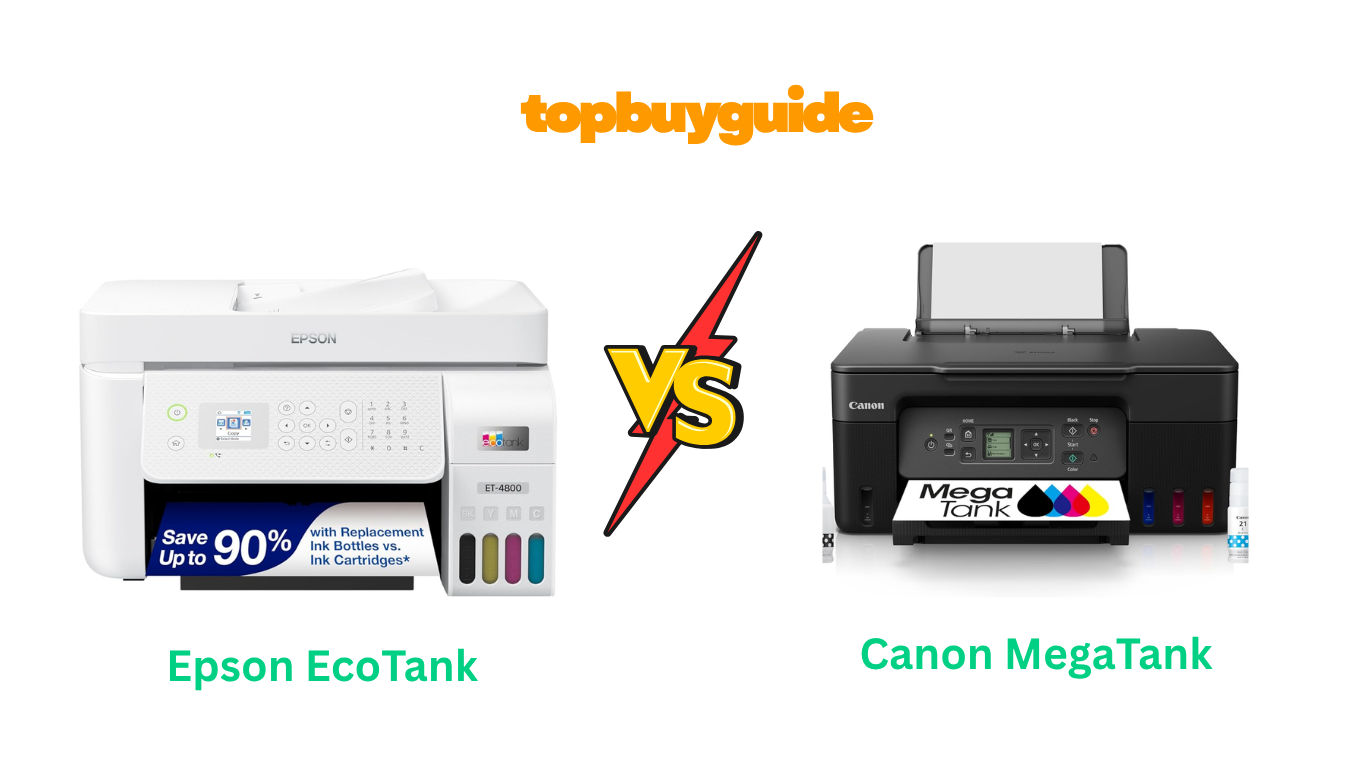
Choosing a new printer can be overwhelming, especially when weighing upfront costs against long-term savings. The Epson EcoTank and Canon MegaTank are leading the charge in cartridge-free printing, but which one is right for you? For most home office users, the Epson EcoTank ET-4800 is the superior choice due to its automatic document feeder and impressive long-term value. This review will break down why it stands out.
Why Do I Recommend The Epson EcoTank ET-4800?
The Epson EcoTank ET-4800 edges out the competition with features designed for a productive home office. Here are the key reasons why it’s my top recommendation:
- Automatic Document Feeder (ADF): The Epson EcoTank ET-4800 includes a multi-page automatic document feeder for scanning and copying. In contrast, the Canon PIXMA G3270 only has a flatbed scanner, requiring you to manually place each page, which is less efficient for multi-page documents.
- Dual-Sided Printing: The Epson model offers automatic duplex printing, allowing you to print on both sides of the paper without manual intervention. This is a significant time-saver and reduces paper consumption. The Canon G3270, however, only supports manual two-sided printing.
- Fax Capability: For those who still need it, the Epson EcoTank ET-4800 comes equipped with a built-in fax function. This feature is entirely absent from the Canon MegaTank G3270, making the Epson a more complete all-in-one solution for some office environments.
- Higher Print Resolution: With a maximum color print resolution of 5760 x 1440 DPI, the Epson EcoTank ET-4800 offers sharper and more detailed prints. By comparison, the Canon MegaTank G3270 provides a resolution of 4800 x 1200 DPI.
- Ethernet Connectivity: The Epson ET-4800 provides a wired Ethernet port in addition to Wi-Fi. This ensures a stable and reliable network connection, which can be crucial in offices with spotty wireless signals. The Canon G3270 relies solely on USB and Wi-Fi.
- Sheetfed Scanner: In addition to its flatbed scanner, the Epson model includes a sheetfed scanner via its ADF. This makes digitizing stacks of documents much faster and more convenient than the flatbed-only option on the Canon.
- Sustainability Focus: Epson emphasizes its commitment to reducing waste with its EcoTank printers, which are ECOLOGO certified for reduced environmental impact. This focus on sustainability may appeal to environmentally conscious buyers.
- Advanced Heat-Free Technology: The Epson ET-4800 utilizes Micro Piezo Heat-Free Technology, which produces sharp text and impressive graphics while consuming less power. This can contribute to lower energy bills and a smaller carbon footprint over time.
Side By Side Comparison Chart: Epson EcoTank vs Canon MegaTank
| Feature | Epson EcoTank ET-4800 | Canon PIXMA G3270 |
| Price | $299.99 | $159.00 |
| All-in-One Functions | Print, Copy, Scan, Fax | Print, Copy, Scan |
| Automatic Document Feeder | Yes | No |
| Duplex Printing | Automatic | Manual |
| Connectivity | Wi-Fi, Ethernet, USB | Wi-Fi, USB |
| Max Color Resolution | 5760 x 1440 DPI | 4800 x 1200 DPI |
| LCD Screen | 1″ Color Display | 1.35″ Backlit LCD |
| Item Weight | 11 lbs | 13.2 lbs |
What Common Features Can Epson EcoTank vs Canon MegaTank Do?
Despite their differences, both the Epson EcoTank ET-4800 and Canon MegaTank G3270 share a core benefit: they are supertank printers designed to save you money on ink. Instead of using small, expensive cartridges, they feature large, refillable ink tanks that you fill from low-cost bottles. This system dramatically lowers the cost per page and reduces the frequency of refills.
Both printers are designed as all-in-one devices, capable of printing, scanning, and copying. This makes them versatile tools for any home or small office. You can handle a variety of tasks from a single machine, saving space and simplifying your workflow. Whether you need to print a report, scan a receipt, or make a copy of an important document, both the EcoTank and MegaTank have you covered.
Wireless connectivity is another shared strength. Both models allow you to print directly from your computer, smartphone, or tablet over Wi-Fi. The Epson EcoTank ET-4800 uses the Epson Smart Panel app, while the Canon MegaTank G3270 uses the Canon PRINT app. These applications enable you to manage print jobs, check ink levels, and access other printer functions remotely, adding a layer of convenience to your printing tasks.
Both printers are capable of producing high-quality color prints, including borderless photos. While their resolutions differ slightly, both are suitable for printing everything from crisp text documents to vibrant family photos. They support various paper types and sizes, giving you the flexibility to tackle different projects without compromising on quality.
Common Features of Epson EcoTank vs Canon MegaTank
| Feature | Epson EcoTank ET-4800 | Canon PIXMA G3270 |
| Printing Technology | Inkjet | Inkjet |
| Ink System | Refillable Ink Tank | Refillable Ink Tank |
| Printer Output | Color | Color |
| Wireless Printing | Yes | Yes |
| Mobile App Support | Yes (Epson Smart Panel) | Yes (Canon PRINT) |
| Scanner Type | Flatbed | Flatbed |
| Borderless Printing | Yes | Yes |
| Voice Control | Yes (Works with Alexa) | Yes (Works with Alexa) |
A Detailed Comparison Of the Epson EcoTank vs Canon MegaTank
Print, Copy, Scan, and Fax
The Epson EcoTank ET-4800 is a true 4-in-1 device, offering printing, copying, scanning, and faxing capabilities. The inclusion of a fax machine makes it a comprehensive solution for home offices that still rely on this technology for sending and receiving documents. Its automatic document feeder (ADF) streamlines the process of scanning or copying multi-page documents, saving you significant time and effort. You can simply load a stack of papers and let the machine do the work.
In contrast, the Canon PIXMA G3270 is a 3-in-1 printer that covers printing, scanning, and copying but lacks a fax function. More importantly, it does not have an ADF. This means that for multi-page scanning or copying, you must place each page on the flatbed scanner individually. While this is fine for occasional use, it becomes tedious for larger jobs, making the Canon G3270 less suitable for high-volume office environments where efficiency is key.
Cost and Ink Efficiency
The most compelling reason to choose a supertank printer is the long-term savings on ink, and both models excel here. The Epson EcoTank ET-4800 comes with enough ink to print up to 4,500 black and 7,500 color pages, which Epson estimates is equivalent to about 90 individual ink cartridges. With an upfront cost of $299.99, the value is realized over time as you avoid the recurring expense of cartridges. Replacement ink bottles are also affordably priced, keeping your running costs low.
The Canon PIXMA G3270 is significantly cheaper upfront at just $159.00 and boasts an even higher page yield from its included ink bottles: up to 6,000 black and 7,700 color pages. This gives it a slight edge in terms of initial ink value. If your primary concern is the lowest possible entry price and you don’t need the advanced features of the Epson, the Canon MegaTank offers an unbeatable value proposition for basic printing needs.
Print Speed and Quality
When it comes to speed, the Canon MegaTank G3270 has a slight advantage in monochrome printing, with a maximum speed of 11 pages per minute (ppm) compared to the Epson EcoTank ET-4800’s 10 ppm. For color printing, the Canon G3270 is also slightly faster at 6 ppm versus the Epson ET-4800’s 5 ppm. While this difference is minor for small jobs, it can add up when printing larger documents.
However, the Epson ET-4800 pulls ahead in print quality with a higher maximum resolution of 5760 x 1440 dots per inch (DPI). This allows for sharper text and more vibrant, detailed color images and photos. The Canon G3270 offers a respectable 4800 x 1200 DPI, which is more than adequate for everyday documents, but the Epson’s superior resolution makes it a better choice for users who prioritize print clarity and detail in their output.
Connectivity and Usability
Both printers offer robust connectivity options, including Wi-Fi and USB, and support for mobile printing apps and voice assistants like Alexa. The Epson EcoTank ET-4800, however, adds an Ethernet port. This feature provides a more stable and secure wired connection, which is a valuable asset in an office setting where a reliable network link is essential. It also features automatic duplexing, making two-sided printing effortless.
The Canon PIXMA G3270 relies on Wi-Fi and USB and requires manual duplexing, which is less convenient. Where the Canon excels in usability is its larger 1.35-inch backlit LCD screen, which is easier to read and navigate than the smaller 1-inch color display on the Epson. For users who prefer to operate the printer directly without a computer or app, the Canon’s more user-friendly screen is a clear benefit.
Conclusion
For most home office users, the Epson EcoTank ET-4800 is the best choice. Although it has a higher initial price, its automatic document feeder, automatic duplex printing, and fax capabilities provide a level of convenience and productivity that the Canon MegaTank G3270 cannot match. If you frequently scan, copy, or print multi-page, two-sided documents, these features will save you a tremendous amount of time, making the extra investment well worth it.
However, if you are on a tight budget and your printing needs are simple, the Canon PIXMA G3270 is an incredible value. At nearly half the price of the Epson, it offers excellent ink efficiency and solid print quality for everyday tasks. If you can live without an ADF and automatic duplexing, the Canon is a smart, budget-friendly option that will still save you a fortune on ink.
FAQs
- Which printer is better for photos, Epson EcoTank or Canon MegaTank?
Both printers produce good-quality photos, but the Epson EcoTank ET-4800 has a higher print resolution (5760 x 1440 DPI vs. 4800 x 1200 DPI), which can result in sharper and more detailed images. For those who prioritize photo quality, the Epson may have a slight edge. - Can I use third-party ink in these printers?
Both Epson and Canon strongly recommend using their genuine ink bottles to ensure optimal performance and print quality. Using non-genuine ink could cause damage to the print heads that may not be covered by the printer’s warranty. - What does “manual duplexing” mean on the Canon MegaTank G3270?
Manual duplexing means that to print on both sides of a page, you must first print one side, then manually remove the paper, flip it over, and re-insert it into the printer to print the other side. This is less convenient than the automatic duplexing on the Epson ET-4800. - Is the Automatic Document Feeder (ADF) on the Epson ET-4800 worth the extra cost?
If you frequently scan or copy documents with multiple pages, the ADF is a game-changer. It automates the process, saving you time and effort. For users who only scan single pages occasionally, it may not be a necessary feature, making the Canon G3270 a more cost-effective choice. - How difficult is it to set up these printers and fill the ink tanks?
Both printers are designed for easy setup. They come with clear instructions and mobile apps to guide you through the process. The ink bottles are keyed to prevent you from putting the wrong color in the wrong tank, making the refill process simple and mess-free. - Do these printers work with Apple AirPrint?
Yes, both the Epson EcoTank ET-4800 and the Canon PIXMA G3270 are compatible with Apple AirPrint, allowing you to easily print from your iPhone, iPad, or Mac without needing to install additional drivers. - Which printer is more compact?
The Epson EcoTank ET-4800 is slightly smaller and lighter (11 lbs) compared to the Canon PIXMA G3270 (13.2 lbs). If desk space is a major concern, the Epson has a slightly smaller footprint. - Do the included ink bottles completely fill the tanks?
Yes, both printers come with a full set of ink bottles that are used for the initial setup and to fill the tanks. It’s important to note that some of this ink is used to charge the system initially, so the page yield from the first set of bottles may be slightly lower than that of replacement bottles.

Alex Turner is a dedicated product researcher and reviewer at TopBuyGuide.com, known for his clear, honest, and data-driven insights. He spends countless hours testing, comparing, and analyzing products to help readers make confident and informed buying decisions.