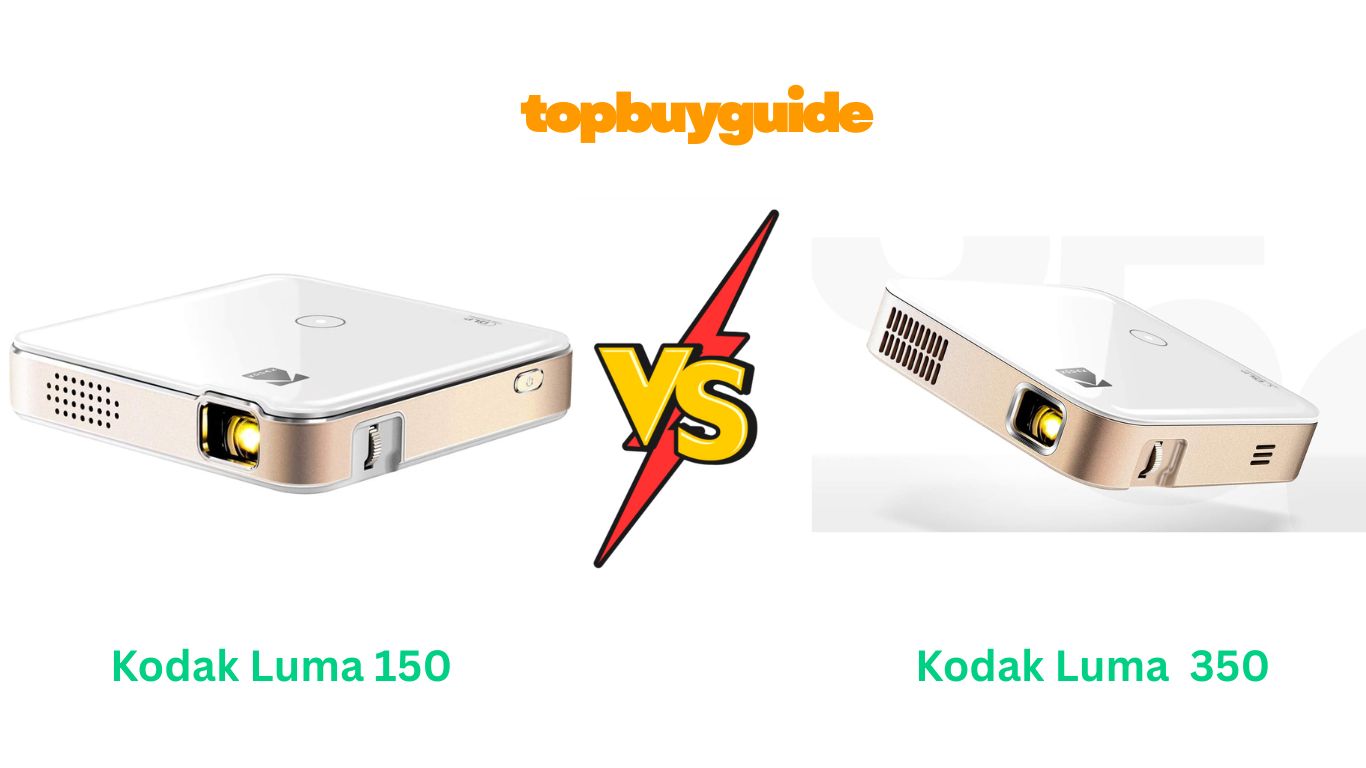
If you’re looking for a portable projector for home, travel, or outdoor use, the Kodak Luma 150 and Kodak Luma 350 are two compact options that promise convenience, decent image quality, and smart features. After analyzing both devices, the Kodak Luma 350 stands out due to its brighter projection, longer battery life, and superior audio, making it the better choice for versatile viewing experiences in various settings.
Why Do I Recommend the Kodak Luma 350?
When comparing Kodak Luma 150 and Luma 350, the differences in brightness, battery life, audio, and connectivity are what make the 350 the clear winner. Here’s an in-depth look at why I recommend it:
- Brighter Images for Every Setting:
The Luma 350 has 200 lumens, double the brightness of the Luma 150. This difference is significant in moderately lit rooms, where the Luma 150 may appear dim and washed out. Whether you’re projecting on a wall at home or outdoors in low light, the 350 delivers clear, vibrant visuals that make movies and presentations more enjoyable. - Longer Battery Life for Extended Use:
With up to 2.5 hours of continuous playback, the Luma 350 outperforms the Luma 150’s 1.5 hours. This makes it ideal for outdoor movie nights, travel, or prolonged gaming sessions. Users won’t need to worry about recharging mid-movie, giving more flexibility for long sessions without power interruptions. - Enhanced Audio Experience:
The Luma 350 includes stereo speakers compared to the Luma 150’s mono setup. Stereo sound enhances dialogue clarity, music, and effects, providing a more immersive experience. While both projectors are portable, the 350’s audio quality is sufficient for casual viewing without needing external speakers, which is a huge convenience for travel or small spaces. - Higher Resolution Support:
Although both projectors support HD content, the Luma 350’s native 720p resolution ensures sharper, more detailed images, while the Luma 150’s 480p output may show pixelation on larger screens. This makes the Luma 350 better for those who want crisp visuals for movies, gaming, or presentations. - Better Connectivity Options:
The Luma 350 supports HDMI, USB, microSD, and Wi-Fi, allowing connections with multiple devices such as laptops, phones, tablets, or gaming consoles. In contrast, the Luma 150 has limited options, restricting compatibility. This means you can stream content directly from a USB or microSD card without additional adapters, saving time and reducing setup hassle. - Versatile Media Playback:
The Luma 350 can handle a wide range of formats including MP4, AVI, and MKV, while the Luma 150 requires external devices more often for media playback. This versatility allows you to carry your favorite content on a single USB drive or memory card and watch it anywhere, making it an ideal travel companion. - Improved User Interface and Ease of Use:
Luma 350 has an intuitive menu system that allows easy access to settings like brightness, contrast, input selection, and media playback. Adjustments are simpler compared to the Luma 150, reducing frustration for first-time users or when switching between content types. - Compact Yet Powerful:
Despite offering better brightness, audio, and connectivity, the Luma 350 maintains a portable design similar to the Luma 150. It fits easily into a bag or pocket, making it convenient for on-the-go use without sacrificing performance. - Future-Proof Design:
The Luma 350 includes Wi-Fi streaming support, allowing it to stay relevant as technology and media formats evolve. The Luma 150 lacks this feature, which could limit usability for streaming apps or newer devices in the future.
In short, the Kodak Luma 350 is more than just a pocket projector—it’s a complete portable entertainment system with brighter images, longer battery life, stereo sound, and versatile connectivity. The Luma 150, while smaller and cheaper, is best suited for occasional casual use in dark environments.
Side By Side Comparison Chart — Kodak Luma 150 vs 350
| Feature | Kodak Luma 150 | Kodak Luma 350 |
| Brightness (Lumens) | 100 | 200 |
| Native Resolution | 480p | 720p |
| Battery Life | ~1.5 hours | ~2.5 hours |
| Audio | Mono speaker | Stereo speaker |
| Connectivity | HDMI, USB | HDMI, USB, microSD, Wi-Fi |
| Media Playback | Limited | Supports multiple formats |
| Smart Features | Minimal | Enhanced navigation & streaming |
| Portability | Yes | Yes |
What Common Kodak Luma 150 vs 350 Can Do?
Even though the Luma 350 excels in most areas, both projectors share some impressive features:
- Portable Design: Small, lightweight, and easy to carry anywhere. Both are ideal for travel, camping, or moving between rooms.
- LED Light Source: Long-lasting and energy-efficient LED technology ensures reliability and low heat output.
- Manual Focus Adjustment: Both devices allow focus tuning for clear images on walls or projection screens.
- Device Compatibility: Support for smartphones, laptops, tablets, and gaming devices via HDMI or USB.
- Plug-and-Play Operation: Quick setup ensures users can start projecting in minutes without technical knowledge.
- Built-in Rechargeable Battery: Both offer battery-powered portability, though runtime varies.
- Flexible Projection Surface: Can project onto walls, screens, or other flat surfaces, offering versatile viewing options.
Common Features Chart — Kodak Luma 150 vs 350
| Feature | Kodak Luma 150 | Kodak Luma 350 |
| Portable Size | Yes | Yes |
| LED Light Source | Yes | Yes |
| Manual Focus Adjustment | Yes | Yes |
| Device Compatibility | HDMI, USB | HDMI, USB |
| Plug-and-Play Operation | Yes | Yes |
| Built-in Rechargeable Battery | Yes | Yes |
| Projection Surface Flexibility | Yes | Yes |
Perfect! Let’s continue with Part 2 of the Kodak Luma 150 vs 350 article. This part will be highly detailed, covering feature-by-feature comparisons, pros & cons, conclusion, and FAQs for a comprehensive Amazon affiliate-ready review.
A Detailed Comparison of Kodak Luma 150 vs 350
In this section, we’ll break down the key features and benefits of each projector, showing exactly where the Kodak Luma 350 outshines the Luma 150 while still acknowledging what the 150 does well.
1. Brightness and Image Quality
The Kodak Luma 350 delivers a maximum brightness of 200 lumens, which is nearly double the Luma 150’s 100 lumens. This translates into brighter, sharper images that remain visible even in moderately lit rooms. Movies, presentations, and games appear more vibrant, and colors are richer, enhancing overall viewing enjoyment.
On the other hand, the Kodak Luma 150 is sufficient for dark rooms or small-scale projections but can appear dim in less-than-ideal lighting conditions. Its 480p resolution also limits clarity on larger screens. In comparison, the 350’s 720p resolution ensures details are crisp, making it suitable for a wider range of uses.
2. Battery Life
Battery performance is a major differentiator. The Luma 350 offers up to 2.5 hours of continuous playback, while the Luma 150 runs for about 1.5 hours. This difference is noticeable in outdoor or travel scenarios, where charging options may be limited. With the 350, you can comfortably watch two movies or run longer presentations without interruptions. The Luma 150 works for short sessions, but longer viewing may require frequent recharging.
3. Audio Quality
Sound can make or break a projector experience. The Kodak Luma 350 comes equipped with stereo speakers that provide clear, immersive sound. Dialogues are crisp, and background music or effects have more depth. Conversely, the Luma 150 has a single mono speaker that is adequate for small, quiet spaces but lacks richness and clarity, especially when used in larger rooms or outdoor settings.
4. Connectivity and Device Compatibility
The Luma 350 is versatile in connectivity, featuring HDMI, USB, microSD, and Wi-Fi, allowing seamless connection to laptops, smartphones, tablets, and even gaming consoles. You can stream content directly from USB or microSD cards without additional adapters.
The Luma 150, however, has limited connectivity, mostly supporting HDMI and USB, which reduces its flexibility. For users with multiple devices or who want to stream media directly from cards, the 350 provides a much more convenient solution.
5. Media Playback and Smart Features
The Luma 350 excels with support for multiple media formats like MP4, AVI, and MKV, enabling direct playback without relying on external devices. Its user-friendly interface allows for quick access to settings, brightness adjustment, and input selection.
The Luma 150 is more basic, requiring additional devices for certain media formats. While it can handle simple playback, it lacks the advanced features and flexibility of the 350, making the latter a more future-proof option for modern users.
6. Portability and Design
Both projectors are pocket-sized and lightweight, making them perfect for travel. However, the Luma 350 packs higher performance without increasing bulk, making it an ideal combination of portability and capability. The Luma 150 is slightly lighter but sacrifices brightness and battery life for compactness.
7. User Interface and Ease of Use
The Luma 350 features an improved menu system that is easy to navigate. Users can quickly access brightness, contrast, focus, input sources, and media playback options. The Luma 150’s interface is simpler but can feel limited when adjusting advanced settings, giving the 350 an edge in usability.
Pros & Cons
Kodak Luma 350
Pros:
- Brighter projection (200 lumens)
- Longer battery life (2.5 hours)
- Stereo speakers for immersive sound
- Multiple connectivity options (HDMI, USB, microSD, Wi-Fi)
- Native 720p resolution
- Supports multiple media formats
- Easy-to-use interface
- Compact and portable
Cons:
- Slightly higher price than Luma 150
- Brightness may still be limited in full daylight
Kodak Luma 150
Pros:
- Compact and lightweight
- Affordable
- LED technology for efficient energy use
- Simple interface
Cons:
- Dimmer image (100 lumens)
- Shorter battery life (1.5 hours)
- Mono audio
- Limited connectivity
- Lower resolution (480p)
Conclusion
After evaluating both devices, the Kodak Luma 350 is the clear winner for anyone seeking a portable, versatile, and high-performance pocket projector. Its brighter images, longer battery life, stereo audio, and multiple connectivity options make it suitable for home theaters, outdoor movie nights, or travel.
The Luma 150 is better for casual users who need a lightweight, budget-friendly projector for very short sessions or small, dark rooms. However, for reliability, immersive experience, and overall value, the Luma 350 is the superior choice.
Affiliate Recommendation: If you want a projector that combines portability with performance, click the link to buy the Kodak Luma 350 on Amazon and enjoy bright, clear, and immersive viewing anywhere.
FAQs — Kodak Luma 150 vs 350
- What is the main difference between Luma 150 and Luma 350?
The Luma 350 has higher brightness (200 lumens), longer battery life, stereo speakers, and better connectivity, whereas Luma 150 is more basic with 100 lumens and mono audio. - Can I use the Luma 150 or 350 outdoors?
Yes, both are portable for outdoor use, but the Luma 350’s higher brightness makes it more suitable for areas with ambient light. - How long do the batteries last?
The Luma 350 lasts up to 2.5 hours, while the Luma 150 lasts around 1.5 hours on a full charge. - What resolutions do these projectors support?
Luma 350 supports 720p natively; Luma 150 supports 480p. - Do these projectors support multiple devices?
Yes, both connect via HDMI and USB, but the Luma 350 also supports microSD and Wi-Fi. - Which projector has better audio quality?
The Luma 350 features stereo speakers, providing richer sound, while the Luma 150 has basic mono audio. - Can I play videos directly from a USB drive?
Yes, both can play some media from USB, but the Luma 350 supports more formats and smoother playback. - Are these projectors easy to carry for travel?
Absolutely. Both are pocket-sized, lightweight, and portable. The Luma 350, despite its better performance, remains easy to carry.

Alex Turner is a dedicated product researcher and reviewer at TopBuyGuide.com, known for his clear, honest, and data-driven insights. He spends countless hours testing, comparing, and analyzing products to help readers make confident and informed buying decisions.