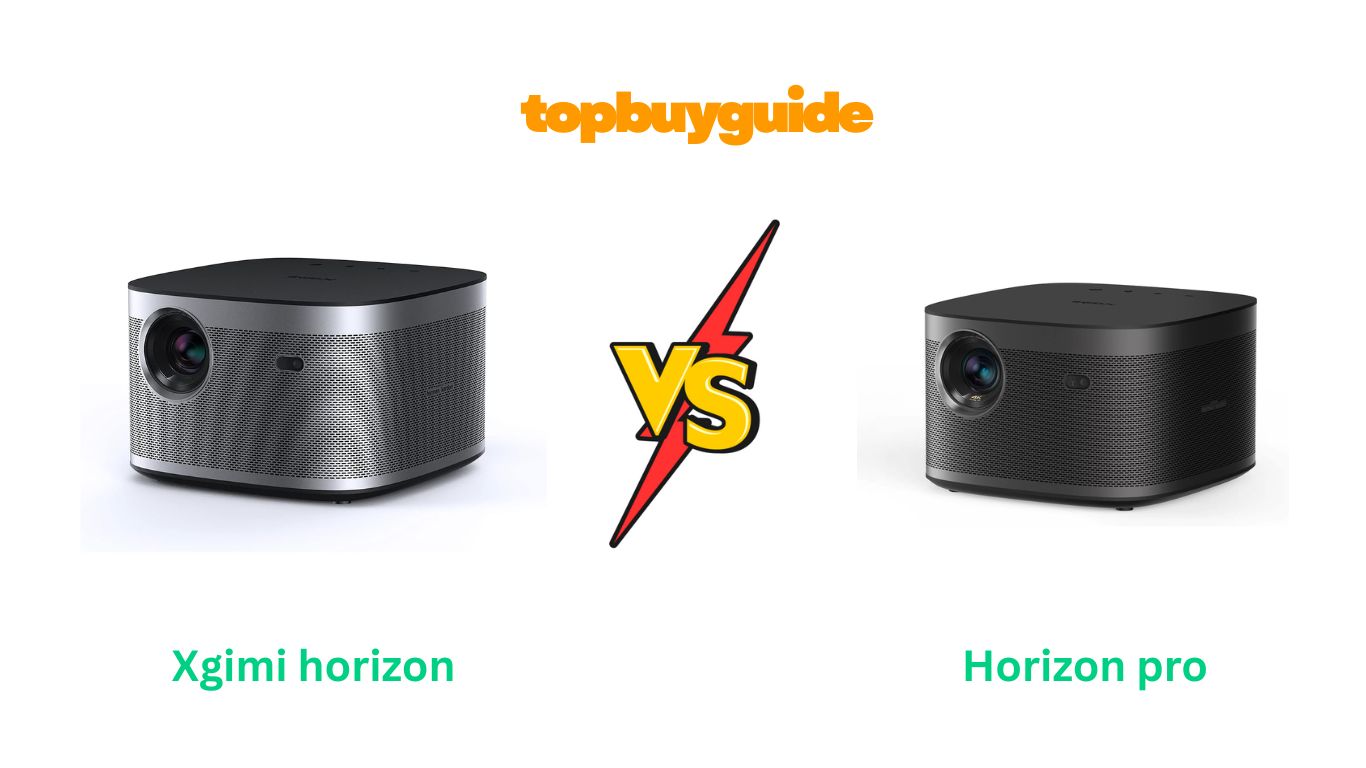
Looking for a projector that feels like a TV but way bigger? In this head-to-head I compare the XGIMI Horizon (1080p with 4K support) and the XGIMI Horizon Pro (true 4K). I’ll recommend one of them and explain why — then walk you through brightness, image, sound, ease of setup, gaming, and real-world pros/cons so you can buy with confidence.
My pick: XGIMI Horizon Pro— mainly because it delivers true 4K detail and smarter auto-calibration (ISA) for faster, more accurate setup and better image fidelity in real-world rooms.
Why Do I Recommend The Horizon Pro?
Below are 8 reasons I recommend the Horizon Pro over the standard Horizon. I’ll list Horizon Pro features/benefits first and then contrast them with the Horizon’s corresponding points so you can see why Pro wins for me.
- True 4K Resolution (Sharper detail). Horizon Pro uses a 4K optical engine (3840×2160) or pixel-shifting to produce true 4K-like detail, which is noticeably crisper for text, PC use, and 4K movies. By contrast, the Horizon is native 1080p with 4K input support — good, but not as detailed for close viewing.
- Superior image accuracy out of the box. The Pro typically needs less calibration and produces a more accurate image initially, which saves time for non-enthusiast users. The Horizon is bright and pleasing, but often needs tweaks for best color accuracy.
- Intelligent Screen Adaption (ISA) — auto alignment & object avoidance. Horizon Pro includes ISA (auto focus, auto screen alignment, auto keystone, obstacle avoidance) that makes setup nearly plug-and-play; Horizon has auto features, but ISA on Pro is more advanced.
- Balanced brightness and contrast handling. Horizon Pro maintains good HDR detail despite being tuned for 4K; the original Horizon is bright for daytime viewing but trades some sharpness vs the Pro. If you want fine HDR detail and cinematic presentation, Pro wins.
- Better pre-calibration color accuracy. Reviews show the Pro is more color-accurate pre-calibration compared with the Horizon — if you don’t plan to color-calibrate, the Pro will likely look better out of box.
- Optimized for home theater and gaming. The Pro supports modern HDR standards and comes with gaming-friendly modes; while both are gamer-capable, the Pro’s combination of 4K detail and low-lag modes gives it an edge.
- Strong built-in audio with Harman Kardon. Both have Harman Kardon speakers, but the Pro’s tuning and sound staging in small rooms is commonly reported as slightly better for movies. The Horizon still offers great audio for a projector, but Pro has a slight edge.
- Future-proofing. If you plan to keep a projector several years, the Pro’s true 4K and more advanced automation is a better long-term choice than a 1080p-based model.
Side By Side Comparison Chart — xgimi horizon vs horizon pro
| Feature | XGIMI Horizon | XGIMI Horizon Pro |
| Native resolution | 1080p (FHD) — 1920×1080 (4K input supported) | True 4K / 3840×2160 (4K optical engine / pixel shifting) ( |
| Brightness (ISO) | 1500 ISO lumens | 1500 ISO lumens (Pro tuned for 4K) |
| HDR support | HDR10 support (varies by model) | HDR10 / HLG support; better HDR handling in Pro. |
| Auto setup tech | Auto focus, auto keystone, object avoidance | Intelligent Screen Adaption (ISA): auto focus, auto keystone, auto screen alignment, obstacle avoidance, auto-brightness adjust. |
| Speakers | Harman Kardon built-in (good) | Dual Harman Kardon (tuned for better staging) |
| Input lag / Game Mode | Low-lag modes available | Low-lag + Game Mode Boost; better frame handling for gamers. |
| Smart OS | Android TV 10.0 (built-in) | Android TV (or Google TV in later firmware) — similar streaming features. |
| Ports | HDMI x2, USB, audio out | HDMI x2 (4K@60 supported on Pro), USB, audio out; similar I/O. |
| Weight | ~6–7 lbs (portable-ish) | ~6.4 lbs (similar) |
| Throw / Screen size | Long throw up to large screen sizes | Long throw up to very large screens; comparable throw ranges. |
| Price bracket | Lower than Pro (varies by seller) | Higher — premium step up for true 4K and ISA. |
(Notes: specifics can vary by retailer / firmware version — check the product page for the current spec sheet and price.)
Features — xgimi horizon vs xgimi horizon pro
| Features | xgimi horizon | xgimi horizon pro |
| Native resolution | 1080p (FHD) | 4K (3840×2160) / pixel-shifting |
| Brightness (ISO) | 1500 ISO lumens | 1500 ISO lumens |
| Auto calibration | Auto-focus, auto-keystone, obstacle avoidance | ISA: auto focus, auto screen alignment, obstacle avoidance, auto keystone, auto brightness |
| Audio | Harman Kardon speaker(s) | Dual Harman Kardon, DTS compatibility |
| Smart platform | Android TV 10.0 | Android TV / Google TV features |
| Gaming | Game mode available | Game Mode Boost, low-lag support |
| Connectivity | HDMI 2.0, USB, BT, WiFi | HDMI 2.0/2.1 support for 4K, USB, BT 5.0, dual-band WiFi |
| Weight / design | Portable-friendly colorful design | Slightly more refined build; similar portability |
| Warranty/Returns | 30-day return options via Amazon | 30-day return options via Amazon |
What Common xgimi horizon vs horizon pro Can Do
Both projectors share a lot in common — they’re built for living-room and casual home-theater use, and they deliver a modern, smart experience without requiring a PC. Below I list the major shared features and what they mean for you in practice.
Smart streaming and app access
Both models ship with Android TV (or similar Google/Android streaming features), so you get native access to Netflix, YouTube, Prime Video, and Chromecast/AirPlay functionality. That means you can stream directly from apps without an external dongle, and use the interface to browse apps, cast from a phone, or use built-in voice search. This is convenient if you want a TV-like experience with fewer external boxes.
Brightness suited to living rooms
Each projector is specified around 1500 ISO lumens, which means both are bright enough for dim to moderately lit rooms. You can use them during evening movie sessions or in a living room with controlled ambient light. They won’t match a bright TV in high daylight, but for most home setups they’re sufficiently bright. The Horizon tends to feel slightly brighter because of its image tuning, while the Pro uses brightness to enhance 4K detail.
Built-in Harman Kardon audio
Both projectors include Harman Kardon speakers tuned to deliver respectable sound without a soundbar. They’re not a replacement for a dedicated surround system, but for casual movie nights or gaming sessions in smaller rooms, the speakers are punchy and well-balanced. Expect better low-end and fuller sound than most cheap projector speakers.
Auto-focus and keystone correction
Both units aim to be user-friendly: they include autofocus and auto keystone to correct image geometry so you don’t need to spend ages aligning the projector. This is a big win if you move the projector around or use it for occasional presentations. The Pro’s ISA simply extends and refines this automation.
Low-latency gaming modes
Both projectors offer modes designed to lower input lag for gaming. While competitive gamers will still prefer monitors/TVs with <10 ms latency, these projectors are solid for console or casual PC gaming with recognizable responsiveness. The Pro tends to offer better frame handling in 4K configurations.
Connectivity and ports
Expect at least two HDMI ports, USB, Bluetooth, and WiFi on both. That allows multiple source connections (game console, streaming player, Blu-ray) and wireless audio/video casting. The Pro’s HDMI/firmware tends to handle 4K sources more robustly.
Common Features Chart — xgimi horizon vs horizon pro
| Feature | xgimi horizon | xgimi horizon pro |
| Android TV / streaming | Yes (Android TV 10.0) | Yes (Android TV / Google TV features) |
| Wireless casting | Chromecast / Airscreen support | Chromecast built-in, AirScreen support |
| Bluetooth | Bluetooth audio | Bluetooth 5.0 audio and BLE support |
| Auto focus / keystone | Yes | Yes (ISA has more advanced auto features) |
| Speakers | Harman Kardon built-in | Dual Harman Kardon, DTS-compatible audio |
| Brightness | 1500 ISO lumens | 1500 ISO lumens |
| Port selection | HDMI x2, USB, audio out | HDMI x2, USB, audio out; 4K-ready HDMI on Pro |
A Detailed Comparison Of the xgimi horizon vs horizon pro
Below I compare each major feature with an H3 heading. For each feature I describe how the Horizon performs and then how the Horizon Pro performs (so you can see the direct differences).
Resolution & image clarity
Horizon: The Horizon is a native 1080p (Full HD) projector that accepts 4K sources and downscales them. It delivers a very pleasing image for movies and streaming, especially at larger screen sizes where pixel density is less obvious. If your viewing distance is a few feet further back (like a living room), 1080p still looks very good on 100–120″ screens.
Horizon Pro: The Horizon Pro steps up to a 4K optical engine (or true 4K/pixel-shifting implementation) and produces finer detail — especially noticeable when you sit closer or use the projector for desktop/PC content and text. For cinephiles or anyone wanting sharper 4K content, the Pro’s resolution advantage is clear.
Brightness & HDR handling
Horizon: Rated at around 1500 ISO lumens, Horizon provides strong brightness for most home environments and often looks brighter because of its image processing. This makes it favorable for family rooms with moderate ambient light.
Horizon Pro: Also rated near 1500 ISO lumens, the Pro manages brightness with a focus on rendering 4K/HDR detail. The Pro’s HDR handling is generally more nuanced — retaining highlights and shadow detail better than the base Horizon in many tests. If you prioritize HDR movie performance, the Pro has the edge.
Auto-setup and Intelligent Screen Adaption (ISA)
Horizon: Offers auto-focus, auto keystone, and object avoidance to simplify setup. It’s user-friendly for casual users who don’t want to fuss with manual adjustments.
Horizon Pro: Introduces or refines ISA (Intelligent Screen Adaption) — an integrated system that handles auto focus, auto screen alignment, auto keystone, obstacle avoidance, and even auto brightness adjustment based on ambient light. This makes the Pro significantly easier to position and use, especially if you change rooms or move the projector often.
Audio performance
Horizon: Built-in Harman Kardon speakers deliver surprisingly robust sound for a projector, with good midrange and clear dialogue — fine for most casual movie nights without external speakers.
Horizon Pro: Also Harman Kardon, typically tuned to offer fuller sound and better stereo imaging in small-to-medium rooms. For viewers who don’t want an external soundbar, the Pro gives a slightly more cinematic audio experience.
Gaming & input lag
Horizon: Has a Game Mode that reduces latency to acceptable levels for console gaming. It will satisfy casual gamers on consoles.
Horizon Pro: Offers Game Mode Boost and handles 4K sources better — if you want sharper visuals on a next-gen console and lower perceived input lag, the Pro is ideally suited. Competitive gamers may still prefer a dedicated gaming monitor, but the Pro is excellent for living-room console gaming.
Smart platform & apps
Horizon: Android TV 10.0 built in — access to major streaming apps and Google services. Easy app navigation and casting.
Horizon Pro: Similar or improved streaming platform (some newer units ship with Google TV features through updates) — both are future-proofed for streaming apps and casting. Updates may vary by region.
Build, portability & design
Horizon: Lightweight enough for occasional repositioning — good fit for renters or multi-room setups. Design is modern and minimal.
Horizon Pro: Slightly more refined finish and comparable portability. Both are portable relative to long-throw cinema projectors. Choose Pro for a slightly more premium look and feel.
Conclusion — Which one should you buy?
If you want sharp 4K detail, smarter auto-calibration (ISA), and slightly better out-of-box image accuracy, go with the XGIMI Horizon Pro. It’s my recommended pick for home theater enthusiasts, gamers who want 4K visuals, and anyone who values plug-and-play setup without fiddling with geometry and calibration. The Pro gives a real step up in perceived image quality and usability.
If you’re budget-conscious and want a very bright, excellent 1080p projector with Android TV, great Harman Kardon audio, and solid auto-features — the XGIMI Horizon remains a compelling choice. It’s perfect for living-room movie nights, streaming, and casual gaming when you don’t need native 4K.
FAQs (8 common Q&A — 30–50 words each)
- Is the Horizon Pro true 4K or just pixel-shifted?
Horizon Pro uses a 4K optical engine (or advanced pixel-shifting depending on the internal model) to deliver 3840×2160 resolution or equivalent 4K detail. In practice it provides much sharper text and 4K content than the native 1080p Horizon. - How bright are these projectors — can I use them in daylight?
Both are around 1500 ISO lumens, good for dim-to-moderately lit rooms. With heavy daylight the image will wash out; for daytime viewing you’ll want a controlled-light environment or a much brighter laser projector. - Do these projectors need external speakers?
They include Harman Kardon speakers that are surprisingly capable for casual viewing. For full cinematic bass and surround, an external soundbar or AVR is still recommended. - Which is better for gaming — Horizon or Horizon Pro?
Both support low-lag modes, but Horizon Pro handles 4K content and frame rates better, making it superior for modern consoles and for gamers who value resolution plus responsiveness. - How easy is setup?
Both are designed to be user-friendly with autofocus and keystone correction. The Horizon Pro’s ISA automates more steps (screen alignment, obstacle avoidance, brightness adjustment), so it’s easier and faster to set up perfectly. - Can I mount these on the ceiling?
Yes — both have mounting options or can be placed on a table. Check throw distance charts and mounting specs to ensure proper screen size and geometry for your room. Pro and Horizon have similar throw ranges. - Do they support Netflix and other streaming services natively?
Yes — Android TV/Google streaming platforms are onboard, which gives native access to major apps. Availability and app behavior can vary by region and firmware. - Are firmware updates important?
Yes. XGIMI occasionally updates features and streaming compatibility. Keep firmware up to date for app improvements, bug fixes, and better device stability.

Alex Turner is a dedicated product researcher and reviewer at TopBuyGuide.com, known for his clear, honest, and data-driven insights. He spends countless hours testing, comparing, and analyzing products to help readers make confident and informed buying decisions.