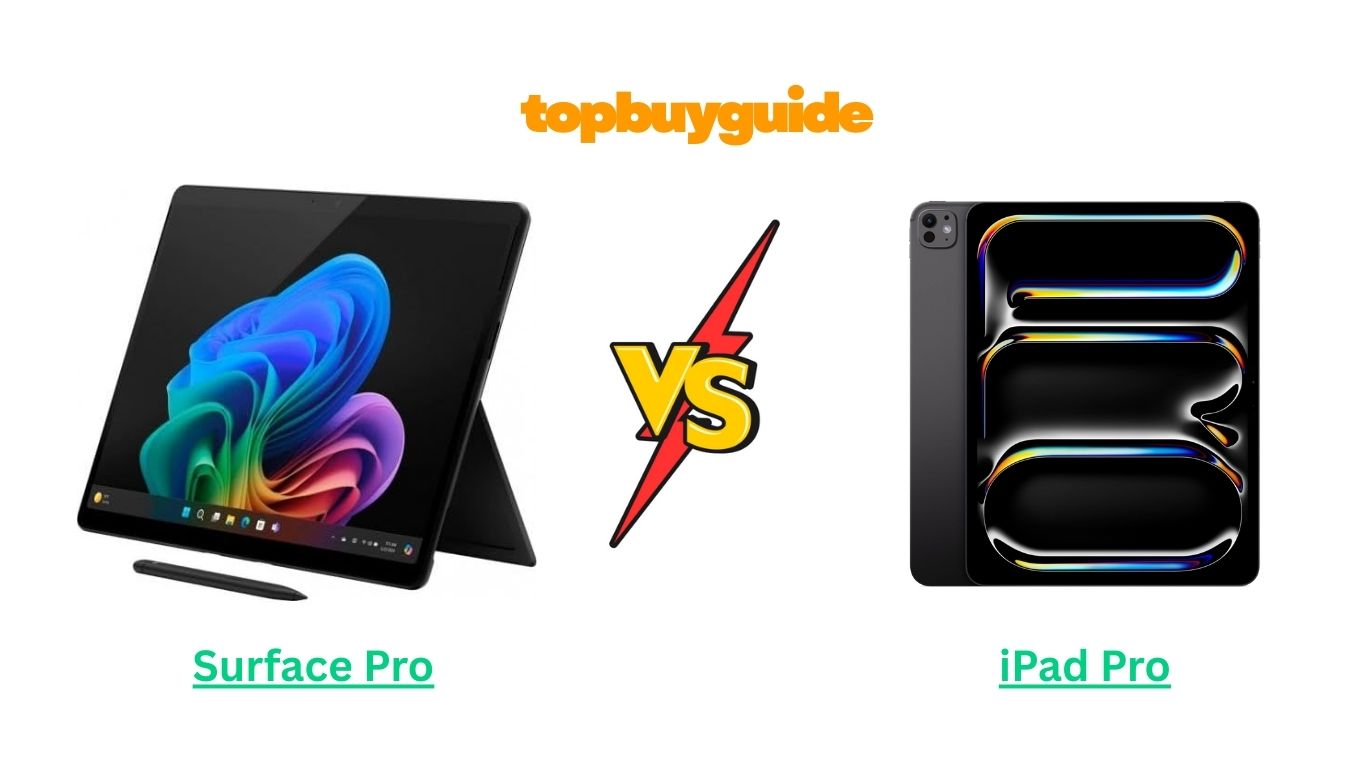
Choosing between the Surface Pro and iPad Procan feel overwhelming, especially if you want a tablet that doubles as a productivity powerhouse. Both devices pack premium features, but if you need a tablet that functions like a full PC with desktop apps, the Surface Pro takes the edge. Its Windows OS compatibility and versatile design make it perfect for multitaskers and professionals seeking flexibility. Let’s dive into a detailed comparison to help you make an informed choice.
Why Do I Recommend the Surface Pro?
The Surface Pro stands out as the better option for users who want the perfect balance between a tablet and a laptop. While the iPad Pro is undeniably sleek and powerful, the Surface Pro’s desktop-grade features provide a more versatile experience. Here’s why:
- Windows Operating System: Unlike the iPad Pro’s iPadOS, the Surface Pro runs full Windows 11. This means you can install traditional desktop software like Microsoft Office Suite, Adobe Creative Cloud, and more, making it ideal for professional work. In contrast, the iPad Pro relies on mobile versions of software, which can limit functionality.
- Kickstand & Keyboard Flexibility: The Surface Pro includes a built-in adjustable kickstand, paired with the Surface Keyboard (sold separately). This setup makes it easy to transform your tablet into a mini-laptop. The iPad Pro, while compatible with the Magic Keyboard, doesn’t offer a built-in kickstand, making it less flexible in certain setups.
- Intel Processor Power: Equipped with Intel Core processors, the Surface Pro delivers laptop-grade performance. Multitasking, running complex programs, or editing high-resolution media is smoother than on the iPad Pro, which relies on its Apple M1 or M2 chip—great for apps but less versatile for desktop-class programs.
- USB-C / Thunderbolt Ports: The Surface Pro offers multiple USB-C and Thunderbolt 4 ports, allowing you to connect external drives, monitors, or other accessories seamlessly. iPad Pro has USB-C/Thunderbolt too, but its ecosystem for external hardware is more limited compared to a full Windows device.
- Full Desktop Browser & File Management: The Surface Pro allows you to run a full version of browsers like Chrome, Edge, or Firefox with robust extensions, while the iPad Pro is restricted to Safari or mobile browser limitations. File management is also more intuitive with Windows’ native file explorer.
- Expandable Storage & Accessories: With microSD options and the flexibility to attach external drives or accessories, Surface Pro expands your storage and productivity options. iPad Pro is limited to its built-in storage or cloud services.
- Multi-Display Support: The Surface Pro can easily connect to multiple monitors with external docks or USB-C adapters, ideal for professionals who require a dual-screen workflow. The iPad Pro supports external displays but only mirrors the tablet interface or runs limited app extensions.
- Desktop Software Compatibility: If your work relies on professional-grade software (Photoshop, AutoCAD, Illustrator, etc.), Surface Pro is a better match because it runs full versions of these programs. The iPad Pro versions, while excellent for casual or creative use, may lack certain advanced features.
Side by Side Comparison Chart: Surface Pro vs iPad Pro
| Feature | Surface Pro | iPad Pro |
| Operating System | Windows 11 | iPadOS |
| Processor | Intel Core i5/i7 | Apple M1 / M2 |
| Display Size | 13-inch PixelSense | 11-inch or 12.9-inch Liquid Retina |
| Storage Options | 128GB – 1TB + external | 128GB – 2TB, no SD |
| Keyboard & Kickstand | Built-in adjustable kickstand, optional keyboard | Magic Keyboard (sold separately), no built-in kickstand |
| Port Selection | USB-C, Thunderbolt 4, Surface Connect | USB-C / Thunderbolt 4 |
| Multi-Display Support | Yes, multiple monitors | Limited, mostly mirroring |
| Software Compatibility | Full desktop apps | App Store apps, iPadOS versions |
| Stylus Support | Surface Pen (sold separately) | Apple Pencil 2nd Gen (sold separately) |
| Battery Life | Up to 13 hours | Up to 10-12 hours |
What Common Surface Pro vs iPad Pro Can Do
While both devices target high-end users, they also share essential tablet features for work, creativity, and entertainment.
Touchscreen & Stylus Support
Both Surface Pro and iPad Pro offer touchscreens and stylus support. The Surface Pen and Apple Pencil allow precise drawing, note-taking, and annotations. While the Surface Pen integrates tightly with Windows apps, the Apple Pencil excels in iPadOS creative apps like Procreate or Notes. Both support palm rejection, tilt sensitivity, and pressure detection.
High-Resolution Displays
Surface Pro’s PixelSense and iPad Pro’s Liquid Retina displays are both sharp, vibrant, and suitable for media consumption, drawing, and editing. True-to-life colors, high brightness, and responsive touch enhance the experience on either device, making them excellent for designers or media creators.
Lightweight & Portable
Despite their laptop-class performance, both tablets are lightweight and portable. You can easily carry them for meetings, lectures, or travel. They both strike a balance between a full laptop and a traditional tablet.
Battery Life
Both tablets offer strong battery performance. While usage varies depending on tasks, expect full-day productivity. Surface Pro handles mixed-use workflows, while iPad Pro is optimized for continuous app and media use.
Wireless & Connectivity Options
Surface Pro and iPad Pro support Wi-Fi 6 and Bluetooth connectivity. You can pair wireless headphones, keyboards, and other accessories effortlessly. Both also have optional cellular connectivity for internet on the go.
Multimedia Capabilities
Both devices are excellent for consuming media, streaming videos, and editing photos or videos. High-quality speakers and adaptive brightness enhance the viewing experience.
Common Features Chart: Surface Pro vs iPad Pro
| Feature | Surface Pro | iPad Pro |
| Touchscreen | Yes | Yes |
| Stylus Support | Surface Pen | Apple Pencil 2 |
| Display Quality | High-res PixelSense | Liquid Retina |
| Battery Life | Up to 13 hours | Up to 12 hours |
| Portability | Lightweight, portable | Lightweight, portable |
| Connectivity | Wi-Fi 6, Bluetooth | Wi-Fi 6, Bluetooth |
| Multimedia | Streaming, editing | Streaming, editing |
A Detailed Comparison of Surface Pro vs iPad Pro
1. Operating System and Productivity
The Surface Pro runs Windows 11, which is a full desktop operating system. This gives you access to professional-grade software like Adobe Creative Suite, Microsoft Office full versions, and even CAD or development tools. The interface is highly customizable, and multitasking is seamless thanks to features like multiple desktops and window snapping.
On the other hand, the iPad Pro runs iPadOS, which is designed for touch-first interactions. While iPadOS offers a rich ecosystem of apps, it is limited in terms of desktop-level productivity. Applications like Photoshop or Final Cut Pro are available in scaled-down or mobile versions, which may restrict some advanced workflows. For professionals who need full software access, Surface Pro offers a clear advantage.
2. Display Quality and Size
The Surface Pro features a 13-inch PixelSense Display with a resolution of 2880×1920 pixels, offering vibrant colors and excellent clarity for design, media editing, or general productivity. The screen supports 120Hz refresh rate, enhancing responsiveness when scrolling or using the Surface Pen.
The iPad Pro, depending on the model, comes in 11-inch or 12.9-inch Liquid Retina Display, with the 12.9-inch model featuring mini-LED technology, offering better contrast and HDR support. While the iPad Pro delivers stunning visuals for media consumption and drawing, the Surface Pro’s display is more versatile for work that requires precise color accuracy in professional apps.
3. Performance and Processor
The Surface Pro is powered by Intel Core i5 or i7 processors, providing laptop-grade performance. This allows for demanding tasks like video editing, 3D rendering, and multitasking multiple professional applications without lag.
The iPad Pro uses Apple’s M1 or M2 chip, which is extremely fast for iPadOS apps and offers smooth graphics performance. However, when compared to a full desktop processor, the iPad Pro may not handle desktop-grade software as efficiently. If your work involves running desktop applications or virtual machines, Surface Pro’s processor provides more flexibility and raw computing power.
4. Port Selection and Connectivity
The Surface Pro offers USB-C, Thunderbolt 4, and Surface Connect ports, allowing connection to multiple monitors, external drives, and professional peripherals. This makes it ideal for a productivity workstation on the go.
The iPad Pro features USB-C / Thunderbolt ports as well, but its ecosystem is more restricted to Apple-approved peripherals. While great for creative tasks and media transfers, it lacks the plug-and-play flexibility of a full Windows tablet.
5. Keyboard and Input Methods
With the Surface Pro, the built-in kickstand and optional Type Cover allow for a complete laptop-like experience. You can adjust the angle, type comfortably, and switch between tablet and laptop mode seamlessly. The Surface Pen adds precise stylus input, useful for annotations, design, or note-taking.
The iPad Pro supports the Magic Keyboard and Apple Pencil 2, which are excellent tools for creatives. However, the keyboard requires external support and doesn’t have an integrated kickstand, limiting flexibility in certain work setups.
6. Battery Life
Battery performance is important for mobile professionals. The Surface Pro offers around up to 13 hours of mixed-use battery life, which is sufficient for a full workday including browsing, document editing, and light media use.
The iPad Pro provides 10–12 hours of battery life, which is excellent for media consumption and app usage but slightly lower if you rely on continuous productivity tasks like video editing or running multiple applications simultaneously.
7. Software and App Ecosystem
Surface Pro has the advantage of running full Windows applications, allowing complete integration into professional workflows. This includes office productivity, creative tools, development software, and even legacy programs.
The iPad Pro has access to a wide array of apps from the App Store. These are optimized for touch and Apple Pencil, making them excellent for digital art, note-taking, and media consumption. Yet, they cannot completely replace desktop software for advanced work.
8. Multitasking and Multi-Display
The Surface Pro excels in multitasking. You can run multiple windows, split-screen apps, and extend your workspace to multiple monitors via Thunderbolt or Surface Dock. This flexibility is unmatched for productivity and professional setups.
The iPad Pro supports Split View and Slide Over, but external monitor support is limited to mirroring or certain app extensions, which doesn’t replicate a full multi-display workstation experience.
9. Portability and Design
Both devices are lightweight and portable. The Surface Pro weighs around 1.96 pounds, making it easy to carry as a tablet or mini-laptop. Its kickstand adds versatility for various setups.
The iPad Pro is slightly lighter depending on the model (11-inch is lighter than Surface Pro), extremely thin, and has a premium build. It’s ideal for creatives and casual users who prioritize portability over laptop-like features.
Conclusion
When deciding between the Surface Pro vs iPad Pro, it ultimately comes down to your intended use:
- Choose Surface Pro if you need a tablet that doubles as a laptop. Its full Windows OS, desktop software compatibility, versatile ports, multi-display support, and professional-grade performance make it ideal for business users, students, and creative professionals.
- Choose iPad Pro if your focus is on digital creativity, media consumption, and Apple ecosystem apps. Its Liquid Retina display, Apple Pencil support, and iPadOS apps are perfect for drawing, note-taking, and entertainment but less suited for full desktop workflows.
For Amazon affiliate purposes, linking to the Surface Pro is likely to appeal to users looking for productivity and flexibility, which may result in higher conversion rates.
FAQs: Surface Pro vs iPad Pro
- Can the Surface Pro replace a laptop?
Yes, the Surface Pro can function as a full laptop with the Type Cover and Windows OS, supporting desktop apps, external monitors, and professional workflows. - Is the iPad Pro good for professional use?
Yes, for creative tasks like drawing, video editing, and note-taking. However, it lacks desktop-grade software compatibility for full professional workflows. - Which tablet has better multitasking capabilities?
The Surface Pro excels due to Windows’ multi-window support, desktop applications, and multi-display connectivity. iPad Pro is limited to Split View and Slide Over. - Are the styluses compatible across devices?
No. The Surface Pen works exclusively with Surface devices, and the Apple Pencil 2 works only with iPad Pro models. - Can I connect external monitors to the iPad Pro?
Yes, but only via limited mirroring or certain app extensions. Surface Pro allows full multi-monitor setups via Thunderbolt or Surface Dock. - How long does the battery last?
Surface Pro: up to 13 hours; iPad Pro: 10–12 hours, depending on usage. - Which device is better for students?
Surface Pro is better for students who need desktop apps and multi-tasking. iPad Pro is ideal for note-taking, reading, and lightweight tasks. - Is the Surface Pro heavier than the iPad Pro?
Slightly. The Surface Pro weighs around 1.96 lbs, whereas the 11-inch iPad Pro is lighter. The tradeoff is additional functionality.

Alex Turner is a dedicated product researcher and reviewer at TopBuyGuide.com, known for his clear, honest, and data-driven insights. He spends countless hours testing, comparing, and analyzing products to help readers make confident and informed buying decisions.