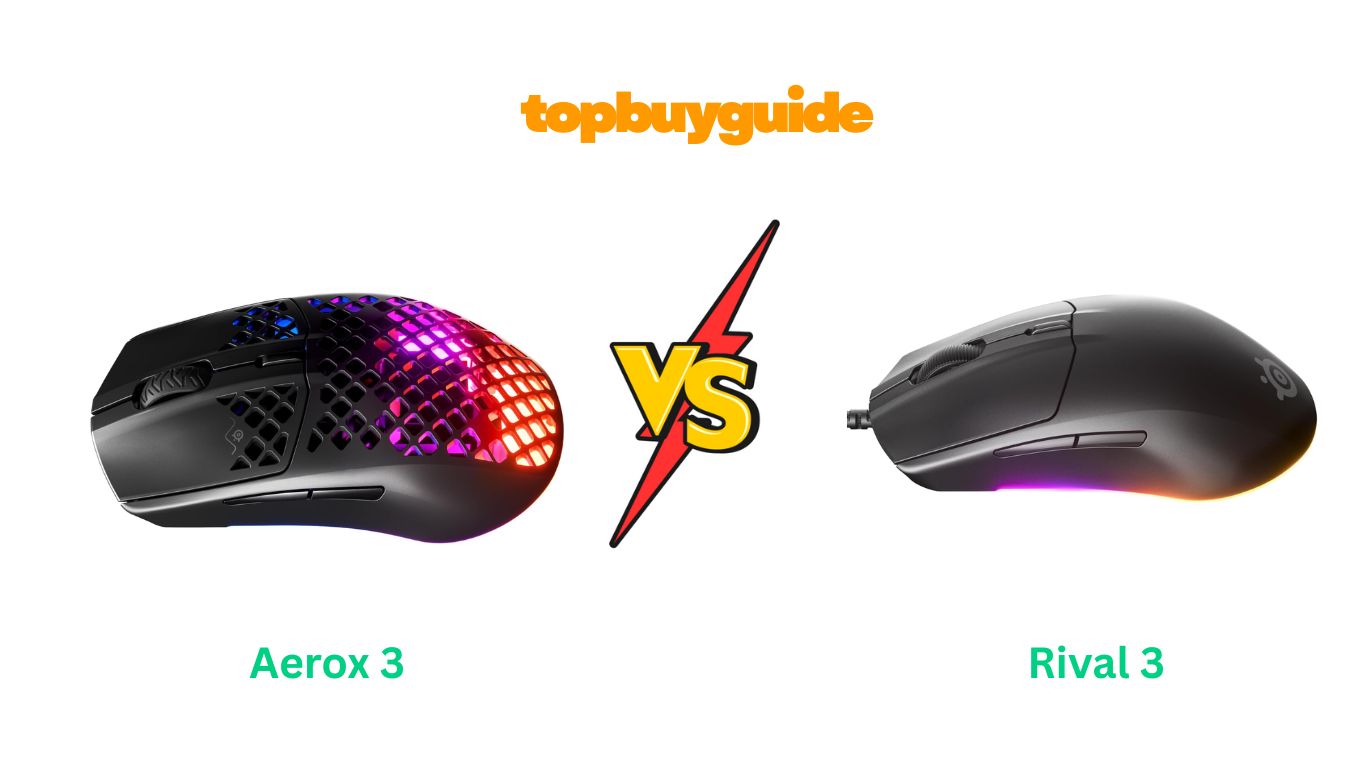
Choosing the right gaming mouse can be tough. If you’re comparing the SteelSeries Aerox 3 and the Rival 5, the choice comes down to your priorities. For gamers who value speed, lightweight design, and wireless freedom above all else, I recommend the Aerox 3. Its feather-light build and dual-wireless connectivity offer a distinct advantage in fast-paced games. Ready to see why it might be your next favorite mouse?
Why Do I Recommend The Aerox 3?
While both mice are top contenders from SteelSeries, the Aerox 3 stands out for specific reasons that cater to a certain type of gamer. Here’s a breakdown of why it pulls ahead of the Rival 5 for those prioritizing speed and a minimalist setup.
- Ultra-Lightweight Design: The Aerox 3 weighs a mere 68 grams. This is significantly lighter than the Rival 5, which comes in at 85 grams. For competitive FPS gamers, this lighter weight allows for faster flicks, quicker reactions, and less fatigue during long gaming sessions, offering an edge where every millisecond counts. In contrast, the Rival 5 feels more substantial, which some may prefer, but it doesn’t match the sheer speed potential of the Aerox 3.
- Dual Wireless Freedom: The Aerox 3 offers both lag-free 2.4GHz wireless and Bluetooth 5.0 connectivity. This versatility is a huge plus, allowing you to connect to multiple devices without a cable or switch to a power-efficient Bluetooth mode for non-gaming tasks. The Rival 5, on the other hand, is a wired-only mouse. While this guarantees a stable connection, it lacks the clean, cable-free setup and flexibility of the Aerox 3.
- Exceptional Battery Life: With up to 200 hours of battery life on a single charge (using 2.4GHz), the Aerox 3 is a powerhouse. You can game for weeks without worrying about plugging it in. Since the Rival 5 is wired, battery life isn’t a factor, but it also means you’re always tethered to your PC.
- Sleek, Minimalist Button Layout: The Aerox 3 features a standard 6-button layout. This design is perfect for players who prefer a clean, straightforward approach, primarily for FPS and action games where complex macros aren’t a priority. The Rival 5, however, has 9 programmable buttons, including a 5-button side panel, making it more suited for MMO or MOBA players who need more commands at their fingertips.
- Holey Shell for Better Airflow: The perforated, honeycomb design of the Aerox 3 not only reduces weight but also helps keep your palm cool and sweat-free during intense matches. While the solid shell of the Rival 5 is comfortable, it doesn’t offer the same level of ventilation.
- Pure PTFE Glide Skates: The Aerox 3 is equipped with 100% virgin-grade PTFE feet, which provide an incredibly smooth and effortless glide across your mousepad. This feature enhances the mouse’s lightweight feel, making movements feel almost frictionless. The Rival 5 also has smooth skates, but the lighter weight of the Aerox 3 makes this feature more impactful.
Side By Side Comparison Chart: aerox 3 vs rival 5
| Feature | Aerox 3 | Rival 5 |
| Weight | 68g | 85g |
| Connectivity | 2.4GHz Wireless, Bluetooth 5.0 | Wired (USB) |
| Buttons | 6 Programmable Buttons | 9 Programmable Buttons |
| Side Button Layout | 2 Standard Side Buttons | 5-Button Quick Action Panel |
| Battery Life | Up to 200 hours | N/A (Wired) |
| Shell Design | Holey (Perforated) | Solid |
| Cable | Detachable USB-C (for charging) | Attached Super Mesh Cable |
What Common Features Can the Aerox 3 vs Rival 5 Do?
Despite their differences, the Aerox 3 and Rival 5 share several core SteelSeries technologies that guarantee a premium gaming experience. These common features ensure that no matter which mouse you choose, you’re getting a high-quality, reliable piece of gaming hardware built for performance.
Both mice utilize the TrueMove Air Optical Sensor. This sensor, co-developed with PixArt, is a hallmark of SteelSeries precision. It offers true 1-to-1 tracking, which means the movement on your screen perfectly mirrors the movement of your hand, with no unwanted acceleration or prediction. This level of accuracy is critical for landing precise headshots in FPS games or executing perfect skill shots in MOBAs. With a maximum of 18,000 CPI, 400 IPS, and 40G of acceleration, this sensor provides the high-end performance needed for competitive gaming across all genres.
Another shared feature is the Next-Gen Golden Micro IP54 Switches. These mechanical switches are rated for 80 million clicks, ensuring exceptional durability and a consistently crisp, satisfying click feel over the lifespan of the mouse. The IP54 rating provides added protection against dust and water splashes, which is especially reassuring with the Aerox 3’s holey design. This means you can focus on your game without worrying about minor spills or environmental debris affecting your mouse’s performance.
Finally, both models are fully integrated with the SteelSeries GG software suite. This powerful software unlocks the full potential of your mouse, allowing for deep customization. You can remap buttons, create complex macros, and fine-tune the sensor’s CPI settings. The software also controls the stunning RGB lighting on both mice. With PrismSync, you can create beautiful, reactive lighting effects across multiple SteelSeries devices for a fully synchronized and immersive setup.
Common Features of Aerox 3 vs Rival 5
| Feature | Aerox 3 | Rival 5 |
| Sensor Type | TrueMove Air | TrueMove Air |
| Max CPI | 18,000 | 18,000 |
| Switches | Golden Micro IP54 | Golden Micro IP54 |
| Switch Durability | 80 Million Clicks | 80 Million Clicks |
| Software Support | SteelSeries GG | SteelSeries GG |
| RGB Lighting | PrismSync Enabled | PrismSync Enabled |
A Detailed Comparison Of the aerox 3 vs rival 5
Let’s dive deeper into the key features that set these two gaming mice apart to help you make the best decision for your setup and play style.
Weight and Design
The most significant difference is the weight. The Aerox 3 is built for speed with its 68g ultra-lightweight, holey shell. This design minimizes physical strain and allows for incredibly fast swipes and adjustments, a crucial advantage in fast-paced shooters. The perforated design also promotes airflow, helping to keep your hand cool during intense gaming marathons.
In contrast, the Rival 5 has a more traditional, solid body and weighs 85g. This added weight provides a more grounded and stable feel, which some gamers prefer for control and deliberate movements. The ergonomic shape is designed for comfort across various grip styles, but it doesn’t offer the same feather-light agility as the Aerox 3.
Connectivity
Here, the choice is between wireless freedom and wired reliability. The Aerox 3 offers dual-mode wireless connectivity with lag-free 2.4GHz for high-performance gaming and Bluetooth 5.0 for casual use or connecting to other devices like laptops. Its 200-hour battery life ensures you’re rarely reaching for the charging cable.
The Rival 5 is a wired mouse. It connects via a Super Mesh USB cable designed to reduce drag and feel almost wireless. This eliminates any concerns about battery life or connection drops, offering a consistently stable connection that many competitive players still trust for tournament play.
Programmable Buttons
Your preferred game genre will heavily influence which button layout is right for you. The Rival 5 is designed for multi-genre utility. It features 9 programmable buttons, including a unique 5-button side panel with a toggle switch. This layout is ideal for MMOs and MOBAs where you need quick access to a wide range of abilities, items, and commands.
The Aerox 3 keeps things simpler with a standard 6-button layout. This includes the two main clicks, a scroll wheel button, a DPI switch, and two side buttons. This streamlined design is perfect for FPS players who value a clean, uncluttered mouse and don’t need extensive macro capabilities.
RGB Lighting
Both mice feature brilliant RGB lighting that can be customized through the SteelSeries GG software, but the execution differs. The Aerox 3 has 3 RGB zones that shine beautifully through its transparent, holey shell, creating a more diffused and eye-catching glow that illuminates the mouse’s interior.
The Rival 5 boasts an impressive 10-zone RGB layout with PrismSync. The lighting is more structured, running along distinct strips on the side of the mouse and illuminating the logo and scroll wheel. This allows for more intricate and detailed lighting effects, making it a centerpiece of your RGB setup.
Conclusion
So, which mouse should you buy? The Aerox 3 is the clear winner for gamers who prioritize a lightweight, wireless experience for fast-paced FPS action. Its 68g frame and 200-hour battery life provide unmatched agility and freedom. In contrast, the Rival 5 is a fantastic choice for multi-genre players who need more programmable buttons for MMOs or MOBAs and prefer the stability of a slightly heavier, wired mouse.
FAQs
Which mouse is better for small hands?
The Aerox 3 is slightly smaller and lighter, which may make it more comfortable for users with small to medium-sized hands. The Rival 5 has a larger, more ergonomic shape that is generally better for medium to large hands.
Do I need the SteelSeries GG software to use these mice?
No, both mice are plug-and-play. However, to customize RGB lighting, program buttons, and adjust CPI settings, you will need to install the free SteelSeries GG software.
Is the holey design of the Aerox 3 durable and easy to clean?
Yes. The Aerox 3 features AquaBarrier™ technology, which is an IP54-rated coating that protects the internal circuitry from dust, dirt, and minor water splashes. While dust can get inside, a can of compressed air can easily clean it out.
How does the Rival 5’s Super Mesh cable feel?
The Super Mesh cable on the Rival 5 is very soft and flexible. It’s designed to minimize drag, so while it is a wired mouse, it provides a feeling of freedom that is much closer to a wireless experience compared to traditional braided or rubber cables.
Can I use the Aerox 3 while it’s charging?
Yes, the Aerox 3 comes with a detachable USB-C Super Mesh cable. You can plug it in and continue using the mouse in wired mode while it charges, so you never have to stop gaming.
What is the benefit of the Rival 5’s 5-button side panel?
The 5-button side panel on the Rival 5 gives you quick access to multiple in-game actions without having to reach for your keyboard. This is especially useful in complex games like MOBAs or MMOs for casting spells, using items, or executing macros.
Are the sensors on both mice the same?
Yes, both the Aerox 3 and the Rival 5 use the same high-performance TrueMove Air optical sensor. This ensures you get top-tier, 1-to-1 tracking and precision regardless of which model you choose.

Alex Turner is a dedicated product researcher and reviewer at TopBuyGuide.com, known for his clear, honest, and data-driven insights. He spends countless hours testing, comparing, and analyzing products to help readers make confident and informed buying decisions.