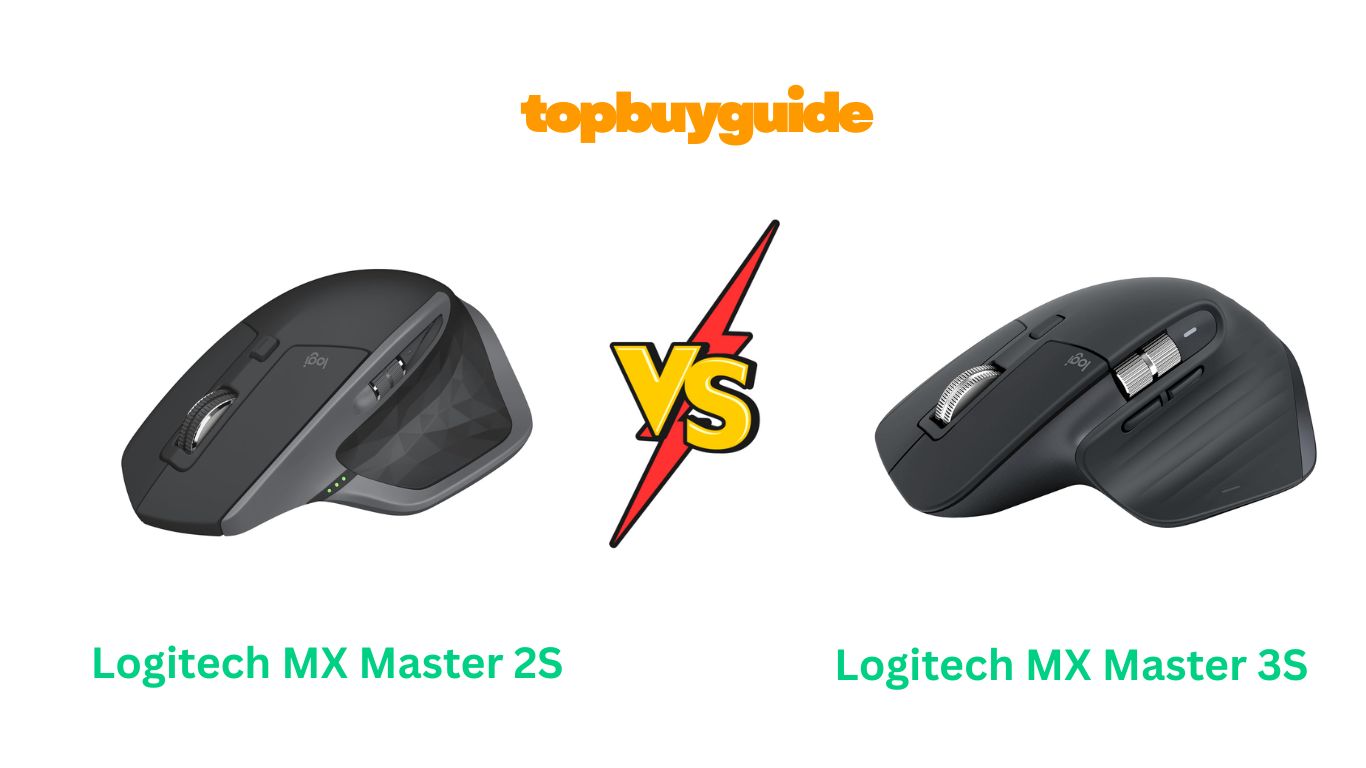
Choosing between the Logitech MX Master 2S and 3S can be challenging. Both mice excel in productivity tasks, but the MX Master 3S edges ahead with its quiet clicks, improved sensor, and USB-C charging. Let’s dive into the details to help you decide.
Why Do I Recommend The MX Master 3S?
The MX Master 3S stands out as the superior choice for several compelling reasons:
- 90% quieter clicks – The 3S features revolutionary quiet click technology that reduces noise significantly compared to the 2S, making it perfect for shared workspaces and late-night sessions
- 8K DPI precision sensor – While the 2S offers 4000 DPI tracking, the 3S doubles this with 8000 DPI for ultra-precise cursor control on any surface, including glass
- USB-C charging convenience – The 3S modernizes charging with USB-C instead of the 2S’s micro-USB, providing faster charging and better compatibility with current devices
- Enhanced MagSpeed scrolling – The 3S delivers 90% faster scrolling and 87% more precision than traditional scroll wheels, surpassing even the 2S’s already impressive performance
- Improved battery efficiency – Both mice offer excellent battery life, but the 3S provides up to 70 days on a single charge with more efficient power management
- Better Bluetooth connectivity – The 3S features more stable Bluetooth Low Energy connection, whereas the 2S includes both Bluetooth and USB receiver options
- Refined ergonomic design – While both mice share similar comfort levels, the 3S includes subtle improvements in button placement and overall feel
- Future-proof compatibility – The 3S supports newer operating systems and features better integration with Logi Options+ software
Side By Side Comparison Chart: Logitech MX Master 2S vs 3S
| Features | Logitech MX Master 2S | Logitech MX Master 3S |
| DPI | 4000 DPI | 8000 DPI |
| Click Noise | Standard clicks | 90% quieter clicks |
| Charging Port | Micro-USB | USB-C |
| Price | $65.99 | $89.01 |
| Battery Life | Up to 70 days | Up to 70 days |
| Connectivity | Bluetooth + USB receiver | Bluetooth only |
| Weight | 5.1 oz (145g) | 4.97 oz (141g) |
| Scroll Technology | Hyper-fast scrolling | MagSpeed electromagnetic |
| Multi-device Support | Up to 3 devices | Up to 3 devices |
| Surface Tracking | Most surfaces | Any surface including glass |
| Quick Charge | 3 min = full day | 1 min = 3 hours |
| App Integration | Logitech Options | Logi Options+ |
What Common Logitech MX Master 2S vs 3S Features Can Do?
Both mice excel in productivity environments and share remarkable similarities that make them standout choices for professionals.
Multi-device connectivity allows seamless switching between up to three devices with dedicated buttons. Both mice remember your paired devices and maintain stable connections across Windows, macOS, and mobile platforms.
Ergonomic design provides exceptional comfort during extended use. The sculpted shape supports natural hand positioning, reducing strain during long work sessions. Both feature thumb rests and well-positioned buttons for intuitive operation.
Customizable buttons offer extensive personalization through Logitech software. Users can assign specific functions to each button, create application-specific profiles, and set up gesture controls for enhanced productivity.
Flow technology enables seamless file and text transfer between connected devices. Copy content on one computer and paste it on another, making multi-device workflows incredibly efficient.
Rechargeable batteries eliminate the need for replaceable batteries. Both mice provide weeks of usage on a single charge and include low-battery indicators to prevent unexpected shutdowns.
Precision tracking works reliably on various surfaces without requiring mouse pads. The advanced sensors maintain accuracy across different textures and materials for consistent performance.
Common Features of Logitech MX Master 2S vs 3S
| Features | Logitech MX Master 2S | Logitech MX Master 3S |
| Multi-device Support | ✓ Up to 3 devices | ✓ Up to 3 devices |
| Ergonomic Design | ✓ Hand-sculpted shape | ✓ Hand-sculpted shape |
| Customizable Buttons | ✓ 7 programmable buttons | ✓ 7 programmable buttons |
| Flow Technology | ✓ Cross-device control | ✓ Cross-device control |
| Rechargeable Battery | ✓ Built-in Li-Po | ✓ Built-in Li-Po |
| Thumb Scroll Wheel | ✓ Side-to-side scrolling | ✓ Side-to-side scrolling |
| Darkfield Tracking | ✓ Works on glass | ✓ Works on glass |
| Hyper-fast Scrolling | ✓ Speed-adaptive | ✓ MagSpeed technology |
A Detailed Comparison Of the Logitech MX Master 2S vs 3S
Sensor Performance and Precision
The MX Master 2S delivers solid performance with its 4000 DPI Darkfield sensor, providing accurate tracking on most surfaces including glass. This resolution suits most professional applications and gaming needs effectively.
The MX Master 3S doubles the precision with an 8000 DPI sensor that offers exceptional accuracy for detailed work. Creative professionals and users requiring pixel-perfect control will appreciate this enhanced sensitivity and customizable DPI settings.
Click Technology and Noise Levels
The MX Master 2S features traditional mechanical switches that produce audible clicks. While satisfying tactically, these clicks can be disruptive in quiet environments or shared workspaces during extended use sessions.
The MX Master 3S revolutionizes the clicking experience with quiet click technology, reducing click noise by 90% while maintaining the same tactile feedback. This makes it ideal for libraries, meetings, or late-night work without disturbing others.
Charging and Connectivity Options
The MX Master 2S uses micro-USB charging and offers dual connectivity through both Bluetooth and included Unifying receiver. The versatility of connection options makes it compatible with older systems lacking Bluetooth support.
The MX Master 3S modernizes with USB-C charging for faster power delivery and universal compatibility. However, it’s Bluetooth-only, which may limit compatibility with some older systems but provides a cleaner, cable-free experience for modern setups.
Scrolling Experience and Speed
The MX Master 2S features impressive hyper-fast scrolling with speed-adaptive technology that automatically switches between click-to-click and smooth scrolling based on usage patterns. The side thumb wheel provides horizontal scrolling capabilities for spreadsheets and wide documents.
The MX Master 3S enhances scrolling with MagSpeed electromagnetic technology, delivering 90% faster scrolling and 87% more precision than traditional wheels. The improved mechanism provides smoother operation and better control for navigating large documents and web pages.
Software Integration and Customization
The MX Master 2S works with Logitech Options software, providing comprehensive customization for button assignments, gesture controls, and application-specific profiles. The software allows users to optimize their workflow across different programs.
The MX Master 3S integrates with the newer Logi Options+ software, offering enhanced customization features, better user interface design, and improved application detection. The updated software provides more intuitive setup and advanced automation options.
Build Quality and Durability
The MX Master 2S features premium construction with quality materials and solid build engineering. Users report reliable long-term performance, though some experience scroll wheel issues after extended use in certain units.
The MX Master 3S maintains the same high build quality standards while addressing some durability concerns from previous models. The improved internal components and refined assembly process contribute to enhanced longevity and consistent performance over time.
Conclusion
The MX Master 3S emerges as the clear winner with its quiet click technology, enhanced 8K DPI sensor, and modern USB-C charging. While the 2S remains capable at $65.99, the 3S’s superior features justify the $89.01 price tag for users seeking the latest productivity enhancements.
FAQs
Is the MX Master 3S worth upgrading from the 2S?
Yes, if you value quiet operation, need higher precision, or prefer USB-C charging. The improved sensor and quiet clicks make it worthwhile for most users.
Can both mice work on glass surfaces?
Both feature Darkfield tracking technology that works on glass, but the 3S performs better with its enhanced sensor providing more accurate tracking on challenging surfaces.
Which mouse has better battery life?
Both offer similar 70-day battery life, but the 3S charges faster with USB-C and has more efficient power management for consistent performance.
Do both mice support the same number of devices?
Yes, both support up to 3 devices with easy switching via dedicated buttons, making them equally suitable for multi-device workflows and productivity setups.
Is the software different between the two models?
The 2S uses Logitech Options while the 3S uses the newer Logi Options+ with improved interface design, better customization features, and enhanced application detection.
Which mouse is better for gaming?
The 3S offers higher DPI and more precise tracking, making it better for gaming, though both mice are primarily designed for productivity rather than competitive gaming scenarios.
Are replacement parts available for both models?
Logitech provides support and replacement options for both models, though the newer 3S has better long-term support availability and warranty coverage through official channels.
Can I use the same accessories with both mice?
Both mice have identical form factors, so cases, stands, and mouse pads designed for one will work with the other, maintaining compatibility across the product line.

Alex Turner is a dedicated product researcher and reviewer at TopBuyGuide.com, known for his clear, honest, and data-driven insights. He spends countless hours testing, comparing, and analyzing products to help readers make confident and informed buying decisions.