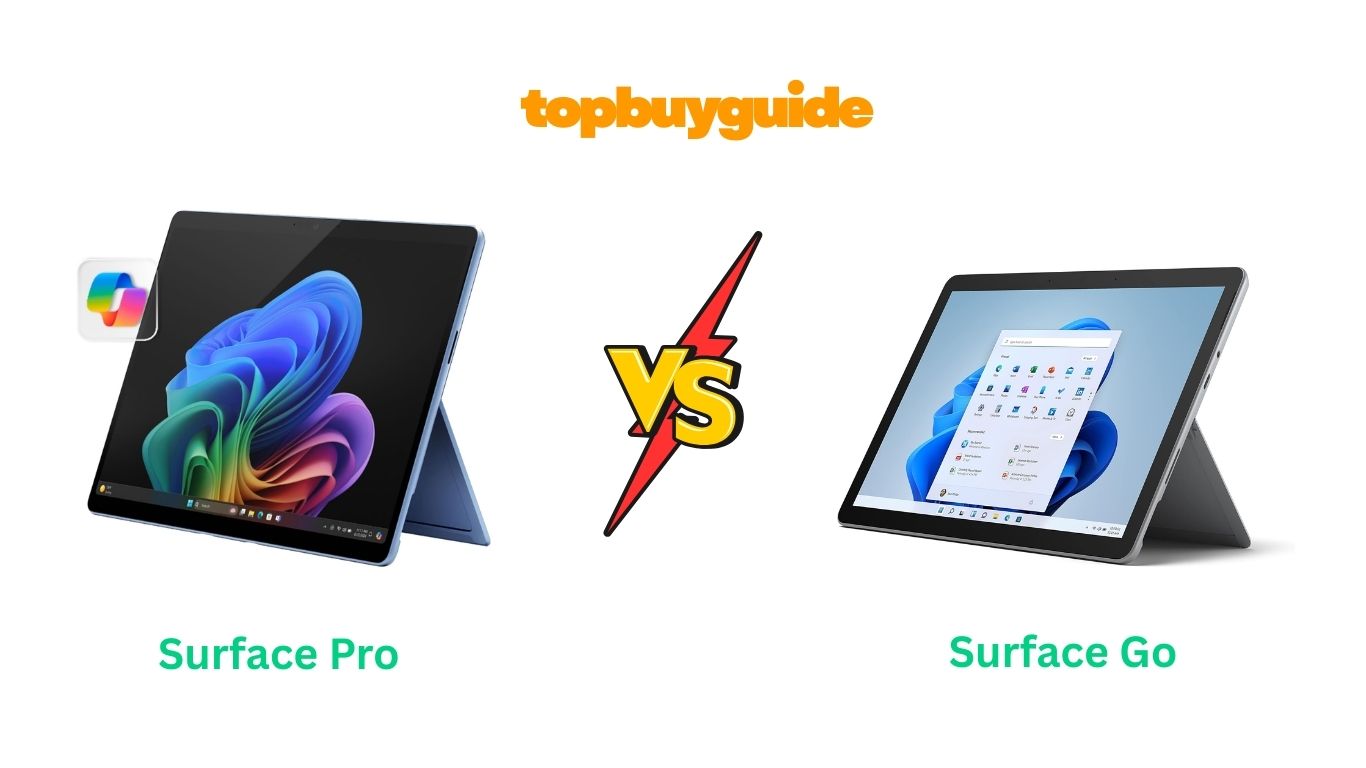
Deciding between Surface Pro and Surface Go requires understanding substantial differences. I recommend the Surface Pro 11 for most users. It delivers 5x faster performance with Snapdragon X processors and superior battery life. The 13-inch OLED display option provides stunning visuals compared to Go’s smaller screen. While Surface Go 4 costs less, the Pro’s power justifies investment. These tablets target distinctly different audiences despite similar designs. Let’s examine why performance matters for your computing needs.
Why Do I Recommend The Surface Pro 11?
The Surface Pro 11 dominates with professional-grade specifications. Here’s why it’s the superior investment:
Revolutionary Processor Performance: The Pro 11 features Snapdragon X Elite or X Plus processors with 10-12 cores. These deliver approximately 5 times faster performance than Surface Go 4’s Intel N200 chip. Conversely, the Go 4 struggles with basic multitasking and productivity applications.
Superior Display Technology: The Pro 11 offers stunning 13-inch screen with 2880 x 1920 resolution options. The OLED variant provides exceptional contrast, HDR support, and Dolby Vision IQ technology. Meanwhile, the Go 4’s 10.5-inch display shows only 1920 x 1280 resolution limitations.
Exceptional Battery Endurance: Testing confirms the Pro 11 achieves 10-14 hours of active usage daily. The Snapdragon ARM architecture delivers efficiency that Intel x86 chips cannot match. However, the Go 4 barely reaches 12.5 hours with extremely light workloads.
Advanced Memory Options: The Surface Pro supports up to 32GB LPDDR5x RAM for demanding workflows. This enables professional applications like Adobe Creative Suite and development tools simultaneously. In contrast, the Go 4 maxes out at 8GB RAM limiting multitasking severely.
Thunderbolt 4 Connectivity: The Pro 11 includes two USB4 ports with Thunderbolt 4 support capability. You can connect high-resolution displays, external GPUs, and fast storage arrays efficiently. Although the Go 4 offers USB-C, it lacks Thunderbolt speeds and capabilities.
AI-Powered Features: The Pro 11 qualifies as Copilot+ PC with 45 TOPS NPU performance. This enables advanced AI features like Windows Recall, Cocreator in Paint, and live translations. Unfortunately, the Go 4 lacks dedicated NPU entirely for AI acceleration.
Premium Build Quality: The Pro 11 features anodized aluminum chassis with excellent fit and finish. The kickstand provides unlimited viewing angles for optimal ergonomics throughout day. By comparison, the Go 4 uses basic magnesium construction with limited adjustability.
Professional Software Support: The Snapdragon X platform runs native ARM applications with excellent x86 emulation. Microsoft claims 90% of user app time now happens in native ARM versions. However, the Go 4’s weak processor struggles running even basic productivity applications smoothly.
Side By Side Comparison Chart: Surface Pro vs Surface Go
| Feature | Surface Pro 11 | Surface Go 4 |
| Processor | Snapdragon X Elite/Plus (10-12 cores) | Intel N200 (4 cores) |
| Display Size | 13-inch | 10.5-inch |
| Resolution | 2880 x 1920 | 1920 x 1280 |
| Display Type | IPS or OLED | IPS LCD |
| Max Brightness | 600 nits (OLED) | 350 nits |
| RAM Options | 16GB, 32GB, 64GB | 8GB |
| Storage Options | 256GB, 512GB, 1TB SSD | 64GB, 128GB, 256GB UFS/SSD |
| Battery Life | 10-14 hours | 12.5 hours |
| Weight | 895g | 521g |
| Thickness | 9.3mm | 8.3mm |
| USB Ports | 2x USB4 (Thunderbolt 4) | 1x USB-C 3.1 Gen 1 |
| NPU | 45 TOPS Hexagon | None |
| Copilot+ PC | Yes | No |
| Starting Price | $999 | $579 |
| Keyboard Included | No ($129+ separate) | No ($129 separate) |
| 5G Option | Yes (Business model) | No |
What Common Surface Pro vs Surface Go Features Can Do?
Both Microsoft tablets share fundamental 2-in-1 design philosophy and features. Understanding these commonalities helps identify their shared strengths.
Versatile 2-in-1 Form Factor: Both tablets feature detachable keyboard design for flexible usage scenarios. The integrated kickstand adjusts for comfortable viewing in laptop or tablet modes. Neither includes keyboards by default requiring separate $129+ Type Cover purchases. The magnetic attachment system works identically ensuring secure keyboard connections always. Both support Surface Pen stylus input for note-taking and creative work. The kickstand folds completely flat transforming devices into traditional tablet experience seamlessly.
Windows 11 Operating System: Both devices run full Windows 11 Pro providing complete desktop functionality. The familiar interface supports all Windows applications unlike limited mobile operating systems. File management, desktop programs, and system settings work identically on both models. Windows Update delivers security patches and feature updates regularly to both devices. The Pro edition includes enterprise features like BitLocker encryption and Hyper-V virtualization. Neither tablet restricts software installation to specific app stores unlike competing platforms.
Windows Hello Security: Both tablets include infrared cameras supporting facial recognition login technology. Windows Hello provides secure, password-free authentication in under one second typically. The IR sensors work in complete darkness unlike standard webcam facial recognition. Both devices also support fingerprint readers on optional Type Cover keyboards. TPM 2.0 security chips protect encryption keys and sensitive data identically. Enterprise-grade security features meet business compliance requirements on both models uniformly.
Microsoft Teams Optimization: Both tablets feature front-facing cameras optimized for landscape video conferencing sessions. The camera placement ensures natural eye contact during Teams meetings and Zoom calls. Dual far-field studio microphones with voice clarity technology work on both devices. The microphone arrays reduce background noise while enhancing speaker voice quality clearly. Both tablets handle video calls adequately for remote work and distance learning needs.
Pen and Touch Input: Both devices support Surface Pen with 4,096 pressure levels for natural writing. The PixelSense displays recognize pen tilt for shading and artistic expression identically. Ten-point multi-touch capability enables intuitive gesture controls on both screens simultaneously. The displays respond accurately to touch input without frustrating delays or missed touches. Neither includes Surface Pen requiring separate $99 purchase for digital inking capabilities.
Surface Connect Port: Both tablets include proprietary Surface Connect charging and docking port standard. This magnetic connector provides secure power connection preventing accidental disconnections during charging. The port also supports Surface Dock accessories for expanded connectivity options available. Quick-release magnetic design protects devices from damage if someone trips over cables. Both charge via USB-C alternatively providing flexibility when proprietary charger unavailable temporarily.
PixelSense Display Technology: Both tablets utilize Microsoft’s PixelSense display technology for accurate color reproduction. The touchscreen glass provides smooth surface for pen and finger input responsiveness. Both displays support 10-point touch for multi-finger gestures and precise control. The 3:2 aspect ratio on both devices provides more vertical space than traditional 16:9 widescreen tablets. This taller format benefits document editing, web browsing, and productivity work significantly.
Replaceable Components: Microsoft improved serviceability on both 2023+ models with replaceable parts availability. The Surface Go 4 and Pro 11 allow battery, display, and motherboard replacement. Third-party repair shops can now service devices using official Microsoft service guides. This repairability extends device lifespan reducing electronic waste over time considerably. iFixit rated both recent models 8/10 for repairability compared to previous generations.
Common Features of Surface Pro vs Surface Go
| Feature | Surface Pro 11 | Surface Go 4 |
| Operating System | Windows 11 Pro | Windows 11 Pro |
| Form Factor | 2-in-1 Detachable | 2-in-1 Detachable |
| Windows Hello | Yes (IR Face Recognition) | Yes (IR Face Recognition) |
| Kickstand | Integrated, Adjustable | Integrated, Adjustable |
| Pen Support | Surface Pen Compatible | Surface Pen Compatible |
| Touch Support | 10-point Multi-touch | 10-point Multi-touch |
| Cameras Front | 1080p HD | 1080p HD |
| Cameras Rear | 10MP 4K | 8MP 1080p |
| Microphones | Dual Far-field Studio Mics | Dual Far-field Studio Mics |
| Speakers | Stereo with Dolby Atmos | Stereo with Dolby Atmos |
| Surface Connect | Yes | Yes |
| Headphone Jack | 3.5mm | 3.5mm |
| WiFi | WiFi 6E/7 | WiFi 6 |
| Bluetooth | 5.3/5.4 | 5.1 |
| TPM | 2.0 | 2.0 |
| Keyboard Connector | 8-pin Magnetic | 8-pin Magnetic |
| Repairability | 8/10 (iFixit) | 8/10 (iFixit) |
A Detailed Comparison Of the Surface Pro vs Surface Go
Processor and Computing Power
The Surface Pro 11 utilizes cutting-edge Snapdragon X Elite or Plus processors with exceptional performance. These ARM-based chips feature up to 12 Qualcomm Oryon cores running at 3.8GHz maximum boost speeds. Geekbench 6 testing shows 2,283 single-core and 13,389 multi-core scores demonstrating professional-grade capability. The Qualcomm Adreno GPU handles graphics processing efficiently for creative work and moderate gaming.
The Surface Go 4 contains budget Intel N200 processor with only four efficiency cores. This Alder Lake-N chip runs at 1GHz base frequency boosting to 3.7GHz occasionally. Geekbench 6 scores reach merely 823 single-core and 2,482 multi-core representing 5x slower performance. The integrated Intel UHD Graphics struggles with anything beyond basic web browsing tasks.
Display Size and Quality
The Surface Pro 11 features stunning 13-inch display with sharp 2880 x 1920 resolution. The PixelSense Flow screen achieves 600 nits maximum brightness with optional OLED technology. OLED models deliver infinite contrast ratio, HDR support, and Dolby Vision IQ certification. The 266 PPI pixel density ensures crisp text rendering for productivity work sessions.
The Surface Go 4 includes compact 10.5-inch screen at 1920 x 1280 resolution significantly. The standard IPS LCD reaches only 350 nits brightness struggling in bright environments. The 220 PPI pixel density appears adequate but noticeably less sharp than Pro. The smaller screen limits multitasking capability and workspace for productivity applications considerably.
Memory and RAM Performance
The Surface Pro 11 offers flexible RAM configurations starting at 16GB LPDDR5x memory. Professional users can upgrade to 32GB or even 64GB on OLED models. This abundant memory enables running virtual machines, photo editing, and video rendering simultaneously. The LPDDR5x technology provides bandwidth up to 6400MHz for lightning-fast data access.
The Surface Go 4 provides only 8GB LPDDR5 RAM without any upgrade options. This limited memory restricts multitasking to basic applications and light web browsing. Opening too many browser tabs causes system slowdowns and application reloading constantly. The 4800MHz memory speed delivers adequate performance for its modest processor requirements.
Storage Speed and Capacity
The Surface Pro 11 includes removable NVMe Gen 4 SSD storage starting at 256GB capacity. Users can upgrade to 512GB or 1TB options for extensive file storage needs. The removable SSD design allows future storage upgrades without replacing entire device. Gen 4 NVMe delivers read speeds exceeding 5000MB/s for instant application launches.
The Surface Go 4 offers 64GB UFS storage in base model with 128GB/256GB upgrades. The entry-level UFS storage performs significantly slower than SSD technology throughout system. Higher capacity models use SSD storage but still lack Pro’s removable upgrade flexibility. The limited storage options restrict media libraries and application installations severely over time.
Battery Life and Efficiency
The Surface Pro 11 delivers exceptional 10-14 hours of mixed usage thanks to ARM architecture. The Snapdragon X platform consumes less power while maintaining higher performance simultaneously. Active web browsing achieves 10-12 hours while video playback extends to 14 hours. The 65W fast charging replenishes battery from 5% to 80% in approximately 90 minutes.
The Surface Go 4 manages 12.5 hours of typical device usage with light workloads. However, actual battery life decreases rapidly with demanding tasks or multiple applications. The 29Wh capacity pales compared to Pro’s larger battery pack significantly. Charging occurs through standard USB-C power delivery or proprietary Surface Connect port slowly.
Connectivity and Ports
The Surface Pro 11 provides two USB4 ports supporting Thunderbolt 4 protocols for maximum versatility. These ports handle 40Gbps data transfer, 8K display output, and power delivery simultaneously. The Surface Connect port enables legacy dock compatibility and dedicated charging solution. WiFi 6E/7 and Bluetooth 5.3/5.4 ensure cutting-edge wireless connectivity throughout device lifespan.
The Surface Go 4 includes single USB-C 3.1 Gen 1 port limited to 5Gbps transfer speeds. The lack of Thunderbolt support restricts external GPU and high-speed storage options. Standard Surface Connect port and headphone jack round out basic connectivity options. WiFi 6 and Bluetooth 5.1 provide adequate but not cutting-edge wireless capabilities.
AI Features and NPU
The Surface Pro 11 qualifies as Copilot+ PC with dedicated 45 TOPS Hexagon NPU. This neural processing unit accelerates AI workloads including Windows Recall, Cocreator, and Live Captions. The NPU handles AI tasks without taxing CPU or GPU maintaining system responsiveness. Advanced features like Click to Do text actions work exclusively on Copilot+ devices.
The Surface Go 4 completely lacks dedicated NPU for AI acceleration capabilities. All AI processing must run through weak CPU reducing performance drastically. Windows 11 AI features like Copilot remain basic without hardware acceleration available. The device cannot run advanced Copilot+ exclusive features limiting future software capabilities.
Weight and Portability
The Surface Pro 11 weighs 895 grams making it heavier but manageable for daily commuting. The 9.3mm thickness maintains slim profile despite housing powerful components internally throughout. The weight distribution feels balanced when using kickstand in various positions. Adding Type Cover keyboard increases total weight to approximately 1.2kg for laptop configuration.
The Surface Go 4 weighs only 521 grams making it incredibly portable for travel. The 8.3mm thickness makes it one of the thinnest Windows tablets currently. The ultralight design suits students and frequent travelers seeking minimal bulk. Combined with keyboard, total weight reaches just 780 grams for complete setup.
Pricing and Value Analysis
The Surface Pro 11 starts at $999 for 16GB RAM and 256GB SSD configuration. The OLED model increases to $1,499 adding stunning display technology and 64GB RAM. Educational discounts reduce prices by 10% making Pro more accessible to students. The premium pricing reflects professional-grade components and future-proof specifications throughout device.
The Surface Go 4 begins at $579 for 8GB RAM and 128GB SSD model. The base 64GB UFS version costs even less at $499 targeting budget shoppers. This affordable pricing attracts students, casual users, and secondary device purchasers significantly. However, the limited performance restricts professional work capacity over device lifespan substantially.
Conclusion
The Surface Pro 11 clearly dominates for users requiring real computing power. Its Snapdragon X processors deliver 5x faster performance than Go 4’s struggling Intel N200. The 13-inch OLED display option provides professional-quality visuals for creative work and entertainment. Testing confirms 10-14 hours battery life outlasting Go 4 during actual productivity tasks. The 45 TOPS NPU enables exclusive Copilot+ AI features future-proofing your investment completely. For budget-conscious students needing basic web browsing, the Go 4 serves adequately. However, serious users should invest $999 in Surface Pro for substantially better experience.
FAQs
Q: Can Surface Go 4 run Adobe Creative Suite applications?
A: Technically yes, but performance remains extremely poor for professional creative work daily. The Intel N200 processor struggles with Photoshop, Premiere Pro, and Illustrator significantly. Simple photo edits take minutes while video rendering becomes practically impossible on hardware. The 8GB RAM limitation causes constant crashes when working with large files. Surface Pro 11 handles Creative Suite smoothly with proper specifications installed.
Q: Which device better suits college students?
A: Surface Pro 11 serves most college students better despite higher initial cost. The powerful processor handles research, writing, presentations, and programming courses easily without limitations. Battery life lasts through full day of classes without charging breaks. Surface Go 4 works for liberal arts students focused primarily on writing assignments. However, STEM students require Pro’s computing power for engineering and science applications.
Q: Can I upgrade RAM or storage after purchase?
A: Surface Pro 11 allows SSD storage upgrades through removable module design easily. However, RAM remains soldered to motherboard requiring selection during initial purchase carefully. Surface Go 4 offers no user-accessible upgrade options for memory or storage. Both devices require professional service for battery replacement when performance degrades eventually. Choose configurations carefully as upgrades prove difficult or impossible after purchase.
Q: Does Surface Pro support external GPUs for gaming?
A: Yes, Surface Pro 11’s Thunderbolt 4 ports support external GPU enclosures theoretically. However, ARM architecture creates compatibility issues with many Windows games currently available. The Snapdragon X’s integrated Adreno GPU handles casual gaming and emulated titles. Surface Go 4 lacks Thunderbolt entirely and its weak processor cannot drive external graphics cards effectively at all.
Q: How does ARM processor affect software compatibility?
A: Surface Pro 11 runs native ARM64 applications at full speed with excellent efficiency. Windows 11 emulates x86 and x64 applications with 80-90% native performance typically achieved. Microsoft reports 90% of user app time now occurs in ARM-native versions. Some specialized software and older games may encounter compatibility issues occasionally. Surface Go 4 uses standard x86 architecture ensuring universal Windows software compatibility always.
Q: Which device handles video conferencing better for remote work?
A: Both devices provide similar video conferencing quality with 1080p front cameras installed. The Surface Pro 11’s faster processor handles virtual backgrounds and AI features smoothly. Its larger screen provides better visibility of meeting participants and shared content. Surface Go 4’s compact size suits tight desk spaces but limits multitasking during calls. Pro’s superior battery life prevents mid-meeting shutdowns during extended conference sessions daily.
Q: Are Type Cover keyboards compatible between both models?
A: No, Surface Pro and Surface Go use different Type Cover keyboards entirely. The Pro uses larger full-size keyboards while Go requires compact version specifically. Neither keyboard works properly with the opposite device due to size differences. Both keyboards cost $129+ separately and come in multiple color options. Consider keyboard cost when budgeting as neither tablet includes keyboard by default.
Q: How long will each device receive Windows updates?
A: Microsoft supports Surface devices with driver and firmware updates for approximately 10 years. Windows 11 receives feature updates semi-annually with security patches monthly for both. Surface Pro 11’s newer hardware ensures longer practical usability before performance obsolescence. Surface Go 4’s limited processor may struggle with future Windows updates eventually. Both receive equal update commitments from Microsoft’s official support policy currently active.

Alex Turner is a dedicated product researcher and reviewer at TopBuyGuide.com, known for his clear, honest, and data-driven insights. He spends countless hours testing, comparing, and analyzing products to help readers make confident and informed buying decisions.