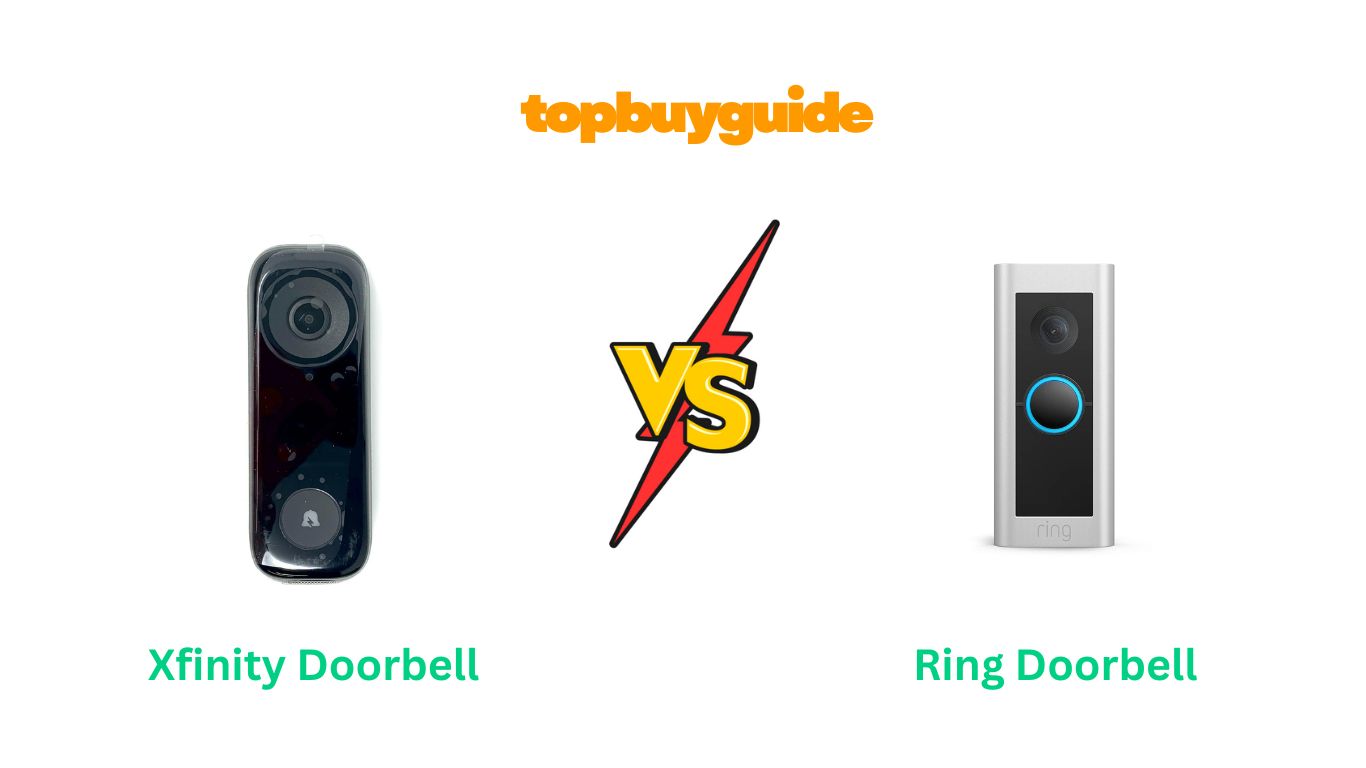
Choosing a smart doorbell is a big decision for home security. You need a device that is reliable, clear, and easy to use. In the battle of Xfinity doorbell vs Ring, the Ring Wired Doorbell Pro stands out. It offers superior video quality and advanced motion detection features. This makes it a top choice for modern homeowners. If you value detailed surveillance and smart alerts, Ring is likely your best bet.
Why Do I Recommend The Ring Wired Doorbell Pro?
When comparing these two popular smart doorbells, the Ring Wired Doorbell Pro consistently comes out on top for several key reasons. Its advanced feature set provides a more comprehensive and user-friendly home security experience.
- Superior Video Quality: The Ring Wired Doorbell Pro offers 1536p HD+ video. This is a significant step up from the Xfinity doorbell’s 1080p resolution. This higher resolution provides a clearer, more detailed image of your doorstep. You can see faces and package details with greater clarity.
- Advanced Motion Detection: Ring introduces 3D Motion Detection and Bird’s Eye View. This technology allows you to pinpoint the exact location and path of a visitor on your property. In contrast, the Xfinity doorbell uses a more basic motion sensor, which can lead to less precise alerts.
- Head-to-Toe View: The Ring doorbell features an expanded field of view. This head-to-toe perspective ensures you can see packages left directly on your doorstep. The Xfinity doorbell has a more traditional 4:3 aspect ratio. This might not capture the entire area in front of your door.
- Wider Smart Home Integration: Ring is an Amazon company. It integrates seamlessly with Alexa devices. You can get announcements and view live feeds on Echo Show devices. The Xfinity doorbell is designed to work within the Xfinity ecosystem. This can be limiting if you use other smart home platforms.
- Alexa Greetings Feature: With a Ring Protect Plan, you can use Alexa Greetings. This feature allows your doorbell to greet visitors and take messages for you. The Xfinity doorbell does not offer a comparable automated assistant feature. This makes Ring a smarter choice for busy homeowners.
- Customer Ratings and Popularity: The Ring Wired Doorbell Pro has over 10,000 ratings on Amazon. It maintains a high average of 4.5 stars. This indicates widespread customer satisfaction. The Xfinity doorbell has significantly fewer ratings and a lower average score. This suggests it is a less proven product.
- Flexible Power Options: While both are wired, Ring provides more documented support for various power setups. It works with a standard doorbell system, a plug-in adapter, or a hardwired transformer. Xfinity’s requirements are more rigid, often needing a specific Xfinity gateway.
- Enhanced Audio Features: The Ring Pro 2 includes Audio+ with noise cancellation. This ensures clearer two-way conversations with visitors. The Xfinity doorbell offers two-way audio. However, it lacks the advanced noise-canceling capabilities of the Ring model.
Side By Side Comparison Chart: Xfinity Doorbell vs Ring
| Feature | Xfinity Doorbell | Ring Wired Doorbell Pro |
| Video Resolution | 1080p HD | 1536p HD+ |
| Field of View | 4:3 Aspect Ratio | 150° Horizontal, 150° Vertical |
| Advanced Motion Detection | Standard Motion Sensor | 3D Motion Detection, Bird’s Eye View |
| Audio | Two-way audio | Two-way audio with Audio+ |
| Power Source | Hardwired, requires Xfinity Gateway | Hardwired, Plug-in Adapter, or Transformer |
| Smart Home Ecosystem | Xfinity Home | Amazon Alexa, Google Home |
| Unique Features | Integrates with X1/Flex TV | Alexa Greetings, Bird’s Eye Zones |
| Subscription Requirement | Required for full use | Required for video history |
| Customer Ratings | 3.9 stars (57 ratings) | 4.5 stars (10,310+ ratings) |
| Price | Approx. $40.90 | Approx. $129.99 |
What Common Features Can Xfinity Doorbell vs Ring Do?
Both the Xfinity doorbell and the Ring Wired Doorbell Pro share a foundation of essential smart security features. These core functions ensure that, whichever you choose, your home’s entrance is monitored effectively. They provide peace of mind by letting you see and speak to visitors from anywhere.
Live Video Feed
Both doorbells allow you to view a live video stream of your front door at any time. You can access this feed through their respective mobile apps. This feature is crucial for checking on your property. You can see who is there in real-time. Whether you are at work or on vacation, you stay connected to your home. This live view is a fundamental aspect of modern home security.
Two-Way Communication
Each device is equipped with a microphone and a speaker. This enables two-way audio communication. You can speak directly to anyone at your door. This is perfect for instructing delivery drivers. You can also greet guests when you are not home. This feature adds a layer of convenience and security. It makes it seem like you are always present.
Motion-Activated Alerts
You will receive instant notifications on your smartphone when motion is detected. Both the Xfinity and Ring doorbells send alerts when someone approaches your door. This happens even if they do not ring the bell. This proactive monitoring helps you stay aware of any activity. It provides an early warning system for your home’s security.
Night Vision
Monitoring your home does not stop when the sun goes down. Both doorbells feature night vision technology. This ensures you get a clear view of your doorstep in low-light conditions. Xfinity offers crystal clear night vision. Ring provides color night vision. Both technologies allow you to identify visitors and see what is happening, day or night.
App Control
Complete control for both doorbells is managed through a mobile app. The Xfinity Home app and the Ring app are the command centers for your device. From these apps, you can view live video. You can also speak with visitors. You can review recorded clips and adjust settings. This app-based control makes managing your home security simple and accessible.
Wired Power Source
The Xfinity doorbell and the Ring Wired Doorbell Pro are both hardwired devices. They connect to your existing doorbell wiring for continuous power. This eliminates the need to recharge or replace batteries. A constant power source ensures your doorbell is always active. It provides uninterrupted security and monitoring for your home. You never have to worry about a dead battery compromising your safety.
Common Features of Xfinity Doorbell vs Ring
| Feature | Xfinity Doorbell | Ring Wired Doorbell Pro |
| Live Video | Yes | Yes |
| Two-Way Audio | Yes | Yes |
| Motion Alerts | Yes | Yes |
| Night Vision | Yes | Yes (Color) |
| Mobile App Control | Yes | Yes |
| Hardwired Power | Yes | Yes |
| Weather Resistant | Yes (IP55) | Yes |
A Detailed Comparison Of the Xfinity Doorbell vs Ring
When choosing a smart doorbell, the small details matter most. Both the Xfinity and Ring doorbells offer great features. However, they differ in key areas like video quality and motion detection. Let’s explore these differences to help you decide.
Video Quality and Field of View
The Ring Wired Doorbell Pro captures video in 1536p HD+. This provides a sharper image than the Xfinity doorbell’s 1080p HD. Ring’s “Head-to-Toe” view offers a 150° vertical and horizontal field. This lets you see packages on the ground easily. You get a fuller picture of your doorstep.
The Xfinity doorbell offers a 1080p resolution. It uses a 4:3 aspect ratio. This gives a good, clear view. However, it may not cover as much vertical space as the Ring. For homeowners wanting the most detail and the widest possible view, Ring has the edge with its superior resolution and expanded viewing angle.
Motion Detection Technology
Ring’s standout feature is its 3D Motion Detection. It uses radar to measure the distance and angle of objects. This creates more precise alerts. The Bird’s Eye View feature maps out the path of visitors. This gives you a complete overview of activity. You can set specific motion zones to reduce false alarms.
In comparison, the Xfinity doorbell relies on a standard motion sensor. It alerts you when movement is detected. However, it lacks the advanced precision of Ring’s system. It is effective for general alerts. But it may not distinguish between a person and other movements as accurately. Ring’s technology offers a more sophisticated level of motion tracking.
Smart Home Ecosystem and Integration
Your choice may depend on your current smart home setup. The Xfinity doorbell is designed for the Xfinity ecosystem. It requires an Xfinity xFi Gateway and an Xfinity Home security plan. It integrates seamlessly with the Xfinity app and X1 TV platform. This is ideal for existing Xfinity customers.
The Ring doorbell is an Amazon product. It integrates flawlessly with Alexa. You can get announcements on Echo devices. You can also see a live feed on an Echo Show. It also works with Google Home. If you use a variety of smart home brands, Ring offers greater flexibility and broader compatibility.
Installation Process and Power Requirements
Both doorbells require hardwiring into your existing doorbell system. The Ring Wired Doorbell Pro comes with a comprehensive tool kit. The setup is guided by the Ring app. It supports various power configurations. This includes transformers, plug-in adapters, or direct wiring.
The Xfinity doorbell’s installation can be more restrictive. It requires a specific Xfinity gateway for self-installation. Some user reviews mention needing professional help from Xfinity-approved technicians. If you prefer a more straightforward DIY project, Ring’s well-documented process and flexible power options might be a better fit.
Subscription Plans and Features
To unlock the full potential of either doorbell, a subscription is necessary. Xfinity requires a Pro Protection, Self-Protection, or similar plan to even use the doorbell. This plan includes video recording and other security features. The cost is bundled with your other Xfinity services.
Ring offers the optional Ring Protect Plan. Without it, you get live view and motion alerts. With a plan, you get video recording, sharing, and advanced features like Alexa Greetings. The plans are affordable, starting at a few dollars per month. Ring gives you the option to use the device with basic features for free. Xfinity does not.
Audio Performance
Both devices offer two-way audio. You can talk to visitors from your phone. However, the Ring Wired Doorbell Pro includes Audio+. This technology features enhanced noise cancellation. This results in clearer and more understandable conversations. This is especially useful in noisy environments or on windy days.
The Xfinity doorbell provides standard two-way audio. It is functional for most situations. But it may not match the clarity of Ring’s Audio+. If crystal-clear communication is a high priority for you, the advanced audio technology in the Ring doorbell makes it the superior choice.
Conclusion
After a thorough comparison, the Ring Wired Doorbell Pro emerges as the clear winner. Its 1536p HD+ video provides unmatched clarity. The 3D Motion Detection and Bird’s Eye View offer precise, intelligent security. While the Xfinity doorbell is a decent option for those already in the Xfinity ecosystem, its features and performance don’t quite measure up. With over 10,000 positive reviews, the Ring Pro 2 is a trusted and reliable choice for protecting your home.
FAQs
- Do I need a subscription for the Ring doorbell to work?
No, you can use the Ring doorbell for live view and motion alerts without a subscription. However, to record, save, and share videos, you will need a Ring Protect Plan. - Is the Xfinity doorbell compatible with Alexa?
Yes, some users have successfully connected the Xfinity doorbell to Alexa devices like the Echo Show. However, its primary integration is designed for the Xfinity ecosystem. - Which doorbell is easier to install?
The Ring Wired Doorbell Pro is generally considered easier for DIY installation. It comes with a complete tool kit and has flexible power options. The Xfinity doorbell may require professional installation for some users. - Can the Ring doorbell work with my existing chime?
Yes, the Ring Wired Doorbell Pro is designed to work with most existing mechanical or electronic doorbell chimes. The included Pro Power Kit helps ensure compatibility and proper function. - What is the main advantage of Ring’s 3D Motion Detection?
Ring’s 3D Motion Detection uses radar to precisely track movement. It allows you to set a virtual perimeter. You only get alerts when someone crosses that line. This dramatically reduces false alarms from passing cars or pedestrians. - Does the Xfinity doorbell record video 24/7?
The Xfinity doorbell records video clips when motion is detected or when the doorbell is pressed. Continuous 24/7 recording is available as part of certain Xfinity Home security subscription tiers. - How is the Ring Wired Doorbell Pro powered?
It is a hardwired device that connects to your existing doorbell wiring. It requires a transformer rated at 16-24 VAC. Ring also offers a plug-in adapter for homes without existing wiring. - What happens if my Wi-Fi goes down?
If your Wi-Fi connection is lost, both doorbells will lose their “smart” functionality. They will not be able to send alerts or record video. However, a hardwired doorbell should still ring your internal chime.

Alex Turner is a dedicated product researcher and reviewer at TopBuyGuide.com, known for his clear, honest, and data-driven insights. He spends countless hours testing, comparing, and analyzing products to help readers make confident and informed buying decisions.