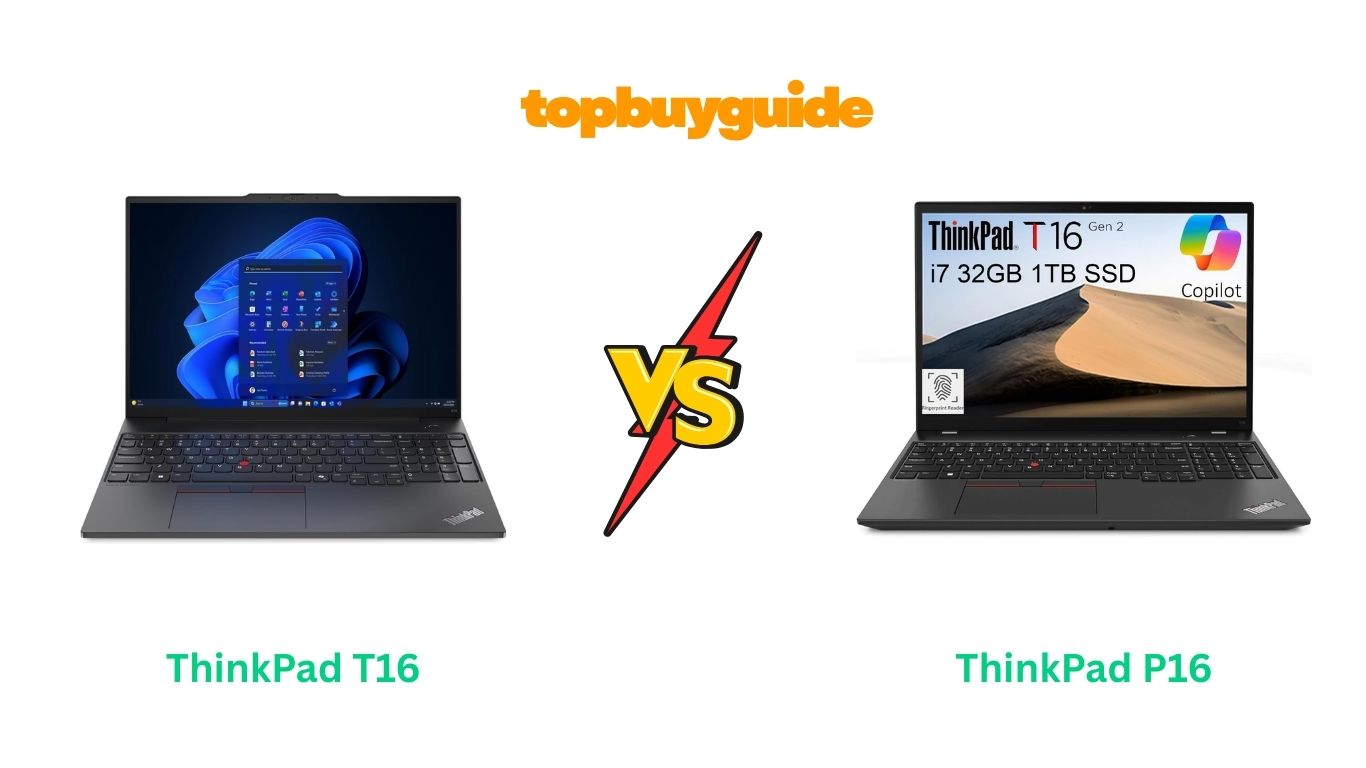
If you’re shopping for a new business laptop, you’ve probably seen the name ThinkPad—it’s the gold standard for durability and a serious typing experience. But once you start looking at the models, things get confusing fast! Specifically, you’re stuck between the T-Series (the veteran business machine) and the P-Series (the heavy-duty mobile workstation).
We’re putting two of the latest 16-inch models—the Lenovo ThinkPad T16 Gen 2 and the Lenovo ThinkPad P16 Gen 2—head-to-head to help you decide where to put your money. The choice comes down to power versus portability.
Why Do I Recommend The ThinkPad P16 Gen 2?
When we look at the core differences between these two brilliant machines, the ThinkPad P16 Gen 2 clearly targets the user who needs maximum, uncompromising performance. The P-Series is Lenovo’s dedicated line for “mobile workstations,” meaning they are built and certified to run demanding software like AutoCAD, Adobe Premiere Pro, and complex financial modeling tools without breaking a sweat.
Here are the features and benefits of the ThinkPad P16 Gen 2 that make it the superior choice for a power user, contrasted with the capable, but less specialized, ThinkPad T16 Gen 2:
- Dedicated Professional Graphics (GPU): The ThinkPad P16 Gen 2 is built to house up to NVIDIA RTX professional GPUs, which include features like specialized drivers and certifications for engineering and design software. In contrast, the ThinkPad T16 Gen 2 usually relies on integrated Intel Iris Xe graphics or a more entry-level NVIDIA GeForce/Quadro card, which is perfectly fine for office tasks but severely bottlenecks complex rendering or computation tasks.
- The Processor Powerhouse: While both laptops offer Intel Core processors, the P16 Gen 2 typically features higher-wattage, performance-focused CPUs from Intel’s HX-series. These chips are designed for sustained power and feature more P-cores (performance cores), making them better for heavy multitasking. While the T16 Gen 2 uses a lower-wattage CPU (often U-series or P-series) for better battery life and less heat, it sacrifices raw, sustained computational speed.
- Massive RAM Capacity: The P16 Gen 2 can often be configured with up to 128GB of high-speed RAM, giving you the flexibility to open dozens of browser tabs, massive spreadsheets, and multiple virtual machines simultaneously. However, the T16 Gen 2 generally maxes out at 32GB or 64GB, which is sufficient for 95% of users, but a clear ceiling for data scientists or serious developers.
- Better Cooling System: To handle the high-wattage CPUs and professional GPUs, the ThinkPad P16 Gen 2 is equipped with a much more robust cooling apparatus, often featuring larger fans and multiple heat pipes. This allows the internal components to run at peak speed for much longer. On the other hand, the T16 Gen 2 uses a lighter cooling solution, prioritizing thinness, which means its processors will “thermal throttle” (slow down) much sooner under heavy load to prevent overheating.
- ISV Certifications: The P-Series holds independent software vendor (ISV) certifications from major software companies (like Adobe, Autodesk, Dassault, etc.). This means the hardware is tested and guaranteed to run their mission-critical applications reliably. The T16 Gen 2 is a general-purpose business laptop and does not carry these critical professional guarantees.
- Storage Expansion Flexibility: The P16 Gen 2 often provides more internal M.2 SSD slots, allowing users to install multiple high-speed drives (for example, one for the OS and one for large project files) directly inside the machine. The T16 Gen 2 is usually limited to one or two slots, which is fine, but less versatile for users with petabytes of data.
- Robust Chassis and Durability: While both are ThinkPads and meet MIL-SPEC durability standards, the P16 Gen 2 has a slightly more robust, heavier chassis to protect its premium components. It is built to endure the rough demands of a construction site, film set, or industrial environment. The T16 Gen 2 prioritizes a lighter, sleeker form factor for the traditional office commuter.
The Bottom Line: While the ThinkPad T16 Gen 2 is a fantastic business machine, the ThinkPad P16 Gen 2 delivers the “no compromises” power and professional features that justify the higher investment, ensuring that your machine won’t be the reason your demanding projects slow down.
Side By Side Comparison Chart (ThinkPad T vs P)
The table below highlights the key differences that set these two models apart in terms of performance, size, and professional readiness.
| Feature | ThinkPad T16 Gen 2 ([Your Affiliate Link 1]) | ThinkPad P16 Gen 2 ([Your Affiliate Link 2]) |
| Primary Target User | Business Professional, General Work, Commuter | Mobile Workstation, Engineers, Designers, Data Scientists |
| Processor Type | Intel Core U-Series or P-Series (Lower Wattage) | Intel Core HX-Series (High-Performance/Desktop Class) |
| Maximum RAM | Up to 32GB or 64GB (varies by specific SKU) | Up to 128GB (Higher Density & Speed) |
| Graphics Card (GPU) | Integrated Intel Iris Xe or Entry-Level NVIDIA GeForce/Quadro | Up to NVIDIA RTX Professional (High-End Dedicated GPU) |
| Cooling System | Standard (Prioritizes Thinness) | Advanced (Larger Fans & Heat Pipes for Sustained Load) |
| ISV Certification | No (Standard Business Laptop) | Yes (Certified for specialized design/engineering software) |
| Weight/Portability | Generally Lighter and Thinner (Focus on Mobility) | Generally Heavier and Thicker (Focus on Power/Durability) |
| Storage Slots | Typically 1 M.2 SSD Slot | Often 2+ M.2 SSD Slots (Better Expandability) |
What Common ThinkPad T vs P Can Do?
Despite their differences, the T-Series and P-Series share the same foundational DNA that makes a ThinkPad a ThinkPad. They are built for serious business, and they both excel at providing a reliable, secure, and highly productive user experience. These shared characteristics are what set them both apart from other business laptops on the market.
Legendary ThinkPad Keyboard and TrackPoint
Both the ThinkPad T16 Gen 2 and the P16 Gen 2 are equipped with the legendary, industry-leading ThinkPad keyboard. This isn’t just a marketing slogan; it’s a fact. The keys feature a tactile, deep travel that is comfortable for typing long reports, emails, or lines of code for hours on end without fatigue. For those who still prefer the old-school feel of a desktop keyboard, this is the closest you’ll get in a laptop. The keyboard also includes the iconic red TrackPoint nub located in the center of the keyboard. This allows you to navigate the cursor without ever taking your hands off the primary typing position, which significantly improves efficiency for long sessions. Both models also feature a generously sized trackpad below the keyboard, giving users the choice between two excellent input methods.
Robust MIL-SPEC Durability
The ThinkPad brand is synonymous with toughness, and both the T16 and P16 carry this torch. Both models undergo rigorous testing against MIL-SPEC (Military Standard) 810H standards. This means they are designed to withstand extreme conditions far beyond a normal laptop, including resistance to vibration, shock, humidity, dust, and temperature extremes. Whether you accidentally spill coffee on the keyboard, drop your laptop on the way to a meeting, or take it on a dusty industrial trip, both the T-Series and P-Series are built to keep on working. This high level of build quality translates directly into lower downtime, fewer maintenance issues, and a longer overall lifespan for your investment.
Unmatched Security Features
Security is paramount in the business world, and both the ThinkPad T16 Gen 2 and P16 Gen 2 are equipped with a suite of enterprise-grade security features. They both feature the ThinkPad PrivacyGuard display options (on specific models), which narrow the viewing angle to prevent shoulder surfing in public places. The integrated Fingerprint Reader allows for secure, biometric login, while the dTPM 2.0 (discrete Trusted Platform Module) chip encrypts critical data, keeping it safe from unauthorized access. The webcam comes with a physical Privacy Shutter (ThinkPad’s famous little red slider), giving you peace of mind that your camera is truly off when you need it to be. This comprehensive security package protects both the user and the company’s sensitive information.
Comprehensive Port Selection
Unlike many modern ultraportables, neither the T16 nor the P16 force you into a “dongle life.” Both laptops provide a full suite of connectivity options that are crucial for a professional environment. You will find multiple Thunderbolt 4 or USB-C ports for high-speed data transfer, video output, and charging, along with classic ports like USB-A for backward compatibility with older peripherals. Both often include a full-size HDMI port for connecting to monitors and projectors during presentations.
Excellent Display and Visual Experience
While the P16 Gen 2 has options for more color-accurate screens, both models offer excellent, professional-grade 16-inch displays with a modern 16:10 aspect ratio. This taller screen design gives you more vertical viewing space than the traditional 16:9, which is perfect for working on documents, spreadsheets, and web pages, as you can see more content without scrolling. Both lines offer resolution options ranging from high-quality Full HD+ (1920×1200) to stunning OLED options. The displays are bright, color-accurate, and designed for long-term use, reducing eye strain during marathon work sessions.
Common Features of ThinkPad T vs P
This table summarizes the core “ThinkPad DNA” that both the T16 Gen 2 and P16 Gen 2 share, ensuring quality and reliability regardless of which series you choose.
| Feature | ThinkPad T16 Gen 2 | ThinkPad P16 Gen 2 |
| Keyboard/Input | Legendary ThinkPad Keyboard, TrackPoint, Large TrackPad | Legendary ThinkPad Keyboard, TrackPoint, Large TrackPad |
| Durability Standard | MIL-STD-810H Military Testing | MIL-STD-810H Military Testing |
| Operating System | Windows 11 Pro (Standard/Available) | Windows 11 Pro / Enterprise Linux (Available) |
| Security Features | dTPM 2.0 Chip, Fingerprint Reader, Webcam Privacy Shutter | dTPM 2.0 Chip, Fingerprint Reader, Webcam Privacy Shutter, Optional Human Presence Detection |
| Connectivity Ports | Dual Thunderbolt 4 (USB-C), USB-A, HDMI 2.1, Ethernet (RJ45) | Dual Thunderbolt 4 (USB-C), USB-A, HDMI 2.1, Ethernet (RJ45) |
| Aspect Ratio | 16:10 (More vertical space for productivity) | 16:10 (More vertical space for productivity) |
A Detailed Comparison Of the ThinkPad T vs P
Here, we break down the most significant points of difference between the ThinkPad T16 Gen 2 and the ThinkPad P16 Gen 2, elaborating on how each feature impacts your real-world workflow.
Processor Architecture and Performance
The choice of processor is arguably the single largest factor distinguishing these two series. The ThinkPad T16 Gen 2 is primarily configured with Intel’s U-Series or P-Series processors, such as the Core i5 or i7. These chips are designed for efficiency and balancing performance with battery life, typically operating within a lower thermal design power (TDP) range (e.g., 15W to 28W). This allows the laptop to maintain a thinner, lighter chassis and run cooler for typical business tasks like document editing, web conferencing, and lightweight multitasking. While these processors are powerful, they are designed to prioritize power savings when not under heavy, sustained load.
Conversely, the ThinkPad P16 Gen 2 is built around the high-wattage Intel HX-Series processors, which are essentially desktop-class chips adapted for a mobile environment, boasting up to 24 cores (on high-end models) and a significantly higher TDP (often 55W+). This massive increase in power, cooling, and core count is vital for professionals running demanding, threaded applications like 3D rendering, complex software compilation, or large-scale data analysis. This architectural difference means that while both laptops feel fast during simple tasks, the P16 Gen 2 can sustain maximum performance for hours, whereas the T16 Gen 2 will quickly hit its thermal limits and throttle down to conserve heat and battery.
Graphics Processing Unit (GPU) Options
The graphics options clearly define the intended user of each machine. The ThinkPad T16 Gen 2 is commonly sold with integrated Intel Iris Xe graphics. While excellent for video streaming, basic photo editing, and handling multiple high-resolution external monitors, it is not optimized for computationally intensive visual tasks. Some configurations may offer an entry-level discrete GPU like the NVIDIA GeForce MX series, which provides a small bump in performance but still falls short of true workstation power.
The ThinkPad P16 Gen 2 offers a monumental leap in graphics capability, featuring dedicated, professional-grade NVIDIA RTX Ada Generation GPUs (such as the RTX 2000, 3500, or 5000 Ada). These cards are fundamentally different from consumer GPUs, as they come with specialized drivers and the aforementioned ISV certifications required to run engineering and design software (like SolidWorks, Revit, or Maya) reliably and efficiently. If your work involves real-time 3D modeling, deep learning, or heavy video production, the specialized VRAM, CUDA cores, and optimized drivers of the P16 Gen 2’s GPU are non-negotiable for smooth operation.
Memory Capacity and Configuration
Memory is another area where the ThinkPad P16 Gen 2 offers professional-grade scale. Since workstation tasks often involve handling massive datasets or running multiple virtual machines, the P16 Gen 2 is engineered to support an incredible amount of RAM, typically up to 128GB (or even 192GB on select models) of fast DDR5 memory across four SO-DIMM slots. This ensures that you will never run out of memory, no matter how complex your workload. The P16 Gen 2 also provides ECC (Error-Correcting Code) memory options, a critical feature for financial modelers or scientific users who need absolute data integrity.
In comparison, the ThinkPad T16 Gen 2 typically supports a maximum of 32GB or 64GB of RAM, often utilizing a configuration where some memory is soldered onto the motherboard, limiting future upgrade potential. While 32GB is more than enough for almost any typical business user, the capped capacity and lack of ECC support mean the T16 Gen 2 cannot be scaled up to meet the extreme demands of true mobile workstation users.
Portability and Chassis Design
In terms of physical design, the ThinkPad T16 Gen 2 clearly favors portability. It maintains a relatively slim profile and a lower starting weight (around 3.7 lbs / 1.7 kg), making it a comfortable companion for daily commuting and frequent travel. The chassis is still robust and meets military durability standards, but its internal structure and cooling system are optimized for thinness.
The ThinkPad P16 Gen 2, prioritizing power, is substantially larger and heavier, often starting around 6.5 lbs / 2.95 kg. This added bulk is necessary to accommodate the massive cooling solution (often including a vapor chamber) required to manage the heat generated by the high-performance HX processors and dedicated RTX GPUs. While still technically “mobile,” the P16 Gen 2 is more of a “desktop replacement” that you can move between offices or worksites, rather than a daily traveler.
Battery Life and Power Delivery
The efficiency-first architecture of the ThinkPad T16 Gen 2 means it generally offers superior battery life. By using lower-wattage U- or P-series processors and integrated graphics, the T16 Gen 2 is designed to last through a full workday on a single charge (with configurations offering up to an 86Wh battery). It relies on a smaller, more portable 65W or 100W USB-C charger.
The raw power of the ThinkPad P16 Gen 2 comes at the expense of battery longevity. The HX processors and powerful RTX GPUs consume significant power, especially under load. While it boasts a large 94Wh battery, the P16 Gen 2’s overall run time will be noticeably shorter than the T16 Gen 2. Furthermore, it requires a much larger and heavier proprietary charger (often 170W or 230W) to deliver the power needed to operate the system at peak performance.
Conclusion
The choice between the Lenovo ThinkPad T16 Gen 2 and the Lenovo ThinkPad P16 Gen 2 boils down to a fundamental question: Do you need efficiency or extreme power?
The ThinkPad T16 Gen 2 is the ultimate business champion. It is lighter (starting at $\approx 3.7 \text{ lbs}$), offers excellent battery life, and provides enough performance with its U/P-series Intel Core processors and integrated graphics to handle complex office applications, multitasking, and travel. For the majority of corporate users, managers, or general professionals who spend their day in Zoom meetings, spreadsheets, and presentations, the T16 Gen 2 is a perfect, premium, and reliable choice.
However, based on the sheer future-proofing and uncompromising performance, I strongly recommend the ThinkPad P16 Gen 2 for anyone whose job involves demanding, computationally intensive workflows.
The ThinkPad P16 Gen 2 is the better long-term investment due to three key differences:
- Professional Graphics: It offers dedicated NVIDIA RTX professional GPUs, which guarantee stability and optimization for specialized software via crucial ISV certifications—a feature the T-series cannot match.
- Uncapped Power: It uses high-performance Intel HX-Series processors and a superior cooling system, allowing you to run complex tasks like 3D rendering, software compilation, or video editing at peak speed for hours without thermal throttling.
- Maximum Scalability: With support for up to $\mathbf{128 \text{ GB}}$ of RAM and multiple high-speed SSD slots, the P16 Gen 2 can be configured to tackle projects of any size and will remain a top-tier machine for years to come.
If your budget and your backpack can handle the larger size and higher cost, investing in the ThinkPad P16 Gen 2 ensures that your hardware will never be the bottleneck in your professional workflow.
Click here to secure the powerful ThinkPad P16 Gen 2 mobile workstation and transform the way you create and compute today!
- Lenovo ThinkPad P16 Gen 2: [Your Affiliate Link 2 Here]
- Lenovo ThinkPad T16 Gen 2: [Your Affiliate Link 1 Here]
FAQs
1. What is the main difference between the ThinkPad T-series and P-series?
The T-series is the flagship business line, prioritizing portability, battery life, and general productivity. The P-series is the mobile workstation line, prioritizing maximum power, professional-grade components (like NVIDIA RTX GPUs), superior cooling, and ISV certifications for specialized software.
2. Is the ThinkPad P16 Gen 2 much heavier than the T16 Gen 2?
Yes, there is a significant weight difference. The T16 Gen 2 starts around $\approx 3.7 \text{ lbs}$ (1.7 kg), making it commuter-friendly. The P16 Gen 2 starts around $\approx 6.5 \text{ lbs}$ (2.95 kg) because it requires a larger chassis and a much more robust cooling system for its high-wattage components.
3. What does ISV certification mean for the ThinkPad P-series?
ISV (Independent Software Vendor) certification means that the P-series hardware has been rigorously tested and verified by major software companies (like Adobe, Autodesk, Dassault) to ensure their professional applications run optimally and reliably, which is crucial for engineers and designers.
4. Which model offers better battery life?
The ThinkPad T16 Gen 2 offers significantly better battery life. It uses lower-power processors (Intel U/P-series) designed for efficiency, allowing it to run longer unplugged than the power-hungry, desktop-class HX-series processors found in the P16 Gen 2.
5. Can I upgrade the RAM and storage on both models?
The P16 Gen 2 generally offers superior upgradeability, supporting up to 128GB+ of RAM through multiple SO-DIMM slots and often featuring two or more M.2 SSD slots. The T16 Gen 2 is typically more constrained, sometimes having soldered RAM and fewer available storage slots.
6. Are the keyboards the same on the T16 and P16?
Yes, both models feature the industry-leading ThinkPad keyboard with the iconic TrackPoint pointing stick. Both also include a full numeric keypad in the 16-inch chassis, providing a consistent and excellent typing experience.
7. Does the ThinkPad T16 Gen 2 offer dedicated graphics?
The ThinkPad T16 Gen 2 usually comes with integrated Intel Iris Xe graphics, though some configurations may offer an entry-level discrete GPU like the NVIDIA GeForce MX550. However, these are not the professional-grade RTX cards found in the P16.
8. Why is the P16’s charger so much larger?
The P16 Gen 2 uses high-wattage (often 170W or 230W) power bricks because its Intel HX-Series CPU and powerful NVIDIA RTX GPU draw significantly more power than the T16 Gen 2’s components, especially when running under a full, sustained load.

Alex Turner is a dedicated product researcher and reviewer at TopBuyGuide.com, known for his clear, honest, and data-driven insights. He spends countless hours testing, comparing, and analyzing products to help readers make confident and informed buying decisions.