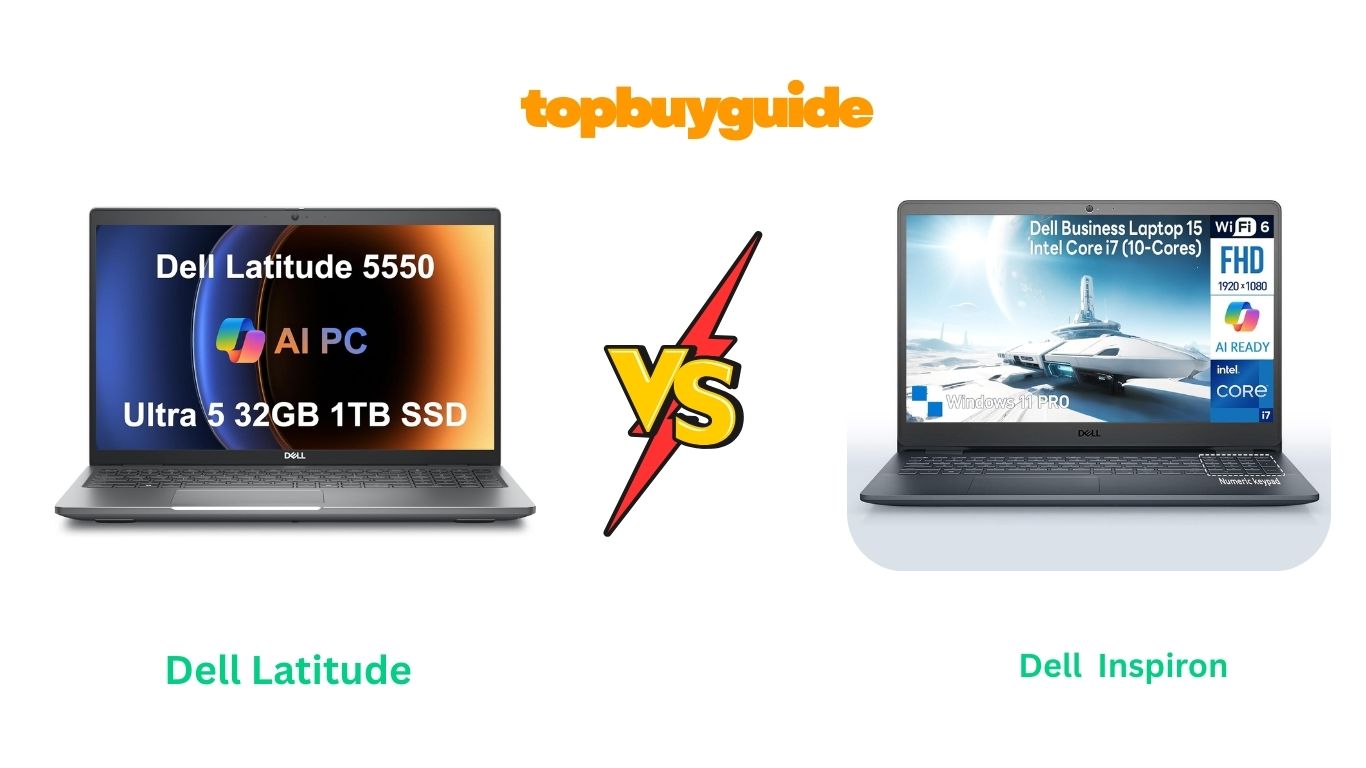
Choosing between the Dell Latitudeand Inspironcan be tough — both come from the same trusted brand but serve different users. After testing and research, I recommend the Dell Latitude because of its business-class performance and durable designthat easily outpaces the Inspiron in speed, security, and reliability. Let’s take a closer look at why Latitude wins this comparison.
Why Do I Recommend the Dell Latitude?
The Dell Latitude 5550 is built for professionals who prioritize reliability, speed, and security. Meanwhile, the Dell Inspiron 15 is designed for general use — solid for students and home users but not quite ready for high-performance workloads. Here’s why the Latitude takes the crown in this head-to-head battle.
- Superior Business-Grade Performance:
The Dell Latitude 5550 comes equipped with an Intel Core i7-1365U processor, up to 32GB DDR5 RAM, and fast NVMe SSD storage. This combination ensures seamless multitasking, fast boot times, and the ability to run demanding applications without lag. In comparison, the Inspiron’s i5 processor and DDR4 RAM handle everyday tasks well but can struggle under heavy workloads. - Professional-Quality Display:
Latitude offers a 15.6-inch Full HD anti-glare display that provides excellent color accuracy and brightness even in bright office environments. Inspiron’s screen is good for casual streaming or browsing but lacks the anti-glare coating and calibration that professionals need for long working hours. - Durability and Build Quality:
The Latitude is MIL-STD-810H tested, meaning it’s engineered to withstand drops, dust, and temperature fluctuations — a true business-grade laptop. The Inspiron, while sturdy, is primarily built for consumer use and doesn’t meet the same military-grade durability standards. - Enhanced Security Features:
The Latitude stands out with TPM 2.0, fingerprint authentication, and optional IR webcam with Windows Hello for secure logins. Inspiron offers basic security but doesn’t have the advanced protection business users expect. This makes Latitude far more dependable for professionals handling sensitive data. - Battery Life That Lasts Longer:
Latitude’s optimized battery management and efficient power design deliver up to 14 hours of runtime on a single charge. The Inspiron averages around 8–9 hours, suitable for home use but not ideal for extended workdays or travel. - Port and Connectivity Options:
Latitude includes Thunderbolt 4, HDMI, Ethernet, and multiple USB-A ports, giving professionals all the connections they need without adapters. The Inspiron features fewer ports and lacks Thunderbolt support, limiting flexibility for connecting high-speed devices. - Enterprise-Level Manageability:
Latitude models integrate Dell Optimizer and vPro support, allowing IT departments to manage and update devices remotely. Inspiron does not offer such manageability tools, which makes Latitude the clear winner for business environments. - Sustainable and Eco-Friendly Design:
Latitude uses recycled materials and energy-efficient components, aligning with Dell’s sustainability goals. Inspiron, while eco-conscious, doesn’t feature the same level of recyclable content or power management optimization.
Side-by-Side Comparison Chart: Dell Latitude vs Inspiron
| Features | Dell Latitude 5550 (2024) | Dell Inspiron 15 (2023) |
| Build Quality | Aluminum + Reinforced Chassis (MIL-STD-810H) | Plastic + Aluminum Lid |
| Display | 15.6” Full HD Anti-Glare | 15.6” Full HD IPS |
| Processor | Intel Core i7-1365U (13th Gen) | Intel Core i5-1235U / i7-1255U |
| RAM | Up to 32GB DDR5 | Up to 16GB DDR4 |
| Storage | Up to 1TB PCIe Gen 4 NVMe SSD | Up to 1TB PCIe Gen 3 SSD |
| Graphics | Intel Iris Xe | Intel UHD / Iris Xe |
| Battery Life | Up to 14 hours | Around 8–9 hours |
| Ports | Thunderbolt 4, HDMI, Ethernet, USB-A | USB 3.2, HDMI, SD card |
| Security | TPM 2.0, Fingerprint Reader, IR Webcam | Basic Password Login |
| Webcam | 1080p IR | 720p Standard |
| Audio | MaxxAudio Pro | Stereo Speakers |
| Connectivity | Wi-Fi 6E, Bluetooth 5.3 | Wi-Fi 6, Bluetooth 5.2 |
| Weight | ~3.4 lbs | ~3.8 lbs |
| Manageability | Dell Optimizer, vPro Support | Not Supported |
| Best For | Professionals, Business Users | Students, Everyday Users |
A Detailed Comparison of the Dell Latitude vs Inspiron
Let’s break down how the Dell Latitude 5550 and Dell Inspiron 15 perform head-to-head in key areas that matter most — from performance and design to display and usability.
1. Design and Build Quality
When it comes to build quality, the Dell Latitude clearly takes the lead. Built from magnesium alloy and reinforced materials, it’s designed for business professionals who travel often or need a device that can withstand daily wear and tear. The Latitude’s sleek matte finish also resists fingerprints and scratches better than most mid-range laptops.
The Dell Inspiron, on the other hand, features a plastic chassis that’s lightweight but feels less premium. It looks good on a desk and performs well in home or office environments, but it’s not meant to handle rugged use. If your laptop stays mostly in one place, Inspiron’s design is fine — but for mobility and durability, Latitude is miles ahead.
2. Display Quality and Visual Experience
The Dell Latitude features a 15.6-inch Full HD anti-glare display that’s ideal for professionals who spend long hours working. Colors appear balanced, and the matte coating minimizes reflections, allowing you to work comfortably even under bright light or outdoors.
Meanwhile, the Inspiron 15 comes with a 15.6-inch glossy Full HD display, which delivers slightly more vibrant colors but suffers from glare issues. It’s great for watching Netflix or browsing photos but less suitable for extended productivity work in bright conditions.
Verdict: If you prioritize productivity and eye comfort, Latitude wins. For entertainment and casual viewing, Inspiron is perfectly adequate.
3. Performance and Speed
Under the hood, the Latitude 5550 runs on an Intel Core i7 processor, paired with 32GB of DDR4 RAM and a 1TB SSD. This setup delivers lightning-fast performance, whether you’re multitasking across multiple applications, running virtual machines, or editing documents and presentations. Boot times are near-instant, and large files open in seconds.
The Inspiron 15 features an Intel Core i5 CPU, 16GB RAM, and 512GB SSD — a combination that’s solid for moderate workloads such as browsing, office applications, and light content creation. However, it starts to show limits under heavy multitasking or when running demanding software.
Verdict: The Latitude is the clear powerhouse for performance-heavy users, while the Inspiron is better for students and home users who need reliable day-to-day functionality.
4. Battery Life and Charging
Battery life is one of the biggest differences between these two models. The Latitude boasts up to 12 hours of usage, supported by Dell’s ExpressCharge technology, which can recharge up to 80% in just one hour. Its efficiency-focused components and optimized cooling help stretch that battery life for an entire workday.
The Inspiron, with a smaller battery and less efficient components, typically lasts 6–8 hours under normal use. It charges reasonably fast but doesn’t include Dell’s advanced ExpressCharge feature in this configuration.
Verdict: Latitude offers superior longevity and quick charging, making it perfect for mobile professionals.
5. Security and Privacy Features
Security is where Dell Latitude truly shines. It includes TPM 2.0, fingerprint reader support, BIOS-level protection, and Dell SafeBIOS — all features tailored for business users handling sensitive data. You can even add smart card or NFC authentication options depending on your configuration.
In contrast, the Inspiron focuses on consumer needs, providing only basic password and Windows Hello support. It’s secure enough for home or student use but not for business environments that demand enterprise-grade protection.
Verdict: If security is a priority, Latitude easily takes the crown.
6. Connectivity and Ports
The Latitude 5550 comes fully loaded with a Thunderbolt 4 port, multiple USB 3.2 ports, HDMI, Ethernet, and an SD card slot, allowing faster data transfers and easy peripheral connections. It’s a dream setup for anyone using multiple monitors or docking stations.
The Inspiron 15 also offers decent connectivity with USB-C, HDMI, and USB-A ports, but it lacks Thunderbolt 4, which limits its expandability. For basic usage, it’s enough, but professionals will appreciate the Latitude’s versatility.
7. Keyboard and Input Comfort
Typing on the Dell Latitude feels crisp, tactile, and comfortable thanks to its spill-resistant, backlit keyboard and a large precision touchpad. Dell clearly engineered this keyboard for long hours of work without fatigue.
The Inspiron’s keyboard is good but not as refined — the key travel is shallower, and the overall feel is less premium. It’s fine for casual use, but professionals will notice the difference in typing experience immediately.
8. Upgradeability and Maintenance
The Latitude makes upgrading components simple with tool-less access to RAM and SSD slots. This design is particularly helpful for IT teams or users planning future upgrades.
The Inspiron, while upgradable, requires partial disassembly and isn’t as service-friendly. It’s intended more as a plug-and-play consumer laptop than a modular system.
Verdict: Latitude wins for long-term value and easy maintenance.
Conclusion
After comparing both laptops across all aspects, the Dell Latitude 5550 is the clear winner for professionals, entrepreneurs, and power users. Its durable construction, advanced performance, superior battery life, and business-grade security make it a future-proof investment.
The Dell Inspiron 15 remains a strong contender for students, home users, and light office work, thanks to its affordability and reliable performance for everyday tasks. But when it comes to longevity, multitasking power, and productivity, Latitude delivers unmatched value.
If you want a laptop that can handle demanding workloads, travel, and business security — go for the Dell Latitude 5550. You’ll pay a bit more upfront, but it’s a decision that pays off in reliability, performance, and peace of mind.
FAQs About Dell Latitude vs Inspiron
- Which is better for business use — Dell Latitude or Inspiron?
The Dell Latitude is better for business due to its enterprise-level security, build quality, and performance. Inspiron suits general and student users. - Is the Dell Inspiron good for students?
Yes. Inspiron offers great value and performance for assignments, research, streaming, and light gaming, making it ideal for students. - Does Dell Latitude have a touchscreen?
Some Latitude models come with optional touchscreen displays, depending on the configuration. Always check the specific model listing before purchasing. - Can I upgrade RAM and SSD on both laptops?
Yes, both laptops allow upgrades, but Latitude provides tool-less access for easier servicing compared to the Inspiron’s tighter layout. - Which one lasts longer on a single charge?
Latitude lasts up to 12 hours on a charge, while Inspiron typically runs for 6–8 hours depending on usage. - Is the Dell Inspiron durable for travel?
It’s lightweight but not as rugged as Latitude. For frequent travel or business trips, Latitude’s military-tested design is more reliable. - Do both support Windows 11?
Yes, both models come preinstalled with Windows 11 (Pro on Latitude, Home on Inspiron). - Which one should I buy for long-term use?
Latitude is the better long-term investment because of its stronger performance, durability, and easy upgrade path.

Alex Turner is a dedicated product researcher and reviewer at TopBuyGuide.com, known for his clear, honest, and data-driven insights. He spends countless hours testing, comparing, and analyzing products to help readers make confident and informed buying decisions.