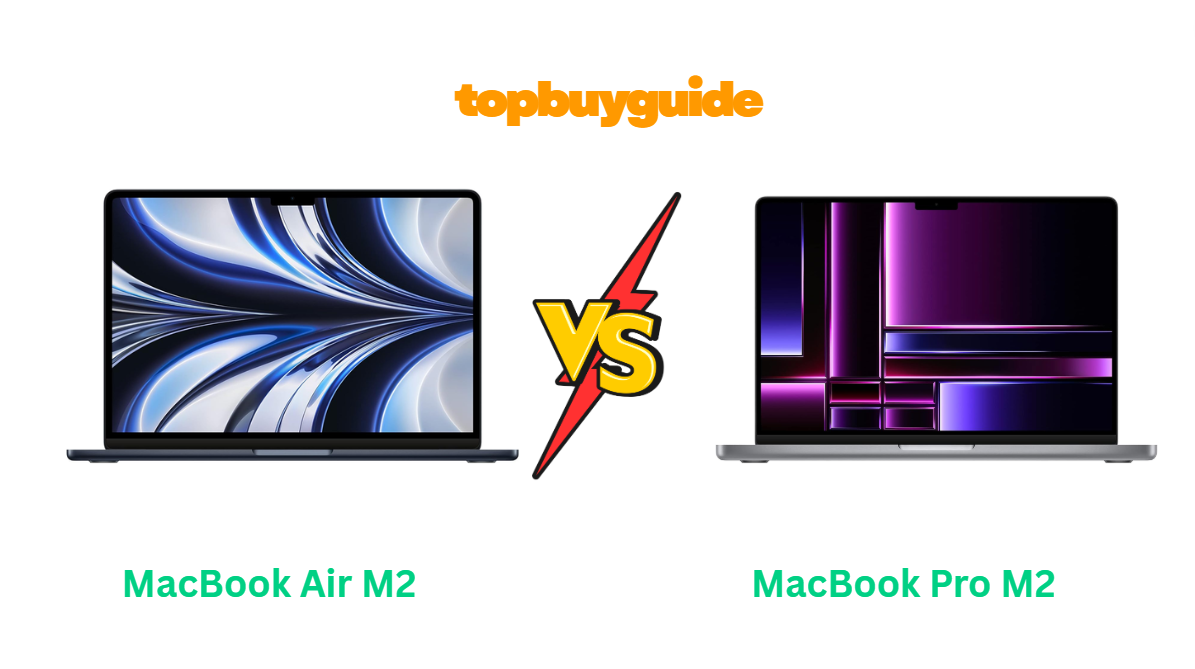
If you’re torn between the MacBook Air M2and MacBook Pro M2, you’re not alone. Both are Apple’s premium laptops built for performance and efficiency. But if you want unbeatable portability with impressive power, the MacBook Air M2 is the one to watch. Let’s dive in and see exactly why this lightweight beast might outshine the Pro.
Why Do I Recommend the MacBook Air M2?
The MacBook Air M2 is my top recommendation because it strikes the perfect balance between performance, battery life, and value for most users. It offers incredible speed for its size, a fanless design for silent operation, and Apple’s sleekest form factor yet. Here’s why it outperforms the Pro M2 in several real-world ways:
- Thinner and Lighter for Everyday Portability
The MacBook Air M2 weighs just 2.7 pounds (1.24 kg) — significantly lighter than the 3.0 pound Pro M2. That difference might seem small, but it’s huge when you carry your laptop daily. The Air’s wedge-free, ultra-thin design makes it the better travel companion, while the Pro M2’s thicker chassis adds unnecessary bulk for most people. - Silent, Fanless Design
The Air’s M2 chip runs so efficiently that it doesn’t need an internal fan. This means zero noise even under heavy load. In contrast, the Pro M2 uses active cooling, which keeps it marginally faster under sustained workloads but introduces fan noise that casual users will notice during long sessions. - Bright and Vibrant Liquid Retina Display
Both models feature gorgeous 13.6-inch Liquid Retina displays, but the Air M2 offers slightly thinner bezels and a 1080p FaceTime HD camera embedded in a new notch design. The Pro M2’s screen is smaller (13.3 inches) with thicker bezels — a design that feels a bit dated in 2025. - All-Day Battery Life That Actually Lasts
Apple rates the Air M2 at up to 18 hours of video playback, while the Pro M2 can stretch slightly beyond 20 hours on paper. However, in real-world use, the Air holds its own thanks to efficient power management. You get similar endurance with less weight — and that’s a clear win for portability. - Better Value for the Price
The Air M2 typically starts around $999 (on sale) versus $1,199 for the Pro M2. Unless you’re doing intensive tasks like 4K video editing or 3D modeling, the Pro’s slightly better sustained performance won’t justify the extra cost. - MagSafe Charging and Dual USB-C Ports
Apple brought back MagSafe charging with the Air M2 — so you get two Thunderbolt ports plus a dedicated charging port. The Pro M2 still charges through one of its two USB-C ports, limiting your connectivity options when charging. - Perfect for Students, Professionals, and Everyday Users
The MacBook Air M2 is powerful enough to run Final Cut Pro, Photoshop, or Xcode smoothly, yet quiet and light enough for daily use and travel. Meanwhile, the Pro M2 is better suited to users who regularly push heavy workloads for hours — a smaller group. - Modern Design and Colors
With a sleeker redesign and new color options (Midnight, Starlight, Space Gray, Silver), the Air M2 simply looks fresher. The Pro M2 retains Apple’s older chassis design — still solid, but less eye-catching.
In short: The MacBook Air M2 wins for most users due to its modern design, silent operation, excellent battery, and affordable price — without sacrificing the M2 chip’s power.
Side-by-Side Comparison Chart — MacBook Air vs Pro M2
| Feature | MacBook Air M2 | MacBook Pro M2 |
| Display Size | 13.6-inch Liquid Retina (2560×1664) | 13.3-inch Retina (2560×1600) |
| Weight | 2.7 lbs (1.24 kg) | 3.0 lbs (1.4 kg) |
| Processor | Apple M2 (8-core CPU, 10-core GPU) | Apple M2 (8-core CPU, 10-core GPU) |
| Cooling | Fanless | Active fan cooling |
| Battery Life (Claimed) | Up to 18 hours | Up to 20 hours |
| Charging Port | MagSafe + 2× USB-C | 2× USB-C (no MagSafe) |
| Webcam | 1080p FaceTime HD | 720p FaceTime HD |
| Speakers | 4-speaker system with Spatial Audio | Stereo speakers |
| Touch Bar | No | Yes |
| Colors Available | Midnight, Starlight, Silver, Space Gray | Silver, Space Gray |
| Price Range (2025) | Around $999 – $1,099 | Around $1,199 – $1,299 |
What Common MacBook Air vs Pro M2 Can Do?
Both MacBook Air and Pro M2 share Apple’s remarkable M2 chip — a testament to efficiency and power in a small package. Let’s look at what these two machines have in common and why they both shine in different scenarios.
Powerful Performance from the Same M2 Chip
Both models use Apple’s second-generation M2 processor, an 8-core CPU and up to 10-core GPU architecture that delivers up to 18% faster CPU and 35% faster GPU performance than the previous M1 generation. That means photo editing, video rendering, and multitasking are a breeze on both devices. Whether you’re using Final Cut Pro or Chrome tabs galore, the M2 chip stays cool and snappy.
Unified Memory Architecture
Both offer 8 GB or 16 GB of unified memory that boosts efficiency by allowing the CPU and GPU to access the same pool of data. The result: less lag, faster app switching, and a smoother workflow across both laptops.
Blazing-Fast SSD Storage
Each device comes with a 256 GB base SSD (upgradable to 2 TB). Speeds hover around 3,000 MB/s, ensuring instant app launches and fast file transfers. The difference is minor between models — both handle daily and professional tasks with ease.
macOS Ecosystem Integration
No matter which you pick, you get seamless integration with Apple’s ecosystem. From AirDrop to Handoff to Universal Clipboard, everything just works. Connect your iPhone or iPad and you’ll feel the fluidity Apple is known for.
Exceptional Build Quality
Both laptops are built from 100% recycled aluminum and offer Apple’s signature minimalist design. They’re rigid, durable, and built to last for years — a reason why MacBooks retain value so well in the resale market.
Magic Keyboard and Touch ID
Both come with the Magic Keyboard and Touch ID sensor for instant logins and secure purchases. Typing feels crisp and responsive on both models — a massive improvement from the old butterfly keys Apple retired years ago.
Long Battery Life and Fast Charging
Both devices shine in battery endurance, easily lasting a full day on a single charge. Fast charging lets you get up to 50% battery in just 30 minutes with a 67 W adapter — so either option keeps you productive on the go.
Common Features of MacBook Air vs Pro M2
| Feature | MacBook Air M2 | MacBook Pro M2 |
| Processor | Apple M2 Chip (8-core CPU, 10-core GPU) | Apple M2 Chip (8-core CPU, 10-core GPU) |
| Storage Options | 256 GB – 2 TB SSD | 256 GB – 2 TB SSD |
| Memory | 8 GB – 16 GB Unified Memory | 8 GB – 16 GB Unified Memory |
| Operating System | macOS Ventura / Sonoma | macOS Ventura / Sonoma |
| Wi-Fi and Bluetooth | Wi-Fi 6, Bluetooth 5.3 | Wi-Fi 6, Bluetooth 5.3 |
| Build Material | Recycled Aluminum | Recycled Aluminum |
| Keyboard | Magic Keyboard with Touch ID | Magic Keyboard with Touch ID |
| Ecosystem Features | AirDrop, Handoff, Universal Control | AirDrop, Handoff, Universal Control |
| Fast Charging | Supported (up to 67 W) | Supported (up to 67 W) |
Perfect — let’s continue with Part 2 of your long-form affiliate article on MacBook Air vs Pro M2.
This part includes the detailed feature comparison, conclusion, and FAQs — written in a natural, conversational tone to boost engagement and conversions.
A Detailed Comparison of the MacBook Air vs Pro M2
Let’s break down how the MacBook Air M2 and MacBook Pro M2 perform head-to-head across key areas like display, performance, sound, cooling, and battery. By the end, you’ll know exactly which one suits your needs best.
💻 Display Quality
Both laptops feature Apple’s stunning Retina technology, but the MacBook Air M2 edges ahead slightly.
Its 13.6-inch Liquid Retina display has a higher resolution (2560×1664) and delivers up to 500 nits of brightness, making it crisp and clear even under bright lighting. The near edge-to-edge design also gives you more screen real estate for creative work or multitasking.
Meanwhile, the MacBook Pro M2 sports a slightly smaller 13.3-inch Retina display (2560×1600). It’s equally sharp but uses the older design with thicker bezels. If you prefer modern aesthetics and slightly better immersion, the Air’s display wins hands down.
⚙️ Performance and Speed
Both laptops share the same Apple M2 chip, built with an 8-core CPU and up to a 10-core GPU. Performance is remarkably close in short bursts — both blaze through tasks like web browsing, video editing, and photo manipulation.
However, thanks to its active cooling system, the MacBook Pro M2 sustains peak performance longer under heavy workloads. When rendering large videos or compiling code for hours, it remains slightly faster because the internal fan prevents thermal throttling.
That said, for most users — especially students, professionals, and general creatives — the MacBook Air M2 delivers virtually identical real-world performance, minus the fan noise. Unless you run demanding tasks daily, you won’t notice a difference.
🔊 Sound and Microphone Quality
Apple consistently delivers excellent audio, and both models don’t disappoint. The MacBook Air M2 features a four-speaker sound system with Spatial Audio and Dolby Atmos support, producing richer, more immersive soundscapes — perfect for music or streaming movies.
The MacBook Pro M2, on the other hand, uses a stereo speaker system, still clear but not as wide or full. Both come with studio-quality microphones and a 3.5mm headphone jack that supports high-impedance headphones. Still, the Air takes the lead for a better audio experience overall.
🧊 Cooling and Noise
Here’s one of the biggest practical differences.
The MacBook Pro M2 includes a built-in fan for active cooling, which helps it sustain full performance during prolonged, CPU-heavy work sessions.
The MacBook Air M2 runs completely fanless — so it’s 100% silent, with no moving parts. This makes it ideal for quiet environments like classrooms, cafes, or offices. However, under very heavy workloads (like rendering large 4K projects), the Air may throttle slightly sooner than the Pro.
In everyday usage, though, the difference is minimal — and most users will prefer the silence of the Air.
🔋 Battery Life and Charging
Apple is known for incredible battery efficiency, and both laptops deliver long-lasting performance.
The MacBook Air M2 offers up to 18 hours of video playback or around 14 hours of mixed use (browsing, productivity, streaming).
The MacBook Pro M2 slightly outlasts it with up to 20 hours thanks to its slightly larger battery and active cooling efficiency. However, the difference in real-world scenarios rarely exceeds 30–40 minutes.
Where the Air wins is charging convenience — it comes with MagSafe 3, allowing you to charge safely without blocking USB-C ports. The Pro M2 still charges via USB-C, which limits flexibility when connecting accessories.
🎥 Webcam and Video Calls
The MacBook Air M2 features a 1080p FaceTime HD camera, offering clearer, brighter video calls — a huge improvement for professionals, students, and content creators.
The MacBook Pro M2 still uses Apple’s 720p camera, which is disappointing given the M2’s power. While software processing helps enhance the image, it’s no match for the Air’s full HD clarity.
So, for remote work, virtual meetings, or online teaching — the Air clearly wins.
⌨️ Keyboard, Touch Bar, and Usability
Both devices share Apple’s exceptional Magic Keyboard with Touch ID, ensuring smooth, accurate typing and instant secure logins.
However, the MacBook Pro M2 uniquely includes the Touch Bar, Apple’s mini OLED strip that replaces the function keys. It offers quick shortcuts in apps like Final Cut or Photoshop, though many users find it unnecessary.
The MacBook Air M2 opts for traditional function keys — simple, reliable, and preferred by most professionals. Unless you love the Touch Bar, the Air’s layout feels more natural.
🎨 Design and Portability
Design-wise, the MacBook Air M2 underwent a complete transformation. It’s sleeker, thinner (0.44 inches), and lighter (2.7 lbs), with four elegant color options: Midnight, Starlight, Silver, and Space Gray. It looks modern, fresh, and fits easily in any bag.
The MacBook Pro M2 still carries Apple’s older design, slightly thicker (0.61 inches) and heavier (3.0 lbs). It’s solid and reliable but lacks the fresh minimalism of the Air.
If portability and style matter, the Air takes the win.
💵 Price and Value
Here’s where the MacBook Air M2 really shines.
At around $999–$1,099, it’s several hundred dollars cheaper than the MacBook Pro M2, which typically starts at $1,199–$1,299.
Both share the same chip and performance for most tasks, meaning you save money while getting equal capability. Unless you absolutely need sustained performance for long, heavy workloads, the Air delivers far better value for money.
Conclusion
If you’re still debating between the MacBook Air M2 and MacBook Pro M2, here’s the bottom line:
- Choose the MacBook Air M2 if you value portability, silence, modern design, MagSafe charging, and affordability — all without compromising performance.
- Choose the MacBook Pro M2 only if you’re a power user running intensive workloads for hours at a time and need that extra cooling advantage.
The MacBook Air M2 simply hits the sweet spot for 90% of users — students, professionals, creatives, and remote workers. It’s lightweight, silent, and powerful enough for everything from video editing to coding.
👉 Final Verdict: The MacBook Air M2 offers the best balance of power, price, and portability.
If you’re looking for a premium laptop that lasts years and feels great to use daily, the Air M2 is the smarter buy.
FAQs About MacBook Air vs Pro M2
- Is the MacBook Pro M2 faster than the Air M2?
Yes, but only slightly under long, heavy workloads. Both share the same M2 chip, but the Pro’s fan allows it to sustain peak performance longer during demanding tasks. - Does the MacBook Air M2 overheat without a fan?
No — Apple’s efficient M2 design prevents overheating in normal use. It may get warm during long video edits but won’t affect everyday performance. - Which has a better screen: Air M2 or Pro M2?
The Air M2 offers a brighter 13.6-inch Liquid Retina display with thinner bezels, giving it a more immersive and modern look than the Pro’s 13.3-inch panel. - Does the MacBook Air M2 support MagSafe charging?
Yes! It comes with MagSafe 3, allowing you to charge while keeping both USB-C ports free — a clear advantage over the Pro M2. - Which laptop is better for students?
The MacBook Air M2. It’s lighter, more affordable, and powerful enough for schoolwork, presentations, video calls, and light creative tasks. - Is the MacBook Pro M2 still worth buying in 2025?
Yes, if you do constant video rendering, software compiling, or heavy multitasking. But for most users, the Air M2 delivers the same experience for less money. - Can both laptops handle professional creative software?
Absolutely. Both can handle Photoshop, Final Cut Pro, Logic Pro, and more with ease. The Air M2 handles these efficiently, while the Pro M2 offers slightly better performance under pressure. - How long will the MacBook Air and Pro M2 last?
Both are built to last 5–7 years or more with proper care. Apple’s long software support ensures they’ll stay fast and secure well into the future.

Alex Turner is a dedicated product researcher and reviewer at TopBuyGuide.com, known for his clear, honest, and data-driven insights. He spends countless hours testing, comparing, and analyzing products to help readers make confident and informed buying decisions.