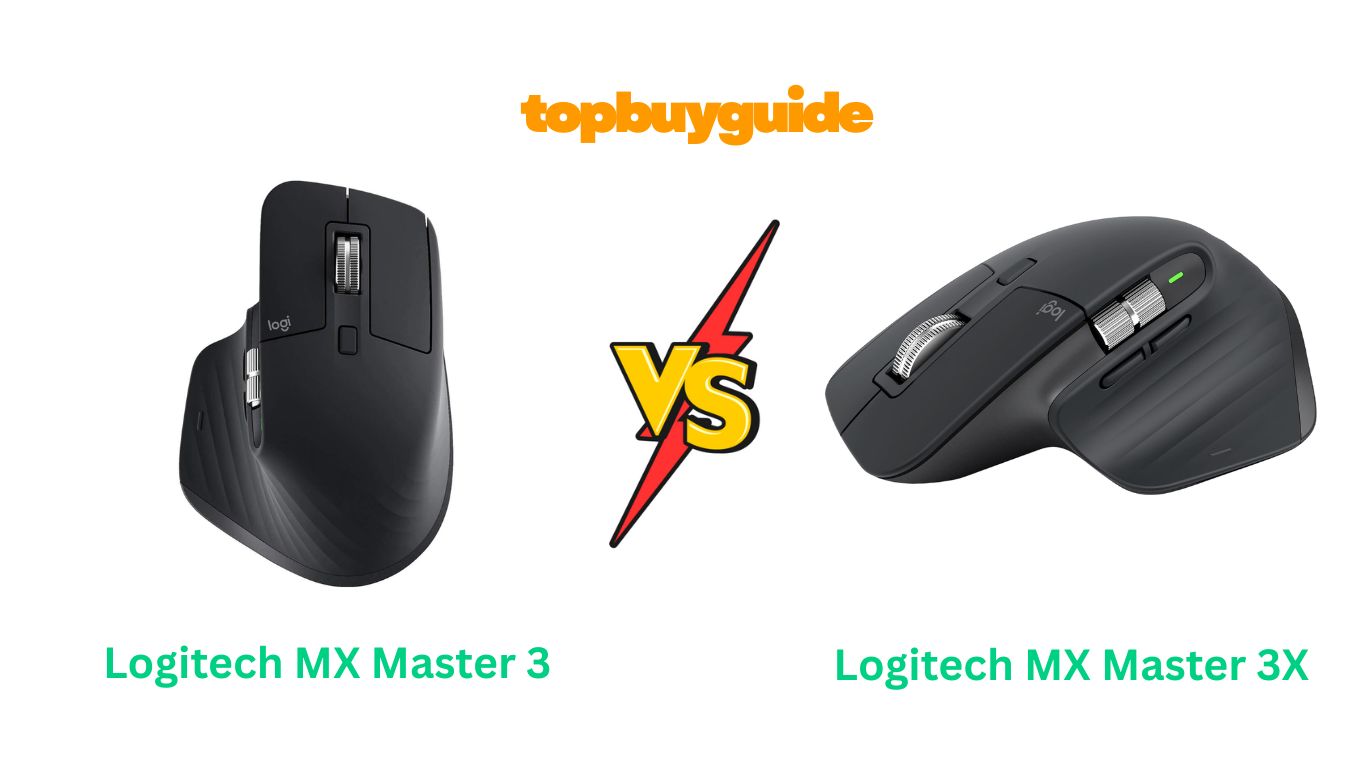
Choosing between the Logitech MX Master 3 and 3S? While both are excellent productivity mice, I recommend the Logitech MX Master 3S. The quieter clicks and higher 8K DPI sensor make it a superior choice for focused work in any environment. These subtle but significant upgrades provide a more refined and powerful user experience, making the 3S the clear winner for most users looking for peak performance and minimal disturbance.
Why Do I Recommend The Logitech MX Master 3S?
The Logitech MX Master 3S takes everything great about its predecessor and refines it for a superior experience. Here’s why it stands out:
- Logitech MX Master 3S features Quiet Clicks, which are 90% quieter than the MX Master 3. This is a game-changer for open-plan offices or late-night work sessions, ensuring you stay focused without disturbing others around you. The MX Master 3 has traditional, audible clicks which can be distracting in quiet environments.
- The 8K DPI sensor in the MX Master 3S offers double the sensitivity of the 4000 DPI sensor in the MX Master 3. This upgrade allows for incredibly precise tracking on any surface, including glass, and is particularly beneficial for users with high-resolution monitors who need to make swift, accurate cursor movements.
- For connectivity, the MX Master 3S utilizes the Logi Bolt receiver. This provides a more secure and stable wireless connection with lower latency, especially in congested wireless environments. In contrast, the MX Master 3 uses the older Unifying Receiver, which is less secure and more susceptible to interference.
- The MX Master 3S is made with certified post-consumer recycled plastic (27% for Graphite/Black, 22% for Pale Gray). This makes it a more environmentally friendly choice compared to the MX Master 3, which does not feature recycled materials.
- Enhanced software support through Logi Options+ on the MX Master 3S offers a more modern interface and features like the AI Prompt Builder. While the MX Master 3 is also compatible, the 3S is optimized for the latest software advancements, ensuring a more future-proof experience.
- The clicking sensation is softer and more tactile on the MX Master 3S. While the MX Master 3 has a firmer, louder click, many users prefer the quieter, less resistant feedback of the 3S for long work sessions, reducing finger fatigue.
Side By Side Comparison Chart (Logitech MX Master 3 vs 3S)
| Feature | Logitech MX Master 3 | Logitech MX Master 3S |
| Click Sound | Standard, audible clicks | Quiet Clicks (90% quieter) |
| Sensor DPI | 4000 DPI | 8000 DPI |
| Wireless Receiver | Logitech Unifying Receiver | Logi Bolt USB Receiver |
| Recycled Materials | No | Yes (27% Graphite, 22% Pale Gray) |
| Available Colors | Black, Mid Grey | Graphite, Pale Grey, Black |
| Primary Software | Logitech Options | Logi Options+ (Optimized) |
| Click Feel | Firmer, more defined | Softer, less resistance |
What Common Features Can Logitech MX Master 3 vs 3S Do?
Despite their differences, the Logitech MX Master 3 and 3S share a core set of premium features that make them leaders in productivity. These shared functionalities ensure that no matter which model you choose, you’re getting a high-performance tool designed for comfort and efficiency.
The most celebrated common feature is the MagSpeed Electromagnetic scrolling wheel. This innovative wheel allows you to scroll 1,000 lines in a second with near-silent precision. It automatically shifts between line-by-line ratcheted scrolling for detailed work and hyper-fast free-spinning for flying through long documents or web pages. This dual-mode functionality provides an unparalleled level of control and speed that dramatically enhances workflow.
Both mice boast an exceptional ergonomic design, sculpted to fit the natural contour of the hand. This design minimizes wrist strain and promotes a more comfortable posture during long hours of use. The thumb rest is perfectly placed and integrates a gesture button, adding another layer of customizable control without sacrificing comfort. This focus on ergonomics makes both the MX Master 3 and 3S ideal for professionals who spend their entire day at the computer.
Multi-device and multi-OS compatibility is another hallmark of the MX series. Both the 3 and 3S can be paired with up to three devices simultaneously and switch between them with the press of a button. They are compatible with Windows, macOS, Linux, Chrome OS, and iPadOS, making them incredibly versatile for users who work across different platforms. The Logitech Flow technology further enhances this, allowing for seamless cross-computer control, including copying and pasting text, images, and files between machines.
Finally, both models offer impressive battery life and fast charging. A full charge can last up to 70 days, and a quick one-minute charge via the USB-C port provides enough power for three hours of use. This means you’ll rarely find yourself without a working mouse, and when you do, it’s back in action in no time. This reliability ensures that your productivity is never hindered by a dead battery.
Common Features of Logitech MX Master 3 vs 3S
| Feature | Logitech MX Master 3 | Logitech MX Master 3S |
| Ergonomic Design | Yes | Yes |
| MagSpeed Scrolling | Yes | Yes |
| Thumb Scroll Wheel | Yes | Yes |
| Customizable Buttons | 7 | 7 |
| Logitech Flow | Yes | Yes |
| Battery Life | Up to 70 days | Up to 70 days |
| Charging Port | USB-C | USB-C |
| Multi-Device Pairing | Up to 3 devices | Up to 3 devices |
A Detailed Comparison Of the Logitech MX Master 3 vs 3S
Click Noise and Feel
The most noticeable difference between the two mice is the click. The Logitech MX Master 3S introduces “Quiet Clicks,” which are 90% quieter than its predecessor. This is a massive improvement for users in shared workspaces, libraries, or anyone who finds constant clicking noises distracting. The feel is softer and requires slightly less force, which can reduce fatigue over long periods.
In contrast, the Logitech MX Master 3 features traditional, audible clicks. While some users might prefer the firm, definitive feedback of a louder click, it can be intrusive in quiet environments. If noise is a concern, the 3S is the undisputed winner in this category, offering a more serene and focused user experience without sacrificing tactile satisfaction.
Sensor Performance and Precision
The Logitech MX Master 3S doubles the sensor resolution with its 8000 DPI optical sensor, a significant jump from the 4000 DPI sensor in the Logitech MX Master 3. This higher sensitivity means the 3S can track with greater precision and speed, which is especially useful on large, high-resolution displays (like 4K or 8K monitors). It allows you to cover more screen real estate with less physical movement, making it a great choice for graphic designers, video editors, and power users. Both mice perform exceptionally on any surface, including glass.
Wireless Connectivity
The Logitech MX Master 3S is equipped with the Logi Bolt USB receiver, which represents Logitech’s latest wireless technology. Logi Bolt offers a more secure, encrypted connection and is designed to perform better in congested wireless environments with less interference and lower latency. This makes the 3S a more reliable option for busy office settings.
The Logitech MX Master 3 uses the older Logitech Unifying Receiver. While still a very capable and reliable connection for most users, it is not as secure as Logi Bolt and can be more susceptible to interference from other wireless devices. It’s important to note that the Logi Bolt and Unifying receivers are not cross-compatible.
Ergonomics and Design
In terms of physical design and ergonomics, the Logitech MX Master 3 and MX Master 3S are virtually identical. Both feature the same sculpted, right-handed shape that has made the MX Master series a favorite for its comfort. The thumb rest, side scroll wheel, and button placements are unchanged, which is great news for anyone who already loves the feel of the MX Master 3.
The only slight difference is in the color options and materials. The MX Master 3S is available in Graphite, Pale Grey, and Black, and incorporates post-consumer recycled plastics, making it a more sustainable choice. The MX Master 3 comes in Black and Mid Grey and does not use recycled materials.
Conclusion
For most people, the Logitech MX Master 3S is the better choice and worth the extra investment. The upgrade to an 8K DPI sensor provides superior precision, especially on high-resolution displays, and the Quiet Clicks are a game-changer for shared or quiet workspaces. The more secure Logi Bolt receiver also ensures a more stable connection. With over 11,500 ratings on Amazon averaging 4.5 stars, it’s clear users love the enhancements. If you’re looking for the best performance, lowest noise, and future-proof technology, click the link to get the MX Master 3S today.
FAQs
- Is the MX Master 3S worth upgrading from the MX Master 3?
If you work in a quiet environment or use a high-resolution monitor, the upgrade is absolutely worth it. The Quiet Clicks and 8K DPI sensor on the 3S provide a noticeably better experience. If those features aren’t critical for you, the MX Master 3 remains a fantastic mouse. - Can I use the Logi Bolt receiver with the MX Master 3?
No, the Logi Bolt receiver is only compatible with the MX Master 3S and other Logi Bolt-enabled devices. The MX Master 3 uses the Logitech Unifying Receiver, and the two receiver types are not interchangeable. - Are the ergonomics the same for both mice?
Yes, the ergonomic design, shape, and button layout are identical for both the MX Master 3 and the MX Master 3S. If you find the MX Master 3 comfortable, you will feel right at home with the 3S. - How much quieter are the clicks on the MX Master 3S?
Logitech states that the MX Master 3S has “Quiet Clicks” that produce 90% less click noise than the MX Master 3. This makes the clicks barely audible, providing a much quieter user experience. - Does the 8000 DPI on the MX Master 3S make a real difference?
Yes, especially for users with 4K/8K monitors or multi-monitor setups. The higher DPI allows for faster and more precise cursor movements across large screen areas with less physical effort, improving productivity for tasks that demand high precision. - Do both mice work on glass?
Yes, both the MX Master 3 and MX Master 3S feature Logitech’s Darkfield high-precision sensor, which allows them to track flawlessly on virtually any surface, including glass (with a minimum thickness of 4mm). - Is the battery life the same for both models?
Yes, both the MX Master 3 and the MX Master 3S offer the same excellent battery life. They can last up to 70 days on a full charge, and a quick 1-minute charge provides 3 hours of use. - Can I customize the buttons on both mice?
Yes, both mice have 7 customizable buttons that can be configured for specific applications using Logitech’s software. The MX Master 3S is optimized for the newer Logi Options+ software, while the MX Master 3 can use either Logitech Options or Logi Options+.

Alex Turner is a dedicated product researcher and reviewer at TopBuyGuide.com, known for his clear, honest, and data-driven insights. He spends countless hours testing, comparing, and analyzing products to help readers make confident and informed buying decisions.