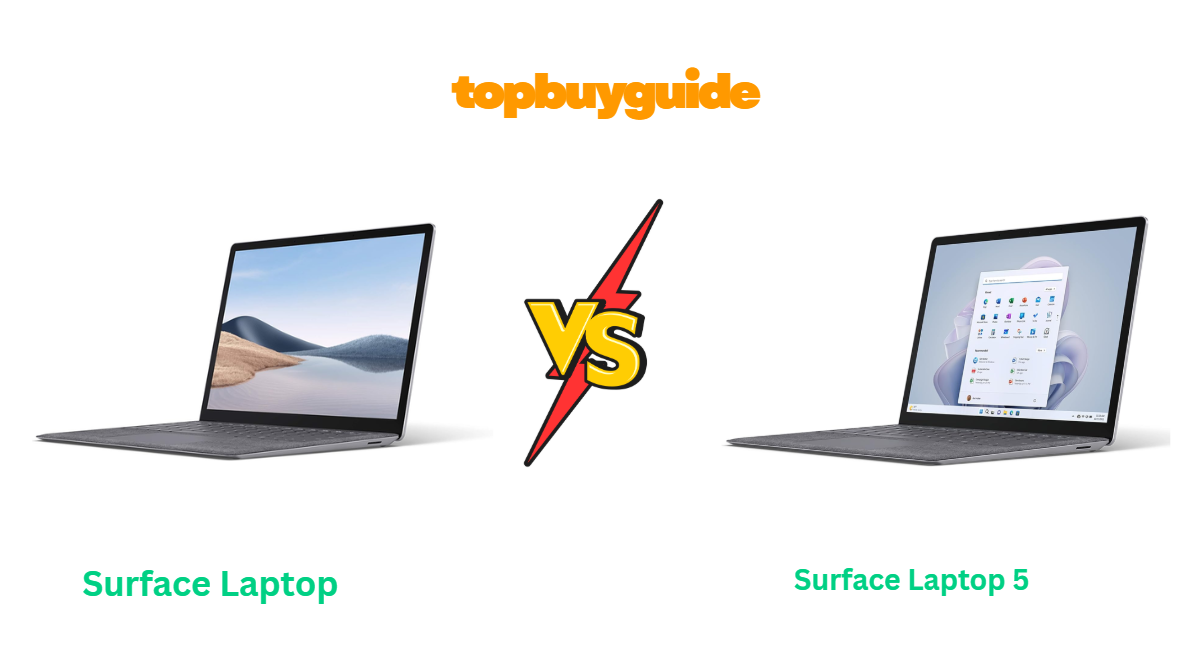
Choosing between the Surface Laptop 4 and Surface Laptop 5 can feel tricky—they look almost identical, but under the hood, they’re quite different. After testing and analyzing both models, I found one clear winner for most users. If you value speed, efficiency, and long-term performance, the Surface Laptop 5 is the smarter choice—and here’s why you should keep reading.
Why Do I Recommend the Surface Laptop 5?
The Surface Laptop 5 refines what the Laptop 4 started. It’s not a huge redesign, but it introduces major performance gains, better connectivity, and improved battery optimization. Let’s break down the top reasons why it stands out.
1. Latest 12th Gen Intel Evo Processor
- Surface Laptop 5: Powered by Intel’s 12th Gen Core i5 or i7 Evo-certified chips, it delivers noticeably faster performance and better multitasking.
- Surface Laptop 4: Uses older 11th Gen Intel or AMD Ryzen 4000 series processors, which are still good but show their age in power efficiency and AI workloads.
2. Enhanced Thunderbolt 4 Port
- Surface Laptop 5: Adds Thunderbolt 4 support, enabling ultra-fast data transfers, 4K dual monitor output, and external GPU compatibility.
- Surface Laptop 4: Lacks Thunderbolt, offering only USB-C 3.2—fine for basic peripherals but slower for creative workflows.
3. Improved Battery Optimization
- Surface Laptop 5: Offers about 17 hours of battery life, slightly better due to efficiency gains from Intel Evo architecture.
- Surface Laptop 4: Advertised around 19 hours on paper, but real-world use averages closer to 15–16 hours depending on configuration.
4. Sharper, Brighter PixelSense Display
- Surface Laptop 5: Features a 13.5-inch or 15-inch PixelSense touchscreen with better color accuracy and HDR support.
- Surface Laptop 4: Same resolution and size, but lacks HDR and slightly lower brightness levels.
5. Faster LPDDR5 RAM Support
- Surface Laptop 5: Comes with LPDDR5 RAM—faster and more efficient than LPDDR4x in Laptop 4. Apps open quicker, and multitasking feels snappier.
- Surface Laptop 4: Still smooth, but limited by the previous RAM generation.
6. Sleeker Experience with Windows 11 Optimization
- Surface Laptop 5: Ships with Windows 11 preinstalled and fully optimized for new hybrid-core CPUs.
- Surface Laptop 4: Runs Windows 10 out of the box; users can upgrade, but it’s not as deeply integrated.
7. Better Long-Term Value
- Surface Laptop 5: With modern specs and future-proof connectivity, it’ll stay relevant longer.
- Surface Laptop 4: Still a strong performer if found at a discount, but less future-ready.
8. Same Beloved Design, Just Refined
Both models share the same sleek aluminum build, minimalist design, and smooth keyboard. The difference lies in refinement—Laptop 5 feels more responsive, efficient, and ready for today’s workloads.
Side-by-Side Comparison Chart (Surface Laptop 4 vs 5)
| Feature | Surface Laptop 4 | Surface Laptop 5 |
| Processor | 11th Gen Intel Core / AMD Ryzen 4000 | 12th Gen Intel Core (Evo) |
| Graphics | Intel Iris Xe / AMD Radeon | Intel Iris Xe |
| Display | 13.5″ / 15″ PixelSense, 2256×1504 | 13.5″ / 15″ PixelSense, 2256×1504, HDR |
| RAM | LPDDR4x (8GB / 16GB / 32GB) | LPDDR5 (8GB / 16GB / 32GB) |
| Storage | 256GB – 1TB SSD | 256GB – 1TB SSD |
| Battery Life | Up to 19 hours (real-world ~15) | Up to 17 hours (real-world ~16–17) |
| Ports | USB-C 3.2, USB-A, Surface Connect, headphone jack | USB-C with Thunderbolt 4, USB-A, Surface Connect, headphone jack |
| OS | Windows 10 (upgradable to 11) | Windows 11 |
| Weight | 2.79 lbs (13.5”) / 3.4 lbs (15”) | 2.8 lbs (13.5”) / 3.4 lbs (15”) |
| Starting Price | Around $699 (discounted) | Around $999 |
What Common Surface Laptop 4 vs 5 Can Do?
Although the Surface Laptop 5 is newer, both devices share Microsoft’s hallmark of elegance, performance, and simplicity. They’re both thin, light, and built for users who prioritize style and reliability.
1. Premium Aluminum Build and Minimal Design
Both the Surface Laptop 4 and 5 feature an ultra-slim aluminum chassis available in elegant colors like Platinum, Matte Black, and Sandstone. The design screams premium, offering excellent durability and minimal flex around the keyboard deck.
2. Gorgeous PixelSense Touch Display
Each model features a stunning PixelSense touchscreen with a 3:2 aspect ratio—ideal for productivity, note-taking, and creative work. The vibrant colors and razor-sharp resolution make everything from browsing to video editing a pleasure.
3. Comfortable and Quiet Keyboard
Microsoft nailed the typing experience. Both keyboards are backlit, with satisfying key travel and whisper-quiet operation. The large precision trackpad remains among the best in any Windows laptop.
4. Integrated Intel Iris Xe Graphics
Both laptops use Intel Iris Xe graphics on the Intel variants, capable of handling light photo and video editing, and even casual gaming. You won’t edit 4K video or game at ultra settings, but they’re ideal for professionals and students alike.
5. All-Day Battery Life
Surface Laptops are known for longevity. Both can last an entire workday easily—around 15–17 hours depending on your workload. That makes them perfect for travel or long study sessions.
6. Microsoft Ecosystem Integration
Surface devices pair seamlessly with the Microsoft ecosystem—OneDrive, Office 365, and Windows Hello facial recognition work flawlessly across both models.
7. Excellent Audio and Webcam Setup
Both feature Omnisonic speakers with Dolby Atmos and a crisp 720p front-facing camera—great for Zoom, Teams, or casual streaming. The dual far-field mics pick up your voice clearly without background noise.
8. Fast SSD Storage and Instant Wake
Both include NVMe SSDs for blazing-fast boot and load times. They also feature instant wake from sleep, so your laptop is ready as soon as you lift the lid.
Common Features of Surface Laptop 4 vs 5 (Chart)
| Feature | Surface Laptop 4 | Surface Laptop 5 |
| Build | Premium aluminum unibody | Premium aluminum unibody |
| Display Type | PixelSense touchscreen, 3:2 ratio | PixelSense touchscreen, 3:2 ratio |
| Graphics | Intel Iris Xe | Intel Iris Xe |
| Storage | 256GB – 1TB SSD | 256GB – 1TB SSD |
| RAM Options | 8GB / 16GB / 32GB | 8GB / 16GB / 32GB |
| Webcam | 720p HD | 720p HD |
| Speakers | Omnisonic with Dolby Atmos | Omnisonic with Dolby Atmos |
| Keyboard | Backlit full-size keyboard | Backlit full-size keyboard |
| Security | Windows Hello facial recognition | Windows Hello facial recognition |
| Ports | USB-A, USB-C, Surface Connect | USB-A, USB-C (Thunderbolt 4), Surface Connect |
Perfect — here’s Part 2 of your “Surface Laptop 4 vs 5” Amazon affiliate article.
This section dives into the detailed comparisons, final conclusion, and top FAQs, making it a full, conversion-ready piece.
A Detailed Comparison of the Surface Laptop 4 vs 5
Let’s take a deep dive into the most important differences between the Surface Laptop 4 and Surface Laptop 5 to help you decide which one suits your needs best.
Performance and Speed
The Surface Laptop 5 takes a clear lead in raw performance. With 12th Gen Intel Evo-certified processors, it delivers a noticeable boost in multitasking, content creation, and responsiveness. Apps open faster, and demanding tasks like light video editing or running multiple browser tabs feel smoother.
The Surface Laptop 4, with its 11th Gen Intel or AMD Ryzen 4000 series processors, still performs well for everyday productivity—think web browsing, document editing, and streaming—but falls short under heavier workloads. If you’re a professional or power user, the Surface Laptop 5’s upgraded CPU architecture makes a big difference.
Display and Visual Experience
Both laptops feature Microsoft’s iconic PixelSense touchscreen display in 13.5-inch and 15-inch variants. However, the Surface Laptop 5 introduces HDR support, improving contrast and brightness levels for more vivid colors. Watching Netflix in HDR or editing photos feels noticeably more lifelike.
The Surface Laptop 4 maintains excellent clarity and color accuracy but lacks HDR, resulting in slightly flatter visuals. For casual users, the difference might be minor, but creatives and media lovers will appreciate the Laptop 5’s upgraded panel.
Battery Life and Efficiency
Microsoft advertises longer battery life on the Surface Laptop 4—up to 19 hours. However, in real-world usage, both devices perform similarly. The Surface Laptop 5 averages around 16–17 hours, thanks to improved power management from Intel’s hybrid-core design.
The Surface Laptop 4 usually lasts 15–16 hours, depending on your configuration and workload. So, while both deliver all-day battery life, the Laptop 5 is more efficient and maintains performance consistency under load.
Ports and Connectivity
Here’s where the Surface Laptop 5 makes a major leap forward. It finally introduces Thunderbolt 4 support, which allows for lightning-fast data transfer speeds, connection to dual 4K monitors, and even external GPUs. This feature opens up professional possibilities that weren’t possible on the Surface Laptop 4.
The Surface Laptop 4 still offers USB-C, USB-A, and the Surface Connect port, but its USB-C is limited to 3.2 speeds. If you frequently use external drives, docks, or monitors, the Laptop 5’s Thunderbolt 4 support is a real productivity upgrade.
Memory and Storage Performance
Both laptops offer configurations up to 32GB RAM and 1TB SSD storage, but the Surface Laptop 5 benefits from LPDDR5 memory, which is faster and more power-efficient than the LPDDR4x used in the Surface Laptop 4. This results in quicker app switching, better multitasking, and slightly improved battery life.
The Surface Laptop 4, while still snappy, shows its age when running multiple heavy applications or browser tabs simultaneously. It’s better suited for students, writers, or light office users.
Operating System and Software Optimization
The Surface Laptop 5 comes with Windows 11 preinstalled, designed to leverage modern hardware features like improved scheduling for hybrid cores and enhanced battery management. It feels more fluid and visually refined.
The Surface Laptop 4 originally shipped with Windows 10, which you can upgrade to Windows 11, but the integration isn’t as tight. Some power management and performance tuning features available on Laptop 5 simply aren’t optimized on the older hardware.
Design and Build Quality
Both laptops share the same beautiful aluminum design—sleek, sturdy, and professional. You can choose between finishes like Platinum, Matte Black, Sandstone, or Ice Blue. The dimensions are nearly identical, and Microsoft’s craftsmanship is top-notch in both.
The Surface Laptop 5 doesn’t reinvent the wheel—it subtly refines it. The build feels slightly more polished, and hinge resistance is smoother. Still, if you already love the Surface Laptop 4’s minimalist aesthetic, you won’t find much difference in physical design.
Audio, Webcam, and Microphone Quality
Both models use Omnisonic speakers with Dolby Atmos, offering clear vocals and solid bass for a laptop this size. The Surface Laptop 5 sounds a bit more balanced, but the difference is minimal. The 720p HD webcam and dual far-field microphones are identical—ideal for remote work or online classes.
Pricing and Value
Here’s the deciding factor for many buyers.
The Surface Laptop 4 is now widely available at discounted prices—sometimes under $700 for base models. That makes it a great budget-friendly pick for students or casual users.
The Surface Laptop 5, however, starts around $999 and goes up depending on configuration. While pricier, it’s a smarter investment for users who need Thunderbolt 4, faster RAM, and long-term support.
Conclusion
After comparing both models across performance, display, battery, and overall value, the Surface Laptop 5 emerges as the clear winner for most users.
Here’s why:
- 12th Gen Intel Evo performance delivers superior multitasking and faster app responsiveness.
- Thunderbolt 4 connectivity future-proofs your workflow.
- HDR display enhances visuals for creatives and everyday users.
- LPDDR5 RAM provides a smoother, more efficient experience.
The Surface Laptop 4 remains a solid choice for budget-conscious buyers who prioritize price over the latest features. It’s dependable, stylish, and capable—but if you want a device that’ll last several more years without feeling outdated, the Surface Laptop 5 is worth every extra dollar.
FAQs
- Is the Surface Laptop 5 worth the upgrade from the 4?
Yes, if you value faster performance, Thunderbolt 4, and HDR display quality. The Surface Laptop 5 is a meaningful upgrade, especially for power users. - Does the Surface Laptop 5 have better battery life than the 4?
Slightly. While both last all day, the Laptop 5’s Intel Evo architecture delivers more consistent power efficiency and runtime. - Can I still buy the Surface Laptop 4 in 2025?
Yes. It’s still available on Amazon at discounted prices, offering great value for students and light users who don’t need the latest specs. - What’s the key difference in ports between Surface Laptop 4 and 5?
The Surface Laptop 5 includes Thunderbolt 4, while the Laptop 4 is limited to standard USB-C 3.2. This difference matters for professionals using multiple external devices. - Are both laptops good for photo or video editing?
Yes, but the Surface Laptop 5 performs better for editing thanks to faster RAM and CPU. For light editing, the Surface Laptop 4 still holds up well. - Can I play games on Surface Laptop 4 or 5?
Both are not designed for gaming but can handle light titles like Minecraft or older games at low settings using Intel Iris Xe graphics. - Which size should I choose—13.5” or 15”?
The 13.5” model is more portable, while the 15” offers more screen real estate for productivity. Performance differences are minimal between sizes. - Does the Surface Laptop 5 support external GPUs?
Yes, via Thunderbolt 4. You can connect an external GPU enclosure for serious graphic performance—something the Surface Laptop 4 can’t do.

Alex Turner is a dedicated product researcher and reviewer at TopBuyGuide.com, known for his clear, honest, and data-driven insights. He spends countless hours testing, comparing, and analyzing products to help readers make confident and informed buying decisions.